
Overview
Siemens 6GK5786-2HC00-1AA0 Spare Part for Factory Uptime
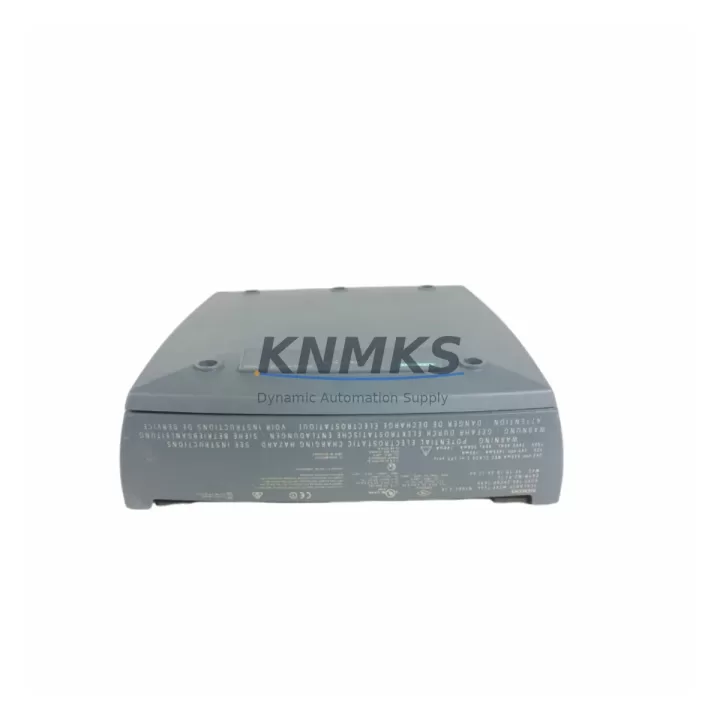
The Siemens 6GK5786-2HC00-1AA0 is an original SCALANCE W786C-2 industrial wireless access point engineered for demanding factory floor environments. As a maintenance-proven spare part, it supports continuous WLAN connectivity across PROFINET-based automation networks, conveyor control systems, AGV fleets, and distributed I/O architectures. When a W786C-2 unit fails or degrades, unplanned downtime can cascade across entire production cells — making a pre-tested, in-stock replacement essential for any serious maintenance strategy.
Each unit supplied by KNMKS is sourced as an original Siemens component, subjected to pre-shipment functional verification, and backed by a support terms confirmed by quotation. Global dispatch is available with short lead times, supporting both emergency replacement and planned annual maintenance cycles.
Spare Maintenance Table
| Part Number | 6GK5786-2HC00-1AA0 |
| Model | SCALANCE W786C-2 |
| Brand | Siemens |
| Series | SCALANCE W700 |
| Product Type | Industrial Wireless Access Point (IEEE 802.11a/b/g/n) |
| Frequency Bands | 2.4 GHz / 5 GHz dual-band |
| Antenna Ports | 2 × R-SMA (external antenna connectors) |
| Power Supply | 24 V DC (via terminal block) / PoE IEEE 802.3af |
| Operating Temperature | -20 °C to +60 °C |
| Protection Rating | IP30 (cabinet-mount) |
| Ethernet Ports | 2 × RJ45 10/100 Mbit/s |
| Mounting | DIN rail / wall mount |
| Compatibility | SCALANCE W700 series; SIMATIC S7-300/400/1200/1500; PROFINET wireless infrastructure |
| Origin | Germany |
| Support terms | 12 Months |
| Pre-Shipment Test | Yes — functional verification before dispatch |
| Delivery | Global express dispatch; short lead time |
Maintenance Planning for Continuous Operation
When replacing the 6GK5786-2HC00-1AA0 in a live production environment, maintenance engineers should treat the swap as an opportunity to audit the surrounding wireless and network infrastructure. The W786C-2 operates within a broader SCALANCE W700 ecosystem, and component degradation rarely occurs in isolation.
Begin by inspecting the 24 V DC power supply rail feeding the access point — voltage fluctuations or ripple above tolerance are a common root cause of intermittent WLAN dropouts that are misdiagnosed as AP hardware failure. If the unit is powered via PoE, verify the SCALANCE X208 or X216 managed switch PoE budget and port status before commissioning the replacement unit.
Check the antenna cables and R-SMA connectors for corrosion, mechanical damage, or loose terminations — degraded RF cabling can reduce link quality even with a new AP installed. For high-mobility AGV or crane applications, inspect the SCALANCE W788-2 RJ45 client module on the mobile side, as client-side hardware often degrades in parallel with the infrastructure AP.
Review the PROFINET IO controller configuration in the SIMATIC S7-1500 or S7-300 CPU to confirm the wireless device name and IP assignment are correctly mapped to the replacement unit’s MAC address. A mismatch here will prevent the IO device from coming online after the swap. Also verify the SINEMA Remote Connect or SCALANCE M876 LTE router configuration if the AP is part of a remote monitoring or VPN-connected segment.
For cabinet-level inspection, check the 24 V DC fuse or circuit breaker protecting the AP power circuit, and inspect the terminal block wiring for loose connections or oxidation. If the control cabinet also houses a SIMATIC ET 200SP distributed I/O station or CP 1543-1 communications processor, confirm those modules are unaffected and that the network topology remains intact after the AP replacement.
Procurement engineers should maintain at least one 6GK5786-2HC00-1AA0 unit in the site spare parts inventory, particularly for facilities running 24/7 production schedules where wireless-dependent AGV or conveyor systems cannot tolerate extended downtime. Pairing this spare with a backup SCALANCE W786-2 IA or equivalent W700-series unit provides redundancy coverage across different mounting and antenna configurations.
Site Replacement Workflow
Step 1 — Isolation: Notify the control room and place the affected PROFINET wireless segment into safe state. If the AP supports a redundant ring topology (e.g., iRing or WLAN redundancy), verify the backup path is active before powering down the failed unit.
Step 2 — Physical Removal: Disconnect antenna cables (label each port), remove the Ethernet patch cables, and release the DIN rail clip. Record the unit’s MAC address from the label for configuration reference.
Step 3 — Replacement Unit Preparation: Using SINEMA Network Manager or the web-based management interface, pre-configure the replacement 6GK5786-2HC00-1AA0 with the same SSID, security profile (WPA2-Enterprise or PSK), channel, and IP settings as the failed unit. Restore the configuration backup if available.
Step 4 — Installation and Commissioning: Mount the replacement unit on the DIN rail, reconnect antenna cables to the correct R-SMA ports, and restore power. Confirm the PROFINET IO device comes online in the S7 CPU diagnostic view within the expected timeout window.
Step 5 — Verification: Run a WLAN site survey or use the SCALANCE W built-in signal quality indicators to confirm adequate RSSI and link speed. Log the replacement in the site maintenance record and update the spare parts inventory accordingly.
This workflow minimizes mean time to repair (MTTR) and ensures the replacement unit is fully validated before the production line resumes, reducing the risk of secondary faults caused by configuration errors.
Spare Parts Support FAQ
Q1: Is the 6GK5786-2HC00-1AA0 a direct drop-in replacement for older SCALANCE W786 variants?
The W786C-2 (6GK5786-2HC00-1AA0) is compatible with the SCALANCE W700 series infrastructure and can replace earlier W786 variants in most installations, provided the antenna configuration (2 × R-SMA) and power input (24 V DC or PoE) match the existing cabinet wiring. Configuration migration via SINEMA Network Manager is recommended to ensure SSID, security, and VLAN settings are correctly transferred.
Q2: What pre-shipment testing is performed before dispatch?
Every 6GK5786-2HC00-1AA0 unit supplied by KNMKS undergoes functional verification including power-on self-test, WLAN radio activation, Ethernet port link confirmation, and firmware version check. Units that do not pass all test criteria are not dispatched. A support terms confirmed by quotation is provided from the date of shipment.
Q3: How should this spare part be stored to maintain long-term reliability?
Store the unit in its original anti-static packaging in a dry environment at 0 °C to +40 °C with relative humidity below 95% (non-condensing). Avoid proximity to strong electromagnetic fields or corrosive atmospheres. Inspect the unit annually if held in long-term storage, and power-cycle test before deployment.
Q4: Can KNMKS support long-term supply for multi-site maintenance contracts?
Yes. KNMKS maintains multi-region stock of SCALANCE W700 series components and can support blanket purchase orders, scheduled delivery programs, and emergency same-day dispatch for critical production facilities. Contact the sales team to discuss volume pricing, lead time commitments, and consignment stock arrangements for high-priority SKUs.
© 2026 KNMKS. All rights reserved.
Original Source: https://knmks.com
Contact: admin@knmks.com | +86 18359268345
Product Identification
- Brand / Ecosystem
-
Siemens
Siemens - Model / Series
-
W786C-2 6GK5786-2HC00-1AA0
SIMATIC Series - Product Family
- Other Components
- Availability Status
- Available on request after model and quantity confirmation
- Inquiry Type
- B2B RFQ, replacement inquiry and project spare-part request
- Pre-Quote Check
- Exact SKU, brand, series, quantity, nameplate photos and destination country are checked before quotation
System Path
Where this product fits in the KNMKS automation structure.
Specification & Inquiry Focus
- Component range
- Breakers, terminals and cabinet accessories
- Common needs
- Model, photo and installation requirement
- Project support
- Maintenance and mixed spare-part inquiry
Buyer Confirmation
Information KNMKS checks before replying.
- Exact model
- W786C-2 6GK5786-2HC00-1AA0
- Brand / ecosystem
- Siemens
- Product family
- Other Components
- Application note
- Replacement, maintenance, project build or spare-part list
- Useful photos
- Nameplate, installed unit, cabinet layout or connector side
- Delivery details
- Quantity, destination country and target schedule
Document Support
Files and notes can be confirmed during quotation.
- Product photos or nameplate confirmation when available
- Packing and delivery notes before quotation confirmation
- Support scope and delivery terms confirmed per inquiry
- Export document coordination for qualified B2B requests
Inquiry Support
- Mixed automation spare parts inquiry
- Cabinet component and accessory support
- Model identification from photos or labels
What to Send Us
- Brand and exact model number: Siemens W786C-2 6GK5786-2HC00-1AA0
- Quantity and required delivery time
- Application, replacement requirement or nameplate photo
- Destination country and shipping preference
RFQ Preparation
This is a product inquiry page built for RFQ communication.
Fast Model Check
Send this model to KNMKS for confirmation.
Include quantity, destination country and photos if this is a maintenance replacement. The inquiry will be saved with a reference number after submission.
Brand & Compatibility Note
KNMKS displays automation product information for well-known industrial brand ecosystems and compatible replacement references. Brand names are used for product identification and compatibility reference only; final availability and commercial terms are confirmed per quotation.
 Manufacturing
 Machine Tools
 Packaging
 Energy & Power
 PLCs & Controllers
 HMI & Displays
 Servo Systems
 Variable Frequency Drives