
Overview
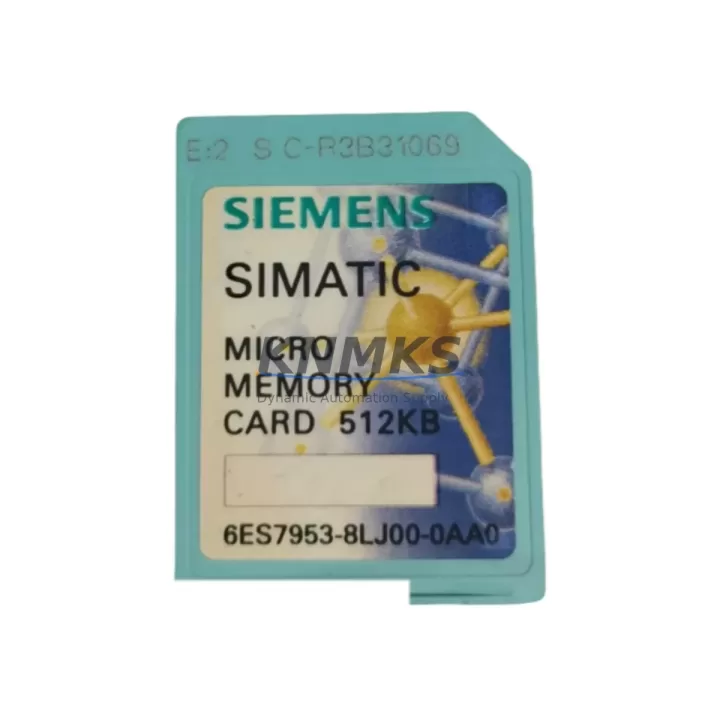
Siemens 6ES7953-8LJ00-0AA0 S7-300 Maintenance Spare: Factory Uptime Through Proven Spare Parts
The Siemens 6ES7953-8LJ00-0AA0 is a 64KB Micro Memory Card (MMC) designed for the SIMATIC S7-300 programmable logic controller family. In industrial maintenance environments, this compact yet critical component serves as the non-volatile program and data storage medium for S7-300 CPUs — holding the user program, data blocks, and system parameters that define machine behavior. When an MMC fails or becomes corrupted, the CPU cannot execute its program, resulting in immediate production stoppage. Stocking a verified replacement of the 6ES7953-8LJ00-0AA0 is therefore a fundamental element of any responsible spare parts strategy for facilities running S7-300-based automation.
At KNMKS, every 6ES7953-8LJ00-0AA0 unit is sourced from authorized supply channels, individually inspected, and shipped with a support terms confirmed by quotation. Our inventory is maintained to support both emergency same-day dispatch and long-term blanket order arrangements, ensuring your maintenance team is never left waiting during a critical outage.
Spare Maintenance Table
| Parameter | Specification |
|---|---|
| Part Number / SKU | 6ES7953-8LJ00-0AA0 |
| Product Family | SIMATIC S7-300 Micro Memory Card |
| Brand | Siemens |
| Memory Capacity | 64 KB |
| Memory Type | Flash EEPROM (non-volatile, battery-free retention) |
| Compatible CPUs | S7-300 CPUs: CPU 312, 313C, 314, 314C-2, 315-2 DP/PN, 317, 319 and compatible variants |
| Interface | Proprietary Siemens MMC slot (CPU front panel) |
| Operating Voltage | 3.3 V DC (supplied by CPU) |
| Operating Temperature | 0 °C to +60 °C |
| Storage Temperature | -20 °C to +85 °C |
| Protection Class | IP20 (installed in CPU slot) |
| Origin | Germany (DE) |
| Application Environment | Industrial automation, discrete manufacturing, process control, utilities |
| Maintenance Role | Program storage, CPU restart recovery, firmware parameter retention |
| Installation | Hot-swap capable with CPU powered down; program reload via STEP 7 or TIA Portal S7-300 mode |
| Support terms | 12 Months — KNMKS verified, tested before dispatch |
Maintenance Planning for Continuous Operation
Replacing the 6ES7953-8LJ00-0AA0 in a live production environment is rarely an isolated task. Maintenance engineers and procurement teams should treat an MMC replacement as a trigger for a broader control cabinet inspection to prevent secondary failures and reduce the risk of repeat downtime.
When the MMC is replaced, the CPU must reload its user program from the new card. Before powering the CPU back up, verify that the 24 VDC power supply module (such as the Siemens PS 307 series) is delivering stable voltage within tolerance — an under-voltage condition during the CPU boot sequence can corrupt the newly written program block. Check the power supply’s output terminals and fuse protection at the same time.
The CPU 314C-2 DP or equivalent S7-300 CPU in your cabinet should be inspected for firmware version compatibility with the replacement MMC. Some older CPU firmware revisions have known limitations with higher-capacity MMC variants; confirm the CPU order number and firmware level via the module’s front label before ordering. If the CPU itself shows fault LEDs (SF, BF) that persist after MMC replacement, the CPU module may require parallel evaluation as a spare.
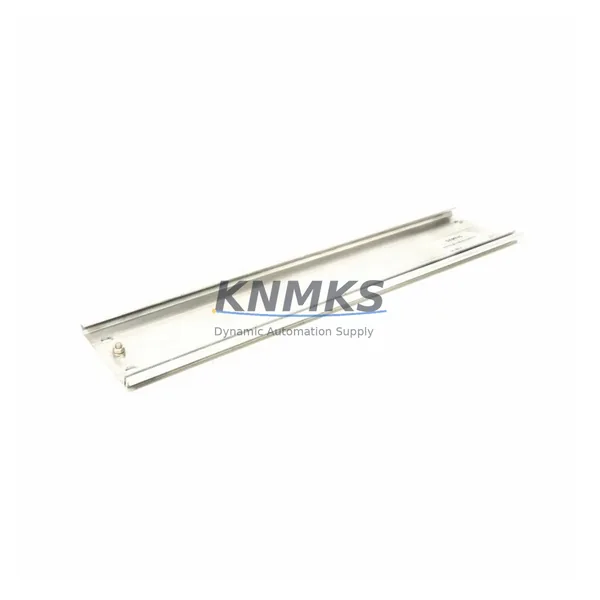
During the same maintenance window, inspect the digital input/output modules (such as SM 321 DI or SM 322 DO) connected to the CPU’s backplane. Backplane connector corrosion or loose bus connectors on the S7-300 DIN rail mounting rack can cause intermittent I/O faults that are often misdiagnosed as CPU or MMC failures. Reseat all modules and verify bus connector integrity.
If the S7-300 system uses PROFIBUS DP communication, check the DP master interface and verify that the network termination resistors are correctly set at both ends of the PROFIBUS segment. A corrupted MMC that caused an uncontrolled CPU stop may have left remote I/O slaves (ET 200 series) in a fault state — these must be reset and re-initialized after the CPU restarts with the new MMC.
For systems with analog signal modules (SM 331 AI or SM 332 AO), verify that signal ranges and module parameters stored in the MMC data blocks are correctly restored after the program reload. Analog scaling errors post-replacement are a common source of process upsets that can be avoided with a structured commissioning checklist.
Finally, review the 24 VDC fuse protection on the field wiring side. An MMC failure caused by a CPU power anomaly may indicate upstream fuse degradation or a wiring fault that, if left unaddressed, will damage the replacement module. A thermal imaging scan of the control cabinet during the next scheduled inspection is recommended as a preventive measure.
Site Replacement Workflow
Step 1 — Preparation: Download and archive the current CPU program using STEP 7 (Simatic Manager) or TIA Portal in S7-300 compatibility mode before removing the old MMC. Store the project file on a secure engineering workstation and a backup drive. Confirm the replacement 6ES7953-8LJ00-0AA0 part number matches the original label on the installed card.
Step 2 — Safe Removal: Place the CPU in STOP mode via the mode selector switch. Power down the CPU module (or the entire rack if site safety procedures require it). Remove the old MMC from the front-panel slot using the extraction tool or a flat-blade screwdriver — do not force the card. Inspect the slot contacts for contamination or corrosion.
Step 3 — Installation: Insert the new 6ES7953-8LJ00-0AA0 firmly until it clicks into the slot. Power the CPU back on. The CPU will indicate a memory reset condition (STOP LED flashing) if the new card is blank — this is expected behavior.
Step 4 — Program Download: Using STEP 7 or TIA Portal, download the archived user program to the CPU. Perform a complete download (not delta) to ensure all program blocks, data blocks, and system data are written to the new MMC. Verify the download completes without errors.
Step 5 — Commissioning Check: Switch the CPU to RUN mode. Confirm the RUN LED is solid green and no SF or BF fault LEDs are active. Monitor the first production cycle for correct I/O behavior, analog signal values, and PROFIBUS communication status. Document the replacement in the maintenance log with the date, technician name, and new MMC serial number.
This workflow minimizes downtime to typically under 30 minutes for a prepared maintenance team and eliminates the risk of program loss or configuration mismatch that can extend outages by hours.
Spare Parts Support FAQ
Q1: Is the 6ES7953-8LJ00-0AA0 compatible with all S7-300 CPU models?
The 6ES7953-8LJ00-0AA0 (64KB) is compatible with the majority of SIMATIC S7-300 CPUs that use the standard MMC slot format, including CPU 312, 313C, 314, 314C-2 DP/PN, 315-2 DP, 315-2 PN/DP, 317-2 DP, and 319-3 PN/DP. Always verify the CPU’s order number and documentation to confirm MMC capacity requirements — some larger programs may require a higher-capacity MMC (128KB, 512KB, or 2MB variants). KNMKS can advise on the correct capacity for your specific CPU and program size.
Q2: How does KNMKS verify the 6ES7953-8LJ00-0AA0 before shipment?
Each unit undergoes a pre-shipment inspection that includes physical condition assessment, contact integrity check, and functional verification in a compatible S7-300 test environment where applicable. Units are shipped in anti-static packaging with a KNMKS inspection label. The support terms confirmed by quotation cover defects in materials and workmanship from the date of delivery, with direct technical support available via admin@knmks.com.
Q3: Can I place a long-term blanket order for the 6ES7953-8LJ00-0AA0?
Yes. KNMKS supports blanket purchase orders and scheduled release arrangements for maintenance teams and procurement engineers who need guaranteed stock availability over a 6–24 month horizon. This is particularly valuable for facilities operating legacy S7-300 systems where Siemens has announced product lifecycle transitions. Contact our sales team at +86 18359268345 or admin@knmks.com to discuss volume pricing and delivery scheduling.
Q4: What is the recommended spare parts inventory strategy for S7-300 MMC modules?
For production lines with high uptime requirements, we recommend maintaining a minimum of two 6ES7953-8LJ00-0AA0 units in your on-site spare parts cabinet — one as an active hot spare and one as a long-term reserve. For multi-line facilities with multiple S7-300 racks, a pooled inventory of 3–5 units is a cost-effective approach. Pair the MMC spares with a current backup of all CPU programs stored off-site, and schedule an annual verification of the backup files against the live CPU program to ensure consistency.
© 2026 KNMKS. All rights reserved.
Original Source: https://knmks.com
Contact: admin@knmks.com | +86 18359268345
Product Identification
- Brand / Ecosystem
-
Siemens
Siemens - Model / Series
-
6ES7953-8LJ00-0AA0
SIMATIC Series - Product Family
- Other Components
- Availability Status
- Available on request after model and quantity confirmation
- Inquiry Type
- B2B RFQ, replacement inquiry and project spare-part request
- Pre-Quote Check
- Exact SKU, brand, series, quantity, nameplate photos and destination country are checked before quotation
System Path
Where this product fits in the KNMKS automation structure.
Specification & Inquiry Focus
- Component range
- Breakers, terminals and cabinet accessories
- Common needs
- Model, photo and installation requirement
- Project support
- Maintenance and mixed spare-part inquiry
Buyer Confirmation
Information KNMKS checks before replying.
- Exact model
- 6ES7953-8LJ00-0AA0
- Brand / ecosystem
- Siemens
- Product family
- Other Components
- Application note
- Replacement, maintenance, project build or spare-part list
- Useful photos
- Nameplate, installed unit, cabinet layout or connector side
- Delivery details
- Quantity, destination country and target schedule
Document Support
Files and notes can be confirmed during quotation.
- Product photos or nameplate confirmation when available
- Packing and delivery notes before quotation confirmation
- Support scope and delivery terms confirmed per inquiry
- Export document coordination for qualified B2B requests
Inquiry Support
- Mixed automation spare parts inquiry
- Cabinet component and accessory support
- Model identification from photos or labels
What to Send Us
- Brand and exact model number: Siemens 6ES7953-8LJ00-0AA0
- Quantity and required delivery time
- Application, replacement requirement or nameplate photo
- Destination country and shipping preference
RFQ Preparation
This is a product inquiry page built for RFQ communication.
Fast Model Check
Send this model to KNMKS for confirmation.
Include quantity, destination country and photos if this is a maintenance replacement. The inquiry will be saved with a reference number after submission.
Brand & Compatibility Note
KNMKS displays automation product information for well-known industrial brand ecosystems and compatible replacement references. Brand names are used for product identification and compatibility reference only; final availability and commercial terms are confirmed per quotation.
 Manufacturing
 Machine Tools
 Packaging
 Energy & Power
 PLCs & Controllers
 HMI & Displays
 Servo Systems
 Variable Frequency Drives