
Overview
Siemens 6ES7392-1BJ00-0AA0 Migration-Ready Front Connector for Legacy Control Systems
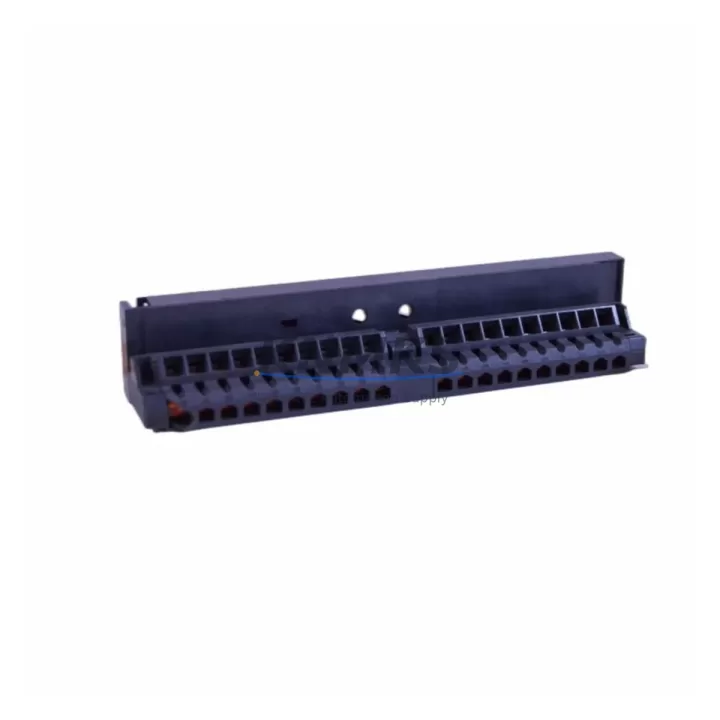
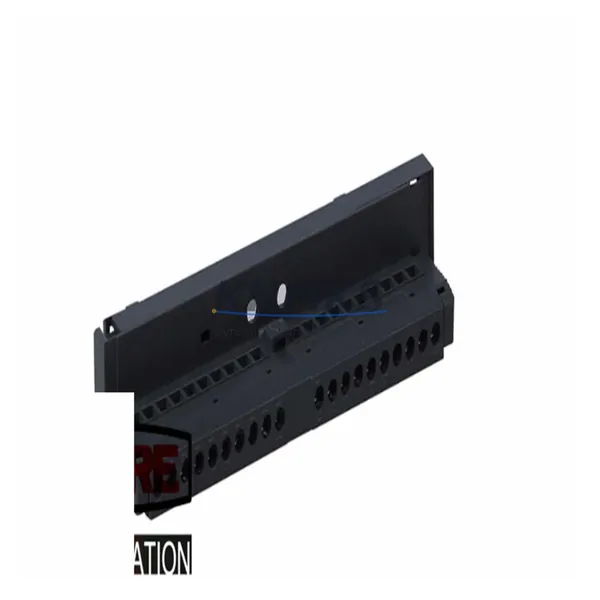
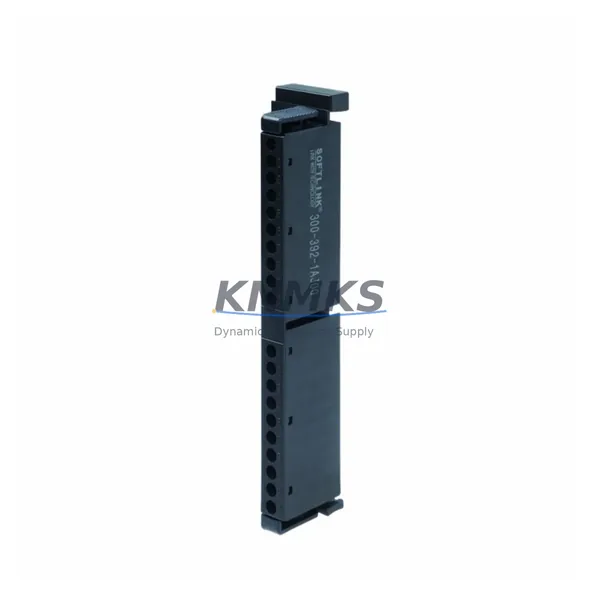
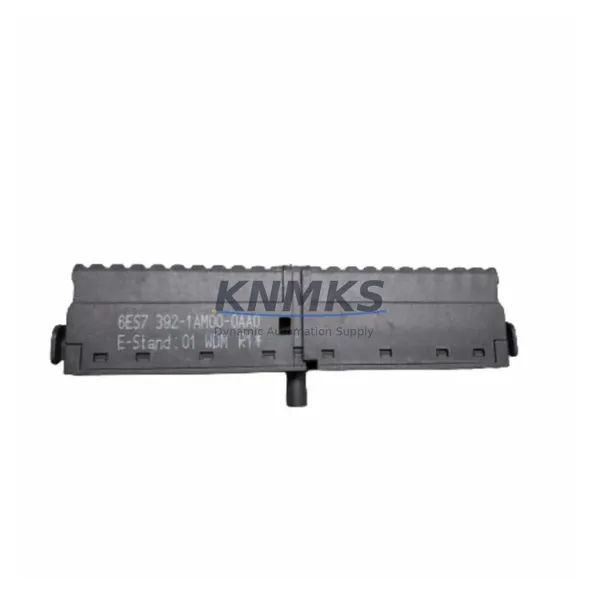
The Siemens 6ES7392-1BJ00-0AA0 is a 20-pin screw-type front connector designed for the SIMATIC S7-300 series of programmable logic controllers. As industrial facilities worldwide accelerate the retirement of aging S7-300 control cabinets, this front connector remains a critical interface component for both direct replacement and phased migration projects. Whether you are restoring a failed control node, extending the operational life of an existing S7-300 rack, or preparing a cabinet for a structured upgrade to the S7-1500 platform, the 6ES7392-1BJ00-0AA0 provides the wiring continuity and mechanical compatibility required to keep production running without unplanned downtime.
This connector is compatible with the full range of S7-300 signal modules, including digital input modules such as the SM 321, digital output modules such as the SM 322, and analog I/O modules in the SM 331 and SM 332 families. The screw-terminal design accommodates field wiring from previous installations without re-termination, which is a significant advantage when the original wiring documentation is incomplete or when field cables have been cut to length. The connector body clips directly onto the front face of the module and can be removed independently of the module itself, preserving the existing wiring harness during module swap operations.
For sites running PROFIBUS DP networks, the 6ES7392-1BJ00-0AA0 supports uninterrupted field device connectivity during module replacement. Engineers replacing a failed SM 321 or SM 322 can detach the front connector with all field wiring intact, install the replacement module, and reattach the connector in a single operation — typically completing the swap in under ten minutes without disturbing the PROFIBUS segment or requiring a full rack power cycle.
Migration Compatibility Table
| Parameter | Detail |
|---|---|
| SKU / Part Number | 6ES7392-1BJ00-0AA0 |
| Series | SIMATIC S7-300 |
| Connector Type | 20-pin screw-type front connector |
| Compatible Modules | SM 321, SM 322, SM 331, SM 332 (S7-300 signal modules) |
| Installation Method | Clip-on, tool-free module attachment; independent wiring removal |
| Communication Protocol | PROFIBUS DP (field wiring continuity maintained during swap) |
| Replacement Compatibility | Direct drop-in for all 20-pin S7-300 front connector positions |
| Retrofit Recommendation | Suitable for S7-300 life extension and pre-migration wiring preservation |
| Commissioning Note | Verify terminal numbering against existing wiring diagram before re-insertion |
| Origin | Germany (DE) |
| Weight | 40 g |
| Support terms | 12 months from date of shipment |
Retrofit Planning for Existing Automation Systems
A structured retrofit of an S7-300 control cabinet typically begins with an audit of all installed signal modules and their associated front connectors. In many legacy installations, front connectors have been in service for ten to fifteen years and show signs of terminal wear, loose screws, or oxidized contacts that contribute to intermittent I/O faults. Replacing the 6ES7392-1BJ00-0AA0 front connectors as part of a planned maintenance window — rather than waiting for a field failure — significantly reduces the risk of unscheduled downtime.
When planning a migration from S7-300 to S7-1500, engineers must account for the physical differences between the two platforms. The S7-1500 uses a different rack and backplane architecture, and its I/O modules require the ET 200MP distributed I/O system or dedicated S7-1500 signal modules rather than the S7-300 SM series. However, during the transition period — when both platforms may coexist in the same facility — maintaining a stock of 6ES7392-1BJ00-0AA0 connectors ensures that any S7-300 node can be restored quickly while the migration schedule proceeds.
Common components encountered in the same retrofit scope include the PS 307 power supply module, which provides 24 VDC to the S7-300 rack and must be verified for adequate current capacity when additional modules are added during an I/O expansion. The CPU 315-2 DP or CPU 317-2 DP central processing units are frequently the control core of the systems being upgraded, and their PROFIBUS DP port configuration must be preserved or remapped when signal modules are relocated. The IM 360 and IM 361 interface modules are relevant when the retrofit spans multiple expansion racks, as the inter-rack communication cables and termination resistors must be inspected and replaced if degraded. For installations that include analog signal conditioning, the SM 331 AI 8x12Bit module is a common companion to the front connectors being replaced, and its channel parameterization in STEP 7 must be backed up before any hardware change. Where HMI integration is part of the upgrade scope, the TP 177B or MP 277 operator panels connected via MPI or PROFIBUS must be verified for screen tag consistency after any CPU or I/O address reassignment.
Downtime Control During System Migration
Minimizing production interruption during an S7-300 front connector replacement or broader module swap requires preparation before the maintenance window opens. The first step is to export and archive the current STEP 7 project, including all hardware configuration files, symbol tables, and data block contents. This backup ensures that if a module address conflict or parameterization error occurs during reassembly, the original logic can be restored without relying on memory or incomplete paper records.
During the physical swap, the front connector’s independent removal capability is the primary tool for downtime reduction. Because the 6ES7392-1BJ00-0AA0 retains all field wiring when detached from the module face, the replacement module can be inserted and the connector reattached without re-terminating a single wire. After reattachment, a forced I/O test from the STEP 7 online monitor or the PG/PC programming cable confirms that all channels are responding correctly before the CPU is returned to RUN mode.
For systems where continuous control is required — such as temperature regulation loops or conveyor sequencing — a hot-standby or redundant CPU configuration should be evaluated before the migration begins. In non-redundant systems, coordinating the maintenance window with production scheduling to align with a natural break in the process cycle is the most practical approach to limiting the impact of the required CPU STOP interval. Post-swap, a full I/O force test and a one-hour monitored run in RUN mode with the STEP 7 diagnostic buffer open are recommended before declaring the system restored.
Retrofit Support FAQ
Q: Is the 6ES7392-1BJ00-0AA0 a direct replacement for all 20-pin S7-300 front connectors?
A: Yes. The 6ES7392-1BJ00-0AA0 is the standard 20-pin screw-type front connector for the S7-300 series and is mechanically and electrically compatible with all S7-300 signal modules that use a 20-pin connector interface, including SM 321, SM 322, SM 331, and SM 332 variants.
Q: Can I reuse the existing field wiring when replacing a front connector?
A: Yes. The connector is designed to be removed from the module face independently, with all field wiring remaining attached. This allows the wiring harness to be transferred directly to the replacement connector or reattached to a new module without re-termination, provided the wire insulation and terminal screws are in acceptable condition.
Q: What pre-shipment testing is performed on this connector?
A: Each 6ES7392-1BJ00-0AA0 unit is inspected for mechanical integrity, terminal screw torque, and clip-latch function before dispatch. Units are shipped in original or equivalent protective packaging. A support terms confirmed by quotation from the date of shipment covers manufacturing defects and functional failures under normal operating conditions.
Q: What is the lead time and stock availability?
A: This part is held availability confirmed by RFQ for immediate dispatch. Standard orders are processed within one business day. For bulk retrofit projects requiring multiple units, please contact our sales team to confirm available quantity and arrange consolidated shipment to reduce per-unit logistics cost.
© 2026 KNMKS. All rights reserved.
Original Source: https://knmks.com
Contact: admin@knmks.com | +86 18359268345
Product Identification
- Brand / Ecosystem
-
Siemens
Siemens - Model / Series
-
6ES7392-1BJ00-0AA0
SIMATIC Series - Product Family
- Cables & Connectors
- Availability Status
- Available on request after model and quantity confirmation
- Inquiry Type
- B2B RFQ, replacement inquiry and project spare-part request
- Pre-Quote Check
- Exact SKU, brand, series, quantity, nameplate photos and destination country are checked before quotation
System Path
Where this product fits in the KNMKS automation structure.
Specification & Inquiry Focus
- Cable range
- Sensor, servo, network and circular connectors
- Common needs
- Length, pin count, shielding and plug type
- Project support
- Machine wiring and installation kits
Buyer Confirmation
Information KNMKS checks before replying.
- Exact model
- 6ES7392-1BJ00-0AA0
- Brand / ecosystem
- Siemens
- Product family
- Cables & Connectors
- Application note
- Replacement, maintenance, project build or spare-part list
- Useful photos
- Nameplate, installed unit, cabinet layout or connector side
- Delivery details
- Quantity, destination country and target schedule
Document Support
Files and notes can be confirmed during quotation.
- Product photos or nameplate confirmation when available
- Packing and delivery notes before quotation confirmation
- Support scope and delivery terms confirmed per inquiry
- Export document coordination for qualified B2B requests
Inquiry Support
- Cable length and connector type confirmation
- Servo, sensor and network cable inquiry
- Accessory kits for installation teams
What to Send Us
- Brand and exact model number: Siemens 6ES7392-1BJ00-0AA0
- Quantity and required delivery time
- Application, replacement requirement or nameplate photo
- Destination country and shipping preference
RFQ Preparation
This is a product inquiry page built for RFQ communication.
Fast Model Check
Send this model to KNMKS for confirmation.
Include quantity, destination country and photos if this is a maintenance replacement. The inquiry will be saved with a reference number after submission.
Brand & Compatibility Note
KNMKS displays automation product information for well-known industrial brand ecosystems and compatible replacement references. Brand names are used for product identification and compatibility reference only; final availability and commercial terms are confirmed per quotation.
 Manufacturing
 Machine Tools
 Packaging
 Energy & Power
 PLCs & Controllers
 HMI & Displays
 Servo Systems
 Variable Frequency Drives