
Overview
Siemens 6ES7153-1AA02-0XB0 Spare Part for Factory Uptime
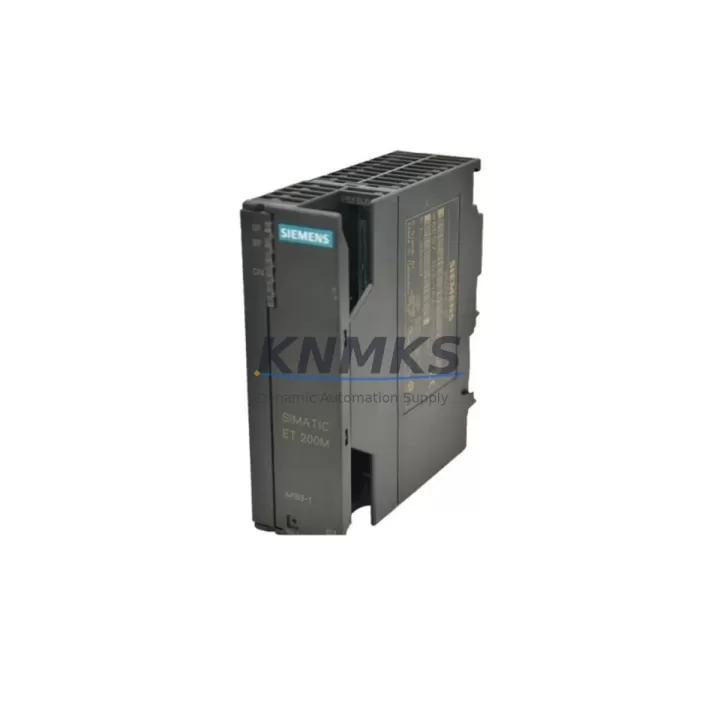
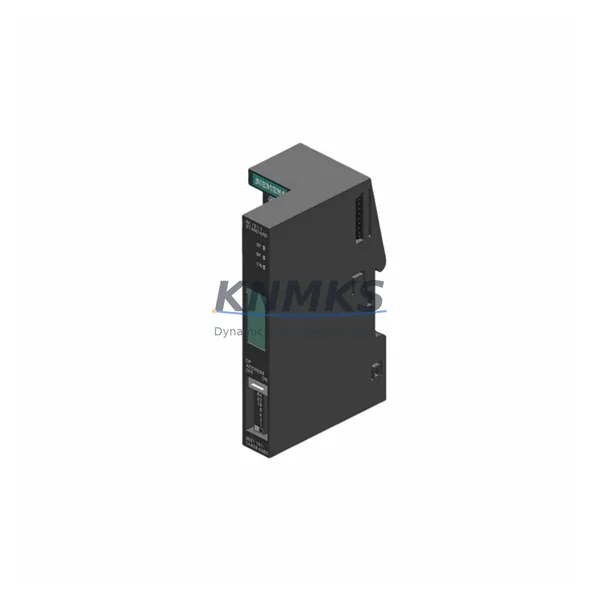
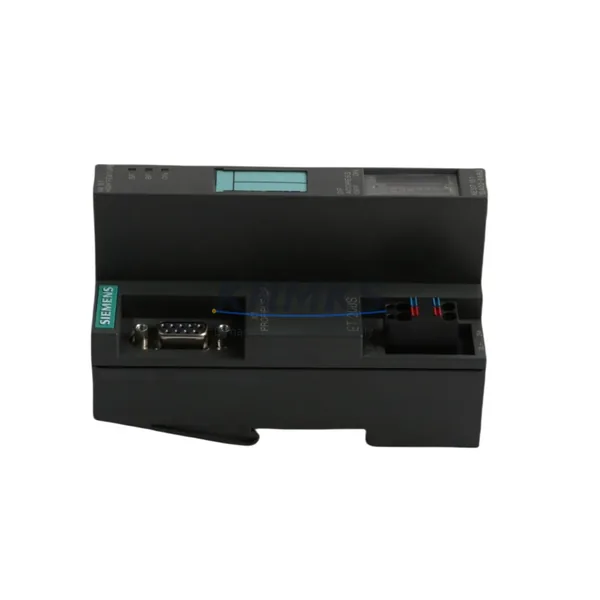
The Siemens 6ES7153-1AA02-0XB0 is an original DP/PA Link Interface Module designed for the SIMATIC ET 200M distributed I/O system. This module serves as the critical gateway between PROFIBUS DP and PROFIBUS PA segments, enabling seamless integration of field instruments — including pressure transmitters, flow meters, and positioners — into the SIMATIC S7 automation architecture. For maintenance engineers managing continuous process lines, the 6ES7153-1AA02-0XB0 is a high-priority spare: its failure directly interrupts PA segment communication, causing loss of field device visibility and triggering unplanned shutdowns.
Sourced as an original Siemens component, this spare part is pre-shipment tested, stocked for immediate dispatch, and covered by a support terms confirmed by quotation. It is suited for both emergency replacement and planned annual maintenance cycles in chemical, pharmaceutical, oil & gas, and water treatment facilities where PROFIBUS PA field networks are standard.
Spare Maintenance Table
| Parameter | Specification |
|---|---|
| SKU / Part Number | 6ES7153-1AA02-0XB0 |
| Brand | Siemens |
| Series | SIMATIC ET 200M |
| Module Type | DP/PA Link Interface Module |
| PROFIBUS DP Interface | RS-485, up to 12 Mbit/s |
| PROFIBUS PA Interface | IEC 61158-2, 31.25 kbit/s |
| PA Segment Support | Up to 32 PA field devices per segment |
| Supply Voltage | 24 V DC (via ET 200M backplane) |
| Operating Temperature | 0 °C to +60 °C |
| Protection Rating | IP20 |
| Mounting | S7-300 rail, ET 200M IM 153-x backplane |
| Dimensions (W×H×D) | 40 × 125 × 120 mm |
| Weight | Approx. 180 g |
| Origin | Germany |
| Compatibility | SIMATIC ET 200M with IM 153-1 / IM 153-2 interface modules |
| Replaces / Compatible With | 6ES7153-1AA00-0XB0, 6ES7153-1AA01-0XB0 |
| Support terms | 12 Months |
| Stock Status | Available — Ready for Dispatch |
Maintenance Planning for Continuous Operation
When a 6ES7153-1AA02-0XB0 failure is diagnosed or suspected, a structured cabinet inspection is essential before and after replacement to prevent repeat faults and confirm system integrity. Begin with the IM 153-2 interface module (e.g., 6ES7153-2BA02-0XB0) seated on the same ET 200M rack — this module manages DP communication upstream and must be verified for firmware compatibility with the replacement DP/PA Link. A corrupted or mismatched IM 153 is a common root cause of persistent PA segment errors even after a module swap.
Inspect the 24 V DC power supply feeding the ET 200M station. Voltage dips below 20.4 V or ripple exceeding 5% can cause intermittent DP/PA Link resets that mimic module failure. A dedicated SITOP PSU100S or equivalent 24 V stabilized rail supply should be part of the station’s standard spare inventory. Check the PA segment termination resistors at both ends of the PROFIBUS PA trunk cable — missing or double-terminated segments are a frequent cause of communication instability after module replacement.
Review the PROFIBUS DP bus connector (e.g., 6ES7972-0BA52-0XA0) at the DP/PA Link’s DP port. Worn contacts or incorrect termination switch positions on the connector can introduce bus errors that are misattributed to the module itself. For the PA side, inspect the PA field device junction boxes and spur cables — corroded terminals or damaged spur cables will prevent PA devices from re-establishing communication after the link module is replaced.
If the ET 200M station includes SM 321/SM 322 digital I/O modules or SM 331/SM 332 analog I/O modules on the same rack, verify that their configuration in STEP 7 or TIA Portal remains intact after the DP/PA Link replacement. A hardware configuration download may be required to re-initialize the PA segment address table. Finally, confirm that any HART-over-PA field instruments — such as Endress+Hauser Cerabar or Siemens SITRANS P transmitters — are correctly re-addressed and visible in the process control system before returning the line to production.
Site Replacement Workflow
Step 1 — Isolation & Safety: Place the affected ET 200M station in STOP mode via the CPU or IM 153 interface module. Notify the control room and lock out the 24 V DC supply to the station rail. Do not remove the DP/PA Link while the PA segment is energized — PA bus power (9–32 V DC) must be confirmed off at the PA coupler or power conditioner before module extraction.
Step 2 — Module Extraction: Release the DIN rail locking lever on the 6ES7153-1AA02-0XB0 and slide it clear of the backplane connector. Note the slot position — the replacement module must be installed in the same slot to match the STEP 7/TIA Portal hardware configuration. Inspect the backplane connector pins for damage or contamination before inserting the replacement.
Step 3 — Replacement Installation: Insert the new 6ES7153-1AA02-0XB0 into the correct slot and engage the locking lever. Reconnect the PROFIBUS DP bus connector and PA trunk cable. Restore 24 V DC power to the station. The IM 153 interface module will automatically re-initialize the DP/PA Link — allow up to 60 seconds for the PA segment to enumerate all field devices.
Step 4 — Verification: Confirm green LED status on the DP/PA Link (BF LED off, DC5V LED on). In STEP 7 or TIA Portal, go online and verify that all PA field devices are visible in the hardware diagnostics. Check process values for all PA instruments against expected ranges before releasing the station to RUN mode.
Step 5 — Documentation: Record the replacement date, old module serial number, and new module serial number in the maintenance log. Update the spare parts inventory and initiate a reorder for the consumed 6ES7153-1AA02-0XB0 to maintain buffer stock.
Spare Parts Support FAQ
Q1: Is the 6ES7153-1AA02-0XB0 compatible with older ET 200M IM 153-1 interface modules?
The 6ES7153-1AA02-0XB0 is designed for use with the SIMATIC ET 200M platform and is compatible with IM 153-1 and IM 153-2 interface modules. However, firmware versions and hardware revisions of the IM 153 may affect PA segment configuration options. Always verify the hardware configuration in STEP 7 or TIA Portal after replacement and perform a consistency check before going online.
Q2: What is the recommended spare parts buffer quantity for a facility running multiple ET 200M PA stations?
For facilities with three or more ET 200M stations using PROFIBUS PA, a minimum buffer of one 6ES7153-1AA02-0XB0 per four stations is recommended, with at least one unit always on-site. Given Siemens’ standard lead times for this module, maintaining a 12-month forward stock is advisable for critical process lines where unplanned downtime carries high operational cost.
Q3: How is the replacement module tested before shipment?
Each 6ES7153-1AA02-0XB0 unit is function-tested prior to dispatch to verify DP and PA interface integrity. Units are shipped in anti-static packaging with inspection documentation. The support terms confirmed by quotation cover manufacturing defects and confirmed functional failures under normal operating conditions.
Q4: Can the 6ES7153-1AA02-0XB0 replace earlier revisions such as the 6ES7153-1AA00-0XB0 or 6ES7153-1AA01-0XB0?
Yes, the -0XB0 suffix indicates upward hardware compatibility within the 6ES7153-1AA0x family. The 6ES7153-1AA02-0XB0 can replace earlier -AA00 and -AA01 revisions in the same slot without hardware configuration changes in most cases. Confirm firmware compatibility with the installed IM 153 version before deployment in safety-instrumented or redundant PA architectures.
© 2026 KNMKS. All rights reserved.
Original Source: https://knmks.com
Contact: admin@knmks.com | +86 18359268345
Product Identification
- Brand / Ecosystem
-
Siemens
Siemens - Model / Series
-
6ES7153-1AA02-0XB0
SIMATIC Series - Product Family
- Relays & Interface
- Availability Status
- Available on request after model and quantity confirmation
- Inquiry Type
- B2B RFQ, replacement inquiry and project spare-part request
- Pre-Quote Check
- Exact SKU, brand, series, quantity, nameplate photos and destination country are checked before quotation
System Path
Where this product fits in the KNMKS automation structure.
Specification & Inquiry Focus
- Interface range
- Relays, isolation and signal modules
- Common needs
- Coil voltage and contact rating
- Project support
- Panel wiring and signal protection
Buyer Confirmation
Information KNMKS checks before replying.
- Exact model
- 6ES7153-1AA02-0XB0
- Brand / ecosystem
- Siemens
- Product family
- Relays & Interface
- Application note
- Replacement, maintenance, project build or spare-part list
- Useful photos
- Nameplate, installed unit, cabinet layout or connector side
- Delivery details
- Quantity, destination country and target schedule
Document Support
Files and notes can be confirmed during quotation.
- Product photos or nameplate confirmation when available
- Packing and delivery notes before quotation confirmation
- Support scope and delivery terms confirmed per inquiry
- Export document coordination for qualified B2B requests
Inquiry Support
- Relay base and module matching
- Signal isolation and protection options
- Panel accessory inquiry support
What to Send Us
- Brand and exact model number: Siemens 6ES7153-1AA02-0XB0
- Quantity and required delivery time
- Application, replacement requirement or nameplate photo
- Destination country and shipping preference
RFQ Preparation
This is a product inquiry page built for RFQ communication.
Fast Model Check
Send this model to KNMKS for confirmation.
Include quantity, destination country and photos if this is a maintenance replacement. The inquiry will be saved with a reference number after submission.
Brand & Compatibility Note
KNMKS displays automation product information for well-known industrial brand ecosystems and compatible replacement references. Brand names are used for product identification and compatibility reference only; final availability and commercial terms are confirmed per quotation.
 Manufacturing
 Machine Tools
 Packaging
 Energy & Power
 PLCs & Controllers
 HMI & Displays
 Servo Systems
 Variable Frequency Drives