
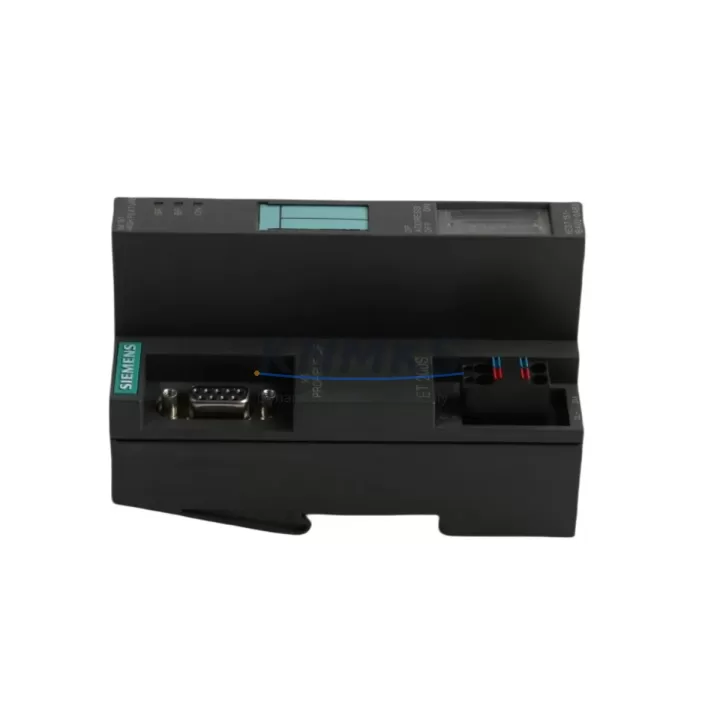
Overview
Siemens 6ES7151-1BA02-0AB0 Migration-Ready DP Interface for Legacy Control Systems
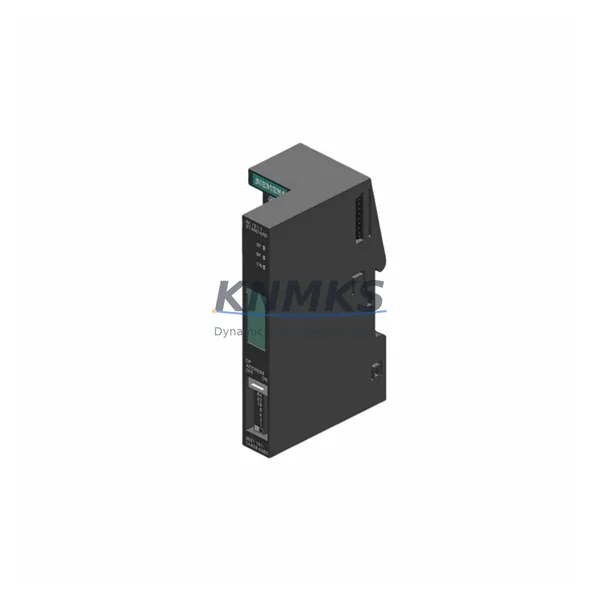
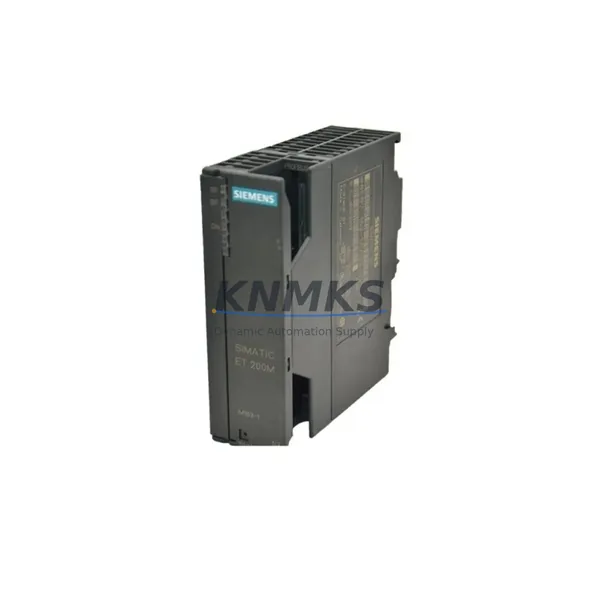
The Siemens 6ES7151-1BA02-0AB0 is the IM151-1 PROFIBUS DP Interface Module for the ET 200S distributed I/O station, designed to operate as the head-end communication interface between a PROFIBUS DP master — typically a Siemens S7-300 or S7-400 CPU — and the field-level I/O modules mounted on the same terminal module rail. As legacy automation systems approach end-of-life and spare part availability tightens, the 6ES7151-1BA02-0AB0 has become a critical retrofit component for maintenance engineers managing aging PROFIBUS-based control architectures.
This module supports PROFIBUS DP communication at up to 12 Mbit/s, integrates directly with the ET 200S terminal module system, and is compatible with the full range of ET 200S I/O modules including digital input, digital output, analog input, analog output, and technology modules. For plants running STEP 7 V5.x or TIA Portal with legacy hardware configurations, the 6ES7151-1BA02-0AB0 provides a direct, back-to-back replacement path without requiring changes to the existing GSD file or DP slave address assignment — a critical advantage when minimizing downtime during unplanned failures or scheduled turnarounds.
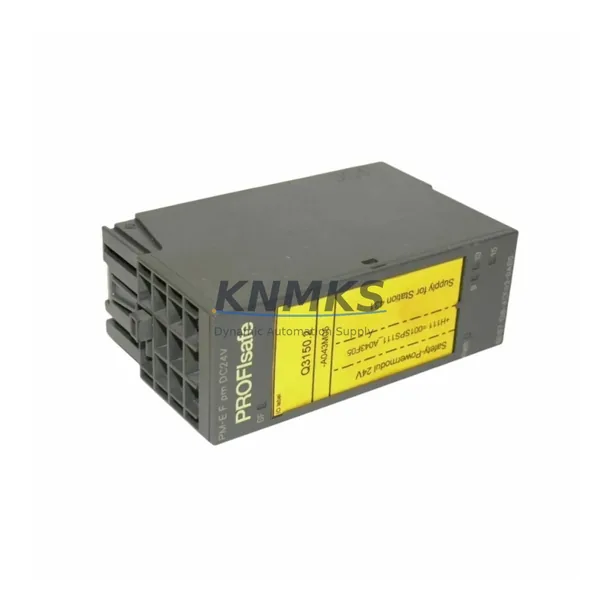
Before installing a replacement 6ES7151-1BA02-0AB0, engineers should verify the following: the 24 VDC supply voltage at the terminal module power connector; the PROFIBUS DP address set via the rotary switches on the module face (must match the original slave address in the master configuration); the GSD file version used in the STEP 7 hardware catalog; the backplane bus connector alignment with adjacent ET 200S power modules such as the PM-E DC24V (6ES7138-4CA01-0AA0); and the firmware version compatibility if the replacement unit carries a different hardware revision. In most retrofit scenarios, the module address, GSD file, and terminal module layout remain unchanged, allowing the replacement to be completed within a single maintenance window.
Migration Compatibility Table
| Parameter | Details |
|---|---|
| SKU / Part Number | 6ES7151-1BA02-0AB0 |
| Module Type | IM151-1 PROFIBUS DP Interface Module |
| Compatible Platform | ET 200S Distributed I/O Station |
| Communication Protocol | PROFIBUS DP (up to 12 Mbit/s) |
| Compatible Masters | Siemens S7-300, S7-400, S7-1500 (via DP master CM) |
| Supply Voltage | 24 VDC (via terminal module) |
| DP Slave Address | Configurable via rotary switch (1–125) |
| Backplane Interface | ET 200S bus connector (standard terminal module rail) |
| GSD File Compatibility | Compatible with existing GSD; verify hardware revision |
| Installation Space | Standard ET 200S terminal module slot; no additional rail space required |
| Firmware Compatibility | Verify firmware version against existing hardware revision before installation |
| Replacement Path | Direct back-to-back replacement; no GSD or address reconfiguration required in most cases |
| Commissioning Notes | Confirm DP address, power supply, and bus termination before powering up |
| Support terms | support terms confirmed by quotation | Tested before shipment |
Retrofit Planning for Existing Automation Systems
A successful retrofit of the 6ES7151-1BA02-0AB0 begins well before the module arrives on site. Maintenance teams should pull the existing STEP 7 or TIA Portal project file and confirm the hardware configuration for the affected ET 200S station, noting the assigned DP slave address, the GSD file version, and the I/O module slot assignments. The terminal module rail layout — including the position of the PM-E DC24V power module (6ES7138-4CA01-0AA0) and any adjacent digital or analog I/O modules such as the 4DI DC24V (6ES7131-4BD01-0AA0) or 2AO I 4-20mA (6ES7135-4GB01-0AB0) — must be documented to ensure the replacement interface module is seated in the correct position and the bus connector chain is intact.
For stations that include technology modules or high-speed counter modules, engineers should also verify that the module configuration in the hardware catalog matches the physical slot order, as the ET 200S assigns I/O addresses sequentially from the interface module outward. If the control cabinet also houses a CP 342-5 PROFIBUS communication processor or a CP 343-1 Ethernet module for higher-level SCADA connectivity, the DP network topology and bus termination resistors at both ends of the PROFIBUS segment should be confirmed before the replacement module is powered up.
In plants where the ET 200S station feeds signals to a WinCC or iFIX SCADA system, HMI tag addresses are typically mapped to the physical I/O addresses of the ET 200S modules. Since the 6ES7151-1BA02-0AB0 replacement does not alter the I/O address map — provided the DP slave address and slot configuration are preserved — HMI screens and alarm tags should remain valid without modification. This is a significant advantage over migrations that involve changing the communication protocol or switching to a different I/O platform entirely.
For sites considering a longer-term migration from PROFIBUS DP to PROFINET, the 6ES7151-1BA02-0AB0 can serve as an interim solution while the broader network upgrade is planned. The ET 200S platform also supports the IM151-3 PN interface module (6ES7151-3BA23-0AB0) for PROFINET connectivity, providing a future upgrade path within the same terminal module infrastructure — preserving the existing I/O wiring, cabinet layout, and field device connections.
Downtime Control During System Migration
Unplanned failure of a PROFIBUS DP interface module in an ET 200S station can trigger a complete loss of the affected I/O station, causing the S7-300 or S7-400 CPU to enter STOP mode or execute a fault reaction defined in the OB86 (rack failure) organization block. To minimize production impact, maintenance teams should maintain at least one spare 6ES7151-1BA02-0AB0 in the local spare parts inventory, particularly for stations controlling critical process loops such as motor starters, valve actuators, or safety-rated I/O.
When a replacement is required, the recommended procedure is: (1) record the current DP slave address from the rotary switches on the failed module; (2) power down the 24 VDC supply to the terminal module rail; (3) remove the failed interface module by releasing the locking lever and sliding it off the terminal module; (4) set the rotary switches on the replacement 6ES7151-1BA02-0AB0 to the same DP slave address; (5) seat the replacement module onto the terminal module and confirm the bus connector is fully engaged; (6) restore 24 VDC power and observe the module LEDs — the SF (system fault) LED should extinguish and the BF (bus fault) LED should clear once the DP master re-establishes communication with the station.
In most cases, the CPU will automatically re-parameterize the ET 200S station upon re-establishing the PROFIBUS DP connection, and normal I/O operation will resume without requiring a CPU restart or program download. If the CPU remains in STOP mode after the module replacement, engineers should check the diagnostic buffer in STEP 7 or TIA Portal for any residual hardware faults and confirm that the DP slave address and GSD configuration match the hardware catalog entry. The entire replacement procedure, from module removal to confirmed I/O operation, can typically be completed in under 30 minutes by a trained automation technician — significantly reducing the mean time to repair (MTTR) for PROFIBUS DP station failures.
Retrofit Support FAQ
Q1: Is the 6ES7151-1BA02-0AB0 a direct replacement for earlier IM151-1 hardware revisions?
In most cases, yes. The 6ES7151-1BA02-0AB0 is backward compatible with earlier hardware revisions of the IM151-1 interface module and uses the same GSD file and terminal module mounting system. However, engineers should verify the hardware revision (HW) and firmware version (FW) printed on the module label against the existing hardware catalog entry in STEP 7 or TIA Portal. If the revision differs, a hardware configuration update and download may be required before the station will operate correctly.
Q2: What commissioning checks are required after installing a replacement module?
After seating the replacement module and restoring power, confirm: (1) the DP slave address matches the original setting; (2) the SF and BF LEDs on the module clear within 10–30 seconds of power-up; (3) the CPU diagnostic buffer shows no new hardware faults; (4) all I/O modules in the ET 200S station are recognized and their LEDs indicate normal operation; and (5) the SCADA or HMI system is receiving valid process values from the affected I/O tags. A short functional test of the connected field devices — motors, valves, or sensors — should be performed before returning the station to automatic control.
Q3: Can this module be used in a PROFINET environment?
No. The 6ES7151-1BA02-0AB0 is a PROFIBUS DP interface module and is not compatible with PROFINET networks. For PROFINET connectivity within the ET 200S platform, the IM151-3 PN interface module (6ES7151-3BA23-0AB0) is the appropriate replacement. Both modules use the same ET 200S terminal module rail and I/O module system, so a protocol migration from PROFIBUS DP to PROFINET can be accomplished by replacing only the interface module and updating the network configuration — without rewiring the field I/O terminals.
Q4: What support terms and pre-shipment testing does KNMKS provide?
All 6ES7151-1BA02-0AB0 units supplied by KNMKS carry a support terms confirmed by quotation covering manufacturing defects and functional failures under normal operating conditions. Each module is tested for communication functionality and visual inspection before shipment. Stock is maintained in regional warehouses to support delivery details confirmed by RFQ for urgent maintenance requirements. For bulk orders or blanket stock programs, contact the KNMKS sales team to discuss lead time commitments and inventory reservation arrangements.
© 2026 KNMKS. All rights reserved.
Original Source: https://knmks.com
Contact: admin@knmks.com | +86 18359268345
Product Identification
- Brand / Ecosystem
-
Siemens
Siemens - Model / Series
-
6ES7151-1BA02-0AB0
SIMATIC Series - Product Family
- Relays & Interface
- Availability Status
- Available on request after model and quantity confirmation
- Inquiry Type
- B2B RFQ, replacement inquiry and project spare-part request
- Pre-Quote Check
- Exact SKU, brand, series, quantity, nameplate photos and destination country are checked before quotation
System Path
Where this product fits in the KNMKS automation structure.
Specification & Inquiry Focus
- Interface range
- Relays, isolation and signal modules
- Common needs
- Coil voltage and contact rating
- Project support
- Panel wiring and signal protection
Buyer Confirmation
Information KNMKS checks before replying.
- Exact model
- 6ES7151-1BA02-0AB0
- Brand / ecosystem
- Siemens
- Product family
- Relays & Interface
- Application note
- Replacement, maintenance, project build or spare-part list
- Useful photos
- Nameplate, installed unit, cabinet layout or connector side
- Delivery details
- Quantity, destination country and target schedule
Document Support
Files and notes can be confirmed during quotation.
- Product photos or nameplate confirmation when available
- Packing and delivery notes before quotation confirmation
- Support scope and delivery terms confirmed per inquiry
- Export document coordination for qualified B2B requests
Inquiry Support
- Relay base and module matching
- Signal isolation and protection options
- Panel accessory inquiry support
What to Send Us
- Brand and exact model number: Siemens 6ES7151-1BA02-0AB0
- Quantity and required delivery time
- Application, replacement requirement or nameplate photo
- Destination country and shipping preference
RFQ Preparation
This is a product inquiry page built for RFQ communication.
Fast Model Check
Send this model to KNMKS for confirmation.
Include quantity, destination country and photos if this is a maintenance replacement. The inquiry will be saved with a reference number after submission.
Brand & Compatibility Note
KNMKS displays automation product information for well-known industrial brand ecosystems and compatible replacement references. Brand names are used for product identification and compatibility reference only; final availability and commercial terms are confirmed per quotation.
 Manufacturing
 Machine Tools
 Packaging
 Energy & Power
 PLCs & Controllers
 HMI & Displays
 Servo Systems
 Variable Frequency Drives