
Overview
Siemens 6AV7892-0AD30-1AC0 Migration-Ready HMI for Legacy Control Systems
The Siemens 6AV7892-0AD30-1AC0 is a high-performance industrial panel PC designed as a direct migration-ready replacement for aging IPC477E-series human-machine interface installations. As legacy Siemens IPC477C and IPC477D units approach end-of-service milestones, plant engineers and system integrators face mounting pressure to source compatible drop-in replacements that preserve existing PROFINET and MPI communication architectures without requiring full PLC reprogramming or HMI screen redesign. The 6AV7892-0AD30-1AC0 addresses this challenge directly, offering a validated upgrade path that minimizes downtime, protects existing STEP 7 and TIA Portal program logic, and maintains continuity across the control cabinet.
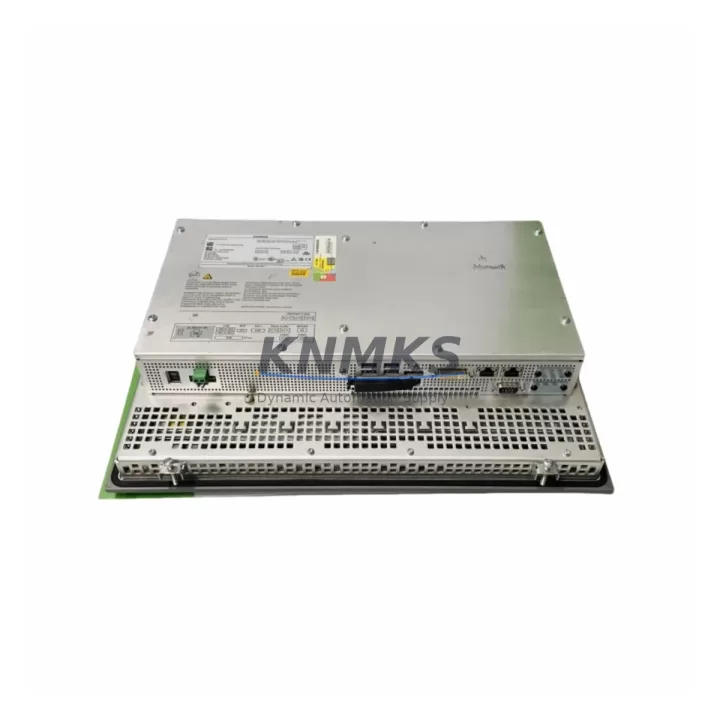
Engineered for demanding industrial environments, this unit supports the full IPC477E mechanical footprint, allowing direct panel cutout reuse in most retrofit scenarios. Engineers replacing a failed or obsolete IPC477C should verify the 24 VDC power supply capacity at the cabinet rail — the 6AV7892-0AD30-1AC0 draws within the standard IPC477E power envelope, but aging SITOP PSU100S or PSU200M power supply modules should be load-tested before commissioning. Terminal block wiring for USB, DVI-I, and Ethernet ports follows the same rear-panel layout, reducing rewiring time significantly. Where a PROFIBUS DP connection was previously used alongside an older CP 5611 communications processor, migration to PROFINET via the onboard Ethernet interface eliminates the need for the legacy CP card entirely, freeing a PCI slot for other expansion.
For sites running WinCC flexible or early WinCC V7 HMI projects, the 6AV7892-0AD30-1AC0 supports Windows Embedded Standard 7 and Windows 10 IoT Enterprise runtime environments, enabling direct project migration with minimal screen adaptation. Operators should confirm that any custom ActiveX controls or third-party OPC DA server connections used in the legacy project are compatible with the target OS before cutover. Where SIMATIC NET CP 1616 or CP 1604 network cards were installed in the predecessor IPC, their configuration files can typically be imported directly into the new unit’s SIMATIC NET software stack.
Backplane and rack integration is straightforward for installations using standard 19-inch industrial enclosures. The unit mounts via the same VESA-compatible bracket system used across the IPC477 family, and the front-panel IP65 rating is maintained, ensuring continued protection in wash-down or dusty environments. Where the legacy system used a SIMATIC S7-300 or S7-400 controller communicating over MPI, the 6AV7892-0AD30-1AC0 retains native MPI driver support, allowing the existing PLC rack, SM 321 digital input modules, SM 331 analog input modules, and IM 360/361 interface modules to remain in service without modification.
Every 6AV7892-0AD30-1AC0 unit supplied by KNMKS undergoes pre-shipment functional testing covering power-on self-test, display calibration, network interface verification, and storage media integrity checks. Units are dispatched with a support terms confirmed by quotation covering hardware defects under normal industrial operating conditions. Global stock availability supports emergency replacement scenarios with rapid dispatch to minimize unplanned production downtime.
Migration Compatibility Table
| Parameter | Legacy Unit (IPC477C/D) | 6AV7892-0AD30-1AC0 (IPC477E) | Migration Note |
|---|---|---|---|
| Panel Cutout | IPC477 standard | IPC477E standard (identical) | Direct reuse — no panel modification required |
| Power Supply | 24 VDC (SITOP PSU100S/200M) | 24 VDC | Verify PSU load capacity before commissioning |
| Communication | MPI / PROFIBUS DP / Ethernet | PROFINET / MPI / Ethernet | CP 5611 card can be retired; use onboard PROFINET |
| HMI Software | WinCC flexible / WinCC V7 | WinCC V7 / TIA Portal WinCC | Project migration required; verify ActiveX/OPC DA compatibility |
| OS Runtime | WES 2009 / WES 7 | WES 7 / Win 10 IoT Enterprise | Driver and runtime re-installation needed |
| PLC Compatibility | S7-300 / S7-400 via MPI | S7-300 / S7-400 / S7-1500 via MPI/PROFINET | No PLC reprogramming required for MPI-connected systems |
| Mounting | VESA / panel bracket | VESA / panel bracket (identical) | Existing bracket reusable |
| Front Panel Protection | IP65 | IP65 | No gasket replacement required |
| Support terms | N/A (EOL) | 12 Months | Covered under KNMKS standard support terms policy |
Retrofit Planning for Existing Automation Systems
A successful retrofit of the 6AV7892-0AD30-1AC0 into an existing control cabinet begins with a thorough audit of the surrounding automation architecture. In most IPC477C/D installations, the HMI communicates with a SIMATIC S7-300 rack populated with CPU 315-2 DP or CPU 317-2 PN/DP processors. These CPUs, along with their associated SM 321 digital input modules and SM 331 analog input modules, remain fully compatible with the replacement unit and do not require firmware updates for basic MPI or PROFINET connectivity.
Where the legacy system relied on a CP 5611 or CP 5613 PROFIBUS communications card installed in the predecessor IPC, engineers should plan to reconfigure the communication path to use the 6AV7892-0AD30-1AC0’s onboard PROFINET interface instead. This typically involves updating the HMI project’s connection table in TIA Portal or WinCC, reassigning the PLC’s PROFINET device name, and verifying that the IM 153-2 distributed I/O interface modules on any ET 200M remote stations are addressed correctly on the new network segment.
Power distribution within the cabinet should be reviewed before installation. The SITOP PSU200M 20A power supply module commonly found in IPC477-era cabinets is adequate for the 6AV7892-0AD30-1AC0, but engineers should account for any additional 24 VDC loads introduced during the upgrade, such as new signal isolators or additional I/O modules. Terminal block wiring for the HMI’s rear connectors follows standard DIN rail practices and can typically be transferred from the legacy unit’s wiring harness with minimal modification.
For sites where the original HMI was connected to a SIMATIC Panel PC 477B or an older MP 377 multi-panel via a PROFIBUS segment, the migration to PROFINET using the 6AV7892-0AD30-1AC0 also provides an opportunity to consolidate communication infrastructure, reducing the number of network segments and simplifying the overall topology. A SCALANCE X208 managed switch is commonly used to segment the PROFINET traffic in such configurations, ensuring deterministic communication between the HMI, PLC, and any remote I/O nodes.
Downtime Control During System Migration
Minimizing unplanned downtime during an IPC477-series HMI replacement requires careful pre-migration preparation. Before removing the legacy unit, engineers should create a full backup of the existing HMI project using WinCC’s built-in archive function or TIA Portal’s project backup utility. The backup should include all tag configurations, alarm definitions, trend archives, and script logic. A copy of the PLC program from the connected S7-300 or S7-400 CPU should also be archived using STEP 7 or TIA Portal to ensure program logic can be restored independently if required.
Physical cutover should be planned during a scheduled maintenance window. The 6AV7892-0AD30-1AC0’s identical panel cutout dimensions allow the mechanical swap to be completed in under 30 minutes in most installations. After mounting, the OS and WinCC runtime should be installed and configured before connecting the unit to the live PROFINET or MPI network, preventing any unintended communication with the PLC during the setup phase. Once the HMI project has been transferred and the communication connection verified in offline simulation mode, the unit can be connected to the network and brought online with the PLC in a controlled sequence.
Field commissioning should include verification of all critical HMI screens, alarm acknowledgment functions, trend displays, and any recipe management or batch control interfaces. Where the legacy system used a SIMATIC Logon security module for operator authentication, the user database should be exported from the old unit and imported into the replacement before going live. Maintaining a parallel operation period — where both the legacy and replacement units are powered but only one is connected to the PLC — allows engineers to validate HMI behavior without risking production continuity.
Retrofit Support FAQ
Q: Is the 6AV7892-0AD30-1AC0 a direct replacement for the IPC477C and IPC477D?
A: Yes. The 6AV7892-0AD30-1AC0 shares the same panel cutout dimensions and 24 VDC power input as the IPC477C and IPC477D, making it a mechanical drop-in replacement in most installations. Communication configuration and HMI project migration are required, but no structural cabinet modifications are typically needed.
Q: Does the replacement unit require PLC-side program changes?
A: For systems communicating over MPI, no PLC program changes are required. For PROFINET-connected systems, the HMI’s IP address and device name must be updated in the PLC’s hardware configuration using TIA Portal or STEP 7, but the control logic itself does not need modification.
Q: What pre-shipment testing is performed on each unit?
A: Every 6AV7892-0AD30-1AC0 supplied by KNMKS undergoes power-on self-test, display calibration verification, network interface functional check, and storage media integrity validation before dispatch. Test records are available upon request.
Q: What support terms and stock availability does KNMKS provide?
A: All units carry a support terms confirmed by quotation covering hardware defects under normal industrial operating conditions. KNMKS maintains multi-region stock for rapid global dispatch, supporting both planned retrofit projects and emergency replacement scenarios.
© 2026 KNMKS. All rights reserved.
Original Source: https://knmks.com
Contact: admin@knmks.com | +86 18359268345
Product Identification
- Brand / Ecosystem
-
Siemens
Siemens - Model / Series
-
6AV7892-0AD30-1AC0
SIMATIC Series - Product Family
- HMI & Displays
- Availability Status
- Available on request after model and quantity confirmation
- Inquiry Type
- B2B RFQ, replacement inquiry and project spare-part request
- Pre-Quote Check
- Exact SKU, brand, series, quantity, nameplate photos and destination country are checked before quotation
System Path
Where this product fits in the KNMKS automation structure.
Specification & Inquiry Focus
- Display range
- Operator panels and touch screens
- Common needs
- Screen size, interface and version matching
- Project support
- Retrofit, spare unit and panel replacement
Buyer Confirmation
Information KNMKS checks before replying.
- Exact model
- 6AV7892-0AD30-1AC0
- Brand / ecosystem
- Siemens
- Product family
- HMI & Displays
- Application note
- Replacement, maintenance, project build or spare-part list
- Useful photos
- Nameplate, installed unit, cabinet layout or connector side
- Delivery details
- Quantity, destination country and target schedule
Document Support
Files and notes can be confirmed during quotation.
- Product photos or nameplate confirmation when available
- Packing and delivery notes before quotation confirmation
- Support scope and delivery terms confirmed per inquiry
- Export document coordination for qualified B2B requests
Inquiry Support
- Panel size and interface confirmation
- Replacement unit inquiry for discontinued HMIs
- Protective packaging for display shipment
What to Send Us
- Brand and exact model number: Siemens 6AV7892-0AD30-1AC0
- Quantity and required delivery time
- Application, replacement requirement or nameplate photo
- Destination country and shipping preference
RFQ Preparation
This is a product inquiry page built for RFQ communication.
Fast Model Check
Send this model to KNMKS for confirmation.
Include quantity, destination country and photos if this is a maintenance replacement. The inquiry will be saved with a reference number after submission.
Brand & Compatibility Note
KNMKS displays automation product information for well-known industrial brand ecosystems and compatible replacement references. Brand names are used for product identification and compatibility reference only; final availability and commercial terms are confirmed per quotation.
 Manufacturing
 Machine Tools
 Packaging
 Energy & Power



 PLCs & Controllers
 Servo Systems
 Variable Frequency Drives
 Sensors