
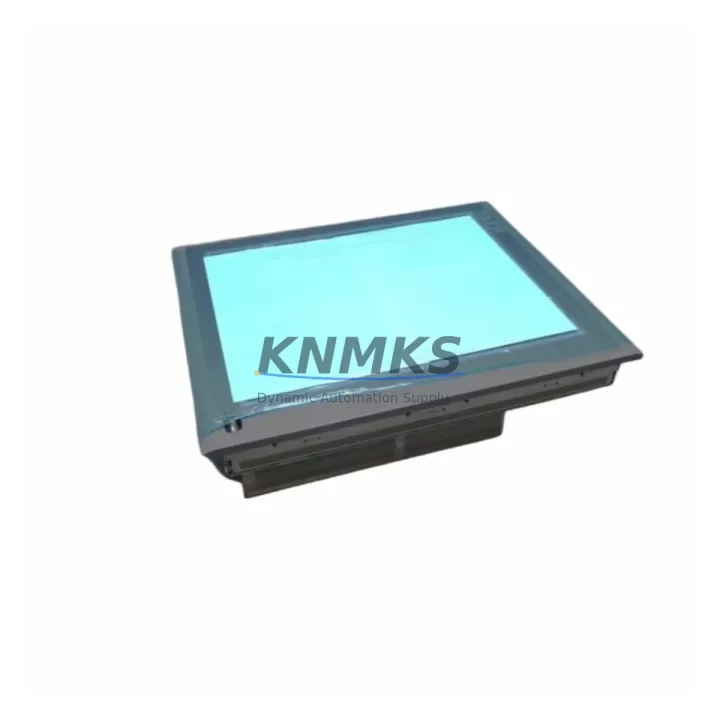
Overview
Siemens 6AV7856-0AE20-1AA0 Spare Part for SIMATIC Panel PC 477B: Maintenance-Proven for Factory Uptime
The Siemens 6AV7856-0AE20-1AA0 is an original SIMATIC Panel PC 477B industrial panel computer designed for demanding HMI and SCADA applications in factory automation environments. As a maintenance-proven spare part, it supports continuous operation of S7-300 and S7-400 PLC-based control systems, enabling maintenance engineers and procurement teams to reduce unplanned downtime and extend the service life of legacy control architectures.
This unit is sourced as an original Siemens component, pre-shipment tested, and backed by a support terms confirmed by quotation. It is stocked to support emergency replacement, scheduled annual overhaul, and long-term spare parts inventory strategies for facilities operating SIMATIC-based control cabinets.
Whether you are responding to an unplanned HMI failure on a production line, conducting a control cabinet inspection, or building a strategic spare parts buffer for aging SIMATIC systems, the 6AV7856-0AE20-1AA0 provides a direct, compatible replacement that preserves your existing software environment, operator interface configuration, and communication topology without requiring system re-engineering.
Spare Maintenance Table
| Part Number | 6AV7856-0AE20-1AA0 |
| Product Family | SIMATIC Panel PC 477B |
| Manufacturer | Siemens AG |
| Origin | Germany |
| Product Type | Industrial Panel PC / HMI |
| Display | 15″ TFT LCD, 1024×768 (XGA) |
| Processor | Intel Celeron M / Core 2 Duo (series-dependent) |
| Operating System | Windows XP Embedded / Windows 7 (configuration-dependent) |
| Communication Interfaces | PROFIBUS DP, Industrial Ethernet (PROFINET), USB, COM |
| PLC Compatibility | SIMATIC S7-300, S7-400, WinCC, Step 7 |
| Supply Voltage | 24 V DC (nominal) |
| Protection Rating | IP65 (front panel) |
| Operating Temperature | 0 °C to +50 °C |
| Weight | Approx. 3.35 kg |
| Mounting | Panel cut-out, front-mount with clamps |
| Support terms | 12 Months from shipment date |
| Pre-Shipment Test | Power-on functional verification performed |
| Condition | Original / Refurbished-to-spec (clearly stated per order) |
Maintenance Planning for Continuous Operation
When replacing the 6AV7856-0AE20-1AA0 in a SIMATIC control cabinet, a thorough site assessment is essential to prevent secondary failures and ensure a clean restoration of the operator interface. Maintenance engineers should treat this replacement as part of a broader control cabinet inspection rather than an isolated swap.
Begin by verifying the 24 V DC panel power supply — units such as the Siemens SITOP PSU100S or equivalent regulated DIN-rail power supplies should be checked for output stability and ripple before energizing the replacement panel PC. A degraded power supply is a common root cause of repeated HMI failures and should be replaced proactively if it shows signs of aging.
Inspect all PROFIBUS DP and PROFINET communication cables connected to the panel. Damaged shielding, loose connectors, or improperly terminated bus segments can cause communication faults that appear as HMI software errors rather than hardware failures. Verify bus termination resistors at both ends of the PROFIBUS segment and confirm Ethernet cable integrity for PROFINET-connected nodes.
Check the associated S7-300 or S7-400 CPU module — such as the 6ES7315-2AH14-0AB0 or 6ES7416-3XR05-0AB0 — for active diagnostic faults logged prior to the HMI failure. In many cases, a panel PC failure is preceded by CPU communication timeouts or watchdog events that indicate a broader system stress condition. Reviewing the CPU diagnostic buffer before restoring the HMI prevents recurrence.
Examine I/O modules, particularly digital input/output cards and analog signal modules in the same rack, for signs of overheating, loose terminal connections, or blown channel fuses. Components such as the 6ES7321 DI series or 6ES7322 DO series should be visually inspected and functionally verified during the maintenance window.
If the control cabinet includes signal isolators or relay output modules — for example, Phoenix Contact or Weidmüller signal conditioning units — verify their output integrity, as degraded isolation can introduce ground loops that affect HMI display stability and touchscreen response. Similarly, inspect terminal blocks and DIN-rail mounted fuse holders for corrosion or thermal discoloration, which may indicate intermittent overload conditions.
For facilities running WinCC or Step 7 on the Panel PC 477B, ensure that the replacement unit is loaded with the correct project archive and that the MPI/PROFIBUS address configuration matches the original. Retain a backup of the WinCC project and Step 7 hardware configuration on an external storage medium as part of your standard spare parts documentation package.
Site Replacement Workflow
Step 1 — Pre-Replacement Backup: Before powering down the existing 6AV7856-0AE20-1AA0, back up the WinCC Runtime project, Step 7 hardware configuration, and any locally stored historian data. Document the PROFIBUS node address, Ethernet IP configuration, and COM port assignments.
Step 2 — Safe Isolation: Follow your site LOTO (Lockout/Tagout) procedure. Isolate the 24 V DC supply to the panel PC. Disconnect PROFIBUS, PROFINET, USB peripherals, and COM cables, labeling each connector for reinstallation reference.
Step 3 — Panel Removal: Release the front-mount panel clamps from the rear of the cabinet cutout. Carefully extract the unit, noting the cable routing to avoid strain on connectors during removal.
Step 4 — Replacement Installation: Insert the 6AV7856-0AE20-1AA0 replacement unit into the panel cutout. Secure all clamps evenly to maintain IP65 front-panel sealing. Reconnect all cables in the documented sequence.
Step 5 — Power-On and Commissioning: Restore 24 V DC supply. Verify boot sequence, OS startup, and WinCC Runtime launch. Confirm PROFIBUS/PROFINET communication with the S7 CPU. Validate all operator screens, alarm displays, and trend views against the pre-failure baseline.
Step 6 — Documentation Update: Record the replacement date, unit serial number, and post-commissioning test results in your maintenance log. Update your spare parts inventory to reflect the consumed unit and initiate a replenishment order to maintain buffer stock.
This workflow supports a target replacement time of under four hours for experienced maintenance teams, minimizing production line downtime and ensuring full system compatibility without software re-engineering.
Spare Parts Support FAQ
Q1: Is the 6AV7856-0AE20-1AA0 compatible with my existing WinCC and Step 7 project without modification?
In most cases, yes. The SIMATIC Panel PC 477B series maintains hardware and software compatibility within the S7-300/400 ecosystem. However, if the replacement unit ships with a different OS build or hardware revision, minor driver or project adaptation may be required. We recommend confirming the hardware revision against your existing unit before shipment. Our team can assist with compatibility verification upon request.
Q2: What pre-shipment testing is performed on this unit?
Every 6AV7856-0AE20-1AA0 dispatched from our inventory undergoes a power-on functional test, display verification, and communication interface check prior to packaging. Units that do not pass functional verification are not shipped. A test record is available upon request for quality documentation purposes.
Q3: What does the support terms confirmed by quotation cover, and how is a support terms claim handled?
The support terms confirmed by quotation cover hardware defects and functional failures under normal operating conditions from the date of shipment. It does not cover damage resulting from incorrect installation, overvoltage events, or physical impact. To initiate a support terms claim, contact admin@knmks.com with your order reference, a description of the fault, and photographic evidence. Replacement or repair will be arranged within the agreed service timeline.
Q4: Can you support long-term supply for this part number for multi-year maintenance contracts?
Yes. We maintain ongoing sourcing relationships to support long-term spare parts supply for end-of-life and phase-out Siemens SIMATIC components including the Panel PC 477B series. For facilities requiring annual or multi-year supply commitments, we offer reserved stock arrangements and priority allocation. Contact our team to discuss volume and scheduling requirements.
© 2026 KNMKS. All rights reserved.
Original Source: https://knmks.com
Contact: admin@knmks.com | +86 18359268345
Product Identification
- Brand / Ecosystem
-
Siemens
Siemens - Model / Series
-
6AV7856-0AE20-1AA0
SIMATIC Series - Product Family
- HMI & Displays
- Availability Status
- Available on request after model and quantity confirmation
- Inquiry Type
- B2B RFQ, replacement inquiry and project spare-part request
- Pre-Quote Check
- Exact SKU, brand, series, quantity, nameplate photos and destination country are checked before quotation
System Path
Where this product fits in the KNMKS automation structure.
Specification & Inquiry Focus
- Display range
- Operator panels and touch screens
- Common needs
- Screen size, interface and version matching
- Project support
- Retrofit, spare unit and panel replacement
Buyer Confirmation
Information KNMKS checks before replying.
- Exact model
- 6AV7856-0AE20-1AA0
- Brand / ecosystem
- Siemens
- Product family
- HMI & Displays
- Application note
- Replacement, maintenance, project build or spare-part list
- Useful photos
- Nameplate, installed unit, cabinet layout or connector side
- Delivery details
- Quantity, destination country and target schedule
Document Support
Files and notes can be confirmed during quotation.
- Product photos or nameplate confirmation when available
- Packing and delivery notes before quotation confirmation
- Support scope and delivery terms confirmed per inquiry
- Export document coordination for qualified B2B requests
Inquiry Support
- Panel size and interface confirmation
- Replacement unit inquiry for discontinued HMIs
- Protective packaging for display shipment
What to Send Us
- Brand and exact model number: Siemens 6AV7856-0AE20-1AA0
- Quantity and required delivery time
- Application, replacement requirement or nameplate photo
- Destination country and shipping preference
RFQ Preparation
This is a product inquiry page built for RFQ communication.
Fast Model Check
Send this model to KNMKS for confirmation.
Include quantity, destination country and photos if this is a maintenance replacement. The inquiry will be saved with a reference number after submission.
Brand & Compatibility Note
KNMKS displays automation product information for well-known industrial brand ecosystems and compatible replacement references. Brand names are used for product identification and compatibility reference only; final availability and commercial terms are confirmed per quotation.
 Manufacturing
 Machine Tools
 Packaging
 Energy & Power



 PLCs & Controllers
 Servo Systems
 Variable Frequency Drives
 Sensors