
Overview
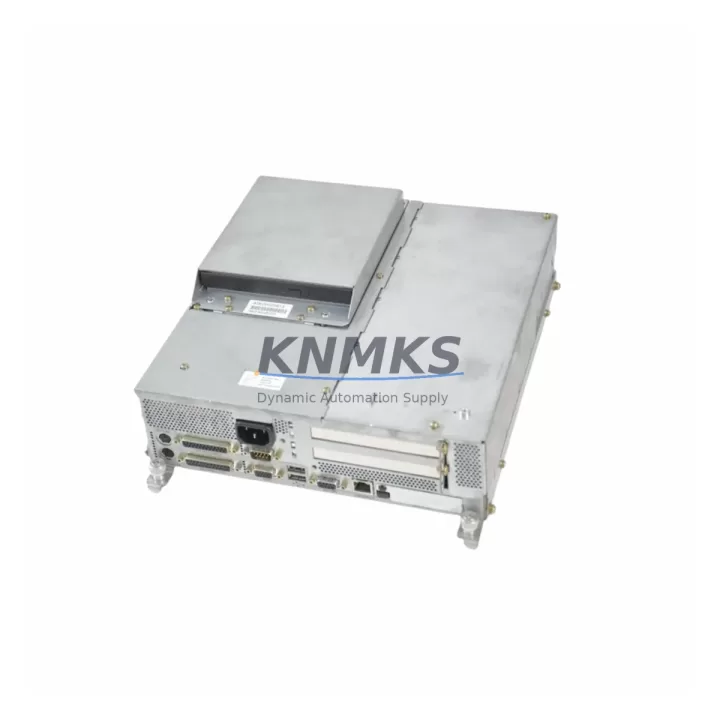
Siemens 6AV7724-1AB10-0AD0 Spare Part for Factory Uptime
The Siemens 6AV7724-1AB10-0AD0 is a core HMI Panel PC unit within the SIMATIC Panel PC 670 series, widely deployed across process automation, discrete manufacturing, and utility control environments. As a maintenance-proven spare part, this unit supports rapid line restoration when the primary HMI fails due to hardware degradation, display faults, or system board failure. Sourced as an original Siemens component, it is pre-shipment tested, backed by a support terms confirmed by quotation, and available for fast global dispatch to minimize unplanned downtime.
Maintenance engineers managing SIMATIC-based control cabinets rely on the Panel PC 670 platform for operator visualization, SCADA front-end tasks, and local HMI control. When this unit fails, production visibility is lost and manual override becomes necessary. Stocking the 6AV7724-1AB10-0AD0 as a ready spare eliminates the lead time risk associated with OEM procurement channels and ensures your facility can recover within hours rather than days.
This spare is suitable for both emergency replacement and planned annual maintenance cycles. It integrates directly into existing SIMATIC Panel PC 670 mounting frames and backplane configurations without requiring software reconfiguration beyond standard image restoration procedures.
Spare Maintenance Table
| SKU | 6AV7724-1AB10-0AD0 |
| Series | SIMATIC Panel PC 670 |
| Brand | Siemens |
| Product Type | Industrial HMI Panel PC |
| Origin | Germany (DE) |
| Display Interface | Integrated TFT panel with touch/keyboard input support |
| Communication Interfaces | Ethernet (RJ45), USB, COM ports; compatible with PROFIBUS/MPI via CP adapters |
| Operating System Compatibility | Windows XP Embedded / Windows CE (platform-dependent); supports WinCC Runtime |
| Mounting | Panel-mount; fits standard SIMATIC PC 670 cutout dimensions |
| Power Supply | 24 VDC nominal; compatible with SITOP PSU series power supplies |
| Application Environment | Process control rooms, discrete manufacturing lines, utility SCADA stations |
| Maintenance Recommendation | Inspect annually; replace on display degradation, boot failure, or persistent OS faults |
| Pre-Shipment Testing | Yes — power-on, display, and interface verification |
| Support terms | 12 Months |
Maintenance Planning for Continuous Operation
When replacing the 6AV7724-1AB10-0AD0 in a SIMATIC Panel PC 670 installation, a thorough inspection of the surrounding electrical and communication infrastructure is essential to prevent repeat failures and ensure stable long-term operation.
Begin with the 24 VDC power supply — the SITOP PSU100S or equivalent SITOP series unit feeding the Panel PC should be load-tested and inspected for output ripple or voltage sag under full load. A degraded power supply is a common root cause of HMI board failures and should be replaced proactively if it shows signs of aging.
Inspect all communication cables connecting the Panel PC to the PLC or DCS backbone — including Ethernet patch cables, PROFIBUS DP connectors, and any MPI cables routed through the control cabinet. Damaged shielding or loose connectors can introduce noise that corrupts HMI-PLC communication after a panel replacement.
Check the SIMATIC S7-300 or S7-400 CPU modules connected to this HMI station. If the Panel PC failure was preceded by communication alarms or watchdog faults, the CPU’s communication processor (CP 343-1 or CP 443-1) should be inspected and its firmware version verified for compatibility with the replacement unit.
Review the I/O modules in the associated rack — SM 321 digital input modules and SM 322 digital output modules should be checked for blown channels or loose terminal connections that may have contributed to the fault condition triggering the HMI replacement.
Inspect signal isolators and surge protection devices on analog input lines feeding the SCADA visualization layer. Transient overvoltage events are a frequent cause of HMI hardware damage in industrial environments with variable-frequency drives or large motor starters nearby.
Finally, verify the UPS or battery backup unit supporting the Panel PC station. An undersized or aging UPS can cause improper shutdowns that corrupt the HMI operating system image, leading to premature hardware replacement cycles. Stocking a replacement UPS battery alongside the 6AV7724-1AB10-0AD0 is a recommended practice for facilities with critical uptime requirements.
Site Replacement Workflow
The 6AV7724-1AB10-0AD0 is a direct replacement for the SIMATIC Panel PC 670 platform. Before beginning the swap, back up the existing HMI project from the WinCC Runtime environment using a USB drive or network share. Document all IP address assignments, COM port configurations, and any custom startup scripts stored on the outgoing unit.
Power down the control cabinet following your site LOTO procedure. Disconnect all peripheral cables — Ethernet, USB, COM, and power — labeling each connector for accurate reconnection. Remove the panel from its cutout by releasing the mounting clamps from the rear. Install the replacement 6AV7724-1AB10-0AD0 into the same cutout, reconnect all cables, and restore power.
On first boot, restore the HMI image from your backup media. Verify PLC communication by checking the WinCC connection status and confirming live tag updates from the S7 CPU. Test all operator input functions — touchscreen calibration, keyboard response, and alarm acknowledgment — before returning the line to production.
This workflow typically achieves full system restoration within 2–4 hours for sites with a current HMI image backup, significantly reducing the mean time to repair (MTTR) compared to OEM RMA processes that may require 4–8 weeks.
Spare Parts Support FAQ
Q: Is the 6AV7724-1AB10-0AD0 compatible with all SIMATIC Panel PC 670 variants?
A: The 6AV7724-1AB10-0AD0 is designed for the SIMATIC Panel PC 670 series. Compatibility depends on the specific hardware revision and display size configuration of your installed unit. We recommend confirming the full order number from your existing panel’s nameplate before ordering to ensure a direct fit.
Q: What pre-shipment testing is performed on this spare?
A: Each unit undergoes power-on verification, display function check, and interface port testing before dispatch. Units that do not pass all checks are not shipped. A test report is available upon request.
Q: Can you support long-term supply for this SKU beyond a single order?
A: Yes. We maintain multi-region stock for the SIMATIC Panel PC 670 series and can support blanket orders, scheduled releases, and emergency call-off arrangements. Contact our team to discuss a supply agreement tailored to your annual maintenance plan.
Q: What does the support terms confirmed by quotation cover?
A: The support terms covers hardware defects and functional failures under normal operating conditions for 12 months from the date of shipment. It does not cover damage resulting from incorrect installation, overvoltage events, or unauthorized modification. Support requests are processed with priority turnaround to minimize your downtime exposure.
© 2026 KNMKS. All rights reserved.
Original Source: https://knmks.com
Contact: admin@knmks.com | +86 18359268345
Product Identification
- Brand / Ecosystem
-
Siemens
Siemens - Model / Series
-
PC670 6AV7724-1AB10-0AD0
SIMATIC Series - Product Family
- HMI & Displays
- Availability Status
- Available on request after model and quantity confirmation
- Inquiry Type
- B2B RFQ, replacement inquiry and project spare-part request
- Pre-Quote Check
- Exact SKU, brand, series, quantity, nameplate photos and destination country are checked before quotation
System Path
Where this product fits in the KNMKS automation structure.
Specification & Inquiry Focus
- Display range
- Operator panels and touch screens
- Common needs
- Screen size, interface and version matching
- Project support
- Retrofit, spare unit and panel replacement
Buyer Confirmation
Information KNMKS checks before replying.
- Exact model
- PC670 6AV7724-1AB10-0AD0
- Brand / ecosystem
- Siemens
- Product family
- HMI & Displays
- Application note
- Replacement, maintenance, project build or spare-part list
- Useful photos
- Nameplate, installed unit, cabinet layout or connector side
- Delivery details
- Quantity, destination country and target schedule
Document Support
Files and notes can be confirmed during quotation.
- Product photos or nameplate confirmation when available
- Packing and delivery notes before quotation confirmation
- Support scope and delivery terms confirmed per inquiry
- Export document coordination for qualified B2B requests
Inquiry Support
- Panel size and interface confirmation
- Replacement unit inquiry for discontinued HMIs
- Protective packaging for display shipment
What to Send Us
- Brand and exact model number: Siemens PC670 6AV7724-1AB10-0AD0
- Quantity and required delivery time
- Application, replacement requirement or nameplate photo
- Destination country and shipping preference
RFQ Preparation
This is a product inquiry page built for RFQ communication.
Fast Model Check
Send this model to KNMKS for confirmation.
Include quantity, destination country and photos if this is a maintenance replacement. The inquiry will be saved with a reference number after submission.
Brand & Compatibility Note
KNMKS displays automation product information for well-known industrial brand ecosystems and compatible replacement references. Brand names are used for product identification and compatibility reference only; final availability and commercial terms are confirmed per quotation.
 Manufacturing
 Machine Tools
 Packaging
 Energy & Power



 PLCs & Controllers
 Servo Systems
 Variable Frequency Drives
 Sensors