
Overview
Siemens 6AV7260-5GA10-0BX0 Maintenance-Proven Spare Part for Factory Uptime
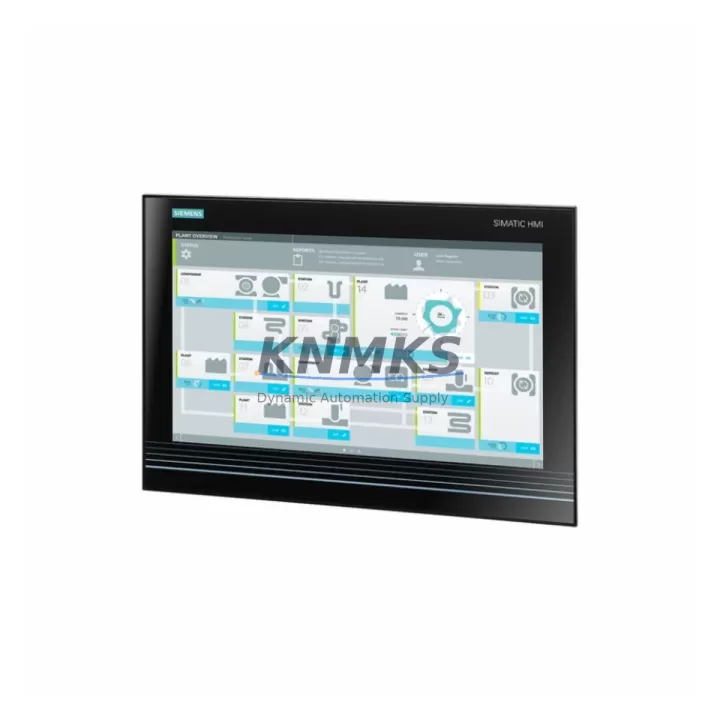
The Siemens 6AV7260-5GA10-0BX0 is a certified original spare component for the SIMATIC Panel PC 677B platform — one of Siemens’ most widely deployed industrial panel PCs in process automation, discrete manufacturing, and machine control environments. Designed for high-availability production lines, this unit supports continuous operation in demanding industrial settings where unplanned downtime directly impacts output, safety, and profitability.
For maintenance engineers managing aging SIMATIC Panel PC 677B installations, sourcing a verified replacement for the 6AV7260-5GA10-0BX0 is a critical step in any corrective or preventive maintenance cycle. Whether responding to a sudden HMI failure, executing a scheduled panel refresh, or building a strategic spare parts buffer for a multi-line facility, this component delivers the compatibility, reliability, and traceability required for industrial-grade replacement.
Every unit dispatched from our warehouse undergoes pre-shipment functional verification, is covered by a support terms confirmed by quotation, and ships with full documentation to support your maintenance records and audit trail. Global dispatch is available with rapid lead times to minimize exposure during unplanned outages.
Spare Maintenance Table
| Parameter | Specification |
|---|---|
| Part Number | 6AV7260-5GA10-0BX0 |
| Series Reference | 5E32600250 |
| Brand | Siemens |
| Product Family | SIMATIC Panel PC 677B |
| Product Type | Industrial Panel PC / HMI Component |
| Origin | Germany (DE) |
| Operating System Compatibility | Windows XP Embedded / Windows 7 (per 677B configuration) |
| Display Interface | Integrated panel display assembly (677B platform) |
| Communication Interfaces | PROFIBUS, PROFINET, Ethernet (platform-dependent) |
| Power Supply Input | 24 VDC (nominal, per 677B system spec) |
| Mounting | Panel-mount, front-frame installation |
| Environmental Rating | IP65 front panel (SIMATIC 677B standard) |
| Operating Temperature | 0°C to +50°C |
| Weight (unit) | ~19 kg (assembled panel configuration) |
| Support terms | 12 Months — covers manufacturing defects and functional failure |
| Pre-Shipment Testing | Yes — functional verification performed before dispatch |
| Compatibility | Direct replacement for SIMATIC Panel PC 677B installations |
| Maintenance Recommendation | Inspect every 12–24 months; replace on first sign of display degradation, boot failure, or communication loss |
Maintenance Planning for Continuous Operation
When a SIMATIC Panel PC 677B running the 6AV7260-5GA10-0BX0 shows signs of failure — whether through display artifacts, intermittent touchscreen response, unexpected reboots, or complete loss of HMI communication — the replacement scope should extend beyond the panel unit itself. A thorough site assessment during the replacement window significantly reduces the risk of secondary failures and repeat downtime.
Begin by inspecting the 24 VDC panel power supply feeding the 677B. Aging SITOP PSU8200 or equivalent Siemens power supply modules in the same control cabinet are common contributors to panel instability; a failing power rail can cause erratic HMI behavior that mimics a panel hardware fault. Verify output voltage under load before commissioning the replacement unit.
Next, audit the PROFINET or PROFIBUS communication cabling connected to the panel. Degraded IE FC RJ45 connectors, damaged PROFIBUS DP cables, or improperly terminated bus segments can prevent the replacement panel from establishing communication with the PLC — particularly with S7-300 or S7-400 controllers that the 677B commonly interfaces with. Confirm bus termination resistors are correctly positioned at both ends of the segment.
Check the backplane and I/O expansion modules if the 677B is configured with additional I/O cards. Loose backplane connectors or oxidized edge contacts can introduce intermittent faults that are difficult to diagnose after panel replacement. Clean and reseat all backplane-mounted modules during the maintenance window.
For facilities running WinCC or STEP 7 visualization software on the 677B, verify that the replacement unit’s software image and license keys are correctly transferred or re-activated. A panel hardware swap without proper software migration will result in a non-functional HMI even with a fully operational hardware unit.
Also inspect signal isolation modules and analog input cards in the associated I/O rack. In process environments, ground loops and signal noise from field instruments can accelerate wear on panel communication hardware. Installing or verifying signal isolators on critical analog loops protects the replacement panel from the same failure mode that degraded the original unit.
Finally, review the UPS or battery backup system supporting the control cabinet. An undersized or aging UPS that fails to hold voltage during a power dip is a leading cause of sudden panel PC failures in industrial environments. Confirm the UPS capacity and battery health as part of the replacement commissioning checklist.
Site Replacement Workflow
Step 1 — Pre-Replacement Verification: Confirm the installed part number matches 6AV7260-5GA10-0BX0 by checking the label on the rear of the panel or the SIMATIC asset management record. Document the current firmware version, WinCC project version, and network configuration (IP address, subnet, gateway) before powering down.
Step 2 — Safe Shutdown: Follow the SIMATIC Panel PC 677B shutdown procedure. Do not perform a hard power cut — use the OS shutdown sequence to prevent file system corruption on the embedded storage. Isolate the 24 VDC supply at the cabinet disconnect before removing the panel.
Step 3 — Panel Removal: Release the front-frame mounting clamps or screws per the 677B installation manual. Disconnect all rear-panel connectors in sequence: power, PROFINET/PROFIBUS, USB peripherals, and any serial COM connections. Label all connectors before removal to prevent mis-wiring during reinstallation.
Step 4 — Replacement Installation: Mount the replacement 6AV7260-5GA10-0BX0 unit into the panel cutout. Reconnect all cables in reverse order. Verify torque on power terminals and confirm PROFINET connector locking tabs are fully engaged.
Step 5 — Software Restoration: Restore the WinCC project and STEP 7 configuration from backup. Re-activate any software licenses tied to the hardware. Verify communication with the S7 PLC and confirm all I/O tags are reading correctly before returning the line to production.
Step 6 — Functional Validation: Run a full HMI navigation test, confirm alarm system functionality, and verify data logging is active. Document the replacement in the maintenance log with the new unit’s serial number and the date of installation.
Spare Parts Support FAQ
Q1: Is the 6AV7260-5GA10-0BX0 a direct drop-in replacement for all SIMATIC Panel PC 677B variants?
The 6AV7260-5GA10-0BX0 is designed for the SIMATIC Panel PC 677B platform. Compatibility depends on the specific 677B variant (display size, CPU configuration, and I/O expansion). Always cross-reference the installed unit’s full order number and hardware revision before ordering. Our technical team can assist with compatibility verification prior to dispatch.
Q2: What does the support terms confirmed by quotation cover, and how is a support terms claim processed?
The support terms confirmed by quotation cover manufacturing defects and functional failures under normal operating conditions. It does not cover damage caused by incorrect installation, overvoltage events, or physical impact. To initiate a support terms claim, contact our support team with the unit serial number, purchase date, and a description of the fault. Replacement or repair is coordinated within the confirmed support period without additional cost.
Q3: How do you verify stock availability for long-term or repeat procurement?
We maintain multi-region stock for the 6AV7260-5GA10-0BX0 and related SIMATIC Panel PC 677B components to support both emergency replacement and planned annual procurement. For facilities requiring guaranteed availability over a 6–12 month horizon, we recommend establishing a blanket order or reserved stock agreement. Contact our sales team to discuss volume and lead time commitments.
Q4: What pre-shipment testing is performed before dispatch?
Every 6AV7260-5GA10-0BX0 unit undergoes functional power-on verification, display integrity check, and communication interface testing before shipment. Units that do not pass testing are quarantined and not dispatched. A test report is available upon request for quality-critical procurement processes.
© 2026 KNMKS. All rights reserved.
Original Source: https://knmks.com
Contact: admin@knmks.com | +86 18359268345
Product Identification
- Brand / Ecosystem
-
Siemens
Siemens - Model / Series
-
6AV7260-5GA10-0BX0 5E32600250
SIMATIC Series - Product Family
- HMI & Displays
- Availability Status
- Available on request after model and quantity confirmation
- Inquiry Type
- B2B RFQ, replacement inquiry and project spare-part request
- Pre-Quote Check
- Exact SKU, brand, series, quantity, nameplate photos and destination country are checked before quotation
System Path
Where this product fits in the KNMKS automation structure.
Specification & Inquiry Focus
- Display range
- Operator panels and touch screens
- Common needs
- Screen size, interface and version matching
- Project support
- Retrofit, spare unit and panel replacement
Buyer Confirmation
Information KNMKS checks before replying.
- Exact model
- 6AV7260-5GA10-0BX0 5E32600250
- Brand / ecosystem
- Siemens
- Product family
- HMI & Displays
- Application note
- Replacement, maintenance, project build or spare-part list
- Useful photos
- Nameplate, installed unit, cabinet layout or connector side
- Delivery details
- Quantity, destination country and target schedule
Document Support
Files and notes can be confirmed during quotation.
- Product photos or nameplate confirmation when available
- Packing and delivery notes before quotation confirmation
- Support scope and delivery terms confirmed per inquiry
- Export document coordination for qualified B2B requests
Inquiry Support
- Panel size and interface confirmation
- Replacement unit inquiry for discontinued HMIs
- Protective packaging for display shipment
What to Send Us
- Brand and exact model number: Siemens 6AV7260-5GA10-0BX0 5E32600250
- Quantity and required delivery time
- Application, replacement requirement or nameplate photo
- Destination country and shipping preference
RFQ Preparation
This is a product inquiry page built for RFQ communication.
Fast Model Check
Send this model to KNMKS for confirmation.
Include quantity, destination country and photos if this is a maintenance replacement. The inquiry will be saved with a reference number after submission.
Brand & Compatibility Note
KNMKS displays automation product information for well-known industrial brand ecosystems and compatible replacement references. Brand names are used for product identification and compatibility reference only; final availability and commercial terms are confirmed per quotation.
 Manufacturing
 Machine Tools
 Packaging
 Energy & Power



 PLCs & Controllers
 Servo Systems
 Variable Frequency Drives
 Sensors