
Overview
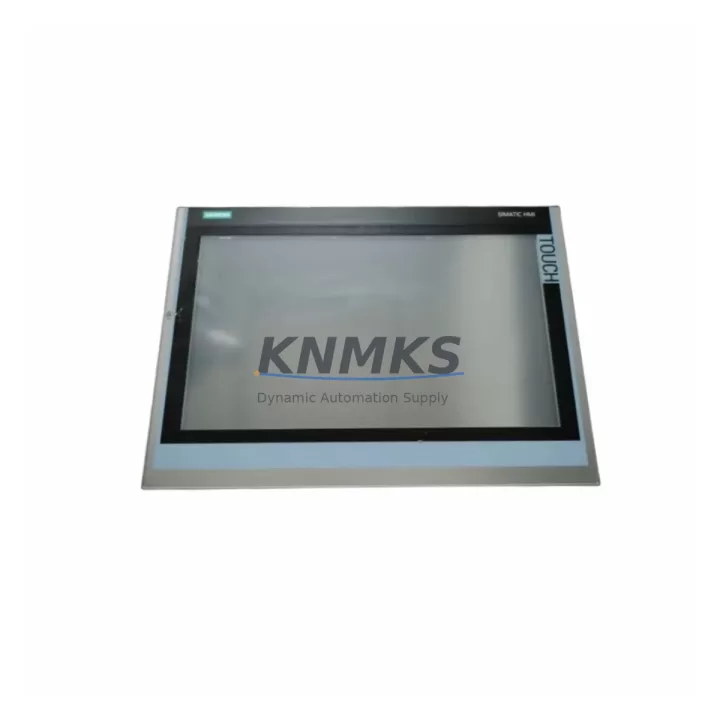
Siemens 6AV6648-1AC22-0AX0 Migration-Ready HMI Panel for Legacy Control Systems
The Siemens 6AV6648-1AC22-0AX0 is a KTP1000 Basic PN 10-inch key/touch HMI panel engineered for direct integration into existing SIMATIC automation environments. As legacy HMI platforms such as the OP270, TP270, and MP270B reach end-of-life, the 6AV6648-1AC22-0AX0 provides a validated migration path that preserves existing control logic, PROFINET communication topology, and cabinet footprint. This unit is stocked, pre-shipment tested, and backed by a support terms confirmed by quotation — making it a reliable choice for both emergency replacement and planned system modernization.
Designed for compatibility with Siemens S7-1200 and S7-1500 controllers via PROFINET IO, the 6AV6648-1AC22-0AX0 supports TIA Portal V13 SP2 and above, enabling engineers to migrate existing WinCC flexible projects with minimal rework. The panel’s 10.4-inch TFT display, 256-color depth, and integrated function keys make it suitable for process visualization in discrete manufacturing, water treatment, building automation, and energy management applications.
When replacing an OP270 or TP270 in an existing S7-300 or S7-400 control cabinet, engineers must verify the 24 VDC supply capacity at the panel terminal block, confirm that the existing PROFINET switch port supports 100 Mbps full-duplex, and validate that the cutout dimensions (approximately 260 × 200 mm) match the new panel’s bezel. The 6AV6648-1AC22-0AX0 uses a standard RJ45 PROFINET interface, eliminating the need for MPI/DP adapters that were common in older TP270 installations.
Migration Compatibility Table
| Parameter | Legacy Unit (e.g. TP270 / OP270) | 6AV6648-1AC22-0AX0 (KTP1000 Basic PN) |
|---|---|---|
| Display Size | 10.4″ STN / TFT | 10.4″ TFT, 256 colors |
| Communication Interface | MPI / PROFIBUS DP / Ethernet (model-dependent) | PROFINET IO (RJ45, 10/100 Mbps) |
| Controller Compatibility | S7-300 / S7-400 (MPI/DP) | S7-1200 / S7-1500 / S7-300 (via PN) |
| Engineering Software | WinCC flexible 2008 | TIA Portal V13 SP2 and above |
| Power Supply | 24 VDC, ~5 W | 24 VDC, 4.5 W typical |
| Panel Cutout (approx.) | 260 × 200 mm | 260 × 200 mm (compatible) |
| Function Keys | 8–16 (model-dependent) | 8 configurable function keys |
| Replacement Recommendation | TP270 / OP270 / MP270B | Direct drop-in with wiring adapter check |
| Commissioning Focus | MPI address, baud rate, screen resolution | IP address, PROFINET device name, tag mapping |
| Support terms | N/A (EOL) | support terms confirmed by quotation, Pre-Shipment Tested |
Retrofit Planning for Existing Automation Systems
A successful retrofit using the 6AV6648-1AC22-0AX0 begins with a thorough audit of the existing control cabinet. Engineers should document the current HMI’s terminal wiring — particularly the 24 VDC supply lines and any shield grounding connections — before removal. In cabinets where the legacy panel shared a backplane with a Siemens ET 200S distributed I/O station or a CP 343-1 PROFINET communications processor, the new panel can be integrated into the same PROFINET ring or star topology without reconfiguring the entire network segment.
For systems running S7-300 CPUs with onboard PROFIBUS DP, the migration path typically involves adding a SCALANCE X005 or X108 unmanaged PROFINET switch to bridge the existing DP network to the new PROFINET HMI. In parallel, the S7-300 CPU may need a firmware update or replacement with an S7-1200 CPU 1214C or S7-1500 CPU 1511-1 PN to fully leverage the KTP1000’s PROFINET IO capabilities. The 6AV6648-1AC22-0AX0’s TIA Portal project can import legacy WinCC flexible screens, though tag names and data block structures should be validated against the updated PLC program before go-live.
I/O expansion during the retrofit is commonly handled by adding an ET 200SP distributed I/O station on the same PROFINET segment, allowing engineers to extend digital and analog I/O without modifying the main control cabinet backplane. Signal isolators — such as those in the SITRANS or SIRIUS families — are recommended when migrating 4–20 mA analog loops from older field instruments to the new I/O modules, ensuring signal integrity across the updated wiring harness. A SM 321 digital input module or SM 331 analog input module from the existing S7-300 rack may be reused if the rack and power supply (PS 307) remain in service during a phased migration.
Downtime Control During System Migration
Minimizing production downtime during an HMI migration requires a structured parallel commissioning approach. Before decommissioning the legacy TP270 or OP270, engineers should export all existing WinCC flexible project files and archive the PLC program from the S7-300 or S7-400 CPU using STEP 7 or TIA Portal’s upload function. This ensures that the original control logic and HMI screen layouts are preserved as a rollback baseline.
The 6AV6648-1AC22-0AX0 should be pre-configured offline using TIA Portal — including IP address assignment, PROFINET device name, and tag mapping — before it is physically installed in the cabinet. This reduces live commissioning time to IP validation, communication link verification, and a functional screen walkthrough with the process operator. In most cases, the switchover from the legacy panel to the KTP1000 Basic PN can be completed within a single planned maintenance window of two to four hours, provided that the PROFINET network configuration and PLC data blocks have been validated in advance.
Field continuity is maintained by keeping the S7-300 or S7-400 CPU in RUN mode throughout the panel swap, relying on the PLC’s autonomous control logic to sustain process outputs during the brief HMI disconnection. Once the 6AV6648-1AC22-0AX0 is online and the PROFINET connection is confirmed, operators can resume HMI-based control and alarm monitoring without a full system restart. All units supplied by KNMKS are pre-shipment tested for communication integrity and display function, reducing the risk of DOA failures during critical maintenance windows.
Retrofit Support FAQ
Q1: Is the 6AV6648-1AC22-0AX0 a direct replacement for the Siemens TP270 10″ or OP270?
The 6AV6648-1AC22-0AX0 is a functional replacement for the TP270 and OP270 in terms of display size and cabinet cutout dimensions. The primary difference is the communication interface: the KTP1000 Basic PN uses PROFINET IO exclusively, whereas the TP270 supported MPI and PROFIBUS DP. Engineers migrating from MPI/DP-based systems will need to update the PLC’s communication configuration and re-engineer the HMI project in TIA Portal. KNMKS can advise on migration scope prior to order.
Q2: What firmware and TIA Portal version is required for commissioning?
The 6AV6648-1AC22-0AX0 requires TIA Portal V13 SP2 as a minimum engineering environment. Units shipped by KNMKS include the factory firmware version compatible with TIA Portal V13 SP2 through V17. If your site uses a specific TIA Portal version, please confirm at the time of order so that firmware compatibility can be verified before dispatch.
Q3: How is the panel wired and what power supply is required?
The 6AV6648-1AC22-0AX0 requires a 24 VDC supply at the rear terminal block, with a typical current draw of approximately 190 mA. The PROFINET connection uses a standard RJ45 cable (Cat5e or better). No additional communication adapters are required for PROFINET-capable PLCs. Terminal block pinout and torque specifications are provided in the Siemens KTP1000 Basic PN operating instructions, which KNMKS can supply upon request.
Q4: Does KNMKS provide pre-shipment testing and a support terms for this unit?
Yes. Every 6AV6648-1AC22-0AX0 unit dispatched by KNMKS undergoes pre-shipment functional testing covering display integrity, PROFINET communication initialization, and power-on self-test. All units are covered by a support terms confirmed by quotation from the date of dispatch. In-stock units are available for same-day or next-business-day dispatch to support emergency replacement requirements globally.
© 2026 KNMKS. All rights reserved.
Original Source: https://knmks.com
Contact: admin@knmks.com | +86 18359268345
Product Identification
- Brand / Ecosystem
-
Siemens
Siemens - Model / Series
-
6AV6648-1AC22-0AX0
SIMATIC Series - Product Family
- HMI & Displays
- Availability Status
- Available on request after model and quantity confirmation
- Inquiry Type
- B2B RFQ, replacement inquiry and project spare-part request
- Pre-Quote Check
- Exact SKU, brand, series, quantity, nameplate photos and destination country are checked before quotation
System Path
Where this product fits in the KNMKS automation structure.
Specification & Inquiry Focus
- Display range
- Operator panels and touch screens
- Common needs
- Screen size, interface and version matching
- Project support
- Retrofit, spare unit and panel replacement
Buyer Confirmation
Information KNMKS checks before replying.
- Exact model
- 6AV6648-1AC22-0AX0
- Brand / ecosystem
- Siemens
- Product family
- HMI & Displays
- Application note
- Replacement, maintenance, project build or spare-part list
- Useful photos
- Nameplate, installed unit, cabinet layout or connector side
- Delivery details
- Quantity, destination country and target schedule
Document Support
Files and notes can be confirmed during quotation.
- Product photos or nameplate confirmation when available
- Packing and delivery notes before quotation confirmation
- Support scope and delivery terms confirmed per inquiry
- Export document coordination for qualified B2B requests
Inquiry Support
- Panel size and interface confirmation
- Replacement unit inquiry for discontinued HMIs
- Protective packaging for display shipment
What to Send Us
- Brand and exact model number: Siemens 6AV6648-1AC22-0AX0
- Quantity and required delivery time
- Application, replacement requirement or nameplate photo
- Destination country and shipping preference
RFQ Preparation
This is a product inquiry page built for RFQ communication.
Fast Model Check
Send this model to KNMKS for confirmation.
Include quantity, destination country and photos if this is a maintenance replacement. The inquiry will be saved with a reference number after submission.
Brand & Compatibility Note
KNMKS displays automation product information for well-known industrial brand ecosystems and compatible replacement references. Brand names are used for product identification and compatibility reference only; final availability and commercial terms are confirmed per quotation.
 Manufacturing
 Machine Tools
 Packaging
 Energy & Power



 PLCs & Controllers
 Servo Systems
 Variable Frequency Drives
 Sensors