
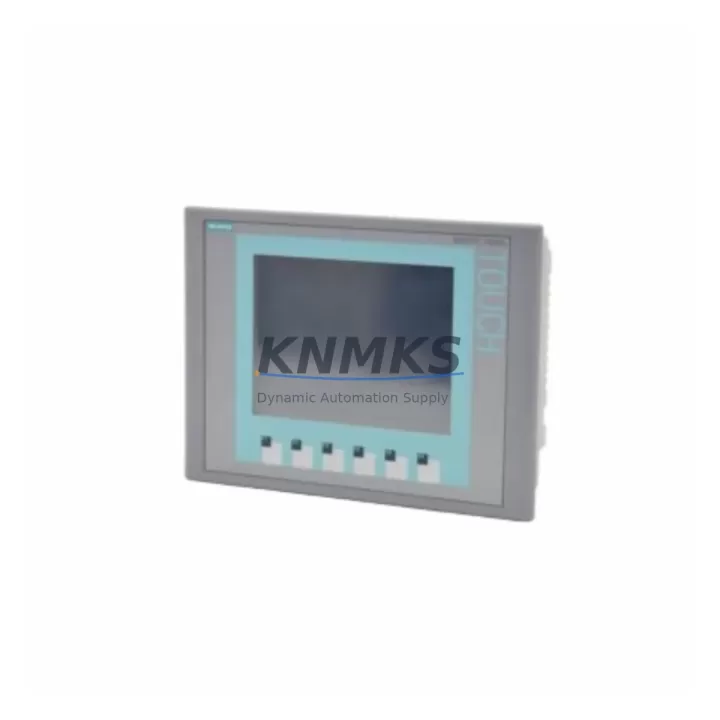
Overview
Siemens 6AV6647-0AB11-3AX0 Maintenance-Proven Spare Part for Factory Uptime
The Siemens 6AV6647-0AB11-3AX0 is a 6-inch color touch panel from the SIMATIC TP600 series, engineered for operator control and process visualization in demanding industrial environments. As a critical HMI interface in SIMATIC S7-300, S7-400, and compatible PLC-based control systems, this unit is routinely found in machine tool panels, packaging lines, water treatment facilities, and discrete manufacturing cells. When this panel fails or degrades — whether due to touchscreen wear, backlight failure, or communication faults — restoring it quickly is essential to maintaining production continuity.
KNMKS supplies the 6AV6647-0AB11-3AX0 as a verified original spare, fully tested prior to dispatch, and backed by a support terms confirmed by quotation. Each unit is inspected for display integrity, touch response calibration, and communication port functionality before shipment. Our inventory is maintained to support both emergency replacement orders and planned annual maintenance procurement.
Spare Maintenance Table
| Parameter | Specification |
|---|---|
| Part Number / SKU | 6AV6647-0AB11-3AX0 |
| Series | SIMATIC TP600 |
| Brand | Siemens |
| Display Type | 6″ STN Color Touch Panel |
| Resolution | 320 × 240 px (QVGA) |
| Supply Voltage | 24 V DC (SELV) |
| Communication Interface | MPI / PROFIBUS DP, RS-422/485 |
| Compatible Controllers | SIMATIC S7-300, S7-400, S7-200, LOGO! |
| Operating Temperature | 0 °C to +50 °C |
| Protection Rating | IP65 (front panel) |
| Origin | Germany |
| Weight | Approx. 760 g |
| Mounting | Panel cut-out, snap-in clips |
| Support terms | 12 Months (KNMKS) |
| Condition | Original, tested before dispatch |
| Compatibility Verified | Yes — SIMATIC TP600 series drop-in replacement |
Maintenance Planning for Continuous Operation
When replacing the 6AV6647-0AB11-3AX0 in a live control cabinet, maintenance engineers should treat the HMI swap as part of a broader inspection routine rather than an isolated task. The panel’s 24 V DC supply rail should be verified with a multimeter before installation — voltage fluctuations or ripple from an aging SITOP PSU3600 or equivalent power supply module can cause premature display failure or communication instability. Confirm that the 24 V fuse or circuit breaker protecting the HMI branch is rated correctly and shows no signs of thermal stress.
The MPI or PROFIBUS DP communication cable connecting the TP600 to the S7-300 CPU (such as a 6ES7 315-2EH14-0AB0 or similar) should be inspected for connector wear, shielding continuity, and correct termination resistor settings — particularly in multi-drop bus topologies where a single wiring fault can affect all nodes. If the panel was previously experiencing intermittent communication dropouts, the PROFIBUS connector itself (e.g., 6ES7 972-0BB52-0XA0 type) may warrant replacement alongside the HMI.
For cabinets running SIMATIC S7-400 systems with ET 200 distributed I/O, verify that the IM 153-2 or IM 151-3 interface module firmware is compatible with the replacement panel’s WinCC flexible runtime version. Signal isolators on analog input channels feeding the HMI’s process value displays should also be checked — degraded isolation on modules such as the SITRANS I or equivalent DIN-rail signal conditioners can introduce display noise or erroneous readings after an HMI replacement.
Terminal blocks on the 24 V supply wiring to the panel should be re-torqued to specification, and any ferrule crimps inspected for oxidation. In high-vibration environments, loose terminal connections are a common root cause of intermittent HMI faults that are misdiagnosed as panel failures. Including a spare 6AV6647-0AB11-3AX0 in your on-site spare parts kit — alongside a backup PROFIBUS cable assembly and a replacement 24 V fuse block — is a best-practice recommendation for facilities operating continuous or three-shift production schedules.
Site Replacement Workflow
The 6AV6647-0AB11-3AX0 is a direct drop-in replacement for earlier SIMATIC TP600 variants within the same panel cut-out dimensions (192 × 138 mm). Before removing the faulty unit, back up the existing project from the panel using WinCC flexible or SIMATIC WinCC (TIA Portal) via the MPI/USB interface if accessible. If the panel is non-responsive, the project file should be retrievable from the engineering station’s project archive.
Power down the 24 V supply to the HMI branch, disconnect the communication cable and power connector, and release the snap-in mounting clips from the rear. Install the replacement unit, reconnect power and communication, and restore power. On first boot, verify the firmware version matches your project requirements — if a firmware update is needed, this can be performed via the panel’s USB port using the ProSave utility before loading the project. Perform a full touchscreen calibration and confirm all process values are displaying correctly before returning the machine to production.
This workflow typically achieves a complete HMI replacement in under 45 minutes for a prepared maintenance team, minimizing unplanned downtime and avoiding the extended lead times associated with OEM repair services. KNMKS ships tested units with all original accessories, reducing the risk of compatibility issues on-site.
Spare Parts Support FAQ
Q1: Is the 6AV6647-0AB11-3AX0 compatible with both MPI and PROFIBUS DP networks?
Yes. The SIMATIC TP600 panel supports both MPI and PROFIBUS DP communication protocols natively. Ensure the correct protocol and baud rate are configured in your WinCC flexible project settings to match the existing network topology before downloading the project to the replacement panel.
Q2: How does KNMKS verify the unit before dispatch?
Each 6AV6647-0AB11-3AX0 unit undergoes a functional test covering power-on self-test, touchscreen response across the full active area, display uniformity, and communication port continuity. Units that do not pass all test criteria are not dispatched. A test report is available upon request for quality-controlled procurement processes.
Q3: Can I use this panel as a long-term replacement if the original model is discontinued?
Yes. KNMKS maintains a dedicated inventory of SIMATIC TP600 series panels to support legacy system longevity. For facilities operating older S7-300 or S7-400 systems where migration to newer SIMATIC HMI Comfort panels is not yet planned, stocking one or two units of the 6AV6647-0AB11-3AX0 is a cost-effective strategy to extend system life by 5–10 years without a full control system upgrade.
Q4: What is covered under the support terms confirmed by quotation?
The support terms confirmed by quotation cover manufacturing defects, display failure, and communication port faults under normal operating conditions. It does not cover physical damage caused by incorrect installation, overvoltage events, or environmental exposure beyond the rated IP65 and temperature specifications. KNMKS provides direct after-sales support for support requests without requiring third-party RMA routing.
© 2026 KNMKS. All rights reserved.
Original Source: https://knmks.com
Contact: admin@knmks.com | +86 18359268345
Product Identification
- Brand / Ecosystem
-
Siemens
Siemens - Model / Series
-
6AV6647-0AB11-3AX0
SIMATIC Series - Product Family
- HMI & Displays
- Availability Status
- Available on request after model and quantity confirmation
- Inquiry Type
- B2B RFQ, replacement inquiry and project spare-part request
- Pre-Quote Check
- Exact SKU, brand, series, quantity, nameplate photos and destination country are checked before quotation
System Path
Where this product fits in the KNMKS automation structure.
Specification & Inquiry Focus
- Display range
- Operator panels and touch screens
- Common needs
- Screen size, interface and version matching
- Project support
- Retrofit, spare unit and panel replacement
Buyer Confirmation
Information KNMKS checks before replying.
- Exact model
- 6AV6647-0AB11-3AX0
- Brand / ecosystem
- Siemens
- Product family
- HMI & Displays
- Application note
- Replacement, maintenance, project build or spare-part list
- Useful photos
- Nameplate, installed unit, cabinet layout or connector side
- Delivery details
- Quantity, destination country and target schedule
Document Support
Files and notes can be confirmed during quotation.
- Product photos or nameplate confirmation when available
- Packing and delivery notes before quotation confirmation
- Support scope and delivery terms confirmed per inquiry
- Export document coordination for qualified B2B requests
Inquiry Support
- Panel size and interface confirmation
- Replacement unit inquiry for discontinued HMIs
- Protective packaging for display shipment
What to Send Us
- Brand and exact model number: Siemens 6AV6647-0AB11-3AX0
- Quantity and required delivery time
- Application, replacement requirement or nameplate photo
- Destination country and shipping preference
RFQ Preparation
This is a product inquiry page built for RFQ communication.
Fast Model Check
Send this model to KNMKS for confirmation.
Include quantity, destination country and photos if this is a maintenance replacement. The inquiry will be saved with a reference number after submission.
Brand & Compatibility Note
KNMKS displays automation product information for well-known industrial brand ecosystems and compatible replacement references. Brand names are used for product identification and compatibility reference only; final availability and commercial terms are confirmed per quotation.
 Manufacturing
 Machine Tools
 Packaging
 Energy & Power



 PLCs & Controllers
 Servo Systems
 Variable Frequency Drives
 Sensors