
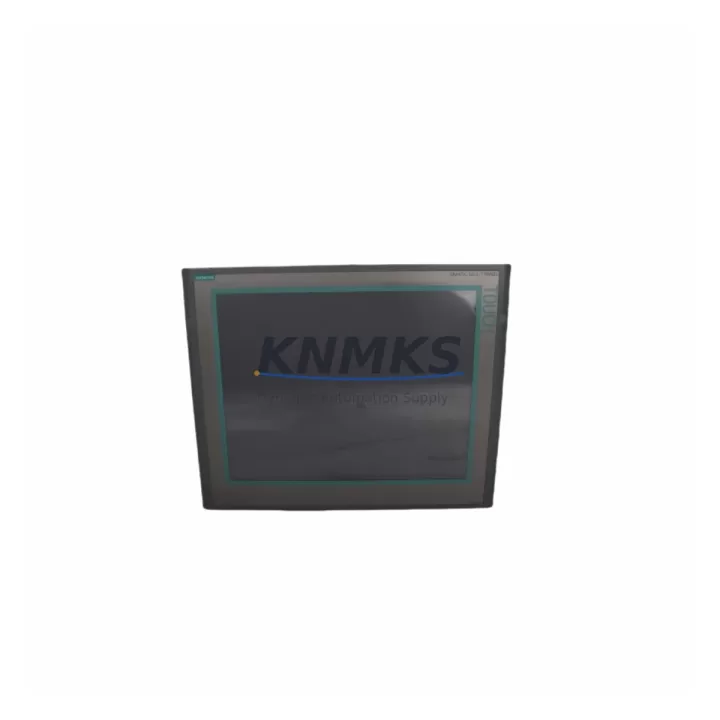
Overview
Siemens 6AV6644-0AC01-2AX1 Maintenance-Proven Spare Part for Factory Uptime
The Siemens 6AV6644-0AC01-2AX1 is a SIMATIC TP900 Comfort Panel — a 9-inch widescreen TFT touch HMI designed for demanding industrial environments. As a maintenance-proven spare part, this unit is essential for production lines, control cabinets, and process automation systems where operator interface continuity directly impacts factory uptime. Whether you are managing a scheduled annual overhaul, responding to an unplanned HMI failure, or building a strategic spare parts inventory, the 6AV6644-0AC01-2AX1 delivers the compatibility, reliability, and fast-swap capability that maintenance and procurement engineers depend on.
In modern industrial facilities, HMI failures are among the most disruptive events on the production floor. A failed SIMATIC TP900 can halt an entire line within minutes. Keeping a verified, tested replacement unit on the shelf — or sourcing one from a reliable supplier with rapid dispatch — is the cornerstone of any effective maintenance strategy. This unit is fully tested prior to shipment, backed by a support terms confirmed by quotation, and supported by long-term supply commitment to ensure your maintenance program is never interrupted by parts availability.
Spare Maintenance Table
| Parameter | Specification |
|---|---|
| Part Number / SKU | 6AV6644-0AC01-2AX1 |
| Product Series | SIMATIC Comfort Panel TP900 |
| Display | 9″ Widescreen TFT, 800 × 480 px, 64K colors |
| Touch Type | Resistive single-touch |
| Communication Interfaces | PROFINET (2× RJ45), MPI/PROFIBUS DP, USB, SD card |
| Supply Voltage | 24 V DC (20.4–28.8 V) |
| Power Consumption | Approx. 18 W |
| Operating Temperature | 0 °C to +50 °C |
| Protection Rating | IP65 (front panel) |
| Country of Origin | Germany |
| Compatible Systems | SIMATIC S7-300, S7-400, S7-1200, S7-1500, WinCC |
| Engineering Software | TIA Portal V13 SP1 and above |
| Mounting | Panel cutout, snap-in clips, front-mount |
| Support terms | 12 Months — Tested & Shipped |
Maintenance Planning for Continuous Operation
When replacing the 6AV6644-0AC01-2AX1 in the field, a thorough inspection of the surrounding electrical environment is critical to prevent repeat failures and ensure a clean restoration of operator interface functionality. Maintenance engineers should begin by verifying the 24 V DC supply rail feeding the HMI — a degraded or noisy power supply is a common root cause of premature HMI failure. The Siemens SITOP PSU100S 24V/5A or equivalent regulated DC power supply should be checked for output stability and ripple before the new panel is energized.
Next, inspect the PROFINET cabling and RJ45 connectors at both the HMI port and the managed switch or PLC port. Damaged shielding or loose terminations can cause intermittent communication faults that are often misdiagnosed as HMI hardware failures. If the control cabinet includes a Siemens SCALANCE X005 or similar industrial Ethernet switch, verify port status and link integrity. For systems using MPI or PROFIBUS DP, check the PROFIBUS connector (6ES7972-0BB52-0XA0) and bus termination resistors at both ends of the segment.
The I/O modules connected to the same S7 rack — such as Siemens SM 321 digital input modules or SM 322 digital output modules — should be inspected for fault LEDs and channel diagnostics, as I/O errors can generate alarm floods on the new HMI immediately after startup, complicating commissioning. If the system uses a CP 343-1 or CP 443-1 communication processor for Ethernet connectivity, confirm firmware compatibility with the TIA Portal project version loaded on the replacement TP900.
For control cabinets with signal isolation requirements, check any signal isolators or repeaters on analog input channels connected to the HMI’s process value displays. Faulty isolation can introduce ground loops that corrupt displayed values and trigger nuisance alarms. Additionally, inspect the cabinet’s fuse protection — the 24 V DC branch feeding the HMI should be protected by a dedicated miniature circuit breaker or fuse, and this should be replaced as a matter of course during any HMI swap. Terminal blocks on the power and signal wiring should be re-torqued to manufacturer specification after the new panel is installed.
For facilities running aging SIMATIC S7-300 or S7-400 systems, the 6AV6644-0AC01-2AX1 is a key component in a broader life-extension strategy. Pairing this HMI replacement with a review of the CPU module’s battery status, the rack backplane condition, and the overall cabinet thermal management will maximize the return on your maintenance investment and extend system service life well beyond the original design horizon.
Site Replacement Workflow
The 6AV6644-0AC01-2AX1 is a direct replacement for earlier SIMATIC TP900 Comfort Panel revisions. Before beginning the swap, export the current HMI project from TIA Portal and back up the panel’s runtime data if accessible. Power down the control cabinet and isolate the 24 V DC supply to the HMI branch. Disconnect the PROFINET cables, USB peripherals, and power connector, then release the panel mounting clips from the rear and remove the unit from the cutout.
Install the replacement 6AV6644-0AC01-2AX1 into the same panel cutout — no mechanical modification is required for same-generation replacements. Reconnect all cables, verify connector seating, and restore power. Use TIA Portal to download the backed-up project to the new panel via PROFINET or USB. Confirm all screen pages, alarm displays, and process value readouts are functioning correctly before returning the line to production. Total replacement time for a prepared maintenance team is typically under 60 minutes, minimizing production downtime to a single shift window or less.
For sites migrating from older SIMATIC OP or MP series panels, the TP900 Comfort Panel offers a significant upgrade in display resolution, communication capability, and TIA Portal integration, while maintaining compatibility with existing S7 PLC programs and WinCC configurations with minimal re-engineering effort.
Spare Parts Support FAQ
Q1: Is the 6AV6644-0AC01-2AX1 compatible with both S7-300 and S7-1500 PLC systems?
Yes. The SIMATIC TP900 Comfort Panel supports PROFINET and MPI/PROFIBUS DP communication, making it compatible with S7-300, S7-400, S7-1200, and S7-1500 controllers. Engineering is performed via TIA Portal V13 SP1 or later. Always verify the TIA Portal version used in your existing project before ordering.
Q2: What testing is performed before shipment?
Each unit undergoes power-on functional testing, display verification, and communication port inspection prior to dispatch. Units are shipped with protective packaging to prevent transit damage. A support terms confirmed by quotation cover manufacturing defects and functional failures under normal operating conditions.
Q3: Can you support long-term or repeat procurement for this spare part?
Yes. We maintain ongoing stock and sourcing channels for the 6AV6644-0AC01-2AX1 and related SIMATIC Comfort Panel series. Long-term supply agreements and blanket purchase orders are supported to help maintenance and procurement teams stabilize their spare parts inventory without repeated spot-market sourcing.
Q4: What is the recommended spare parts inventory strategy for this HMI?
For production lines with a single TP900 panel, we recommend holding at least one replacement unit on-site. For multi-line facilities or critical process applications, a two-unit buffer is advisable. Given the lead times associated with OEM procurement channels, maintaining a local spare eliminates the risk of extended downtime while awaiting factory delivery.
© 2026 KNMKS. All rights reserved.
Original Source: https://knmks.com
Contact: admin@knmks.com | +86 18359268345
Product Identification
- Brand / Ecosystem
-
Siemens
Siemens - Model / Series
-
6AV6644-0AC01-2AX1
SIMATIC Series - Product Family
- HMI & Displays
- Availability Status
- Available on request after model and quantity confirmation
- Inquiry Type
- B2B RFQ, replacement inquiry and project spare-part request
- Pre-Quote Check
- Exact SKU, brand, series, quantity, nameplate photos and destination country are checked before quotation
System Path
Where this product fits in the KNMKS automation structure.
Specification & Inquiry Focus
- Display range
- Operator panels and touch screens
- Common needs
- Screen size, interface and version matching
- Project support
- Retrofit, spare unit and panel replacement
Buyer Confirmation
Information KNMKS checks before replying.
- Exact model
- 6AV6644-0AC01-2AX1
- Brand / ecosystem
- Siemens
- Product family
- HMI & Displays
- Application note
- Replacement, maintenance, project build or spare-part list
- Useful photos
- Nameplate, installed unit, cabinet layout or connector side
- Delivery details
- Quantity, destination country and target schedule
Document Support
Files and notes can be confirmed during quotation.
- Product photos or nameplate confirmation when available
- Packing and delivery notes before quotation confirmation
- Support scope and delivery terms confirmed per inquiry
- Export document coordination for qualified B2B requests
Inquiry Support
- Panel size and interface confirmation
- Replacement unit inquiry for discontinued HMIs
- Protective packaging for display shipment
What to Send Us
- Brand and exact model number: Siemens 6AV6644-0AC01-2AX1
- Quantity and required delivery time
- Application, replacement requirement or nameplate photo
- Destination country and shipping preference
RFQ Preparation
This is a product inquiry page built for RFQ communication.
Fast Model Check
Send this model to KNMKS for confirmation.
Include quantity, destination country and photos if this is a maintenance replacement. The inquiry will be saved with a reference number after submission.
Brand & Compatibility Note
KNMKS displays automation product information for well-known industrial brand ecosystems and compatible replacement references. Brand names are used for product identification and compatibility reference only; final availability and commercial terms are confirmed per quotation.
 Manufacturing
 Machine Tools
 Packaging
 Energy & Power



 PLCs & Controllers
 Servo Systems
 Variable Frequency Drives
 Sensors