
Overview
Siemens 6AV6642-0DC01-1AX1 Spare Part for Factory Uptime
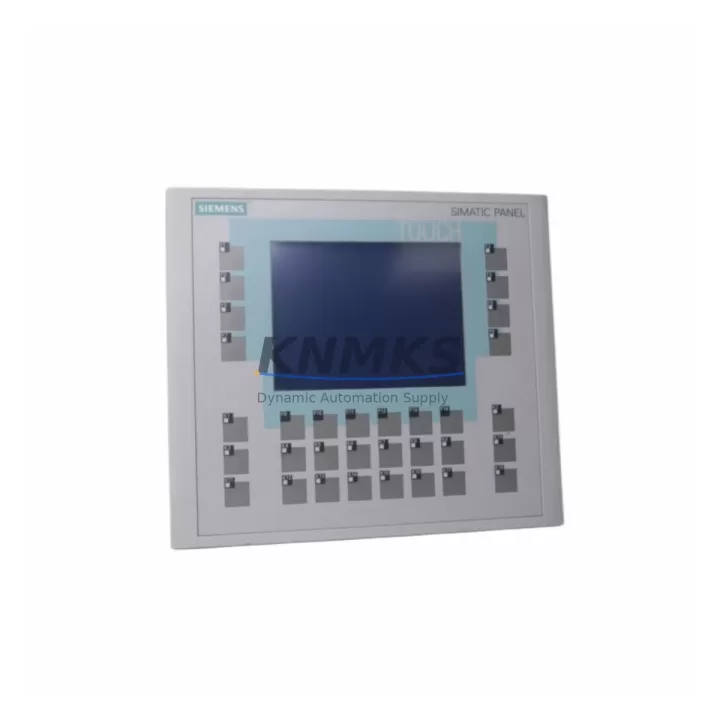
The Siemens 6AV6642-0DC01-1AX1 is an original SIMATIC OP177B 5.7″ STN color HMI operator panel, engineered for demanding industrial environments where continuous operation and rapid fault recovery are non-negotiable. As a maintenance-proven spare part, this unit is a critical component in control cabinets running Siemens S7-300 and S7-400 PLC systems across manufacturing, process automation, energy, and heavy industry sectors. Sourced from verified supply channels, each unit undergoes functional testing prior to dispatch, backed by a support terms confirmed by quotation to support your maintenance planning and procurement risk control.
For maintenance engineers managing aging SIMATIC HMI infrastructure, the 6AV6642-0DC01-1AX1 represents a direct, plug-compatible replacement for failed or end-of-life OP177B panels. Its MPI/PROFIBUS DP and Ethernet communication interfaces ensure seamless integration into existing S7 network topologies without requiring software reconfiguration, minimizing downtime during emergency replacements. Procurement engineers benefit from confirmed long-term supply availability, transparent lead times, and pre-shipment inspection documentation — reducing the risk of counterfeit components entering critical control systems.
Whether you are conducting scheduled annual maintenance, responding to an unplanned HMI failure on the production line, or building a strategic spare parts inventory for a multi-site facility, the 6AV6642-0DC01-1AX1 delivers the reliability and compatibility assurance that industrial operations demand.
Spare Maintenance Table
| Part Number | 6AV6642-0DC01-1AX1 |
| Series | SIMATIC OP177B |
| Display | 5.7″ STN Color, 320×240 px |
| Supply Voltage | 24 V DC (20.4–28.8 V) |
| Power Consumption | Approx. 10 W |
| Communication Interfaces | MPI / PROFIBUS DP, Ethernet (RJ45), USB |
| Compatible PLC Systems | Siemens S7-300, S7-400, S7-200 (via adapter) |
| Configuration Software | WinCC flexible 2008 SP3 or higher |
| Protection Rating | IP65 (front panel) |
| Operating Temperature | 0°C to +50°C |
| Storage Temperature | -20°C to +60°C |
| Mounting | Panel cutout, front-mount, 192×138 mm |
| Country of Origin | Germany |
| Condition | Original, tested before shipment |
| Support terms | 12 Months |
Maintenance Planning for Continuous Operation
When replacing the 6AV6642-0DC01-1AX1 in a live control cabinet, a thorough inspection of the surrounding electrical environment is essential to prevent repeat failures and ensure system stability. Begin by verifying the 24 V DC power supply feeding the HMI — a Siemens SITOP PSU100S or equivalent regulated power supply should deliver clean, stable voltage within the 20.4–28.8 V operating range. Voltage ripple or transient spikes are a leading cause of premature HMI failure and should be measured before commissioning the replacement unit.
Inspect the MPI/PROFIBUS DP cable and termination resistors connecting the OP177B to the S7-300 or S7-400 CPU. Damaged bus connectors, incorrect termination, or excessive cable length can cause communication faults that mimic HMI hardware failure. If the cabinet also houses a CP 343-1 or CP 443-1 Ethernet communication module, verify its configuration and firmware version to ensure compatibility with the replacement panel’s Ethernet interface.
Check the 24 V DC distribution terminal blocks and associated fuse protection — a blown fuse or loose terminal in the HMI power circuit is frequently overlooked during fault isolation. For cabinets with Siemens ET 200S or ET 200M distributed I/O connected via PROFIBUS, confirm that the DP network address settings on the replacement OP177B match the original configuration before powering up. If the system includes a Siemens S7-300 SM 321/SM 322 digital I/O module or an SM 331/SM 332 analog I/O module, verify that the HMI tag database and alarm configurations are correctly transferred from the WinCC flexible project archive to the new panel.
For facilities managing older SIMATIC infrastructure, maintaining a cabinet-level spare parts kit that includes the 6AV6642-0DC01-1AX1, a spare PROFIBUS DP bus connector (e.g., 6ES7972-0BB52-0XA0), a replacement 24 V DC power supply, and a set of spare fuses significantly reduces mean time to repair (MTTR) during unplanned outages. Annual inspection of the HMI’s touchscreen calibration, backlight condition, and USB port integrity is recommended as part of a preventive maintenance schedule.
Site Replacement Workflow
Step 1 — Isolate and document: Power down the control cabinet following your site LOTO procedure. Photograph the existing HMI wiring, cable routing, and panel label before removal. Note the MPI/PROFIBUS DP station address and Ethernet IP configuration displayed on the original unit.
Step 2 — Remove the failed unit: Disconnect the 24 V DC power connector, MPI/PROFIBUS DP cable, Ethernet cable, and USB connections. Release the panel mounting clamps from the rear and carefully extract the OP177B from the panel cutout.
Step 3 — Inspect and prepare the replacement: Verify the 6AV6642-0DC01-1AX1 part number label and firmware version. If required, load the WinCC flexible project file onto the replacement unit via USB or Ethernet before installation. Set the MPI station address to match the original configuration.
Step 4 — Install and reconnect: Insert the replacement panel into the cutout, secure the mounting clamps, and reconnect all cables in reverse order. Restore 24 V DC power and verify the HMI boots correctly, displays the correct project, and communicates with the S7 CPU.
Step 5 — Functional verification: Confirm all process values, alarms, and operator controls function as expected. Document the replacement in your maintenance log and update your spare parts inventory accordingly.
This workflow is applicable to direct replacement of legacy OP177B units and supports system compatibility without requiring PLC program modifications, making it suitable for both emergency recovery and planned maintenance windows.
Spare Parts Support FAQ
Q1: Is the 6AV6642-0DC01-1AX1 compatible with both S7-300 and S7-400 systems?
Yes. The SIMATIC OP177B communicates via MPI and PROFIBUS DP, both of which are natively supported by S7-300 and S7-400 CPUs. Ethernet connectivity via the integrated RJ45 port also supports S7 communication over Industrial Ethernet. Compatibility with S7-200 is possible via a dedicated protocol adapter. Always verify the WinCC flexible project version matches the panel firmware before deployment.
Q2: What testing is performed before shipment?
Each 6AV6642-0DC01-1AX1 unit is powered on and functionally tested prior to dispatch. Display, communication interfaces, and USB port operation are verified. Units are packaged with anti-static protection and accompanied by a test record. A support terms confirmed by quotation cover manufacturing defects and functional failures under normal operating conditions.
Q3: Can this spare part replace an OP177B unit that has a different firmware version?
The replacement unit can be updated to the required firmware version using WinCC flexible or the Siemens ProSave utility before installation. It is strongly recommended to match the firmware version to the original unit’s WinCC flexible project to avoid compatibility issues. Contact our technical team if firmware version confirmation is required prior to ordering.
Q4: What is the long-term supply availability for the 6AV6642-0DC01-1AX1?
We maintain stock of the 6AV6642-0DC01-1AX1 to support long-term maintenance programs for facilities operating legacy SIMATIC HMI infrastructure. For procurement engineers managing multi-year maintenance contracts or planning annual spare parts budgets, we offer volume pricing and reserved stock arrangements. Contact us at admin@knmks.com to discuss your inventory requirements.
© 2026 KNMKS. All rights reserved.
Original Source: https://knmks.com
Contact: admin@knmks.com | +86 18359268345
Product Identification
- Brand / Ecosystem
-
Siemens
Siemens - Model / Series
-
6AV6642-0DC01-1AX1
SIMATIC Series - Product Family
- HMI & Displays
- Availability Status
- Available on request after model and quantity confirmation
- Inquiry Type
- B2B RFQ, replacement inquiry and project spare-part request
- Pre-Quote Check
- Exact SKU, brand, series, quantity, nameplate photos and destination country are checked before quotation
System Path
Where this product fits in the KNMKS automation structure.
Specification & Inquiry Focus
- Display range
- Operator panels and touch screens
- Common needs
- Screen size, interface and version matching
- Project support
- Retrofit, spare unit and panel replacement
Buyer Confirmation
Information KNMKS checks before replying.
- Exact model
- 6AV6642-0DC01-1AX1
- Brand / ecosystem
- Siemens
- Product family
- HMI & Displays
- Application note
- Replacement, maintenance, project build or spare-part list
- Useful photos
- Nameplate, installed unit, cabinet layout or connector side
- Delivery details
- Quantity, destination country and target schedule
Document Support
Files and notes can be confirmed during quotation.
- Product photos or nameplate confirmation when available
- Packing and delivery notes before quotation confirmation
- Support scope and delivery terms confirmed per inquiry
- Export document coordination for qualified B2B requests
Inquiry Support
- Panel size and interface confirmation
- Replacement unit inquiry for discontinued HMIs
- Protective packaging for display shipment
What to Send Us
- Brand and exact model number: Siemens 6AV6642-0DC01-1AX1
- Quantity and required delivery time
- Application, replacement requirement or nameplate photo
- Destination country and shipping preference
RFQ Preparation
This is a product inquiry page built for RFQ communication.
Fast Model Check
Send this model to KNMKS for confirmation.
Include quantity, destination country and photos if this is a maintenance replacement. The inquiry will be saved with a reference number after submission.
Brand & Compatibility Note
KNMKS displays automation product information for well-known industrial brand ecosystems and compatible replacement references. Brand names are used for product identification and compatibility reference only; final availability and commercial terms are confirmed per quotation.
 Manufacturing
 Machine Tools
 Packaging
 Energy & Power



 PLCs & Controllers
 Servo Systems
 Variable Frequency Drives
 Sensors