
Overview
Siemens 6AV6642-0BA01-1AX1 Maintenance-Proven HMI Spare: Keeping Your Factory Running Without Interruption
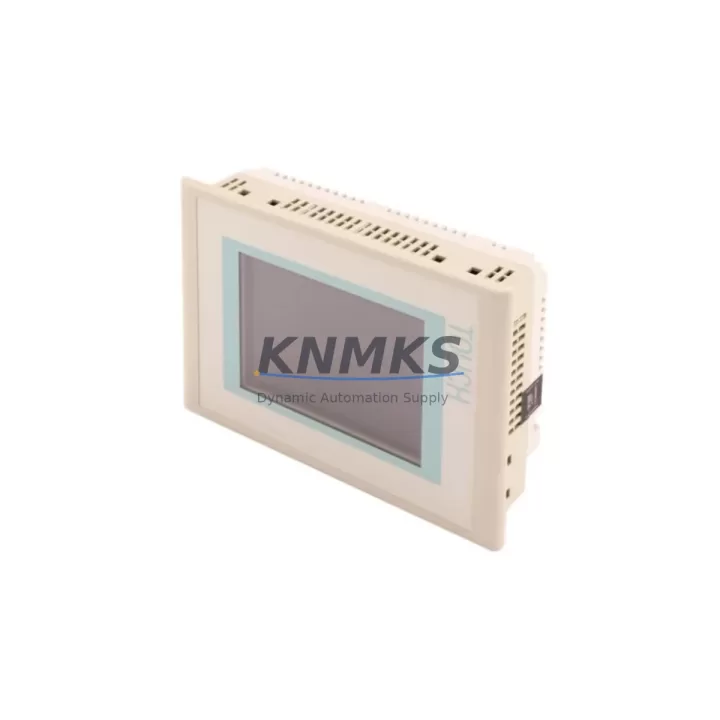
The Siemens 6AV6642-0BA01-1AX1 is a SIMATIC TP177B 6-inch touch panel HMI, a cornerstone operator interface widely deployed across discrete manufacturing, process control, and utility automation environments. As a maintenance-proven spare part, this unit is sourced, inspected, and dispatched to support rapid panel replacement, minimize unplanned downtime, and sustain the operational continuity of SIMATIC S7-300 and S7-400 control architectures. Whether you are executing a scheduled annual overhaul, responding to an emergency panel failure, or building a strategic spare parts buffer for a long-lifecycle installation, the 6AV6642-0BA01-1AX1 delivers the compatibility, reliability, and supply assurance that maintenance and procurement engineers depend on.
At KNMKS, every unit undergoes pre-shipment functional verification, is backed by a support terms confirmed by quotation, and is supported by long-term supply continuity — ensuring your procurement team can plan ahead without exposure to obsolescence risk or single-source dependency.
Spare Maintenance Table
| Parameter | Specification |
|---|---|
| Part Number | 6AV6642-0BA01-1AX1 |
| Series | SIMATIC TP177B |
| Display | 6″ STN Color Touch Panel, 320×240 px |
| Supply Voltage | 24 V DC (19.2–28.8 V DC) |
| Current Consumption | Approx. 400 mA at 24 V DC |
| Communication Interfaces | MPI/PROFIBUS DP, RS-422/485, Ethernet (RJ45) |
| Compatible Controllers | SIMATIC S7-300, S7-400, S7-200 (via adapter) |
| Operating Temperature | 0 °C to +50 °C (horizontal), 0 °C to +40 °C (vertical) |
| Protection Rating | IP65 (front panel) |
| Memory | 512 KB user memory |
| Origin | Germany |
| Support terms | 12 Months |
| Condition | Original spare, pre-shipment tested |
| Maintenance Recommendation | Replace backlight every 3–5 years; inspect connector pins and 24 V DC supply annually |
Maintenance Planning for Continuous Operation
Replacing the 6AV6642-0BA01-1AX1 in a live control cabinet is rarely an isolated task. Experienced maintenance engineers know that an HMI failure is often a symptom of broader electrical stress in the panel. Before commissioning the replacement unit, it is essential to verify the integrity of the 24 V DC power supply — a degraded SITOP PSU100S or equivalent regulated power supply can cause premature HMI failure through voltage ripple or transient spikes. Confirm that the supply rail is within the 19.2–28.8 V DC tolerance band under load.
Inspect the MPI/PROFIBUS DP communication cable and bus termination resistors. A faulty PROFIBUS connector or improperly terminated segment can prevent the replacement TP177B from establishing communication with the S7-300 CPU, leading to a misdiagnosed hardware fault. Similarly, check the RS-422/485 serial interface wiring if the panel is configured for point-to-point communication with a third-party controller or drive system.
During the same maintenance window, it is good practice to inspect adjacent I/O modules — particularly the SM321 digital input modules and SM322 digital output modules — for signs of contact wear, blown fuses, or degraded terminal connections. If the control cabinet includes a CP 343-1 or CP 343-1 Advanced communications processor for Ethernet connectivity, verify its firmware version and network configuration to ensure seamless integration with the replacement HMI.
For cabinets operating in high-vibration or high-humidity environments, inspect the DIN rail mounting hardware, cable duct integrity, and any signal isolators in the 4–20 mA analog loops. A compromised signal isolator can introduce noise that manifests as erratic HMI display behavior, often misattributed to the panel itself. Fuse holders and miniature circuit breakers protecting the 24 V DC bus should also be checked for contact resistance and rated interrupting capacity.
Procurement engineers building a spare parts inventory for SIMATIC TP177B installations should consider stocking the 6AV6642-0BA01-1AX1 alongside compatible power supply modules, PROFIBUS cables, and at least one spare S7-300 CPU module to cover the most common failure modes in a single procurement cycle.
Site Replacement Workflow
Step 1 — Isolation and Backup: Before removing the failed panel, export the current HMI project from WinCC flexible or TIA Portal to a USB drive or engineering workstation. Confirm the project version matches the firmware on the replacement unit.
Step 2 — Power Down and Disconnect: De-energize the 24 V DC supply to the HMI. Disconnect the MPI/PROFIBUS DP cable, Ethernet cable (if applicable), and the 24 V DC power connector. Label all connectors before removal to prevent miswiring during reinstallation.
Step 3 — Panel Removal: Release the panel mounting clamps from the rear of the cutout. Carefully extract the TP177B from the panel cutout, noting the gasket condition. Replace the IP65 gasket if compressed or damaged.
Step 4 — Replacement Installation: Insert the 6AV6642-0BA01-1AX1 into the cutout, secure the mounting clamps evenly to maintain IP65 sealing, and reconnect all cables in the correct sequence: 24 V DC power first, then communication interfaces.
Step 5 — Commissioning and Verification: Energize the panel and allow it to boot. Transfer the HMI project via USB or Ethernet download. Verify all screen pages, alarm displays, and PLC communication tags are functioning correctly before returning the line to production.
This workflow is compatible with legacy TP177B installations and supports migration from older SIMATIC OP77B or TP170B panels with minimal project adaptation, reducing engineering hours and preserving existing control logic.
Spare Parts Support FAQ
Q1: Is the 6AV6642-0BA01-1AX1 compatible with both S7-300 and S7-400 controllers?
Yes. The SIMATIC TP177B supports MPI and PROFIBUS DP communication natively, making it compatible with S7-300 and S7-400 CPUs. For S7-200 connectivity, a PC/PPI adapter or protocol converter is required. Compatibility should always be verified against the existing HMI project configuration before installation.
Q2: What pre-shipment testing is performed on each unit?
Every 6AV6642-0BA01-1AX1 dispatched by KNMKS undergoes power-on functional verification, display integrity check, and communication port inspection. Units that do not meet original Siemens performance specifications are not shipped. A support terms confirmed by quotation cover all dispatched units against manufacturing defects and functional failure.
Q3: Can KNMKS support long-term supply for end-of-life SIMATIC TP177B panels?
Yes. KNMKS maintains strategic inventory buffers for discontinued and long-lifecycle Siemens HMI products, including the TP177B series. Procurement engineers managing multi-year maintenance contracts or OEM service agreements are encouraged to contact our team to discuss volume pricing, reserved stock arrangements, and scheduled delivery programs.
Q4: What is the recommended spare parts strategy for a facility with multiple TP177B installations?
For facilities operating five or more TP177B panels, we recommend maintaining a minimum of one spare unit per five installed panels, with a review cycle aligned to your annual maintenance shutdown. Pairing the HMI spare with a compatible 24 V DC power supply module and a set of PROFIBUS connectors ensures that the most common failure points can be addressed within a single maintenance window, minimizing mean time to repair (MTTR).
© 2026 KNMKS. All rights reserved.
Original Source: https://knmks.com
Contact: admin@knmks.com | +86 18359268345
Product Identification
- Brand / Ecosystem
-
Siemens
Siemens - Model / Series
-
TP177B-6AV6642-0BA01-1AX1-6AV7861-3AB00-1A00
SIMATIC Series - Product Family
- HMI & Displays
- Availability Status
- Available on request after model and quantity confirmation
- Inquiry Type
- B2B RFQ, replacement inquiry and project spare-part request
- Pre-Quote Check
- Exact SKU, brand, series, quantity, nameplate photos and destination country are checked before quotation
System Path
Where this product fits in the KNMKS automation structure.
Specification & Inquiry Focus
- Display range
- Operator panels and touch screens
- Common needs
- Screen size, interface and version matching
- Project support
- Retrofit, spare unit and panel replacement
Buyer Confirmation
Information KNMKS checks before replying.
- Exact model
- TP177B-6AV6642-0BA01-1AX1-6AV7861-3AB00-1A00
- Brand / ecosystem
- Siemens
- Product family
- HMI & Displays
- Application note
- Replacement, maintenance, project build or spare-part list
- Useful photos
- Nameplate, installed unit, cabinet layout or connector side
- Delivery details
- Quantity, destination country and target schedule
Document Support
Files and notes can be confirmed during quotation.
- Product photos or nameplate confirmation when available
- Packing and delivery notes before quotation confirmation
- Support scope and delivery terms confirmed per inquiry
- Export document coordination for qualified B2B requests
Inquiry Support
- Panel size and interface confirmation
- Replacement unit inquiry for discontinued HMIs
- Protective packaging for display shipment
What to Send Us
- Brand and exact model number: Siemens TP177B-6AV6642-0BA01-1AX1-6AV7861-3AB00-1A00
- Quantity and required delivery time
- Application, replacement requirement or nameplate photo
- Destination country and shipping preference
RFQ Preparation
This is a product inquiry page built for RFQ communication.
Fast Model Check
Send this model to KNMKS for confirmation.
Include quantity, destination country and photos if this is a maintenance replacement. The inquiry will be saved with a reference number after submission.
Brand & Compatibility Note
KNMKS displays automation product information for well-known industrial brand ecosystems and compatible replacement references. Brand names are used for product identification and compatibility reference only; final availability and commercial terms are confirmed per quotation.
 Manufacturing
 Machine Tools
 Packaging
 Energy & Power



 PLCs & Controllers
 Servo Systems
 Variable Frequency Drives
 Sensors