
Overview
Siemens 6AV6640-0CA01-0AX0 Maintenance-Proven Spare for Factory Uptime
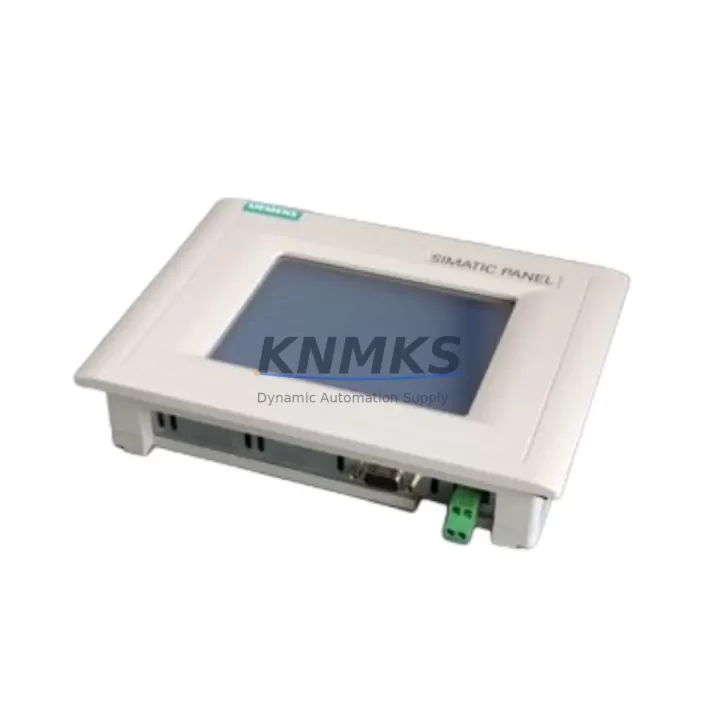
The Siemens 6AV6640-0CA01-0AX0 TP170 Micro is a 5.7-inch monochrome touch panel HMI designed for seamless integration with Siemens S7-200 and S7-300 PLC series. In industrial maintenance environments — from automotive assembly lines to water treatment facilities — this unit serves as a critical operator interface for process visualization, alarm acknowledgment, and parameter adjustment. Keeping a verified spare of the 6AV6640-0CA01-0AX0 in your maintenance inventory is a proven strategy for minimizing unplanned downtime and accelerating panel-level recovery during fault isolation.
At KNMKS, every 6AV6640-0CA01-0AX0 unit is sourced from authorized supply chains, pre-tested for display integrity and communication function, and shipped with a support terms confirmed by quotation. Our industrial spare parts support is designed for maintenance engineers who cannot afford to wait weeks for OEM lead times, and for procurement engineers who need a reliable, long-term supply partner for aging Siemens SIMATIC HMI platforms.
Spare Maintenance Table
| Parameter | Specification |
|---|---|
| Part Number / SKU | 6AV6640-0CA01-0AX0 |
| Series | Siemens SIMATIC TP170 Micro |
| Display | 5.7″ STN Monochrome Touch Panel |
| Resolution | 320 × 240 px (QVGA) |
| Supply Voltage | 24 V DC (20.4–28.8 V) |
| Communication Interface | MPI / PROFIBUS-DP, RS-422/485 |
| Compatible PLC | Siemens S7-200, S7-300 |
| Configuration Software | ProTool / WinCC flexible |
| Operating Temperature | 0 °C to +50 °C |
| Protection Rating | IP65 (front panel) |
| Mounting | Panel cut-out, snap-in clips |
| Weight | Approx. 700 g |
| Origin | Germany |
| Support terms | 12 Months (KNMKS) |
| Condition | Original, Pre-tested before shipment |
Maintenance Planning for Continuous Operation
When a 6AV6640-0CA01-0AX0 TP170 Micro fails or is flagged during a scheduled control cabinet inspection, the replacement workflow extends beyond the HMI panel itself. Maintenance engineers should simultaneously verify the integrity of the 24 V DC power supply feeding the panel — a degraded or undersized power supply unit is a common root cause of HMI reboot loops and display anomalies. The MPI/PROFIBUS-DP communication cable connecting the TP170 Micro to the S7-300 CPU (such as the 6ES7315-2AH14-0AB0 or similar CPU modules) should be inspected for connector wear, shielding continuity, and correct termination resistance.
In S7-200 installations, the PPI cable or CP 243-1 Ethernet module used for HMI communication should be checked for firmware compatibility with the replacement panel. If the control cabinet also houses a 6ES7321 digital input module or 6ES7322 digital output module, their status LEDs and wiring terminals should be verified during the same maintenance window to avoid a second unplanned outage. For systems with signal isolation requirements, DIN-rail mounted signal isolators between field sensors and PLC I/O cards should be tested for drift.
Procurement engineers building annual spare parts lists for SIMATIC TP170 Micro-based lines should also consider stocking the 6AV6640-0DA01-0AX0 (TP170A color variant) as a cross-reference option, along with the relevant MPI connector set and panel gasket kit. Fuse protection for the 24 V DC panel supply rail — typically a 2 A slow-blow fuse — should be included in the spare parts kit. For sites running multiple TP170 Micro panels across production zones, a single spare unit of the 6AV6640-0CA01-0AX0 per five installed panels is a widely adopted inventory ratio in the industrial maintenance community.
Site Replacement Workflow
Replacing the 6AV6640-0CA01-0AX0 on-site is a straightforward procedure when the correct spare is available and pre-configured. Begin by exporting the existing project from the failed panel using ProTool or WinCC flexible if the panel is still partially functional, or retrieve the project backup from the engineering workstation. Power down the control cabinet and disconnect the 24 V DC supply and MPI/PROFIBUS cable from the defective unit. Release the panel mounting clips from the rear and remove the unit from the cutout.
Install the replacement 6AV6640-0CA01-0AX0 into the same cutout — no mechanical modification is required as the panel dimensions are identical across the TP170 Micro series. Reconnect the communication cable and power supply, then download the project to the new panel via the MPI interface or a PC adapter cable. Verify all screen pages, alarm displays, and operator inputs before returning the line to production. Total replacement time for a prepared maintenance team is typically under 45 minutes, significantly reducing the cost of unplanned downtime compared to waiting for OEM repair cycles.
For legacy systems where the original project file is unavailable, KNMKS technical support can assist with compatibility verification and basic configuration guidance. All units are tested for display function, touch calibration, and communication interface integrity prior to shipment, ensuring the replacement panel is ready for immediate commissioning.
Spare Parts Support FAQ
Q1: Is the 6AV6640-0CA01-0AX0 compatible with both S7-200 and S7-300 PLCs?
Yes. The TP170 Micro supports MPI and PROFIBUS-DP communication, making it compatible with Siemens S7-200 (via PPI/MPI) and S7-300 series PLCs. Always verify the communication protocol and baud rate settings in your existing project before commissioning the replacement unit.
Q2: What is the support terms coverage and what does it include?
KNMKS provides a support terms confirmed by quotation on all 6AV6640-0CA01-0AX0 units. The support terms covers manufacturing defects and functional failures under normal operating conditions. Each unit is pre-tested for display integrity, touch response, and communication function before shipment.
Q3: Can KNMKS support long-term supply for this model given its age?
Yes. KNMKS maintains dedicated inventory for legacy Siemens SIMATIC HMI components, including the TP170 Micro series. We support procurement engineers with scheduled restocking, volume pricing, and advance reservation for planned maintenance shutdowns and annual overhaul programs.
Q4: How do I verify compatibility before ordering if my system configuration is uncertain?
Send your PLC model number, existing HMI project software version (ProTool or WinCC flexible), and communication interface type to admin@knmks.com. Our technical team will confirm compatibility and advise on any firmware or configuration considerations before you commit to the order.
© 2026 KNMKS. All rights reserved.
Original Source: https://knmks.com
Contact: admin@knmks.com | +86 18359268345
Product Identification
- Brand / Ecosystem
-
Siemens
Siemens - Model / Series
-
6AV6640-0CA01-0AX0
SIMATIC Series - Product Family
- HMI & Displays
- Availability Status
- Available on request after model and quantity confirmation
- Inquiry Type
- B2B RFQ, replacement inquiry and project spare-part request
- Pre-Quote Check
- Exact SKU, brand, series, quantity, nameplate photos and destination country are checked before quotation
System Path
Where this product fits in the KNMKS automation structure.
Specification & Inquiry Focus
- Display range
- Operator panels and touch screens
- Common needs
- Screen size, interface and version matching
- Project support
- Retrofit, spare unit and panel replacement
Buyer Confirmation
Information KNMKS checks before replying.
- Exact model
- 6AV6640-0CA01-0AX0
- Brand / ecosystem
- Siemens
- Product family
- HMI & Displays
- Application note
- Replacement, maintenance, project build or spare-part list
- Useful photos
- Nameplate, installed unit, cabinet layout or connector side
- Delivery details
- Quantity, destination country and target schedule
Document Support
Files and notes can be confirmed during quotation.
- Product photos or nameplate confirmation when available
- Packing and delivery notes before quotation confirmation
- Support scope and delivery terms confirmed per inquiry
- Export document coordination for qualified B2B requests
Inquiry Support
- Panel size and interface confirmation
- Replacement unit inquiry for discontinued HMIs
- Protective packaging for display shipment
What to Send Us
- Brand and exact model number: Siemens 6AV6640-0CA01-0AX0
- Quantity and required delivery time
- Application, replacement requirement or nameplate photo
- Destination country and shipping preference
RFQ Preparation
This is a product inquiry page built for RFQ communication.
Fast Model Check
Send this model to KNMKS for confirmation.
Include quantity, destination country and photos if this is a maintenance replacement. The inquiry will be saved with a reference number after submission.
Brand & Compatibility Note
KNMKS displays automation product information for well-known industrial brand ecosystems and compatible replacement references. Brand names are used for product identification and compatibility reference only; final availability and commercial terms are confirmed per quotation.
 Manufacturing
 Machine Tools
 Packaging
 Energy & Power



 PLCs & Controllers
 Servo Systems
 Variable Frequency Drives
 Sensors