
Overview
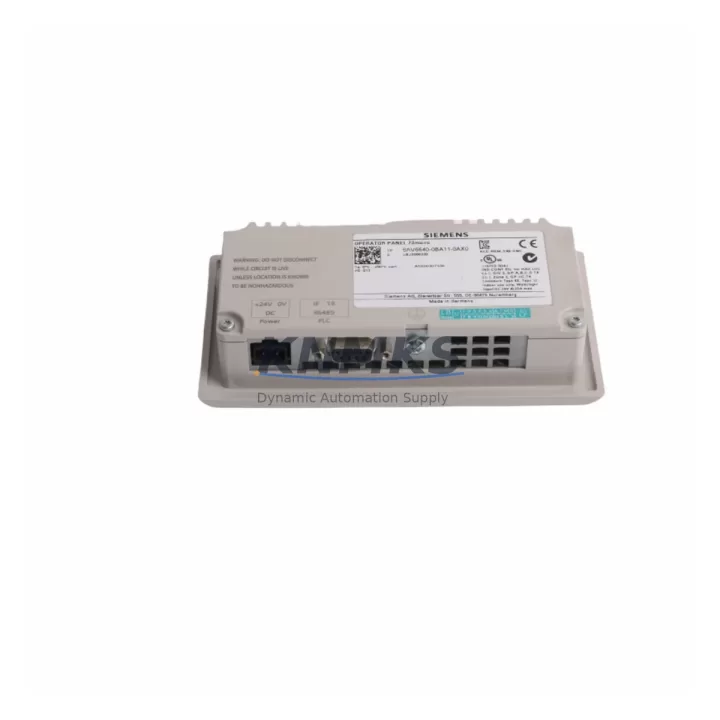
Siemens 6AV6640-0BA11-0AX0 Maintenance-Proven Spare Part for Factory Uptime
The Siemens 6AV6640-0BA11-0AX0 is the KTP200 Basic Mono Panel — a compact 2-inch key/touch HMI designed for integration into SIMATIC S7-1200 and S7-300 control architectures. As a maintenance-proven spare part, this unit is sourced as an original Siemens component and undergoes pre-shipment functional testing to confirm display integrity, PROFINET communication handshake, and key input response before dispatch. For maintenance engineers managing aging SIMATIC panels or executing planned HMI refresh cycles, holding a verified 6AV6640-0BA11-0AX0 availability confirmed by RFQ eliminates the risk of extended downtime caused by panel failure during production shifts.
The KTP200 Basic operates on 24 V DC and communicates via PROFINET IO, making it directly compatible with S7-1200 CPU modules and TIA Portal-configured projects. Its compact form factor fits standard cutout dimensions used across a wide range of SIMATIC control cabinets, reducing mechanical rework during emergency replacement. Procurement engineers sourcing this unit for multi-site MRO inventories benefit from its standardized footprint and consistent firmware compatibility across SIMATIC generations.
Every 6AV6640-0BA11-0AX0 unit shipped by KNMKS is covered by a support terms confirmed by quotation and supported by long-term supply continuity — critical for facilities operating legacy SIMATIC lines where OEM lead times may exceed acceptable downtime windows. Global dispatch is available with documentation packages on request.
Spare Maintenance Table
| Parameter | Specification |
|---|---|
| SKU / Part Number | 6AV6640-0BA11-0AX0 |
| Series | SIMATIC KTP200 Basic |
| Display Type | 2″ Monochrome STN LCD with Touch + 4 Function Keys |
| Supply Voltage | 24 V DC (20.4–28.8 V) |
| Communication Interface | PROFINET IO (RJ45) |
| Compatible Controllers | SIMATIC S7-1200, S7-300 (via TIA Portal) |
| Configuration Software | TIA Portal WinCC Basic V13 SP1 and above |
| Operating Temperature | 0 °C to +50 °C (horizontal), 0 °C to +40 °C (vertical) |
| Protection Rating | IP65 (front panel) |
| Mounting | Panel cutout, snap-in clips |
| Weight | Approx. 240 g |
| Origin | Germany |
| Support terms | 12 Months — KNMKS Spare Parts Guarantee |
| Pre-Shipment Test | Power-on, display, PROFINET link, key input verification |
Maintenance Planning for Continuous Operation
When replacing the 6AV6640-0BA11-0AX0 in a SIMATIC control cabinet, a disciplined maintenance engineer will not limit the inspection to the HMI panel alone. The PROFINET network segment feeding the KTP200 should be verified — check the SIMATIC S7-1200 CPU’s PROFINET port status and confirm the managed switch or unmanaged Ethernet hub supplying the HMI segment is functioning correctly. A failed network switch is a common root cause of HMI communication loss that is misdiagnosed as panel failure.
The 24 V DC power supply rail feeding the KTP200 should be load-tested during the replacement window. SIMATIC PS 25W 24VDC power supply modules or equivalent third-party 24 V DIN-rail PSUs should be checked for output ripple and voltage stability under full cabinet load. A degraded power supply will cause intermittent HMI resets even after a new panel is installed.
Inspect the cabinet’s terminal blocks and wiring harness connecting the HMI to the CPU and field devices. Loose or corroded terminals on the PROFINET patch cable connectors are a frequent cause of communication faults on KTP200 panels in high-vibration environments. If the cabinet includes a SIMATIC S7-1200 SM 1221 or SM 1222 digital I/O expansion module, verify that the I/O module’s status LEDs are normal — a faulted I/O module can generate alarms that appear on the HMI and are mistaken for panel defects.
For facilities running SIMATIC S7-300 systems with IM 153-2 PROFIBUS/PROFINET interface modules, confirm that the IM module firmware is compatible with the TIA Portal project version loaded on the replacement KTP200. Mismatched firmware versions between the CPU and HMI project can prevent the panel from establishing a connection after replacement. Additionally, review the cabinet’s 24 V fuse protection — a blown fuse on the HMI supply branch will prevent the new panel from powering on and should be replaced with the correct rated fuse before commissioning the spare.
Site Replacement Workflow
The 6AV6640-0BA11-0AX0 is a direct form-fit-function replacement for earlier KTP200 Basic revisions. Before removing the failed panel, document the existing PROFINET device name assigned to the HMI in TIA Portal — this name must be reassigned to the replacement unit during commissioning to restore communication without modifying the CPU project. Use a laptop with TIA Portal and the PRONETA network diagnostic tool to assign the correct PROFINET device name to the new panel before mounting.
Power down the 24 V supply to the HMI branch, release the snap-in mounting clips from the rear of the panel cutout, and disconnect the PROFINET patch cable and 24 V supply terminals. Install the replacement 6AV6640-0BA11-0AX0, reconnect all terminals, and restore power. Use TIA Portal’s online diagnostics to confirm the HMI is visible on the PROFINET network and that the project download is current. Total replacement time for a prepared technician with a pre-configured spare is typically under 30 minutes, minimizing production line downtime.
For sites transitioning from older SIMATIC OP73 or TP177 panels to the KTP200 platform, the KTP200 Basic offers a compatible PROFINET interface and TIA Portal project migration path, allowing legacy WinCC flexible projects to be converted and reused with minimal engineering effort.
Spare Parts Support FAQ
Q: Is the 6AV6640-0BA11-0AX0 compatible with both S7-1200 and S7-300 controllers?
A: Yes. The KTP200 Basic communicates via PROFINET IO and is compatible with SIMATIC S7-1200 and S7-300 CPUs configured in TIA Portal. Ensure the TIA Portal version used for project download matches the HMI firmware version for seamless integration.
Q: What does the support terms confirmed by quotation cover for this spare part?
A: The 12-month KNMKS support terms covers manufacturing defects, display failure, communication port faults, and key input malfunction under normal operating conditions. Each unit is pre-shipment tested for power-on, PROFINET link establishment, display function, and key response before dispatch.
Q: How should I manage KTP200 spare inventory for a multi-line facility?
A: For facilities with three or more SIMATIC lines using KTP200 panels, a minimum stock of one spare per five panels is recommended. Pre-configure each spare with the correct PROFINET device name and TIA Portal project to enable hot-swap replacement without engineering intervention during a breakdown event.
Q: Can KNMKS guarantee long-term supply of the 6AV6640-0BA11-0AX0?
A: Yes. KNMKS maintains multi-region stock of the 6AV6640-0BA11-0AX0 and monitors Siemens lifecycle status to provide advance notice of any discontinuation. Long-term supply agreements are available for MRO procurement teams requiring guaranteed availability over 12–36 month horizons.
© 2026 KNMKS. All rights reserved.
Original Source: https://knmks.com
Contact: admin@knmks.com | +86 18359268345
Product Identification
- Brand / Ecosystem
-
Siemens
Siemens - Model / Series
-
6AV6640-0BA11-0AX0
SIMATIC Series - Product Family
- HMI & Displays
- Availability Status
- Available on request after model and quantity confirmation
- Inquiry Type
- B2B RFQ, replacement inquiry and project spare-part request
- Pre-Quote Check
- Exact SKU, brand, series, quantity, nameplate photos and destination country are checked before quotation
System Path
Where this product fits in the KNMKS automation structure.
Specification & Inquiry Focus
- Display range
- Operator panels and touch screens
- Common needs
- Screen size, interface and version matching
- Project support
- Retrofit, spare unit and panel replacement
Buyer Confirmation
Information KNMKS checks before replying.
- Exact model
- 6AV6640-0BA11-0AX0
- Brand / ecosystem
- Siemens
- Product family
- HMI & Displays
- Application note
- Replacement, maintenance, project build or spare-part list
- Useful photos
- Nameplate, installed unit, cabinet layout or connector side
- Delivery details
- Quantity, destination country and target schedule
Document Support
Files and notes can be confirmed during quotation.
- Product photos or nameplate confirmation when available
- Packing and delivery notes before quotation confirmation
- Support scope and delivery terms confirmed per inquiry
- Export document coordination for qualified B2B requests
Inquiry Support
- Panel size and interface confirmation
- Replacement unit inquiry for discontinued HMIs
- Protective packaging for display shipment
What to Send Us
- Brand and exact model number: Siemens 6AV6640-0BA11-0AX0
- Quantity and required delivery time
- Application, replacement requirement or nameplate photo
- Destination country and shipping preference
RFQ Preparation
This is a product inquiry page built for RFQ communication.
Fast Model Check
Send this model to KNMKS for confirmation.
Include quantity, destination country and photos if this is a maintenance replacement. The inquiry will be saved with a reference number after submission.
Brand & Compatibility Note
KNMKS displays automation product information for well-known industrial brand ecosystems and compatible replacement references. Brand names are used for product identification and compatibility reference only; final availability and commercial terms are confirmed per quotation.
 Manufacturing
 Machine Tools
 Packaging
 Energy & Power



 PLCs & Controllers
 Servo Systems
 Variable Frequency Drives
 Sensors