
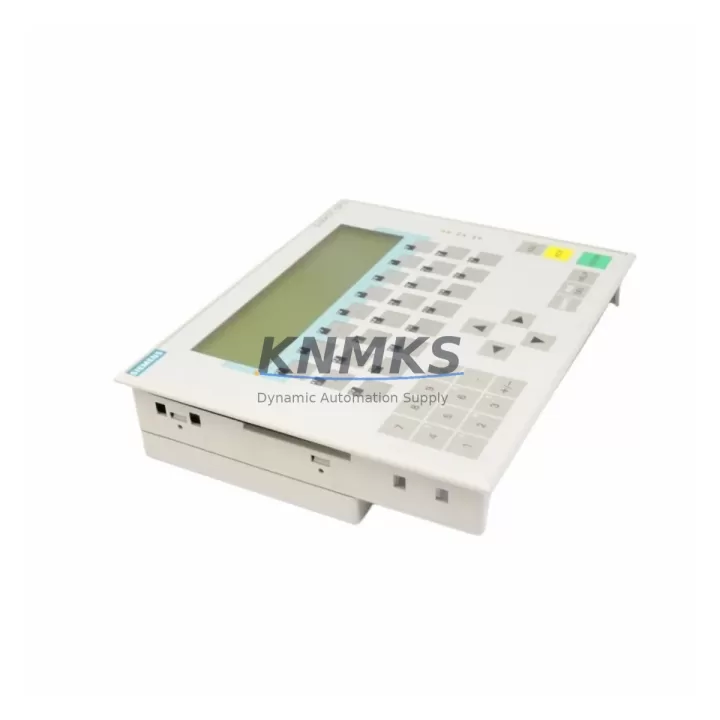
Overview
Siemens 6AV3617-1JC20-0AX1 Migration-Ready HMI for Legacy Control Systems
The Siemens 6AV3617-1JC20-0AX1 is a migration-ready OP17 operator panel engineered for direct replacement and compatibility upgrade within SIMATIC S5 and SIMATIC S7 control environments. As legacy HMI infrastructure reaches end-of-service milestones, plant engineers and maintenance teams face increasing pressure to source verified replacement units that preserve existing program logic, screen layouts, and communication configurations without triggering full-system redesigns. The 6AV3617-1JC20-0AX1 addresses this challenge by offering a drop-in compatible interface that supports MPI and RS-485 communication protocols, enabling seamless integration into existing control cabinets without rewiring the communication backbone.
For facilities operating SIMATIC S7-300 or S7-400 PLCs, the 6AV3617-1JC20-0AX1 provides a validated upgrade path from earlier OP7 and OP17 variants. The panel retains the same physical footprint and DIN-rail mounting geometry, which is critical when installation space within the control cabinet is constrained. Engineers replacing aging OP17 units must verify the backplane connector pinout, confirm MPI node addressing, and ensure the replacement unit’s firmware version is compatible with the ProTool or WinCC flexible project files already deployed on the system. This unit ships pre-tested and pre-configured for standard MPI baud rates, reducing on-site commissioning time significantly.
When planning a retrofit involving the 6AV3617-1JC20-0AX1, the migration checklist should include verification of the 24 VDC power supply capacity at the panel terminal block, confirmation of the RS-485 termination resistor settings, and review of the existing HMI screen tag database for any deprecated variable types that may require remapping. In systems where the SIMATIC S7-300 CPU — such as the CPU 315-2 DP or CPU 317-2 PN/DP — communicates with multiple field devices over PROFIBUS DP, the HMI node address must be assigned carefully to avoid bus conflicts. The 6AV3617-1JC20-0AX1 supports up to 32 MPI nodes, which is sufficient for most mid-scale control architectures.
Retrofit projects frequently require simultaneous replacement of adjacent components. In many installations, the SM 321 digital input module and SM 322 digital output module mounted in the same S7-300 rack are also approaching end-of-life, and coordinating their replacement alongside the HMI panel reduces total system downtime. Similarly, the CP 342-5 PROFIBUS communication processor, if present in the rack, should be inspected for firmware compatibility with the new HMI unit. Where the control cabinet includes a PS 307 power supply module, engineers should confirm that the combined load of the replacement HMI and any additional I/O modules does not exceed the rated output current of the power supply before commissioning.
For systems that include a SIMATIC S7-400 rack with an IM 460 send interface module for distributed I/O expansion, the 6AV3617-1JC20-0AX1 can be integrated without modifying the existing rack configuration, provided the MPI segment is correctly terminated and the HMI project is transferred via a PC adapter USB or MPI/DP programming cable. The panel’s onboard memory is sufficient to store operator screen projects of moderate complexity, and the display resolution is compatible with standard alarm and trend screen templates used in legacy ProTool projects.
Downtime control is a primary concern during any HMI replacement in a live production environment. The 6AV3617-1JC20-0AX1 supports offline project transfer, allowing the replacement unit to be fully programmed and validated on the bench before the scheduled maintenance window. This approach preserves the original PLC program logic and eliminates the risk of accidental overwrite during the swap. Once the new panel is installed and powered, the MPI connection should be verified using STEP 7 or TIA Portal’s accessible nodes function before releasing the system back to production.
Migration Compatibility Table
| Parameter | 6AV3617-1JC20-0AX1 (This Unit) | Legacy OP17 / OP7 Reference | Retrofit Notes |
|---|---|---|---|
| Communication Interface | MPI / RS-485 | MPI / RS-485 | Direct protocol compatibility; no gateway required |
| Supply Voltage | 24 VDC | 24 VDC | Verify PS 307 output capacity before installation |
| Mounting | Panel cutout / DIN rail | Panel cutout / DIN rail | Same footprint; no cabinet modification required |
| PLC Compatibility | SIMATIC S7-300 / S7-400 / S5 | SIMATIC S7-300 / S5 | Confirm MPI node address assignment |
| Programming Tool | ProTool / WinCC flexible | ProTool | Migrate project files; verify tag compatibility |
| Firmware Compatibility | Verified pre-shipment | Varies by revision | Confirm firmware version matches project requirements |
| Commissioning | Bench pre-test included | Field commissioning only | Reduces on-site downtime; MPI verified before dispatch |
| Support terms | support terms confirmed by quotation | N/A (legacy / discontinued) | Covered from date of dispatch; includes DOA replacement |
Retrofit Planning for Existing Automation Systems
A successful retrofit involving the 6AV3617-1JC20-0AX1 requires a structured approach to component sequencing and compatibility verification. In a typical SIMATIC S7-300 control cabinet, the HMI panel shares the MPI bus with the CPU module and, in some configurations, with a CP 343-1 Ethernet communication processor used for supervisory SCADA connectivity. Before removing the legacy OP17 unit, engineers should document the current MPI node address, baud rate setting, and any custom function key assignments programmed into the existing panel.
Adjacent modules that commonly require attention during the same maintenance window include the SM 331 analog input module, which may need recalibration if the rack is powered down during the HMI swap, and the SM 334 analog I/O module used in process control loops. In systems with distributed I/O connected via ET 200M remote I/O stations, the IM 153-2 interface module should be inspected for firmware compatibility with the updated HMI project, particularly if new alarm tags referencing remote I/O addresses have been added. Where a SIMATIC S7-400 rack is involved, the IM 461 receive interface module for multi-tier rack expansion should also be confirmed as operational before the HMI is brought online.
Signal isolation requirements should be reviewed for any analog loops connected to the S7-300 rack. If the existing installation uses signal isolators between field transmitters and the SM 331 module, their output ranges should be verified against the new HMI tag scaling to prevent display errors after the panel replacement. Programming cables — specifically the PC adapter USB or the MPI/DP cable — should be available on-site during commissioning to allow rapid project transfer and parameter adjustment if required.
Downtime Control During System Migration
Minimizing production downtime during an HMI panel replacement requires advance preparation and a clearly defined switchover sequence. The 6AV3617-1JC20-0AX1 supports full offline project loading, which means the replacement unit can be programmed, tested, and validated against the existing ProTool or WinCC flexible project before the maintenance window begins. This eliminates the most common source of extended downtime: on-site project transfer failures caused by communication errors or version mismatches.
During the physical swap, the PLC program continues to execute independently of the HMI panel, so process control is maintained throughout the replacement procedure. Operators should be briefed to monitor field instrumentation directly during the brief period when the HMI is offline. Once the 6AV3617-1JC20-0AX1 is installed and powered, the MPI connection should be verified using the accessible nodes function in STEP 7 or TIA Portal before the panel is released for operator use. If the system includes a redundant CPU configuration — such as the H-system with CPU 417H — the HMI reconnection sequence should follow the manufacturer’s recommended procedure to avoid triggering a redundancy switchover event.
All units are pre-shipment tested at the component level, with MPI communication verified and display function confirmed before dispatch. This pre-testing protocol, combined with the support terms confirmed by quotation coverage, ensures that the replacement unit arrives ready for immediate installation and reduces the risk of a failed swap extending the maintenance window beyond the planned duration.
Retrofit Support FAQ
Q: Is the 6AV3617-1JC20-0AX1 a direct replacement for the original OP17 panel in a SIMATIC S7-300 system?
A: Yes. The 6AV3617-1JC20-0AX1 is the standard OP17 operator panel for SIMATIC S7-300 and S7-400 systems. It uses the same MPI/RS-485 interface, the same 24 VDC supply, and the same panel cutout dimensions as the original unit. Existing ProTool or WinCC flexible projects can be transferred directly to the replacement panel without modification in most cases, provided the firmware version is compatible.
Q: What commissioning steps are required after installing the replacement panel?
A: After physical installation, verify the MPI node address matches the original configuration, confirm the baud rate setting (typically 187.5 kbps for standard S7-300 MPI networks), and transfer the HMI project using a PC adapter USB or MPI/DP programming cable. Use the accessible nodes function in STEP 7 or TIA Portal to confirm the panel is visible on the MPI bus before releasing the system to production.
Q: How is wiring compatibility confirmed before installation?
A: The 6AV3617-1JC20-0AX1 uses the same terminal block layout as the standard OP17 series. The 24 VDC supply terminals and the MPI/RS-485 connector pinout are identical to the original unit. Engineers should verify the supply voltage at the terminal block under load and confirm that the RS-485 termination resistor is correctly set for the panel’s position on the bus (terminated at both physical ends of the MPI segment).
Q: What does the support terms confirmed by quotation cover, and is stock available for emergency replacement?
A: The support terms confirmed by quotation cover manufacturing defects and functional failures from the date of dispatch, including dead-on-arrival (DOA) replacement. All units are pre-shipment tested for MPI communication and display function. Stock is maintained for rapid dispatch to support emergency replacement scenarios. Contact admin@knmks.com or +86 18359268345 for availability confirmation and lead time.
© 2026 KNMKS. All rights reserved.
Original Source: https://knmks.com
Contact: admin@knmks.com | +86 18359268345
Product Identification
- Brand / Ecosystem
-
Siemens
Siemens - Model / Series
-
6AV3617-1JC20-0AX1
SIMATIC Series - Product Family
- HMI & Displays
- Availability Status
- Available on request after model and quantity confirmation
- Inquiry Type
- B2B RFQ, replacement inquiry and project spare-part request
- Pre-Quote Check
- Exact SKU, brand, series, quantity, nameplate photos and destination country are checked before quotation
System Path
Where this product fits in the KNMKS automation structure.
Specification & Inquiry Focus
- Display range
- Operator panels and touch screens
- Common needs
- Screen size, interface and version matching
- Project support
- Retrofit, spare unit and panel replacement
Buyer Confirmation
Information KNMKS checks before replying.
- Exact model
- 6AV3617-1JC20-0AX1
- Brand / ecosystem
- Siemens
- Product family
- HMI & Displays
- Application note
- Replacement, maintenance, project build or spare-part list
- Useful photos
- Nameplate, installed unit, cabinet layout or connector side
- Delivery details
- Quantity, destination country and target schedule
Document Support
Files and notes can be confirmed during quotation.
- Product photos or nameplate confirmation when available
- Packing and delivery notes before quotation confirmation
- Support scope and delivery terms confirmed per inquiry
- Export document coordination for qualified B2B requests
Inquiry Support
- Panel size and interface confirmation
- Replacement unit inquiry for discontinued HMIs
- Protective packaging for display shipment
What to Send Us
- Brand and exact model number: Siemens 6AV3617-1JC20-0AX1
- Quantity and required delivery time
- Application, replacement requirement or nameplate photo
- Destination country and shipping preference
RFQ Preparation
This is a product inquiry page built for RFQ communication.
Fast Model Check
Send this model to KNMKS for confirmation.
Include quantity, destination country and photos if this is a maintenance replacement. The inquiry will be saved with a reference number after submission.
Brand & Compatibility Note
KNMKS displays automation product information for well-known industrial brand ecosystems and compatible replacement references. Brand names are used for product identification and compatibility reference only; final availability and commercial terms are confirmed per quotation.
 Manufacturing
 Machine Tools
 Packaging
 Energy & Power



 PLCs & Controllers
 Servo Systems
 Variable Frequency Drives
 Sensors