
Overview
Siemens 6AV2128-3MB06-0AX1 Maintenance-Proven Spare Part for Factory Uptime
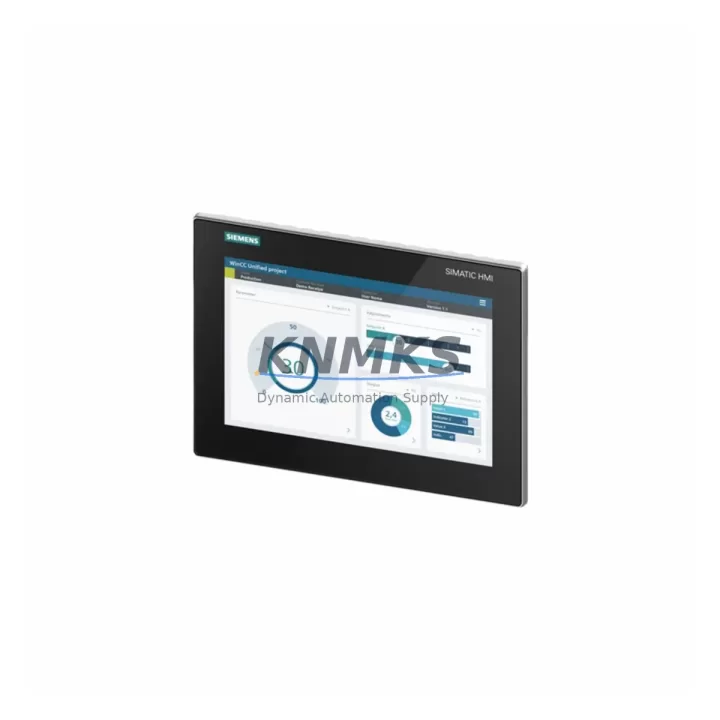
The Siemens 6AV2128-3MB06-0AX1 is a 15-inch widescreen touch panel from the SIMATIC HMI Comfort series, engineered for demanding industrial environments where operator interface reliability directly determines production continuity. As a maintenance-proven spare part, this unit supports fast-swap replacement in SIMATIC S7-300, S7-400, S7-1200, and S7-1500 PLC architectures, as well as distributed I/O systems running PROFINET or PROFIBUS-DP. Maintenance engineers and procurement teams managing aging control cabinets, legacy SCADA stations, or multi-line HMI networks rely on this SKU to eliminate unplanned downtime caused by display failure, touchscreen degradation, or firmware-incompatible panel substitutions.
Each unit supplied by KNMKS is sourced from verified industrial channels, pre-tested against Siemens factory specifications, and dispatched with a support terms confirmed by quotation. Multi-region stock availability ensures emergency replacement orders can be fulfilled within standard lead times, supporting both scheduled annual shutdowns and unplanned fault recovery scenarios.
Spare Maintenance Table
| Parameter | Specification |
|---|---|
| SKU / Order Number | 6AV2128-3MB06-0AX1 |
| Series | SIMATIC HMI Comfort Panel |
| Display Size | 15.4″ Widescreen TFT |
| Resolution | 1280 × 800 px (WXGA) |
| Touch Technology | Resistive / Analog |
| Supply Voltage | 24 V DC (20.4–28.8 V) |
| Power Consumption | Approx. 35 W (typical) |
| Communication Interfaces | PROFINET (2× RJ45), PROFIBUS-DP, USB, SD card |
| PLC Compatibility | S7-300, S7-400, S7-1200, S7-1500, WinCC |
| Operating Temperature | 0 °C to +50 °C |
| Protection Rating | IP65 (front panel) |
| Origin | Germany (DE) |
| Weight | Approx. 840 g |
| Support terms | 12 Months (KNMKS) |
| Pre-Shipment Testing | Yes — functional and communication verified |
| Mounting | Panel cutout, portrait or landscape |
| Application Environment | Discrete manufacturing, process control, utilities, automotive, food & beverage |
Maintenance Planning for Continuous Operation
When replacing the 6AV2128-3MB06-0AX1 in a live control cabinet, a structured inspection of adjacent components is essential to prevent repeat failures and ensure the replacement panel operates within specification from first power-on.
Begin with the 24 V DC power supply feeding the HMI. Units such as the Siemens SITOP PSU100S 24 V/5 A or equivalent regulated DIN-rail supplies should be load-tested before the new panel is connected — voltage ripple or transient spikes above 28.8 V can damage the panel’s internal power stage. Verify the PROFINET patch cables (Cat5e or Cat6, shielded) connecting the panel to the managed switch or PLC CPU port; degraded cable shielding is a common source of intermittent communication faults that are misdiagnosed as panel failures.
Inspect the PROFIBUS-DP connector and termination resistor if the panel is operating in a mixed PROFIBUS/PROFINET topology. A missing or incorrectly positioned termination plug on the DP segment will cause bus errors that appear as HMI freeze events. Check the 24 V fuse or circuit breaker protecting the HMI branch — a slow-blow fuse rated at 2 A is standard; an undersized or degraded fuse may cause nuisance trips under inrush conditions during panel boot.
For cabinets running Siemens S7-300 or S7-400 CPUs with backplane-mounted I/O, confirm that the CPU firmware version is compatible with the TIA Portal project loaded on the replacement panel. Mismatched firmware between the CPU (e.g., 6ES7315-2EH14-0AB0) and the HMI project can prevent runtime startup. If the installation includes signal isolators or analog input modules (such as SM 331 or SM 334 series), verify that their 24 V auxiliary supply is stable, as shared power rail disturbances during HMI replacement can trigger spurious I/O faults.
Finally, review the terminal block connections on the 24 V supply rail and the equipotential bonding conductor on the panel’s PE terminal. Loose PE connections are a leading cause of touchscreen calibration drift and EMC-related display artifacts in high-noise environments such as VFD-heavy motor control centers.
Site Replacement Workflow
Step 1 — Isolation and backup: Place the PLC CPU in STOP mode and back up the current HMI project from the existing panel via USB or SD card export using TIA Portal or ProSave. Document the panel’s IP address, subnet mask, and device name from the existing configuration before powering down.
Step 2 — Panel removal: Disconnect the 24 V DC supply, PROFINET cables, and USB peripherals. Release the panel mounting clamps from the rear and carefully extract the unit from the cutout. Note the torque specification for re-installation (typically 0.5–0.6 Nm for M4 clamps).
Step 3 — Replacement installation: Insert the 6AV2128-3MB06-0AX1 into the same cutout. The panel is dimensionally compatible with the TP1500 Comfort form factor. Reconnect all cables in reverse order. Assign the same IP address and PROFINET device name using the panel’s bootstrap menu or via TIA Portal online device assignment.
Step 4 — Project restore and commissioning: Transfer the backed-up HMI project to the replacement panel via USB or SD card. Power on the PLC CPU and switch to RUN mode. Verify all screen pages, alarm displays, and trend views load correctly. Perform a touchscreen calibration if required.
Step 5 — Functional verification: Confirm PROFINET communication status (green link LEDs), test all operator inputs, and verify that data exchange with the PLC is error-free for a minimum of 15 minutes before returning the line to production.
This workflow minimizes downtime to under 60 minutes for a trained maintenance technician and eliminates the risk of configuration loss or IP conflicts that commonly extend unplanned outages.
Spare Parts Support FAQ
Q1: Is the 6AV2128-3MB06-0AX1 a direct drop-in replacement for earlier TP1500 Comfort variants?
Yes. The 6AV2128-3MB06-0AX1 is dimensionally and electrically compatible with earlier TP1500 Comfort order numbers within the SIMATIC HMI Comfort panel family. The same panel cutout dimensions and 24 V DC supply apply. Firmware and TIA Portal project compatibility should be verified against the CPU version in use; in most cases, a project update via TIA Portal is sufficient to align runtime versions.
Q2: What pre-shipment testing does KNMKS perform on this unit?
Every 6AV2128-3MB06-0AX1 dispatched by KNMKS undergoes functional power-on testing, touchscreen response verification, and PROFINET communication validation prior to packaging. Units that do not pass all test criteria are quarantined and not shipped. A test report is available upon request for critical infrastructure procurement.
Q3: How should this SKU be managed in a long-term spare parts inventory strategy?
For facilities operating more than three SIMATIC HMI Comfort panels, maintaining a minimum of one 6AV2128-3MB06-0AX1 on-site is recommended. Given the 15–20 year operational lifespan of SIMATIC S7-300/400 installations, procurement teams should consider a multi-unit stock agreement to hedge against supply chain lead time increases as the product approaches end-of-availability. KNMKS supports long-term supply agreements with guaranteed stock reservation.
Q4: What is covered under the support terms confirmed by quotation?
The KNMKS support terms confirmed by quotation cover manufacturing defects, functional failures under normal operating conditions, and communication interface faults. It does not cover physical damage caused by incorrect installation, overvoltage events, or environmental exposure beyond the rated IP65 and temperature specifications. Support requests are processed with a replacement-first policy to minimize site downtime.
© 2026 KNMKS. All rights reserved.
Original Source: https://knmks.com
Contact: admin@knmks.com | +86 18359268345
Product Identification
- Brand / Ecosystem
-
Siemens
Siemens - Model / Series
-
6AV2128-3MB06-0AX1
SIMATIC Series - Product Family
- HMI & Displays
- Availability Status
- Available on request after model and quantity confirmation
- Inquiry Type
- B2B RFQ, replacement inquiry and project spare-part request
- Pre-Quote Check
- Exact SKU, brand, series, quantity, nameplate photos and destination country are checked before quotation
System Path
Where this product fits in the KNMKS automation structure.
Specification & Inquiry Focus
- Display range
- Operator panels and touch screens
- Common needs
- Screen size, interface and version matching
- Project support
- Retrofit, spare unit and panel replacement
Buyer Confirmation
Information KNMKS checks before replying.
- Exact model
- 6AV2128-3MB06-0AX1
- Brand / ecosystem
- Siemens
- Product family
- HMI & Displays
- Application note
- Replacement, maintenance, project build or spare-part list
- Useful photos
- Nameplate, installed unit, cabinet layout or connector side
- Delivery details
- Quantity, destination country and target schedule
Document Support
Files and notes can be confirmed during quotation.
- Product photos or nameplate confirmation when available
- Packing and delivery notes before quotation confirmation
- Support scope and delivery terms confirmed per inquiry
- Export document coordination for qualified B2B requests
Inquiry Support
- Panel size and interface confirmation
- Replacement unit inquiry for discontinued HMIs
- Protective packaging for display shipment
What to Send Us
- Brand and exact model number: Siemens 6AV2128-3MB06-0AX1
- Quantity and required delivery time
- Application, replacement requirement or nameplate photo
- Destination country and shipping preference
RFQ Preparation
This is a product inquiry page built for RFQ communication.
Fast Model Check
Send this model to KNMKS for confirmation.
Include quantity, destination country and photos if this is a maintenance replacement. The inquiry will be saved with a reference number after submission.
Brand & Compatibility Note
KNMKS displays automation product information for well-known industrial brand ecosystems and compatible replacement references. Brand names are used for product identification and compatibility reference only; final availability and commercial terms are confirmed per quotation.
 Manufacturing
 Machine Tools
 Packaging
 Energy & Power



 PLCs & Controllers
 Servo Systems
 Variable Frequency Drives
 Sensors