
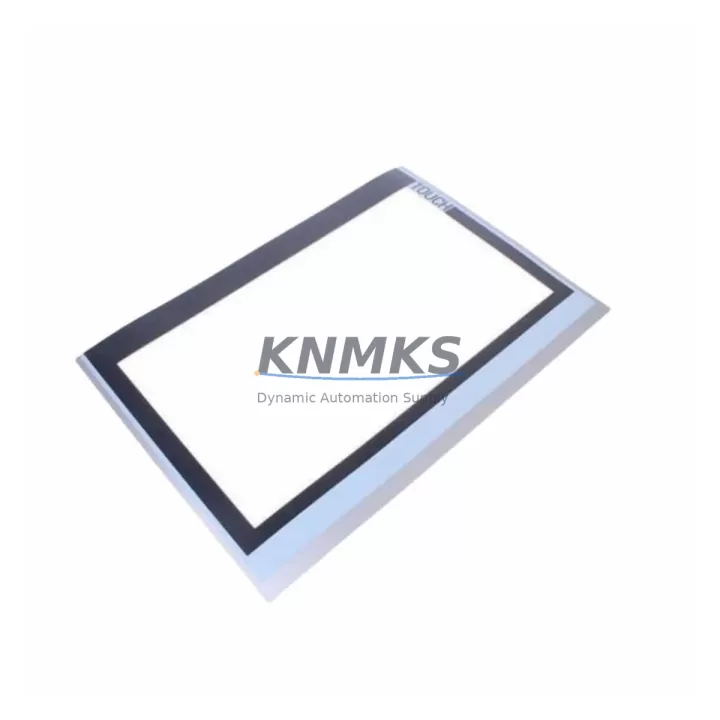
Overview
Siemens 6AV2124-0UC02-0AX0 Maintenance-Proven Spare Part for Factory Uptime
The Siemens 6AV2124-0UC02-0AX0 is a 15-inch widescreen SIMATIC TP1500 Comfort HMI panel engineered for demanding industrial environments. As a maintenance-proven spare part, it is purpose-built to restore operator interface functionality with zero compromise on compatibility or performance. Whether you are managing a scheduled annual overhaul, responding to an unplanned panel failure, or building a strategic spare parts inventory for a SIMATIC S7-1500 or S7-1200 control system, this unit delivers the reliability and continuity that production lines depend on.
Sourced as an original Siemens component, the 6AV2124-0UC02-0AX0 undergoes pre-shipment functional testing to verify display integrity, touch response, communication port operation, and firmware compatibility before dispatch. Each unit ships with a support terms confirmed by quotation, providing procurement engineers with the assurance needed for long-term spare parts planning and capital expenditure justification.
Spare Maintenance Table
| Parameter | Specification |
|---|---|
| Part Number / SKU | 6AV2124-0UC02-0AX0 |
| Series | SIMATIC TP1500 Comfort |
| Brand | Siemens |
| Display Size | 15.4″ Widescreen TFT |
| Resolution | 1280 × 800 px |
| Touch Type | Resistive / Analog |
| Communication Interfaces | PROFINET, MPI/PROFIBUS DP, USB, SD Card |
| Compatible Controllers | SIMATIC S7-1500, S7-1200, S7-300, S7-400 |
| Supply Voltage | 24 V DC (20.4–28.8 V) |
| Protection Rating | IP65 (front panel) |
| Operating Temperature | 0 °C to +50 °C |
| Mounting | Panel cutout, portrait or landscape |
| Origin | China (CN) |
| Support terms | 12 Months |
| Pre-Shipment Test | Display, touch, PROFINET, USB verified |
| Compatibility Confirmation | TIA Portal V13 SP1 and above |
Maintenance Planning for Continuous Operation
When replacing the 6AV2124-0UC02-0AX0 in a live production environment, a structured inspection of the surrounding electrical and control infrastructure is essential to prevent repeat failures and ensure a clean handover. Maintenance engineers should begin by verifying the 24 V DC power supply feeding the HMI panel — a degraded or undersized SITOP PSU8200 or equivalent power supply module is a common root cause of premature HMI failure and must be load-tested before the replacement panel is commissioned.
The PROFINET cable and RJ45 connector at the panel port should be inspected for corrosion, bend radius violations, and EMI shielding continuity. If the control cabinet houses a SIMATIC S7-1500 CPU such as the CPU 1516-3 PN/DP, confirm that the PROFINET device name and IP address assignment in TIA Portal matches the replacement panel’s configuration to avoid communication faults on first boot. Where MPI or PROFIBUS DP is used as the primary HMI communication channel, verify the bus termination resistors and cable impedance at both ends of the segment.
I/O signal integrity should be confirmed at the associated distributed I/O modules — ET 200SP or ET 200MP racks connected to the same PROFINET ring are frequently overlooked during HMI replacement but can carry latent wiring faults that surface as alarm floods on the new panel. Relay output modules and digital input cards in the same cabinet should be visually inspected for contact wear, loose terminal screws, and overheating discoloration.
For cabinets integrating a SIMATIC S7-300 legacy backbone, check the backplane bus connectors and CPU memory card for data integrity before restoring the HMI project. Signal isolators on analog input channels — particularly 4–20 mA loops feeding process values displayed on the TP1500 — should be verified for zero and span calibration. Cabinet-mounted miniature circuit breakers and fuse holders protecting the 24 V DC rail must be tested for correct trip rating and contact resistance. Finally, confirm that the SD card slot on the replacement 6AV2124-0UC02-0AX0 is loaded with the correct project backup before powering up, and that the WinCC Comfort runtime license is transferred or re-activated as required by your site’s software asset management policy.
Site Replacement Workflow
The 6AV2124-0UC02-0AX0 is a direct form-fit-function replacement for earlier TP1500 Comfort revisions, including units previously ordered under the 6AV2124-0UC02-0AX0 revision A and B designations. The panel cutout dimensions and mounting clip positions are identical, allowing in-place substitution without cabinet modification. To minimize downtime during replacement:
1. Export the current HMI project from the existing panel via SD card or TIA Portal online backup before powering down. 2. Disconnect the 24 V DC supply and all communication cables, labeling each connector for accurate reconnection. 3. Remove the failed panel from the cutout and install the replacement unit, torquing the mounting clamps to the specified 0.5 Nm. 4. Reconnect all cables, restore power, and allow the panel to complete its boot sequence. 5. Load the project from SD card or download via TIA Portal and perform a full alarm and navigation function test before releasing the line to production.
This workflow is compatible with both hot-standby and single-CPU architectures and does not require a PLC program download or CPU restart, preserving production data continuity and reducing mean time to repair (MTTR) to under 30 minutes for a prepared maintenance team.
Spare Parts Support FAQ
Q1: Is the 6AV2124-0UC02-0AX0 compatible with TIA Portal V15 and V17 projects?
Yes. The TP1500 Comfort panel supports TIA Portal V13 SP1 through V17 and later. Projects created in older versions can be migrated using the TIA Portal migration wizard without loss of screen objects or tag assignments, provided the WinCC Comfort option package version is aligned.
Q2: What does the support terms confirmed by quotation cover?
The support terms covers manufacturing defects, display failure, touch controller malfunction, and communication port faults under normal operating conditions. Units that show evidence of overvoltage, reverse polarity connection, or physical impact are assessed on a case-by-case basis. Support requests are processed within 5 business days of receipt of the returned unit.
Q3: Can you supply multiple units for a planned annual shutdown or spare parts kit?
Yes. Bulk orders for annual maintenance kits, plant-wide spare parts standardization programs, and OEM integrator stock are supported. Lead times and pricing for quantities of 3 units or more are available on request via admin@knmks.com. Long-term supply agreements with scheduled delivery are also available to support multi-year maintenance contracts.
Q4: How is the unit tested before shipment?
Each 6AV2124-0UC02-0AX0 unit undergoes a pre-shipment functional test covering display backlight uniformity, full-surface touch calibration, PROFINET link establishment, USB host port recognition, and 24 V DC power-on self-test. A test report is available upon request and can be included with the shipment documentation for site acceptance records.
© 2026 KNMKS. All rights reserved.
Original Source: https://knmks.com
Contact: admin@knmks.com | +86 18359268345
Product Identification
- Brand / Ecosystem
-
Siemens
Siemens - Model / Series
-
6AV2124-0UC02-0AX0
SIMATIC Series - Product Family
- HMI & Displays
- Availability Status
- Available on request after model and quantity confirmation
- Inquiry Type
- B2B RFQ, replacement inquiry and project spare-part request
- Pre-Quote Check
- Exact SKU, brand, series, quantity, nameplate photos and destination country are checked before quotation
System Path
Where this product fits in the KNMKS automation structure.
Specification & Inquiry Focus
- Display range
- Operator panels and touch screens
- Common needs
- Screen size, interface and version matching
- Project support
- Retrofit, spare unit and panel replacement
Buyer Confirmation
Information KNMKS checks before replying.
- Exact model
- 6AV2124-0UC02-0AX0
- Brand / ecosystem
- Siemens
- Product family
- HMI & Displays
- Application note
- Replacement, maintenance, project build or spare-part list
- Useful photos
- Nameplate, installed unit, cabinet layout or connector side
- Delivery details
- Quantity, destination country and target schedule
Document Support
Files and notes can be confirmed during quotation.
- Product photos or nameplate confirmation when available
- Packing and delivery notes before quotation confirmation
- Support scope and delivery terms confirmed per inquiry
- Export document coordination for qualified B2B requests
Inquiry Support
- Panel size and interface confirmation
- Replacement unit inquiry for discontinued HMIs
- Protective packaging for display shipment
What to Send Us
- Brand and exact model number: Siemens 6AV2124-0UC02-0AX0
- Quantity and required delivery time
- Application, replacement requirement or nameplate photo
- Destination country and shipping preference
RFQ Preparation
This is a product inquiry page built for RFQ communication.
Fast Model Check
Send this model to KNMKS for confirmation.
Include quantity, destination country and photos if this is a maintenance replacement. The inquiry will be saved with a reference number after submission.
Brand & Compatibility Note
KNMKS displays automation product information for well-known industrial brand ecosystems and compatible replacement references. Brand names are used for product identification and compatibility reference only; final availability and commercial terms are confirmed per quotation.
 Manufacturing
 Machine Tools
 Packaging
 Energy & Power



 PLCs & Controllers
 Servo Systems
 Variable Frequency Drives
 Sensors