
Overview
Siemens 6AV2124-0JC01-0AX0 Migration-Ready HMI Panel: Legacy System Retrofit & Upgrade
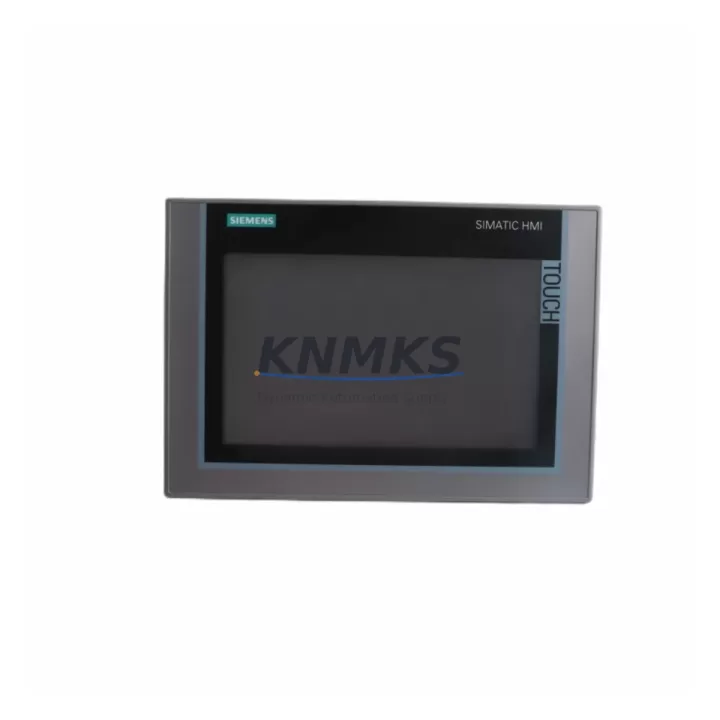
The Siemens 6AV2124-0JC01-0AX0 is a 9-inch KTP900 Comfort Panel designed for seamless integration into existing SIMATIC automation environments. Whether you are replacing a discontinued OP270, TP270, MP277, or an aging TP900 Basic unit, this panel delivers a verified migration path with minimal engineering overhead. Its dual-interface support — PROFINET and MPI/PROFIBUS — makes it one of the most versatile HMI replacements available for legacy Siemens control cabinets.
For engineers managing brownfield upgrades, the 6AV2124-0JC01-0AX0 is engineered to slot into existing panel cutouts with minimal mechanical modification. The standard 227 × 177 mm front panel dimensions align closely with predecessor models, reducing sheet-metal rework during cabinet retrofits. Before installation, confirm the available depth clearance behind the panel door — the unit requires approximately 60 mm of rear depth — and verify that the 24 V DC supply rail in the control cabinet can sustain the panel’s rated current draw of up to 1.5 A under full backlight load.
Terminal wiring follows the standard Siemens USB-A and RJ45 layout. When migrating from an MPI-based predecessor such as the TP270-10 or MP277-10, the onboard MPI/PROFIBUS port (DB9 connector) allows direct reuse of existing field cables, eliminating the need for new communication wiring runs across the machine. This is a critical cost and downtime factor in large-scale panel replacements across multi-axis production lines.
Migration Compatibility Table
| Parameter | 6AV2124-0JC01-0AX0 (KTP900 Comfort) | Typical Legacy Predecessor |
|---|---|---|
| Display Size | 9″ Widescreen TFT, 800×480 | TP270-10: 10.4″ STN / MP277-10: 10.4″ TFT |
| Communication Interfaces | PROFINET (RJ45) + MPI/PROFIBUS (DB9) | MPI / PROFIBUS DP only |
| Power Supply | 24 V DC, max 1.5 A | 24 V DC, 0.8–1.2 A (model dependent) |
| Panel Cutout (W×H) | 216 × 163 mm | Varies — verify before installation |
| Rear Depth Required | ~60 mm | ~55–70 mm (model dependent) |
| Engineering Software | TIA Portal V13 SP1 or higher | WinCC flexible 2008 / STEP 7 Classic |
| Project Migration Tool | TIA Portal Migration Tool (included) | Manual re-engineering required for Classic projects |
| Replacement Recommendation | Direct replacement for TP900 Basic; engineered upgrade for OP270 / TP270 / MP277 | — |
| Support terms | support terms confirmed by quotation — all units ship tested and verified | |
Retrofit Planning for Existing Automation Systems
A successful retrofit using the 6AV2124-0JC01-0AX0 begins well before the panel arrives on site. The first step is auditing the existing HMI project file format. If the legacy system was programmed in WinCC flexible, Siemens provides a migration path through TIA Portal’s integrated import wizard, which converts screen layouts, tag assignments, and alarm configurations into the Comfort Panel runtime format. However, engineers should budget time for manual correction of unsupported objects — particularly custom ActiveX controls and older trend displays that do not map directly.
During cabinet preparation, confirm that the 24 V DC power supply — often a SITOP PSU100S or equivalent — has sufficient headroom to support the new panel alongside existing I/O modules. In systems where a S7-300 CPU with a CP 343-1 communication processor handles PROFINET traffic, the 6AV2124-0JC01-0AX0 integrates directly via the onboard RJ45 port, removing the need for a separate HMI communication module. For older S7-300 racks still running MPI, the panel’s DB9 port connects directly to the CPU’s MPI interface without additional hardware.
Where the control system includes distributed I/O — such as ET 200S or ET 200SP islands connected via PROFIBUS — verify that the HMI tag table references the correct device addresses after migration. Address conflicts between the new panel and existing PROFIBUS nodes are a common source of commissioning delays. Similarly, if the cabinet includes a SCALANCE X switch for PROFINET segmentation, confirm that the switch port assigned to the HMI is configured for the correct VLAN and speed settings.
For systems that include a SINAMICS G120 or S120 drive communicating via PROFINET, the 6AV2124-0JC01-0AX0 can host drive parameter screens migrated from the legacy HMI, provided the drive GSD files are correctly imported into the TIA Portal project. This eliminates the need for a separate BOP-2 operator panel on the drive during normal operation, consolidating the operator interface into a single touchscreen.
Downtime Control During System Migration
Minimizing production downtime during an HMI replacement requires a structured cutover plan. The recommended approach is to complete all TIA Portal project migration, simulation, and screen verification offline — using the TIA Portal simulator or a bench-mounted S7-1200/S7-1500 test rack — before the scheduled maintenance window begins. This ensures that the replacement panel boots directly into a verified runtime on first power-up, with no on-site debugging required for screen navigation or tag communication.
During the physical swap, retain the original panel’s terminal wiring diagram and photograph all connector positions before disconnection. The 6AV2124-0JC01-0AX0 uses standard USB-A for project transfer and RJ45 for PROFINET, both of which are clearly labeled on the rear housing. If the legacy panel used a serial MPI cable, the same cable can be reused on the DB9 port with no modification, preserving the existing communication link to the S7-300 CPU.
After power-up, perform a full tag communication check against the PLC data blocks before releasing the machine to production. Verify all alarm triggers, setpoint write functions, and recipe download operations. For systems with safety-rated outputs controlled via the HMI, confirm interlock logic behavior matches the original design before enabling automatic mode. A structured pre-release checklist — covering screen navigation, alarm acknowledgment, trend logging, and communication watchdog behavior — typically reduces post-cutover issues to near zero.
All units supplied by KNMKS are pre-tested prior to dispatch. Firmware version is confirmed against the project requirements before shipment, and each unit is accompanied by a test report. In-stock units are available for same-week dispatch, supporting urgent breakdown replacements and planned maintenance windows alike.
Retrofit Support FAQ
Q1: Can the 6AV2124-0JC01-0AX0 directly replace a Siemens TP270-10 or MP277-10?
Yes, with engineering adaptation. The KTP900 Comfort Panel is not a plug-and-play drop-in for TP270 or MP277 units due to differences in panel cutout dimensions and project format. However, it is the recommended upgrade path. The TIA Portal migration tool converts WinCC flexible projects, and the MPI/PROFIBUS port allows reuse of existing communication cables. Cutout modification is typically minor and can be completed within a standard maintenance window.
Q2: What firmware version is pre-installed, and can it be updated on site?
Units are supplied with the current production firmware version, confirmed prior to dispatch. Firmware updates can be performed on site via USB using the Siemens ProSave utility or directly through TIA Portal. KNMKS confirms firmware compatibility with your project version before shipment upon request — please provide your TIA Portal version when ordering.
Q3: Is the unit tested before shipment, and what does the support terms confirmed by quotation cover?
Yes. Every 6AV2124-0JC01-0AX0 unit is powered on and functionally tested before dispatch. The support terms confirmed by quotation cover hardware defects under normal operating conditions, including display, touchscreen, communication interfaces, and power input circuitry. Units damaged by incorrect wiring, overvoltage, or physical impact are excluded. Support requests are processed directly through KNMKS — contact admin@knmks.com for RMA procedures.
Q4: What is the typical lead time, and do you hold stock?
KNMKS maintains verified inventory of the 6AV2124-0JC01-0AX0. In-stock units are dispatched within 3–5 business days. For urgent breakdown replacements, contact our sales team directly at +86 18359268345 to confirm same-week availability. Bulk orders for planned retrofit projects are accommodated with advance scheduling.
© 2026 KNMKS. All rights reserved.
Original Source: https://knmks.com
Contact: admin@knmks.com | +86 18359268345
Product Identification
- Brand / Ecosystem
-
Siemens
Siemens - Model / Series
-
6AV2124-0JC01-0AX0
SIMATIC Series - Product Family
- HMI & Displays
- Availability Status
- Available on request after model and quantity confirmation
- Inquiry Type
- B2B RFQ, replacement inquiry and project spare-part request
- Pre-Quote Check
- Exact SKU, brand, series, quantity, nameplate photos and destination country are checked before quotation
System Path
Where this product fits in the KNMKS automation structure.
Specification & Inquiry Focus
- Display range
- Operator panels and touch screens
- Common needs
- Screen size, interface and version matching
- Project support
- Retrofit, spare unit and panel replacement
Buyer Confirmation
Information KNMKS checks before replying.
- Exact model
- 6AV2124-0JC01-0AX0
- Brand / ecosystem
- Siemens
- Product family
- HMI & Displays
- Application note
- Replacement, maintenance, project build or spare-part list
- Useful photos
- Nameplate, installed unit, cabinet layout or connector side
- Delivery details
- Quantity, destination country and target schedule
Document Support
Files and notes can be confirmed during quotation.
- Product photos or nameplate confirmation when available
- Packing and delivery notes before quotation confirmation
- Support scope and delivery terms confirmed per inquiry
- Export document coordination for qualified B2B requests
Inquiry Support
- Panel size and interface confirmation
- Replacement unit inquiry for discontinued HMIs
- Protective packaging for display shipment
What to Send Us
- Brand and exact model number: Siemens 6AV2124-0JC01-0AX0
- Quantity and required delivery time
- Application, replacement requirement or nameplate photo
- Destination country and shipping preference
RFQ Preparation
This is a product inquiry page built for RFQ communication.
Fast Model Check
Send this model to KNMKS for confirmation.
Include quantity, destination country and photos if this is a maintenance replacement. The inquiry will be saved with a reference number after submission.
Brand & Compatibility Note
KNMKS displays automation product information for well-known industrial brand ecosystems and compatible replacement references. Brand names are used for product identification and compatibility reference only; final availability and commercial terms are confirmed per quotation.
 Manufacturing
 Machine Tools
 Packaging
 Energy & Power



 PLCs & Controllers
 Servo Systems
 Variable Frequency Drives
 Sensors