
Overview
Honeywell TOPRE0700WD Migration-Ready HMI for Legacy Control Systems
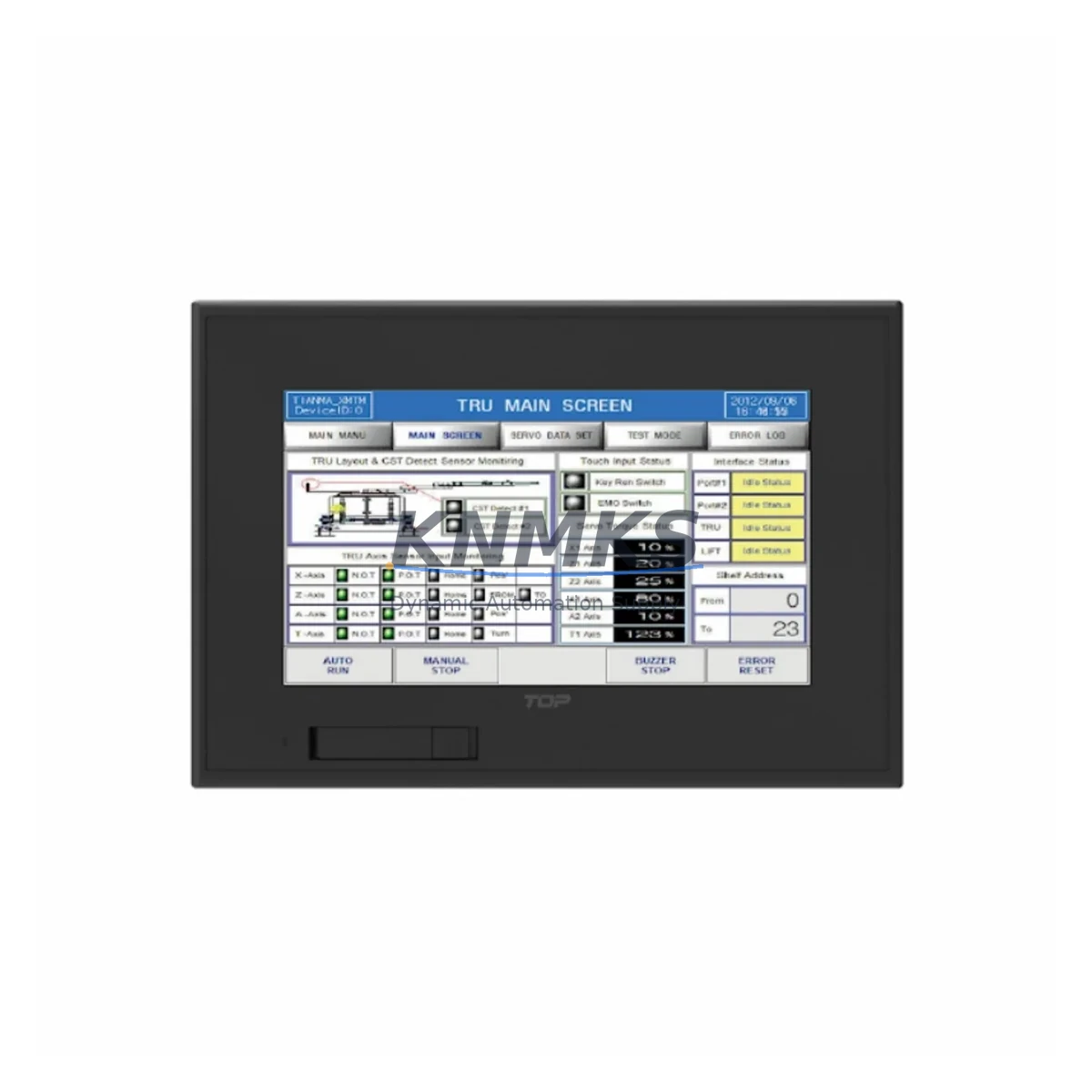
The Honeywell TOPRE0700WD is a 7-inch widescreen HMI operator panel engineered for direct replacement of end-of-life and discontinued TOPRE Series displays in legacy industrial control environments. As OEM support for older TOPRE panels is phased out, maintenance engineers and system integrators face increasing pressure to source compatible replacements that preserve existing wiring infrastructure, PLC program logic, and HMI screen layouts without triggering a full control system overhaul. The TOPRE0700WD addresses this challenge with a migration-ready design that minimizes retrofit complexity and reduces planned downtime to a single maintenance window.
This unit supports Modbus RTU, Modbus TCP/IP, and Ethernet/IP communication protocols, making it directly compatible with a broad range of legacy PLCs and distributed control systems still operating in the field. Engineers replacing older TOPRE panels should verify the existing RS-485 or RJ45 wiring termination points against the TOPRE0700WD’s rear connector layout before installation. Terminal pitch and connector type are consistent with the TOPRE Series standard, allowing most installations to reuse existing cable harnesses without re-termination.
Before commissioning, confirm that the host PLC — whether a Honeywell HC900 controller, a legacy ControlEdge unit, or a third-party DCS — supports the communication driver version compatible with the TOPRE0700WD firmware. In most cases, the existing HMI project file can be imported directly into the TOPRE0700WD’s configuration environment after a firmware version check, preserving alarm setpoints, tag mappings, and operator screen navigation logic. Where screen resolution differences exist between the legacy panel and the TOPRE0700WD’s 800×480 widescreen display, minor graphical rescaling may be required using the OEM’s panel builder software.
Migration Compatibility Table
| Parameter | Legacy TOPRE Panel | TOPRE0700WD | Migration Note |
|---|---|---|---|
| Display Size | 5.7″ / 6.5″ STN | 7″ TFT Widescreen | Reuse existing cutout with adapter plate if required |
| Communication | RS-232 / RS-485 | RS-485, Modbus TCP, Ethernet/IP | Verify driver version on host PLC before go-live |
| Power Supply | 24 VDC | 24 VDC (±15%) | Existing 24V rail compatible; check current draw capacity |
| Mounting | Panel cutout mount | Panel cutout mount (VESA optional) | Confirm cutout dimensions; adapter gasket included |
| HMI Project Import | Legacy .TOP / .PRJ format | Supports import via conversion utility | Test all alarm and tag mappings post-import |
| Firmware Compatibility | V1.x / V2.x | V3.2+ (backward-compatible mode) | Update firmware before loading legacy project |
| IP Rating | IP65 front | IP65 front | No additional sealing required for panel door installation |
| Support terms | OEM EOL — no coverage | support terms confirmed by quotation | Covered from date of dispatch; includes pre-shipment test |
Retrofit Planning for Existing Automation Systems
A successful TOPRE0700WD retrofit begins with a thorough audit of the existing control cabinet. Engineers should document the current I/O module configuration — including any Honeywell HC-TDIL16 digital input modules or HC-TAIX08 analog input modules installed in the same rack — to confirm that the replacement HMI’s tag database covers all active process variables. Where the legacy system uses a dedicated communication gateway or protocol converter between the HMI and the PLC backplane, verify that the TOPRE0700WD’s Ethernet port can assume this role directly, potentially eliminating an intermediate device and simplifying the communication chain.
Power budget verification is a critical pre-installation step. The TOPRE0700WD draws up to 18W at full brightness. If the existing 24VDC power supply — such as a Honeywell PS-24VDC-5A or equivalent third-party DIN-rail unit — is already loaded near capacity by the existing I/O modules, signal isolators, and relay outputs, a supplementary power supply may be required before the new HMI is energized. Failure to account for inrush current during panel startup can cause nuisance trips on upstream circuit protection.
For systems that include a Honeywell HC900 remote I/O rack or ControlEdge RTU, the TOPRE0700WD can be configured as a Modbus TCP master, polling process data directly from the controller’s register map without modifying the underlying PLC ladder logic. This approach preserves the existing control program and allows the HMI replacement to proceed independently of any PLC firmware update cycle. Where the legacy system uses a serial Modbus RTU link via an RS-485 multidrop network, the TOPRE0700WD’s built-in RS-485 port supports the same baud rate and parity settings as the original panel, enabling a direct cable swap in most installations.
If the retrofit scope includes upgrading the operator interface alongside a broader I/O expansion — for example, adding a Honeywell HC-TDOL08 digital output module or extending the system with additional analog channels — coordinate the HMI tag database update with the I/O expansion commissioning to avoid a second planned outage. A single integrated commissioning window covering both the TOPRE0700WD installation and any I/O additions minimizes total production impact.
Downtime Control During System Migration
Minimizing unplanned downtime during an HMI retrofit requires a structured cutover plan developed and tested before the maintenance window begins. The TOPRE0700WD supports offline simulation of the HMI project, allowing operators and engineers to validate screen navigation, alarm acknowledgment sequences, and setpoint entry procedures on a bench unit before the live panel is removed from service. This pre-commissioning step is strongly recommended for any installation where the legacy HMI controls critical process interlocks or safety shutdown sequences.
During the physical swap, the existing PLC program continues to execute independently of the HMI. Process control is maintained through the PLC’s autonomous scan cycle, and the TOPRE0700WD can be connected to the live communication network before the legacy panel is fully removed, allowing a parallel verification period where both units display process data simultaneously. Once the new HMI’s tag values are confirmed to match the PLC register outputs, the legacy panel can be disconnected and the TOPRE0700WD brought into full operator service.
Post-installation, conduct a full functional test covering all operator screens, alarm pop-ups, trend displays, and recipe setpoint pages before releasing the system to production. Document the firmware version, communication settings, and tag database revision in the site’s maintenance records. All TOPRE0700WD units dispatched by KNMKS are pre-tested against a standard functional checklist prior to shipment, reducing the risk of DOA units and supporting a faster on-site commissioning cycle.
Retrofit Support FAQ
Q: Is the TOPRE0700WD a direct drop-in replacement for all legacy TOPRE Series HMI panels?
A: The TOPRE0700WD is dimensionally and electrically compatible with the majority of TOPRE Series 7-inch panel variants. For 5.7-inch legacy models, a panel cutout adapter plate is required. Confirm the existing cutout dimensions and power supply rating before ordering.
Q: Can I reuse my existing HMI project files from the legacy TOPRE panel?
A: In most cases, yes. The TOPRE0700WD includes a project conversion utility that imports legacy .TOP and .PRJ format files. After import, verify all tag mappings, alarm thresholds, and communication driver settings before going live. A bench test on the replacement unit prior to installation is strongly recommended.
Q: What communication protocols does the TOPRE0700WD support for connecting to legacy PLCs?
A: The TOPRE0700WD supports Modbus RTU (RS-485), Modbus TCP/IP, and Ethernet/IP. It is compatible with Honeywell HC900, ControlEdge, and a wide range of third-party PLCs and DCS platforms. Confirm the host controller’s supported driver list against the TOPRE0700WD firmware version prior to installation.
Q: What support terms and pre-shipment testing does KNMKS provide for the TOPRE0700WD?
A: Every TOPRE0700WD unit is covered by a support terms confirmed by quotation from the date of dispatch. Prior to shipment, each unit undergoes a standard functional test covering power-on, display, communication port verification, and basic HMI project loading. In-stock units are available for same-week dispatch. Contact our team for lead time confirmation on bulk orders.
© 2026 KNMKS. All rights reserved.
Original Source: https://knmks.com
Contact: admin@knmks.com | +86 18359268345
Product Identification
- Brand / Ecosystem
-
Honeywell
Honeywell - Model / Series
-
TOPRE0700WD
Legacy Control Series - Product Family
- HMI & Displays
- Availability Status
- Available on request after model and quantity confirmation
- Inquiry Type
- B2B RFQ, replacement inquiry and project spare-part request
- Pre-Quote Check
- Exact SKU, brand, series, quantity, nameplate photos and destination country are checked before quotation
System Path
Where this product fits in the KNMKS automation structure.
Specification & Inquiry Focus
- Display range
- Operator panels and touch screens
- Common needs
- Screen size, interface and version matching
- Project support
- Retrofit, spare unit and panel replacement
Buyer Confirmation
Information KNMKS checks before replying.
- Exact model
- TOPRE0700WD
- Brand / ecosystem
- Honeywell
- Product family
- HMI & Displays
- Application note
- Replacement, maintenance, project build or spare-part list
- Useful photos
- Nameplate, installed unit, cabinet layout or connector side
- Delivery details
- Quantity, destination country and target schedule
Document Support
Files and notes can be confirmed during quotation.
- Product photos or nameplate confirmation when available
- Packing and delivery notes before quotation confirmation
- Support scope and delivery terms confirmed per inquiry
- Export document coordination for qualified B2B requests
Inquiry Support
- Panel size and interface confirmation
- Replacement unit inquiry for discontinued HMIs
- Protective packaging for display shipment
What to Send Us
- Brand and exact model number: Honeywell TOPRE0700WD
- Quantity and required delivery time
- Application, replacement requirement or nameplate photo
- Destination country and shipping preference
RFQ Preparation
This is a product inquiry page built for RFQ communication.
Fast Model Check
Send this model to KNMKS for confirmation.
Include quantity, destination country and photos if this is a maintenance replacement. The inquiry will be saved with a reference number after submission.
Brand & Compatibility Note
KNMKS displays automation product information for well-known industrial brand ecosystems and compatible replacement references. Brand names are used for product identification and compatibility reference only; final availability and commercial terms are confirmed per quotation.
 Manufacturing
 Machine Tools
 Packaging
 Energy & Power
 PLCs & Controllers
 Servo Systems
 Variable Frequency Drives
 Sensors