
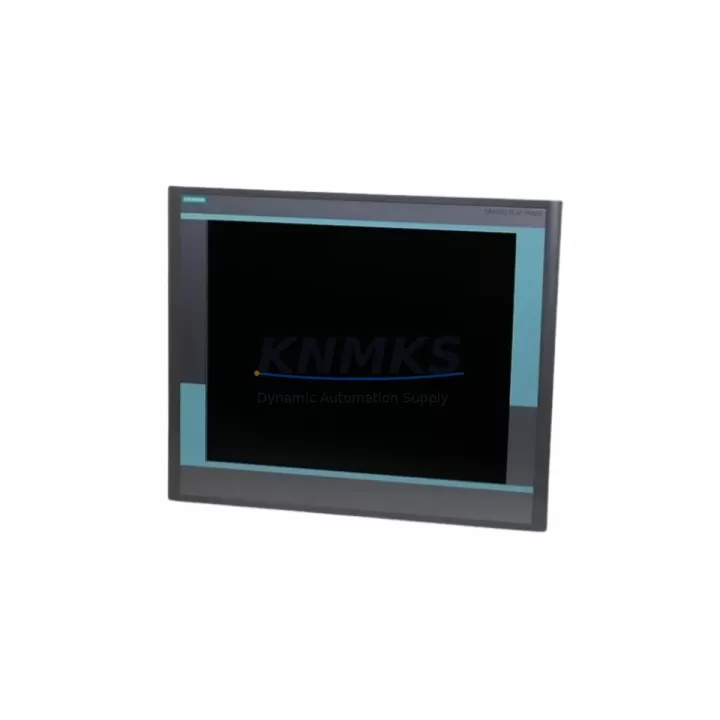
Overview
Siemens 6GF6221-2CA11 Migration-Ready HMI for Legacy Control Systems
The Siemens 6GF6221-2CA11 is a proven operator panel designed for direct integration into legacy SIMATIC automation environments where aging HMI hardware has reached end-of-life or is no longer supported under current Siemens service agreements. As industrial facilities face increasing pressure to extend the operational life of S5, S7-300, and early S7-400 control platforms, the 6GF6221-2CA11 provides a reliable, migration-ready interface solution that eliminates the need for full PLC replacement during the initial upgrade phase.
This unit communicates natively over PROFIBUS-DP and MPI, making it directly compatible with existing S7-300 CPU modules such as the CPU 315-2DP and CPU 317-2DP without requiring protocol converters or gateway hardware. Engineers replacing obsolete OP7, OP17, or TP170 panels will find the 6GF6221-2CA11 a structurally compatible substitute, with matching cutout dimensions in most standard control cabinet configurations. Before installation, technicians should verify the panel cutout depth, the 24 VDC supply rail capacity, and the existing MPI/PROFIBUS cable termination to ensure signal integrity is maintained after the swap.
Each unit is pre-shipment tested under simulated field conditions, covering power-on self-diagnostics, display calibration, communication link establishment, and key input response. A support terms confirmed by quotation is included from the date of dispatch, covering manufacturing defects and communication interface failures under normal operating conditions.
Migration Compatibility Table
| Parameter | Details |
|---|---|
| SKU / Part Number | 6GF6221-2CA11 |
| Brand / Series | Siemens SIMATIC OP Series |
| Communication Interface | PROFIBUS-DP, MPI |
| Compatible PLC Platforms | SIMATIC S7-300, S7-400, S5 (via CP adapter) |
| Replaces / Upgrades From | OP7, OP17, TP170A, TP170B |
| Supply Voltage | 24 VDC (verify rail capacity before installation) |
| Installation Format | Panel cutout mount — confirm depth and bezel clearance |
| Firmware Compatibility | ProTool / WinCC flexible project transfer required |
| Commissioning Requirement | MPI/PROFIBUS address assignment, project download via PC adapter |
| Pre-Shipment Testing | Yes — power-on, display, comms link, input response |
| Support terms | 12 Months from dispatch date |
| Stock Status | availability confirmed by RFQ — rapid global dispatch available |
Retrofit Planning for Existing Automation Systems
Successful integration of the 6GF6221-2CA11 into a running production environment requires a structured pre-retrofit assessment. The first step is to audit the existing control cabinet for available 24 VDC supply headroom — the panel draws a defined steady-state current, and shared power rails feeding S7-300 digital I/O modules such as SM 321 or SM 322 cards must have sufficient reserve capacity to avoid voltage sag during HMI backlight startup.
The existing HMI project, typically developed in ProTool or an early version of WinCC flexible, must be archived and validated before the new panel is connected. If the original project files are unavailable, screen reconstruction from operator documentation or PLC variable tables is necessary before commissioning can proceed. The MPI or PROFIBUS network address of the replacement panel must be set to match the address previously assigned to the legacy unit — failure to do so will prevent the S7-300 CPU from establishing a communication link and will trigger a BUS FAULT diagnostic on the CPU module’s LED indicators.
In systems where the 6GF6221-2CA11 shares a PROFIBUS segment with CP 342-5 communication processors, ET 200M distributed I/O stations, or Siemens SCALANCE network switches, the bus termination resistors at both ends of the segment must be verified after the panel swap. Incorrect termination is a common source of intermittent communication faults that are difficult to diagnose under production conditions. A PC adapter USB or MPI adapter cable connected to a programming laptop running STEP 7 v5.x should be on-site during commissioning to allow real-time diagnostic monitoring of the CPU and network segment.
Where the retrofit scope extends beyond the HMI to include replacement of aging S7-300 power supply modules (PS 307) or the CPU itself, the 6GF6221-2CA11 can remain in service across the transition, provided the MPI address and project configuration are preserved. This makes it a useful anchor component in phased upgrade strategies where full system replacement is deferred to a later maintenance window.
Downtime Control During System Migration
Minimizing unplanned downtime during HMI replacement is the primary operational concern for maintenance teams working on continuous process lines. The 6GF6221-2CA11 supports a cold-swap replacement strategy: with the original project file pre-loaded onto a programming laptop and the replacement panel pre-configured with the correct MPI address and baud rate, the physical swap and project download can typically be completed within a single planned maintenance window of 30 to 60 minutes, depending on cabinet access conditions.
The existing PLC program logic in the S7-300 CPU does not require modification during an HMI-only replacement. The CPU continues to execute its OB1 cyclic scan and all associated function blocks without interruption during the panel changeover, provided the PROFIBUS/MPI segment remains powered and terminated. Field I/O — including analog input modules, digital output cards, and any connected signal isolators on the terminal rail — continues to operate under PLC control throughout the HMI swap, maintaining process continuity.
For facilities where even brief HMI unavailability is operationally sensitive, a parallel commissioning approach is recommended: the replacement 6GF6221-2CA11 is configured and project-loaded offline, then connected to the live PROFIBUS segment as a second node for verification before the legacy panel is disconnected. This approach requires a temporary second MPI address assignment and must be coordinated with the PLC program’s HMI communication configuration, but it eliminates the risk of extended downtime caused by unexpected commissioning issues.
Retrofit Support FAQ
Q: Is the 6GF6221-2CA11 a direct drop-in replacement for the OP17 and TP170B panels?
A: In most S7-300 installations, yes. The communication interface (MPI/PROFIBUS), supply voltage (24 VDC), and panel cutout format are compatible with the majority of OP17 and TP170B installations. Physical cutout depth and bezel dimensions should be confirmed against the existing cabinet drawing before ordering.
Q: What software is required to download the HMI project to the 6GF6221-2CA11?
A: Projects developed in ProTool v6.x or WinCC flexible 2004/2005/2007 can be transferred to the panel using a standard PC adapter USB cable connected to the MPI port. The programming laptop must have the corresponding Siemens engineering software installed and licensed.
Q: Has this unit been tested before shipment?
A: Yes. Every 6GF6221-2CA11 unit undergoes pre-shipment testing covering power-on diagnostics, display function, communication interface verification, and key input response. A support terms confirmed by quotation is provided from the dispatch date.
Q: What is the typical lead time and stock availability?
A: Units are held in multi-region stock for rapid global dispatch. Standard orders are processed and shipped within 1–3 business days. Emergency replacement orders can be prioritized — contact the sales team directly for urgent requirements.
© 2026 KNMKS. All rights reserved.
Original Source: https://knmks.com
Contact: admin@knmks.com | +86 18359268345
Product Identification
- Brand / Ecosystem
-
Siemens
Siemens - Model / Series
-
6GF6221-2CA11
Legacy Control Series - Product Family
- HMI & Displays
- Availability Status
- Available on request after model and quantity confirmation
- Inquiry Type
- B2B RFQ, replacement inquiry and project spare-part request
- Pre-Quote Check
- Exact SKU, brand, series, quantity, nameplate photos and destination country are checked before quotation
System Path
Where this product fits in the KNMKS automation structure.
Specification & Inquiry Focus
- Display range
- Operator panels and touch screens
- Common needs
- Screen size, interface and version matching
- Project support
- Retrofit, spare unit and panel replacement
Buyer Confirmation
Information KNMKS checks before replying.
- Exact model
- 6GF6221-2CA11
- Brand / ecosystem
- Siemens
- Product family
- HMI & Displays
- Application note
- Replacement, maintenance, project build or spare-part list
- Useful photos
- Nameplate, installed unit, cabinet layout or connector side
- Delivery details
- Quantity, destination country and target schedule
Document Support
Files and notes can be confirmed during quotation.
- Product photos or nameplate confirmation when available
- Packing and delivery notes before quotation confirmation
- Support scope and delivery terms confirmed per inquiry
- Export document coordination for qualified B2B requests
Inquiry Support
- Panel size and interface confirmation
- Replacement unit inquiry for discontinued HMIs
- Protective packaging for display shipment
What to Send Us
- Brand and exact model number: Siemens 6GF6221-2CA11
- Quantity and required delivery time
- Application, replacement requirement or nameplate photo
- Destination country and shipping preference
RFQ Preparation
This is a product inquiry page built for RFQ communication.
Fast Model Check
Send this model to KNMKS for confirmation.
Include quantity, destination country and photos if this is a maintenance replacement. The inquiry will be saved with a reference number after submission.
Brand & Compatibility Note
KNMKS displays automation product information for well-known industrial brand ecosystems and compatible replacement references. Brand names are used for product identification and compatibility reference only; final availability and commercial terms are confirmed per quotation.
 Manufacturing
 Machine Tools
 Packaging
 Energy & Power

 PLCs & Controllers
 Servo Systems
 Variable Frequency Drives
 Sensors