
Overview
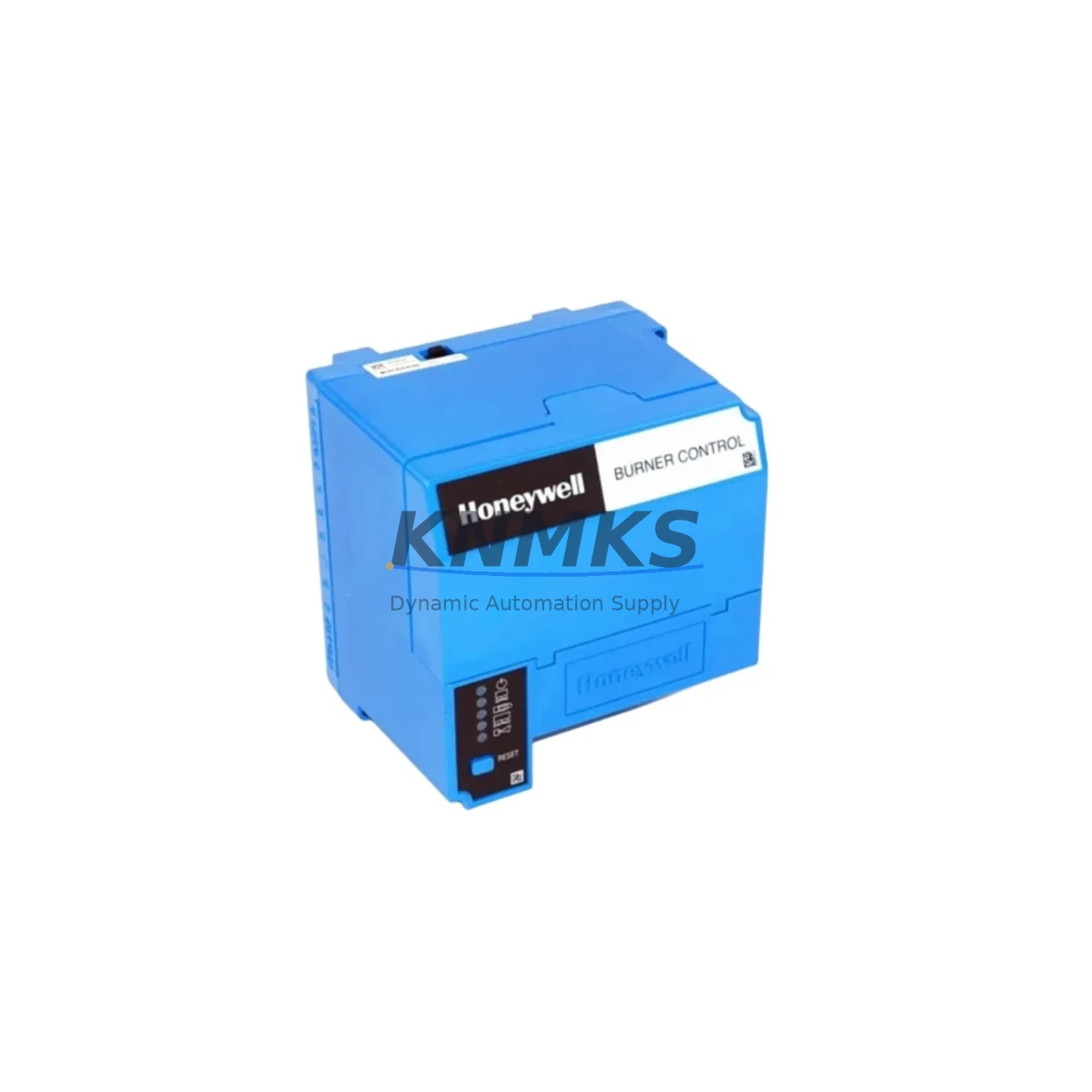
Honeywell RM7830A1003 Maintenance-Proven Spare Part for Factory Uptime
The Honeywell RM7830A1003 is a critical spare part within the RM7830 Series Relay Module family, engineered for continuous burner management and flame safeguard control in industrial combustion systems. Facilities operating boilers, process heaters, kilns, and thermal oxidizers depend on the RM7830A1003 to maintain safe ignition sequencing, flame detection, and burner lockout protection. When this module fails or degrades, the result is unplanned downtime, production loss, and potential safety incidents. Stocking a verified replacement is the most effective strategy for rapid recovery and sustained factory uptime.
At KNMKS, every RM7830A1003 unit is sourced from authorized supply chains, functionally tested prior to dispatch, and backed by a support terms confirmed by quotation. Our inventory supports maintenance engineers and procurement teams across global industrial sites who require fast, reliable access to original Honeywell spare parts without the lead time risk of OEM direct orders.
Spare Maintenance Table
| Part Number | RM7830A1003 |
| Brand | Honeywell |
| Series | RM7830 |
| Product Type | Flame Safeguard Relay Module |
| Application | Burner Management, Combustion Control, Industrial Boiler & Process Heater Systems |
| Supply Voltage | 120 VAC, 60 Hz (nominal) |
| Flame Detector Compatibility | UV, IR, and Rectification Flame Detectors (RM7830 Series compatible) |
| Mounting | Subbase mount (S7800A or equivalent RM7800 Series subbase) |
| Operating Temperature | -40°C to +60°C |
| Enclosure / IP Rating | Panel-mount module; install in NEMA-rated enclosure per site requirements |
| Origin | United States |
| Condition | Original, Tested Before Shipment |
| Support terms | 12 Months from Date of Shipment |
| Lead Time | availability confirmed by RFQ — Ships within 1–3 Business Days |
| Maintenance Recommendation | Inspect annually; replace immediately upon lockout fault, flame signal loss, or relay contact degradation |
Maintenance Planning for Continuous Operation
Replacing the RM7830A1003 in a live combustion control panel is rarely an isolated task. Experienced maintenance engineers understand that a flame safeguard module failure is often a symptom of broader electrical stress within the burner management circuit. During any planned or emergency replacement of the RM7830A1003, a thorough site inspection should extend to the following associated components:
Subbase and Wiring Terminals: The S7800A1001 subbase (or equivalent RM7800 Series subbase) should be inspected for contact wear, carbon tracking, and terminal corrosion. Loose or oxidized connections at the subbase are a leading cause of intermittent flame safeguard faults and should be cleaned or replaced during the same maintenance window.
Flame Detector and Signal Integrity: The C7027A or C7035A UV flame detectors commonly paired with RM7830 Series modules should be tested for signal strength and lens contamination. A degraded flame signal can cause nuisance lockouts that are misdiagnosed as relay module failures. Replacing the RM7830A1003 without verifying flame detector output risks repeat failures within weeks.
Ignition Transformer and Spark Electrode: High-voltage ignition components, including the ignition transformer and spark electrode assembly, experience wear proportional to burner cycle count. During an RM7830A1003 replacement, verify ignition transformer output voltage and inspect electrode gap and ceramic insulator condition. A weak ignition source will prevent reliable flame establishment even with a new relay module installed.
Control Panel Power Supply and Fusing: The 24 VDC or 120 VAC control power supply feeding the burner management panel should be load-tested during the maintenance interval. Verify fuse ratings match the panel design specification and replace any slow-blow fuses showing signs of thermal stress. An undersized or aging power supply can cause relay module brownout faults that mimic hardware failure.
Annunciator and Alarm Output Wiring: Inspect the lockout alarm relay output wiring and any connected annunciator panels or DCS alarm inputs. Corroded terminals or broken conductors in the alarm circuit can mask lockout events and delay operator response during a real combustion fault.
Gas Valve Proving System: Where installed, the valve proving system (VPS) interlock wiring and pressure switch contacts should be verified for correct operation. A faulty VPS interlock will prevent the RM7830A1003 from completing its startup sequence, resulting in a lockout that appears to be a module fault but is actually a field device issue.
Addressing these components during a single planned maintenance window reduces repeat callouts, extends the service life of the replacement RM7830A1003, and supports a documented maintenance record that satisfies insurance and regulatory audit requirements.
Site Replacement Workflow
Step 1 — Isolate and De-energize: Isolate the burner management panel from all power sources. Follow site LOTO (Lockout/Tagout) procedures. Confirm zero energy state with a calibrated voltage tester before opening the panel.
Step 2 — Document Existing Configuration: Photograph the existing RM7830A1003 installation, subbase wiring, and any DIP switch or jumper settings visible on the module. The RM7830 Series uses configuration switches to define purge timing, pilot flame establishing period, and main flame establishing period. These settings must be replicated on the replacement unit.
Step 3 — Remove the Existing Module: Unlock the module from the subbase using the release lever. Slide the RM7830A1003 straight out of the subbase contacts. Inspect the subbase contacts for wear or contamination before installing the replacement.
Step 4 — Configure the Replacement Unit: Set DIP switches and jumpers on the new RM7830A1003 to match the documented configuration from Step 2. Verify timing settings against the original burner commissioning record or OEM burner datasheet.
Step 5 — Install and Energize: Seat the replacement module firmly into the subbase until the locking lever engages. Restore power and observe the startup sequence. Confirm normal purge, pilot ignition, main flame establishment, and run status via the module status indicators.
Step 6 — Functional Test and Documentation: Perform a controlled flame failure test by interrupting the flame signal and confirming the module initiates lockout within the specified safety time. Document the replacement, configuration settings, and test results in the site maintenance log.
This workflow applies equally to emergency replacements during unplanned downtime and to scheduled annual maintenance. Having a pre-configured spare RM7830A1003 on the shelf reduces emergency replacement time from hours to under 30 minutes.
Spare Parts Support FAQ
Q1: Is the RM7830A1003 a direct drop-in replacement for other RM7830 Series variants?
The RM7830A1003 is a specific variant within the RM7830 Series and shares the same subbase footprint as other RM7830 models. However, timing parameters and flame detector input configurations differ between variants. Always verify the exact part number against the original commissioning record before installation. If the original part number is unavailable, KNMKS technical support can assist with cross-reference verification based on burner OEM documentation.
Q2: What testing is performed before shipment?
Every RM7830A1003 unit shipped by KNMKS undergoes functional verification including power-on self-test, relay contact continuity check, and flame signal input response testing. Units that do not pass all test criteria are quarantined and not offered for sale. A test record is available upon request for quality-critical procurement requirements.
Q3: How should the RM7830A1003 be stored as a long-term spare?
Store in original anti-static packaging in a climate-controlled environment between 0°C and 40°C with relative humidity below 85% non-condensing. Avoid storage near strong magnetic fields or high-vibration equipment. Inspect annually for any signs of connector oxidation. KNMKS recommends a maximum shelf storage period of 5 years before functional re-verification.
Q4: What is covered under the support terms confirmed by quotation?
The support terms confirmed by quotation cover manufacturing defects, relay contact failure, and electronic component failure under normal operating conditions. Support requests require return of the defective unit with a completed fault description form. KNMKS will provide a replacement unit or documented resolution support within 10 business days of receiving the returned item. Support terms does not cover damage resulting from incorrect installation, overvoltage events, or unauthorized modification.
© 2026 KNMKS. All rights reserved.
Original Source: https://knmks.com
Contact: admin@knmks.com | +86 18359268345
Product Identification
- Brand / Ecosystem
-
Honeywell
Honeywell - Model / Series
- RM7830A1003
- Product Family
- PLCs & Controllers
- Availability Status
- Available on request after model and quantity confirmation
- Inquiry Type
- B2B RFQ, replacement inquiry and project spare-part request
- Pre-Quote Check
- Exact SKU, brand, series, quantity, nameplate photos and destination country are checked before quotation
System Path
Where this product fits in the KNMKS automation structure.
Specification & Inquiry Focus
- Control platform
- PLC, PAC and modular controllers
- Common needs
- CPU, rack, power and I/O expansion
- Project support
- Replacement, cabinet build and maintenance
Buyer Confirmation
Information KNMKS checks before replying.
- Exact model
- RM7830A1003
- Brand / ecosystem
- Honeywell
- Product family
- PLCs & Controllers
- Application note
- Replacement, maintenance, project build or spare-part list
- Useful photos
- Nameplate, installed unit, cabinet layout or connector side
- Delivery details
- Quantity, destination country and target schedule
Document Support
Files and notes can be confirmed during quotation.
- Product photos or nameplate confirmation when available
- Packing and delivery notes before quotation confirmation
- Support scope and delivery terms confirmed per inquiry
- Export document coordination for qualified B2B requests
Inquiry Support
- Model cross-checking before quotation
- CPU, power, rack and expansion module matching
- Support for replacement and project inquiry
What to Send Us
- Brand and exact model number: Honeywell RM7830A1003
- Quantity and required delivery time
- Application, replacement requirement or nameplate photo
- Destination country and shipping preference
RFQ Preparation
This is a product inquiry page built for RFQ communication.
Fast Model Check
Send this model to KNMKS for confirmation.
Include quantity, destination country and photos if this is a maintenance replacement. The inquiry will be saved with a reference number after submission.
Brand & Compatibility Note
KNMKS displays automation product information for well-known industrial brand ecosystems and compatible replacement references. Brand names are used for product identification and compatibility reference only; final availability and commercial terms are confirmed per quotation.
 Manufacturing
 Machine Tools
 Packaging
 Energy & Power



 HMI & Displays
 Servo Systems
 Variable Frequency Drives
 Sensors