
Overview
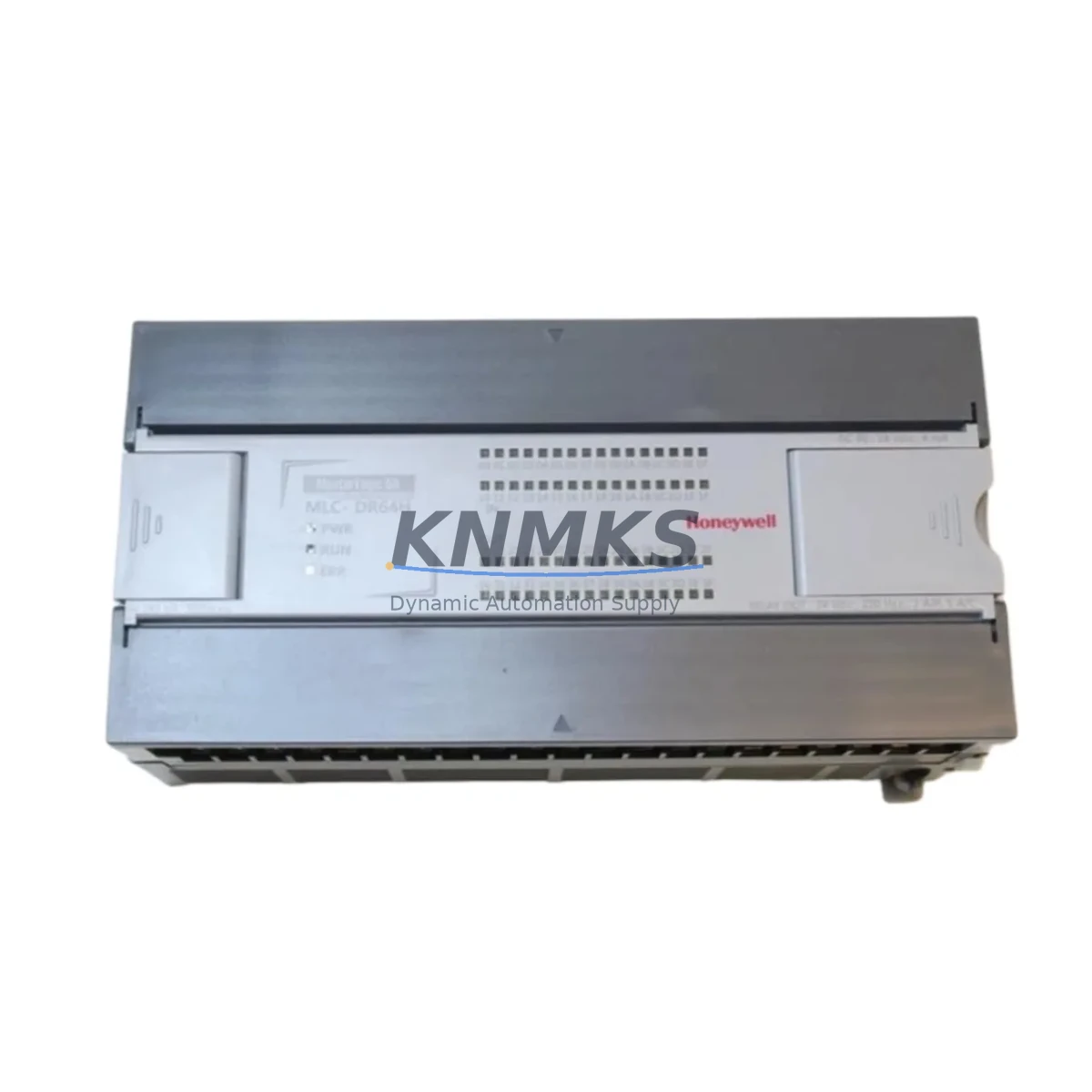
Honeywell MLC-DR64H/DC Maintenance-Proven Spare Part for Factory Uptime
The Honeywell MLC-DR64H/DC is a 64-channel DC solid-state digital output module engineered for the Honeywell MLC (Modular Logic Controller) automation platform. As a maintenance-proven spare part, it is a critical component for facilities that depend on continuous process control in manufacturing, energy, petrochemical, and infrastructure environments. Sourced as an original Honeywell component, this module is fully tested prior to shipment and backed by a support terms confirmed by quotation, making it a reliable choice for both emergency replacement and planned spare parts inventory.
Maintenance engineers and procurement teams managing MLC-series control cabinets recognize the MLC-DR64H/DC as a high-density output module that directly drives field actuators, solenoid valves, motor starters, and indicator lamps via DC solid-state switching. Its 64-channel capacity reduces the number of modules required per cabinet, simplifying wiring and minimizing potential failure points. When this module is flagged during routine point checks or fault diagnostics, rapid replacement is essential to restore production line availability and avoid cascading downtime.
Spare Maintenance Table
| Parameter | Specification |
|---|---|
| Part Number / SKU | MLC-DR64H/DC |
| Brand | Honeywell |
| Series | MLC (Modular Logic Controller) |
| Module Type | 64-Channel DC Digital Output Module |
| Output Type | DC Solid-State (Transistor) |
| Channel Count | 64 Channels |
| Output Voltage Range | 24 VDC (nominal, field-side) |
| Backplane Compatibility | Honeywell MLC Series Backplane |
| Installation | DIN Rail / Backplane Slot Mount |
| Operating Temperature | 0°C to 60°C |
| Weight | 1,320 g |
| Application Environment | Industrial Control Cabinets, PLC/DCS Panels |
| Maintenance Recommendation | Inspect output channel LEDs, verify field wiring continuity, check backplane connector seating during annual overhaul |
| Condition | Original, Factory-Tested |
| Support terms | 12 Months |
| Origin | United States |
Maintenance Planning for Continuous Operation
When replacing the MLC-DR64H/DC in a live control cabinet, a disciplined maintenance workflow significantly reduces the risk of secondary faults and unplanned downtime. Maintenance engineers should treat this replacement as an opportunity to inspect the entire output circuit and associated power distribution infrastructure.
Begin by verifying the 24 VDC field power supply feeding the output module. A degraded or undersized power supply is a common root cause of premature output module failure. If the existing supply shows voltage ripple or thermal stress, consider replacing it alongside the MLC-DR64H/DC to prevent repeat failures. Next, inspect the MLC series backplane for bent connector pins, oxidation, or mechanical damage — a compromised backplane can cause intermittent channel faults even after a new module is installed.
Check all field wiring terminal blocks connected to the 64 output channels. Loose terminations, corroded contacts, or undersized conductors can cause localized channel failures that are often misdiagnosed as module faults. While the cabinet is open, inspect the output protection fuses or circuit breakers on each output group — blown fuses on multiple channels are a strong indicator of a field-side short circuit that must be resolved before the new module is energized.
For systems where the MLC-DR64H/DC interfaces with relay output expansion modules or interposing relay panels, verify relay coil continuity and contact condition. Relay contacts that have welded or worn beyond specification will cause field device control failures independent of the output module’s health. Similarly, if the MLC system includes signal isolation modules between the output module and field devices in hazardous areas, confirm that isolator output ratings are compatible with the new module’s drive capability.
In facilities running Honeywell MLC communication modules for network-based diagnostics (such as Modbus or proprietary MLC network cards), verify that the module address configuration and network parameters are correctly restored after replacement. Communication module settings are sometimes lost during power cycling if battery-backed memory is depleted. Finally, review the HMI (Human-Machine Interface) tag mapping associated with the replaced module’s I/O points to confirm that all output status indicators and alarm setpoints are correctly reflected after the module swap.
Site Replacement Workflow
The MLC-DR64H/DC is a direct plug-in replacement for the existing module slot on the Honeywell MLC backplane. No firmware flashing or hardware reconfiguration is required for like-for-like replacement, which minimizes replacement time and reduces the risk of configuration errors during emergency maintenance.
Step 1 — Isolation: Place the affected output group in a safe state via the control system. Confirm all 64 output channels are de-energized before proceeding. Use the MLC system’s I/O forcing or inhibit function if available to prevent unintended field device activation during the swap.
Step 2 — Module Removal: Disconnect field wiring connectors from the module face. Label all connectors before removal to ensure correct re-termination. Release the module locking mechanism and extract it from the backplane slot.
Step 3 — Inspection: Inspect the backplane slot connector for damage or contamination. Clean with appropriate contact cleaner if required. Verify the replacement MLC-DR64H/DC module label and revision level match the system’s spare parts specification.
Step 4 — Installation: Seat the new module firmly into the backplane slot until the locking mechanism engages. Reconnect all field wiring connectors in the correct sequence. Restore field power to the output group.
Step 5 — Verification: From the HMI or engineering workstation, perform a channel-by-channel output test to confirm all 64 channels respond correctly. Check for any diagnostic fault codes in the MLC system log. Document the replacement in the site maintenance record with the module serial number and replacement date.
This workflow supports legacy system life extension strategies, allowing facilities to continue operating aging MLC-series control systems without migrating to newer platforms — a cost-effective approach for production lines where a full control system upgrade is not yet justified.
Spare Parts Support FAQ
Q1: Is the MLC-DR64H/DC compatible with all Honeywell MLC series backplanes?
The MLC-DR64H/DC is designed for the Honeywell MLC (Modular Logic Controller) platform and is compatible with standard MLC series backplanes that support 64-channel digital output modules. Before ordering, confirm the backplane slot type and module form factor against your system’s hardware configuration manual. If you require compatibility verification, contact our technical team with your system’s backplane part number.
Q2: What pre-shipment testing is performed on this module?
Every MLC-DR64H/DC unit is functionally tested prior to shipment. Testing includes power-on verification, output channel continuity checks, and backplane interface validation. A test report is available upon request. All units are shipped with anti-static packaging and are covered by a support terms confirmed by quotation from the date of delivery.
Q3: Can this module be used as a long-term inventory spare for discontinued MLC systems?
Yes. The MLC-DR64H/DC is well-suited for long-term spare parts inventory programs supporting legacy MLC installations. We maintain stock availability and can support scheduled procurement agreements for facilities requiring guaranteed supply over multi-year maintenance cycles. Contact our sales team to discuss volume pricing and long-term supply commitments.
Q4: What is the return and support terms process if a fault is identified after installation?
All units are covered by a support terms confirmed by quotation. If a fault is identified after installation, contact our support team with the module serial number, installation date, and a description of the fault symptom. We will arrange for a replacement unit to be dispatched and provide a return shipping label for the faulty module. Support requests are processed within 5 business days of fault confirmation.
© 2026 KNMKS. All rights reserved.
Original Source: https://knmks.com
Contact: admin@knmks.com | +86 18359268345
Product Identification
- Brand / Ecosystem
-
Honeywell
Honeywell - Model / Series
- MLC-DR64H/DC
- Product Family
- PLCs & Controllers
- Availability Status
- Available on request after model and quantity confirmation
- Inquiry Type
- B2B RFQ, replacement inquiry and project spare-part request
- Pre-Quote Check
- Exact SKU, brand, series, quantity, nameplate photos and destination country are checked before quotation
System Path
Where this product fits in the KNMKS automation structure.
Specification & Inquiry Focus
- Control platform
- PLC, PAC and modular controllers
- Common needs
- CPU, rack, power and I/O expansion
- Project support
- Replacement, cabinet build and maintenance
Buyer Confirmation
Information KNMKS checks before replying.
- Exact model
- MLC-DR64H/DC
- Brand / ecosystem
- Honeywell
- Product family
- PLCs & Controllers
- Application note
- Replacement, maintenance, project build or spare-part list
- Useful photos
- Nameplate, installed unit, cabinet layout or connector side
- Delivery details
- Quantity, destination country and target schedule
Document Support
Files and notes can be confirmed during quotation.
- Product photos or nameplate confirmation when available
- Packing and delivery notes before quotation confirmation
- Support scope and delivery terms confirmed per inquiry
- Export document coordination for qualified B2B requests
Inquiry Support
- Model cross-checking before quotation
- CPU, power, rack and expansion module matching
- Support for replacement and project inquiry
What to Send Us
- Brand and exact model number: Honeywell MLC-DR64H/DC
- Quantity and required delivery time
- Application, replacement requirement or nameplate photo
- Destination country and shipping preference
RFQ Preparation
This is a product inquiry page built for RFQ communication.
Fast Model Check
Send this model to KNMKS for confirmation.
Include quantity, destination country and photos if this is a maintenance replacement. The inquiry will be saved with a reference number after submission.
Brand & Compatibility Note
KNMKS displays automation product information for well-known industrial brand ecosystems and compatible replacement references. Brand names are used for product identification and compatibility reference only; final availability and commercial terms are confirmed per quotation.
 Manufacturing
 Machine Tools
 Packaging
 Energy & Power



 HMI & Displays
 Servo Systems
 Variable Frequency Drives
 Sensors