
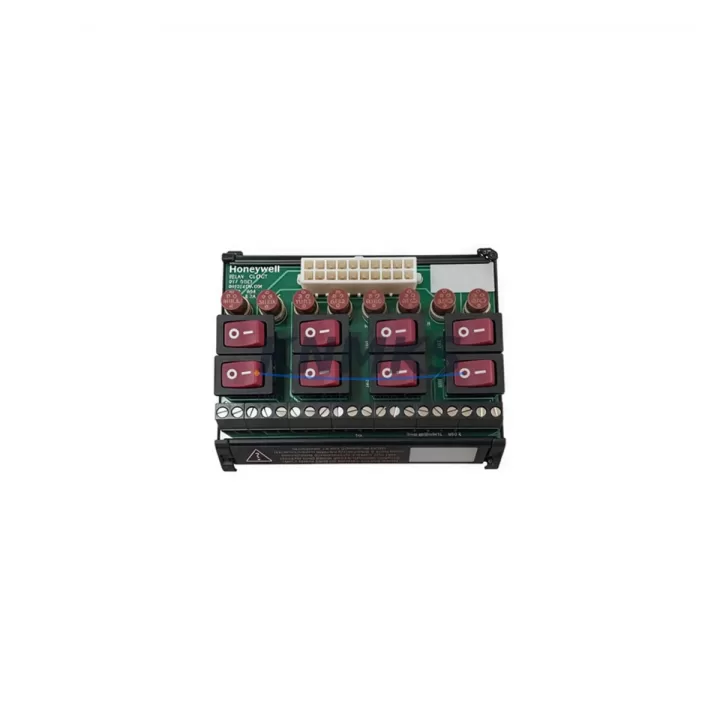
Overview
Honeywell HC-UTILSW Migration-Ready Utility Software: Legacy System Retrofit & Compatibility Upgrade
The Honeywell HC-UTILSW is a migration-ready utility software package engineered for engineers and system integrators tasked with modernizing aging Honeywell HC900 and ControlEdge process control platforms. As legacy DCS and hybrid controller installations approach end-of-support milestones, the HC-UTILSW provides a structured, low-risk pathway to extend operational life, restore configuration capability, and prepare control systems for phased hardware upgrades — all without forcing a full platform replacement.
Whether you are replacing a discontinued configuration tool, recovering a corrupted project database, or preparing a brownfield site for a new I/O expansion, the HC-UTILSW delivers the firmware-level compatibility and diagnostic depth that retrofit projects demand. It supports direct project import from earlier HC900 Designer versions, preserving existing ladder logic, function block diagrams, PID loop tuning parameters, and alarm setpoint tables — dramatically reducing re-engineering time during cutover.
Migration Compatibility Table
| Parameter | Details |
|---|---|
| Compatible Controllers | Honeywell HC900 (C30, C50, C70, C70R), ControlEdge HC900 |
| Replaces / Supersedes | HC900 Designer v4.x and earlier utility tools |
| Communication Interface | Ethernet (Modbus TCP), RS-232 serial (legacy rack connection) |
| Installation Requirements | Windows 10/11 (64-bit); .NET Framework 4.8+; USB or COM port for serial link |
| Firmware Compatibility | HC900 firmware R4.0 and above; backward-compatible to R2.6 in read-only mode |
| Retrofit Recommendation | Verify controller firmware revision before project upload; update HC-CNTLR-C70R firmware if below R4.2 |
| Commissioning Focus | I/O channel mapping, PID auto-tune re-validation, Modbus register address verification |
| Support terms | 12-Month Replacement Support terms — defective units replaced at no charge |
Retrofit Planning for Existing Automation Systems
Successful HC-UTILSW deployment in a retrofit scenario begins well before the software is installed. Engineers must audit the existing control cabinet to confirm available rack slots, backplane bus capacity, and power supply headroom. In many HC900 installations, the HC-PWRSPLY power supply module is already operating near its rated output — adding new I/O modules such as the HC-ANALOGIN-16 analog input card or the HC-DIGOUT-16 digital output module requires a power budget recalculation before the retrofit proceeds.
Terminal wiring compatibility is another critical checkpoint. Legacy field wiring terminated on older HC900 I/O bases may use non-standard wire gauges or ferrule types that do not mate cleanly with replacement terminal blocks. The HC-UTILSW includes a wiring audit report function that cross-references channel assignments against the imported project file, flagging any I/O address conflicts before they cause runtime faults.
For sites migrating from serial Modbus RTU to Ethernet-based Modbus TCP, the HC-COMM-ETH communication module must be installed and addressed prior to project download. The HC-UTILSW’s network configuration wizard guides technicians through IP assignment, subnet mask entry, and gateway verification — steps that are easy to overlook during high-pressure cutover windows. If the existing HMI is a legacy Honeywell Station or a third-party panel running on a proprietary serial link, the communication migration must be validated in the HC-UTILSW simulation environment before live connection to avoid HMI screen data loss.
Backplane slot addressing is particularly important when the retrofit involves adding the HC-REMOTE-IO remote I/O expansion rack. The HC-UTILSW enforces rack-slot address uniqueness across the entire project tree, and any duplicate address assignments inherited from the legacy configuration will generate a pre-download validation error. Resolving these conflicts in the software environment — rather than on the live system — is the single most effective way to compress cutover time and protect production continuity.
Downtime Control During System Migration
Minimizing unplanned downtime is the primary concern for any brownfield retrofit. The HC-UTILSW supports an offline simulation mode that allows the complete control program — including PID loops, sequential function charts, and interlock logic — to be validated against a virtual HC900 controller before the physical cutover begins. This means that by the time the maintenance window opens, the engineering team has already confirmed program integrity, I/O channel assignments, and communication link behavior in a risk-free environment.
During the actual cutover, the HC-UTILSW’s incremental download feature allows individual function blocks or I/O modules to be updated without forcing a full controller restart. This is especially valuable in continuous process applications — such as boiler control, compressor management, or chemical dosing — where even a brief loss of control output can trigger a process upset or safety interlock trip. By staging the download in logical segments and monitoring controller status via the live diagnostic dashboard, engineers can maintain field control continuity throughout the migration sequence.
Post-cutover, the HC-UTILSW’s data logging and trend capture functions provide immediate confirmation that process variables are tracking within expected bands. Any deviation from pre-retrofit baseline values is flagged in real time, allowing the commissioning team to intervene before a minor tuning issue escalates into a production loss event. Combined with the support terms confirmed by quotation coverage on all hardware supplied alongside the software, this approach delivers a retrofit outcome that is both technically sound and commercially protected.
Retrofit Support FAQ
Q1: Can HC-UTILSW directly replace the discontinued HC900 Designer software without re-engineering the existing project?
Yes. HC-UTILSW is designed as a drop-in replacement for HC900 Designer. It imports existing project files (.hcp format) from Designer v2.x through v4.x without requiring manual re-entry of logic, PID parameters, or I/O assignments. Minor schema differences between versions are resolved automatically during the import process, and a compatibility report is generated for engineer review before any changes are committed.
Q2: What commissioning steps are required after installing HC-UTILSW on a system with an existing HC900 C70R controller?
After installation, verify that the HC-CNTLR-C70R firmware is at R4.2 or above using the HC-UTILSW firmware query function. If an update is required, the software includes a guided firmware upload wizard. Following firmware confirmation, perform a full I/O force test on all analog and digital channels, re-validate PID loop tuning against current process conditions, and confirm Modbus register mapping matches the HMI tag database before returning the system to automatic mode.
Q3: Is HC-UTILSW compatible with third-party HMI systems connected via Modbus TCP?
Yes. HC-UTILSW configures and validates the Modbus TCP server function built into the HC900 controller’s Ethernet port. Register address tables exported from HC-UTILSW can be imported directly into most SCADA and HMI platforms — including those from third-party vendors — to rebuild tag databases without manual re-entry. Serial Modbus RTU links via the HC-COMM-ETH module are also supported for legacy HMI panels that cannot be upgraded to Ethernet during the current retrofit phase.
Q4: What does the support terms confirmed by quotation cover, and how quickly can replacement stock be shipped?
The support terms confirmed by quotation cover manufacturing defects and functional failures under normal operating conditions. Defective units are replaced at no charge, with no requirement to return the failed item in advance. In-stock units are typically dispatched within 24–48 hours of order confirmation. For urgent retrofit projects, expedited shipping is available to most destinations. Contact admin@knmks.com or call +86 18359268345 to confirm current inventory availability and lead time before committing to a cutover schedule.
© 2026 KNMKS. All rights reserved.
Original Source: https://knmks.com
Contact: admin@knmks.com | +86 18359268345
Product Identification
- Brand / Ecosystem
-
Honeywell
Honeywell - Model / Series
- HC-UTILSW
- Product Family
- PLCs & Controllers
- Availability Status
- Available on request after model and quantity confirmation
- Inquiry Type
- B2B RFQ, replacement inquiry and project spare-part request
- Pre-Quote Check
- Exact SKU, brand, series, quantity, nameplate photos and destination country are checked before quotation
System Path
Where this product fits in the KNMKS automation structure.
Specification & Inquiry Focus
- Control platform
- PLC, PAC and modular controllers
- Common needs
- CPU, rack, power and I/O expansion
- Project support
- Replacement, cabinet build and maintenance
Buyer Confirmation
Information KNMKS checks before replying.
- Exact model
- HC-UTILSW
- Brand / ecosystem
- Honeywell
- Product family
- PLCs & Controllers
- Application note
- Replacement, maintenance, project build or spare-part list
- Useful photos
- Nameplate, installed unit, cabinet layout or connector side
- Delivery details
- Quantity, destination country and target schedule
Document Support
Files and notes can be confirmed during quotation.
- Product photos or nameplate confirmation when available
- Packing and delivery notes before quotation confirmation
- Support scope and delivery terms confirmed per inquiry
- Export document coordination for qualified B2B requests
Inquiry Support
- Model cross-checking before quotation
- CPU, power, rack and expansion module matching
- Support for replacement and project inquiry
What to Send Us
- Brand and exact model number: Honeywell HC-UTILSW
- Quantity and required delivery time
- Application, replacement requirement or nameplate photo
- Destination country and shipping preference
RFQ Preparation
This is a product inquiry page built for RFQ communication.
Fast Model Check
Send this model to KNMKS for confirmation.
Include quantity, destination country and photos if this is a maintenance replacement. The inquiry will be saved with a reference number after submission.
Brand & Compatibility Note
KNMKS displays automation product information for well-known industrial brand ecosystems and compatible replacement references. Brand names are used for product identification and compatibility reference only; final availability and commercial terms are confirmed per quotation.
 Manufacturing
 Machine Tools
 Packaging
 Energy & Power



 HMI & Displays
 Servo Systems
 Variable Frequency Drives
 Sensors