
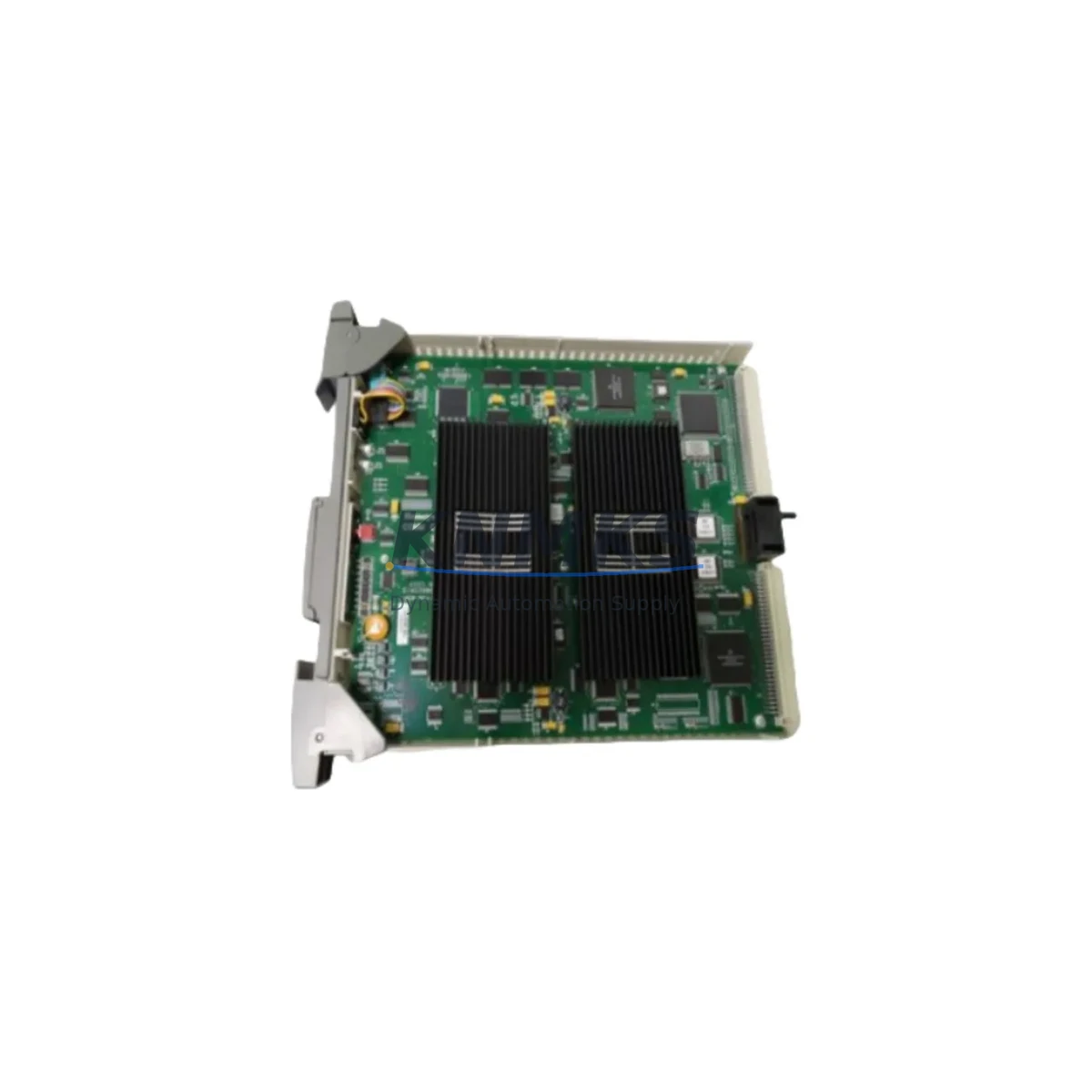
Overview
Honeywell FS-SMSB-ST-110 Migration-Ready Bus Terminator: Legacy Safety System Retrofit & Upgrade
The Honeywell FS-SMSB-ST-110 is a SIL2-rated bus terminator module engineered for the Safety Manager SC platform, widely deployed in process safety and emergency shutdown (ESD) systems across oil & gas, petrochemical, and power generation facilities. As legacy Honeywell Safety Manager installations approach end-of-support milestones, the FS-SMSB-ST-110 serves as a critical migration-ready replacement component — enabling engineers to extend system life, restore bus integrity, and execute phased control system upgrades without full platform replacement.
This module terminates the Safety Manager SC backplane bus, ensuring signal integrity across the chassis and preventing reflections that can cause spurious trips or diagnostic faults. When replacing a failed or end-of-life terminator in an existing rack, the FS-SMSB-ST-110 is a direct drop-in substitute, requiring no firmware changes, no re-addressing, and no modification to the existing safety logic compiled in Safety Builder engineering software.
For retrofit projects involving older Safety Manager (non-SC) architectures, engineers must verify backplane compatibility before installation. The FS-SMSB-ST-110 is designed for the SC-generation chassis; installations in earlier SM racks may require an adapter bracket or chassis swap. Confirm slot position, bus connector pinout, and chassis generation against the Honeywell Safety Manager SC Hardware Manual prior to ordering.
Migration Compatibility Table
| Parameter | FS-SMSB-ST-110 Specification | Retrofit / Migration Note |
|---|---|---|
| Platform Compatibility | Honeywell Safety Manager SC | Verify chassis generation; not interchangeable with pre-SC SM racks without hardware review |
| Bus Interface | Safety Manager SC backplane bus | Direct drop-in; no re-termination of field wiring required |
| SIL Rating | SIL 2 (IEC 61508) | Maintain SIL 2 loop integrity; re-validate SIL calculation after replacement if required by site MOC |
| Power Consumption | Passive terminator — no active power draw | No impact on chassis power budget; compatible with FS-PSU power supply modules |
| Installation | End-slot backplane insertion | Confirm end-slot designation per rack layout drawing; incorrect slot placement causes bus fault |
| Firmware Dependency | None (passive component) | No firmware update required; no Safety Builder project download needed post-replacement |
| Communication Protocol | Proprietary Honeywell SM SC bus | No Modbus, PROFIBUS, or HART interface; protocol migration handled at controller or gateway level |
| Replacement Scope | Like-for-like bus terminator swap | No HMI screen updates, no tag remapping, no I/O address changes required |
| Support terms | support terms confirmed by quotation — covers manufacturing defects; pre-shipment functional test included | |
Retrofit Planning for Existing Automation Systems
A successful Safety Manager SC retrofit begins well before the maintenance window opens. Engineers planning a bus terminator replacement should audit the full chassis population, including the FS-SMSC-0800 Safety Manager SC controller module, installed FS-SDO-0824 digital output modules, and any FS-SDI-0816 digital input modules occupying adjacent slots. Confirming that all active modules are seated correctly and that the chassis backplane shows no prior damage is essential before removing the failed terminator.
In systems where the Safety Manager SC communicates upstream to a Honeywell Experion PKS DCS via the Safety Network Controller (SNC), engineers must verify that the SNC link remains active during the swap. A bus terminator replacement is a hot-swap-capable operation on most SC chassis configurations, but site-specific safety procedures and permit-to-work requirements always take precedence. Coordinate with the control room operator to confirm that the ESD system remains in a known safe state throughout the procedure.
Where the retrofit scope extends beyond a single terminator — for example, when upgrading an entire legacy SM rack to SC-generation hardware — the project typically involves replacing the chassis backplane, migrating the safety application from an older Safety Builder version, and re-validating all I/O channel assignments. In these broader projects, the FS-SMSB-ST-110 is ordered alongside replacement controller modules, power supply units, and communication interface cards to minimize the number of separate procurement events and reduce total project lead time.
For sites running parallel legacy and SC-generation racks during a phased migration, signal isolation between the two bus domains is critical. Honeywell-approved signal isolators or marshalling panels should be used to prevent ground loops and ensure that a fault on the legacy bus does not propagate to the upgraded SC chassis. Programming cables and Safety Builder laptop connections should be prepared in advance so that any required logic adjustments can be made immediately after hardware installation, keeping the commissioning window as short as possible.
Downtime Control During System Migration
Minimizing unplanned downtime during a bus terminator replacement on a live safety system requires disciplined pre-work. Before the maintenance window, download and archive the current Safety Builder project file, including all function block diagrams, cause-and-effect matrices, and I/O configuration tables. This archived copy serves as the recovery baseline if any unexpected diagnostic fault appears after the swap.
During the replacement, keep the chassis powered where site procedures permit. The FS-SMSB-ST-110 is a passive module; its removal and reinsertion does not interrupt power to adjacent active modules. However, the Safety Manager SC controller will log a configuration change event, which should be acknowledged and cleared in the system event log before returning the ESD system to automatic mode.
After reinsertion, verify that the SM SC controller reports no bus fault alarms and that all I/O modules show healthy status in the Safety Builder online diagnostic view. Confirm that the Experion PKS operator station displays correct process values and that no spurious alarms have been generated. Document the replacement in the site’s management of change (MOC) record, including the module serial number, installation date, and technician sign-off. With proper preparation, a bus terminator swap on a Safety Manager SC system can typically be completed within a single two-hour maintenance window, with zero impact on the running safety logic or HMI displays.
Retrofit Support FAQ
Q1: Is the FS-SMSB-ST-110 a direct replacement for the bus terminator in older (pre-SC) Safety Manager racks?
The FS-SMSB-ST-110 is designed specifically for the Safety Manager SC chassis generation. Pre-SC Safety Manager racks use a different backplane connector and bus architecture. Before ordering, confirm your chassis model number. If you are running a pre-SC system, contact our technical team to identify the correct terminator part number for your specific rack generation.
Q2: Does replacing the bus terminator require a new Safety Builder project download or any changes to the safety application?
No. The FS-SMSB-ST-110 is a passive terminator with no firmware, no configurable parameters, and no address assignment. Replacing it does not require a Safety Builder project download, no I/O tag remapping, and no changes to HMI graphics or cause-and-effect logic. The controller will log a hardware event, which should be acknowledged per site procedures.
Q3: What pre-shipment testing is performed, and what support terms coverage applies?
Every FS-SMSB-ST-110 unit undergoes pre-shipment functional inspection to verify connector integrity, bus termination resistance values, and physical condition. Units are shipped with a support terms confirmed by quotation covering manufacturing defects from the date of delivery. Support requests are supported with replacement dispatch and technical documentation. Stock is maintained for immediate order fulfillment with global shipping capability.
Q4: Can the FS-SMSB-ST-110 be installed while the Safety Manager SC system is powered and in service?
In most SC chassis configurations, the bus terminator slot supports hot-swap insertion. However, whether a live swap is permissible depends on your site’s safety procedures, permit-to-work system, and the specific SIL validation requirements of your ESD loop. Always follow site-specific MOC and isolation procedures. Our technical team can provide installation guidance documentation to support your pre-work planning and HAZOP review if required.
© 2026 KNMKS. All rights reserved.
Original Source: https://knmks.com
Contact: admin@knmks.com | +86 18359268345
Product Identification
- Brand / Ecosystem
-
Honeywell
Honeywell - Model / Series
- FS-SMSB-ST-110
- Product Family
- PLCs & Controllers
- Availability Status
- Available on request after model and quantity confirmation
- Inquiry Type
- B2B RFQ, replacement inquiry and project spare-part request
- Pre-Quote Check
- Exact SKU, brand, series, quantity, nameplate photos and destination country are checked before quotation
System Path
Where this product fits in the KNMKS automation structure.
Specification & Inquiry Focus
- Control platform
- PLC, PAC and modular controllers
- Common needs
- CPU, rack, power and I/O expansion
- Project support
- Replacement, cabinet build and maintenance
Buyer Confirmation
Information KNMKS checks before replying.
- Exact model
- FS-SMSB-ST-110
- Brand / ecosystem
- Honeywell
- Product family
- PLCs & Controllers
- Application note
- Replacement, maintenance, project build or spare-part list
- Useful photos
- Nameplate, installed unit, cabinet layout or connector side
- Delivery details
- Quantity, destination country and target schedule
Document Support
Files and notes can be confirmed during quotation.
- Product photos or nameplate confirmation when available
- Packing and delivery notes before quotation confirmation
- Support scope and delivery terms confirmed per inquiry
- Export document coordination for qualified B2B requests
Inquiry Support
- Model cross-checking before quotation
- CPU, power, rack and expansion module matching
- Support for replacement and project inquiry
What to Send Us
- Brand and exact model number: Honeywell FS-SMSB-ST-110
- Quantity and required delivery time
- Application, replacement requirement or nameplate photo
- Destination country and shipping preference
RFQ Preparation
This is a product inquiry page built for RFQ communication.
Fast Model Check
Send this model to KNMKS for confirmation.
Include quantity, destination country and photos if this is a maintenance replacement. The inquiry will be saved with a reference number after submission.
Brand & Compatibility Note
KNMKS displays automation product information for well-known industrial brand ecosystems and compatible replacement references. Brand names are used for product identification and compatibility reference only; final availability and commercial terms are confirmed per quotation.
 Manufacturing
 Machine Tools
 Packaging
 Energy & Power



 HMI & Displays
 Servo Systems
 Variable Frequency Drives
 Sensors