
Overview
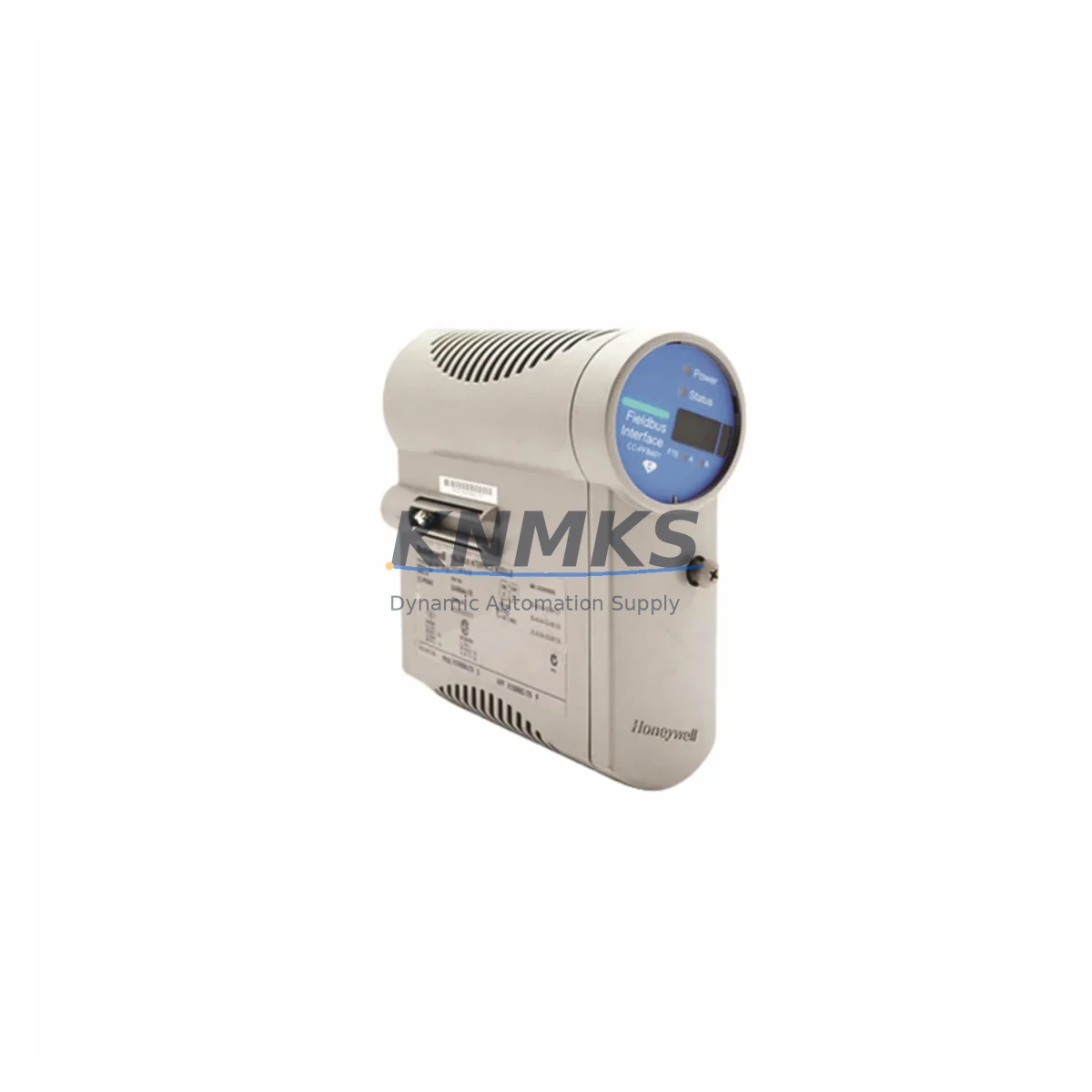
Honeywell 900S50-0460 Migration-Ready I/O Scanner for Legacy Control Systems
The Honeywell 900S50-0460 is a Remote I/O Scanner Module engineered for the HC900 Hybrid Controller platform, widely deployed across process industries including refining, chemical, power generation, and utilities. As legacy HC900 installations age beyond their original design life, the 900S50-0460 has become a critical spare and retrofit component for engineers managing system continuity, planned upgrades, and emergency replacements. This module enables direct drop-in replacement of failed or end-of-life I/O scanner units without requiring full rack redesign or controller reprogramming, making it the preferred choice for maintenance teams operating under tight downtime constraints.
Each 900S50-0460 unit is sourced from verified supply channels, subjected to pre-shipment functional testing, and backed by a support terms confirmed by quotation. Global dispatch is available with typical lead times of 3–7 business days, supporting both planned maintenance windows and unplanned emergency shutdowns.
Migration Compatibility Table
| Parameter | Details |
|---|---|
| SKU / Part Number | 900S50-0460 |
| Platform | Honeywell HC900 Hybrid Controller Series |
| Module Function | Remote I/O Scanner — manages communication between HC900 controller and remote I/O racks |
| Backplane Interface | HC900 standard rack backplane; compatible with 4-slot and 12-slot HC900 remote racks |
| Communication Protocol | Modbus RTU / Modbus TCP/IP; Ethernet-based I/O scanning link |
| Power Supply Requirement | 24 VDC nominal; verify rack PSU capacity before installation (minimum 5A recommended for full rack) |
| Replacement Compatibility | Direct replacement for legacy 900S50-0460 units; verify firmware revision compatibility with HC900 controller firmware |
| Installation Space | Single slot, HC900 remote rack; confirm slot assignment matches existing I/O map |
| Firmware Compatibility | Confirm HC900 controller firmware version supports scanner firmware; update via HC900 Designer if required |
| Commissioning Notes | Re-assign module address post-installation; verify I/O map integrity in HC900 Designer before restart |
| Support terms | 12 months from date of shipment |
| Pre-Shipment Testing | Yes — functional verification performed before dispatch |
Retrofit Planning for Existing Automation Systems
Replacing the 900S50-0460 in an operating HC900 system requires a structured approach that accounts for the full scope of the remote I/O architecture. The scanner module sits at the communication boundary between the HC900 controller rack and distributed remote I/O racks, meaning its failure or replacement directly affects all field signals routed through that remote rack segment. Before initiating a swap, maintenance engineers should audit the existing I/O map in HC900 Designer to document all module addresses, channel assignments, and tag references associated with the affected remote rack.
Power supply capacity is a frequent oversight during scanner replacements. The HC900 900P01-0100 or 900P02-0100 rack power supply modules must be verified to deliver sufficient current for the full complement of I/O modules installed in the remote rack. If the rack is near its power budget limit, adding a replacement scanner with a slightly different firmware revision may alter current draw marginally — always confirm with the rack’s power budget worksheet.
Terminal wiring on the remote rack’s I/O modules — including analog input modules such as the 900G32-0101 and digital output modules such as the 900G01-0101 — should be photographed and documented before any rack disturbance. This is particularly important in older installations where field wiring labels may have faded or been modified without documentation updates. Signal isolators installed upstream of analog inputs should also be checked for compatibility with the restored I/O scan cycle time after the new scanner is commissioned.
Communication link integrity between the HC900 controller and the remote rack is established through the scanner’s Ethernet port. Verify that the IP address assignment, subnet mask, and gateway configuration of the replacement 900S50-0460 match the original unit’s network parameters. In multi-rack configurations, each remote scanner must have a unique IP address and module address to prevent address conflicts that can cause intermittent I/O faults. The HC900 Designer software is used to push the updated configuration and verify that all remote racks are communicating correctly before returning the system to automatic control.
For sites also managing HC900 controller rack upgrades, the 900C71-0243-00 HC900 Process Controller module and the 900H01-0001 HC900 rack chassis are commonly involved in parallel upgrade scopes. HMI screens connected via Modbus TCP to the HC900 should be validated after scanner replacement to confirm that all dynamic data links — particularly trend displays and alarm setpoints — are refreshing correctly at the expected scan rate.
Downtime Control During System Migration
Minimizing process downtime during a 900S50-0460 replacement requires pre-staging the replacement module, pre-loading the correct configuration, and coordinating the swap within a planned maintenance window. The HC900 platform supports online configuration download in some firmware versions, but scanner module replacement typically requires a controlled rack power cycle for the remote I/O segment. To protect the original program logic, export a full backup of the HC900 Designer project — including all function block diagrams, I/O assignments, and communication parameters — before beginning any hardware work.
Where process continuity is critical, consider placing affected control loops in manual mode at the DCS or HMI level before initiating the scanner swap. This prevents automatic control actions from responding to the temporary loss of I/O data during the module changeover. Field operators should be briefed on the expected duration of the I/O interruption and the manual override procedures for critical control valves and interlock circuits.
After installing the replacement 900S50-0460, perform a systematic I/O verification: force-check each analog input channel against field transmitter readings, verify digital output states against field device positions, and confirm that all alarm and interlock logic is responding correctly before returning loops to automatic. Document the commissioning results and update the site’s maintenance records with the new module serial number, firmware version, and installation date. This audit trail is essential for future troubleshooting and support requests.
Retrofit Support FAQ
Q1: Is the 900S50-0460 a direct drop-in replacement for the existing unit in my HC900 remote rack?
Yes, the 900S50-0460 is designed as a direct slot-compatible replacement for the HC900 remote I/O scanner position. However, you must verify that the replacement unit’s firmware revision is compatible with your HC900 controller firmware version. If a firmware mismatch exists, update the controller firmware via HC900 Designer before commissioning the new scanner.
Q2: What commissioning steps are required after installing the replacement scanner?
After physical installation, re-assign the module’s IP address and rack address to match the original configuration. Use HC900 Designer to download the existing project configuration to the controller and verify that all remote I/O modules in the affected rack are communicating correctly. Perform a full I/O check before returning control loops to automatic mode.
Q3: Can I use this module in a system that has been partially upgraded to a newer HC900 firmware version?
In most cases, yes — the 900S50-0460 is compatible across multiple HC900 firmware generations. However, mixed-firmware environments should be validated in HC900 Designer before deployment. Contact our technical team with your controller firmware version for confirmation prior to ordering if you have concerns about compatibility.
Q4: What support terms and testing coverage is included with this unit?
Every 900S50-0460 shipped from our inventory is covered by a support terms confirmed by quotation from the date of shipment. Each unit undergoes pre-shipment functional testing to verify communication link establishment, backplane interface integrity, and basic I/O scanning operation. Test records are available upon request for quality-critical applications.
© 2026 KNMKS. All rights reserved.
Original Source: https://knmks.com
Contact: admin@knmks.com | +86 18359268345
Product Identification
- Brand / Ecosystem
-
Honeywell
Honeywell - Model / Series
- 900S50-0460
- Product Family
- PLCs & Controllers
- Availability Status
- Available on request after model and quantity confirmation
- Inquiry Type
- B2B RFQ, replacement inquiry and project spare-part request
- Pre-Quote Check
- Exact SKU, brand, series, quantity, nameplate photos and destination country are checked before quotation
System Path
Where this product fits in the KNMKS automation structure.
Specification & Inquiry Focus
- Control platform
- PLC, PAC and modular controllers
- Common needs
- CPU, rack, power and I/O expansion
- Project support
- Replacement, cabinet build and maintenance
Buyer Confirmation
Information KNMKS checks before replying.
- Exact model
- 900S50-0460
- Brand / ecosystem
- Honeywell
- Product family
- PLCs & Controllers
- Application note
- Replacement, maintenance, project build or spare-part list
- Useful photos
- Nameplate, installed unit, cabinet layout or connector side
- Delivery details
- Quantity, destination country and target schedule
Document Support
Files and notes can be confirmed during quotation.
- Product photos or nameplate confirmation when available
- Packing and delivery notes before quotation confirmation
- Support scope and delivery terms confirmed per inquiry
- Export document coordination for qualified B2B requests
Inquiry Support
- Model cross-checking before quotation
- CPU, power, rack and expansion module matching
- Support for replacement and project inquiry
What to Send Us
- Brand and exact model number: Honeywell 900S50-0460
- Quantity and required delivery time
- Application, replacement requirement or nameplate photo
- Destination country and shipping preference
RFQ Preparation
This is a product inquiry page built for RFQ communication.
Fast Model Check
Send this model to KNMKS for confirmation.
Include quantity, destination country and photos if this is a maintenance replacement. The inquiry will be saved with a reference number after submission.
Brand & Compatibility Note
KNMKS displays automation product information for well-known industrial brand ecosystems and compatible replacement references. Brand names are used for product identification and compatibility reference only; final availability and commercial terms are confirmed per quotation.
 Manufacturing
 Machine Tools
 Packaging
 Energy & Power



 HMI & Displays
 Servo Systems
 Variable Frequency Drives
 Sensors