
Overview
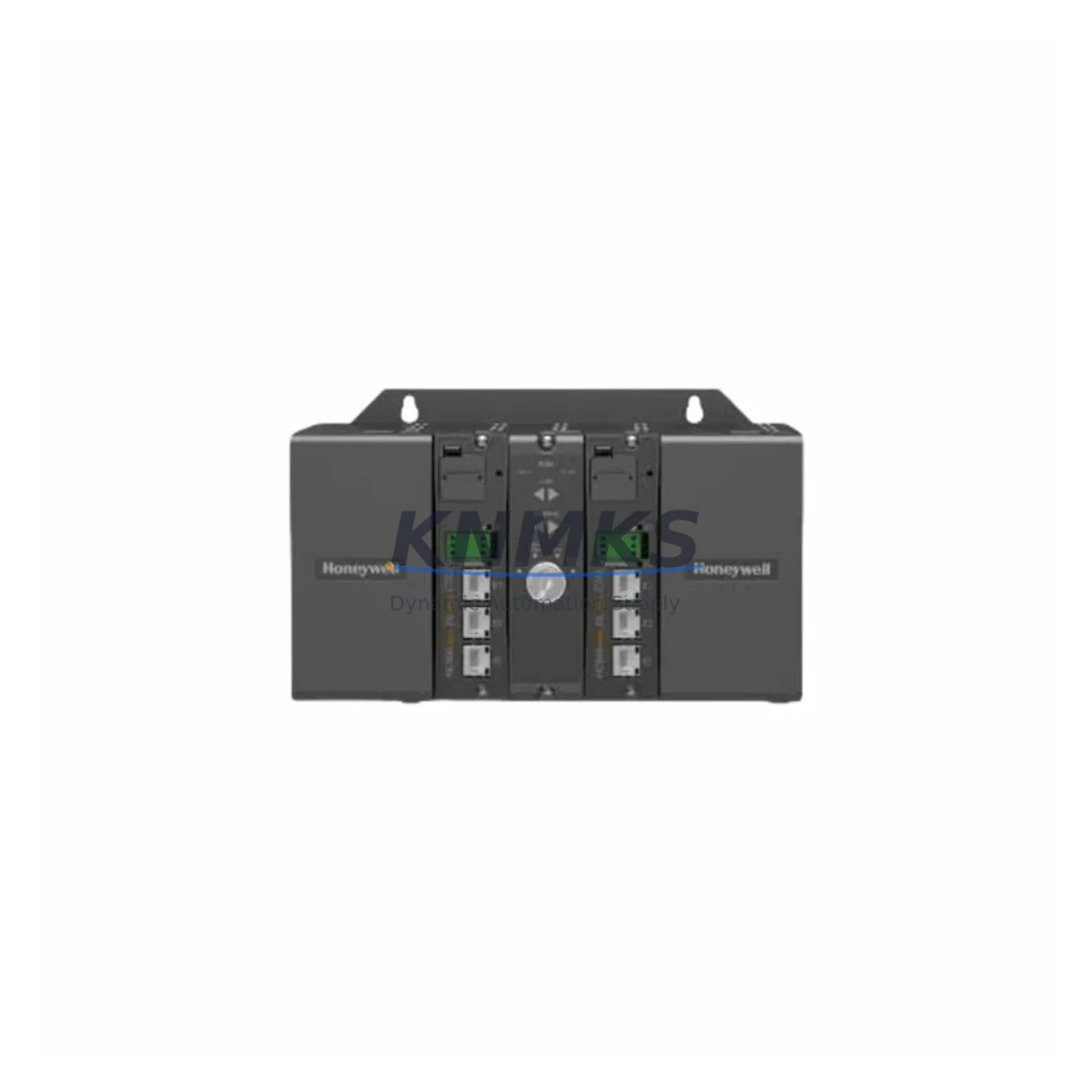
Honeywell 900C70S-0460 Migration-Ready Safety CPU for Legacy Control Systems
The Honeywell 900C70S-0460 is a high-integrity Safety CPU module designed for the HC900 Hybrid Controller platform — one of Honeywell’s most widely deployed process control architectures in refining, chemical processing, and critical infrastructure applications. As legacy HC900 installations approach end-of-support milestones, the 900C70S-0460 serves as a verified migration-ready replacement that preserves existing rack infrastructure, I/O wiring, and control logic while restoring full SIL-rated safety functionality.
For facilities operating aging HC900 systems with original CPU modules from early production runs, sourcing a direct replacement that maintains hardware compatibility with existing 900 Series racks, backplanes, and communication modules is a primary concern. The 900C70S-0460 addresses this need with a drop-in form factor, backward-compatible firmware support, and pre-shipment functional testing — reducing the engineering effort required to validate a replacement in a live control environment.
Migration Compatibility Table
| Parameter | Details |
|---|---|
| SKU / Part Number | 900C70S-0460 |
| Platform | Honeywell HC900 Hybrid Controller |
| Module Type | Safety CPU Module (SIL-rated) |
| Rack Compatibility | HC900 4-slot, 8-slot, and 12-slot racks (900Rxx series) |
| Backplane Interface | HC900 proprietary backplane bus; slot 0 installation |
| Communication Ports | Ethernet (10/100 Mbps), RS-485 peer-to-peer; compatible with 900CS-0001 redundancy cable |
| I/O Compatibility | Compatible with all HC900 analog and digital I/O modules (900Axx / 900Dxx series) |
| Firmware | Verify target firmware revision against HC Designer software version in use; update via Ethernet port |
| Program Retention | Non-volatile flash memory; program logic retained on power cycle |
| HMI Compatibility | Compatible with Experion PKS, HC Designer, and third-party SCADA via Modbus TCP / OPC |
| Installation Space | Standard HC900 module footprint; no panel modification required for direct swap |
| Replacement Candidates | 900C70-0460, 900C70-0160, earlier 900C70S revisions |
| Pre-Shipment Testing | Yes — functional power-on and communication verification performed before dispatch |
| Support terms | 12 months from date of shipment |
Retrofit Planning for Existing Automation Systems
A successful HC900 CPU retrofit begins well before the module arrives on site. Engineers should first audit the existing rack configuration to confirm slot assignments for all installed I/O modules — including any 900A16-0100 analog input modules, 900G32-0102 gateway modules, or 900H16-0100 high-speed counter modules — since the replacement CPU must re-establish communication with each module during the first scan cycle after power-up. Documenting the current module address map and verifying it against the HC Designer project file prevents address conflicts that can cause I/O faults on restart.
Power budget verification is a critical pre-installation step. The 900C70S-0460 draws its operating power from the HC900 rack power supply — typically a 900P01-0001 or 900P02-0001 unit. Before swapping the CPU, confirm that the existing power supply has sufficient headroom to support the safety CPU’s current draw alongside all installed I/O modules. Overloaded power supplies are a common root cause of intermittent faults following CPU replacements in dense rack configurations.
For systems using redundant CPU configurations, the 900C70S-0460 supports hot-standby redundancy when paired with a matching secondary CPU module via the dedicated redundancy port. During the swap procedure, the standby unit can maintain process control while the primary is replaced, provided the redundancy link remains active. This approach is strongly recommended for continuous-process applications where any interruption to the safety function is unacceptable.
Communication link continuity is another key consideration. If the existing installation uses Modbus TCP to interface with a third-party DCS or SCADA system, the replacement CPU must be configured with the same IP address and Modbus register map as the outgoing unit. Similarly, if the HC900 is integrated into an Experion PKS network via the 900CS-0001 peer-to-peer cable, the network topology and node addressing must be preserved in the HC Designer configuration before the new CPU is commissioned.
HMI screen validation should be completed as part of the post-installation checkout. Operator displays configured for HC900 tag names and data types will continue to function correctly after a CPU swap, provided the HC Designer project file loaded onto the replacement module is identical to the version running on the outgoing unit. Any firmware revision differences between the old and new CPU should be resolved before loading the project to avoid compatibility warnings in HC Designer.
Downtime Control During System Migration
Minimizing unplanned downtime during a Safety CPU replacement requires a structured pre-outage preparation sequence. Before initiating the physical swap, the existing program logic should be uploaded from the outgoing CPU and saved as a verified backup in HC Designer. This backup serves as the restore point if the replacement module requires re-commissioning or if a firmware mismatch is detected during initial power-up.
Where process conditions permit, scheduling the CPU replacement during a planned maintenance window allows the control system to be taken offline in a controlled manner — with all field devices placed in a safe state, interlocks confirmed, and operators notified. For systems where a controlled shutdown is not feasible, the redundant CPU configuration described above provides the most reliable path to a zero-impact replacement.
On-site commissioning time can be further reduced by pre-configuring the replacement 900C70S-0460 with the correct IP address, Modbus settings, and HC Designer project file before it is installed in the rack. A bench-tested, pre-loaded module can be installed and brought online in a fraction of the time required to configure a module from factory defaults in the field. KNMKS provides pre-shipment functional testing on all 900C70S-0460 units to confirm communication port operation and basic I/O scan functionality before dispatch, reducing the risk of receiving a non-functional module during a time-critical replacement.
Post-installation, a structured loop check sequence — verifying each I/O channel, confirming safety function activation, and validating HMI tag updates — should be completed before returning the system to automatic control. Maintaining a detailed commissioning record supports future audits and simplifies the next replacement cycle.
Retrofit Support FAQ
Q: Is the 900C70S-0460 a direct replacement for the 900C70-0460?
A: Yes. The 900C70S-0460 is the safety-rated variant of the 900C70-0460 and is physically and electrically compatible with the same HC900 rack slots. The primary difference is the integrated safety function certification. Confirm that your HC Designer project file is configured for the safety CPU variant before loading it onto the replacement module.
Q: What firmware version should I verify before installation?
A: Cross-reference the firmware revision on the replacement module against the HC Designer software version installed on your engineering workstation. Honeywell publishes compatibility matrices in the HC900 Process Controller Installation and User Guide. If a firmware update is required, it can be performed via the Ethernet port using HC Designer’s firmware download utility before the module is installed in the rack.
Q: How is the 900C70S-0460 wired into the existing rack?
A: The CPU module connects to the HC900 rack via the backplane — no field wiring terminates directly on the CPU. Terminal wiring for I/O signals remains on the individual I/O modules and does not need to be disturbed during a CPU swap. Only the Ethernet, redundancy, and any front-panel communication cables connected to the CPU itself need to be transferred to the replacement unit.
Q: What does the support terms confirmed by quotation cover, and is pre-shipment testing included?
A: All 900C70S-0460 units supplied by KNMKS carry a support terms confirmed by quotation from the date of shipment, covering defects in materials and workmanship. Each unit undergoes pre-shipment functional testing — including power-on verification, communication port check, and basic I/O scan confirmation — before dispatch. In-stock units are available for same-day or next-business-day shipment to minimize lead time for emergency replacements.
© 2026 KNMKS. All rights reserved.
Original Source: https://knmks.com
Contact: admin@knmks.com | +86 18359268345
Product Identification
- Brand / Ecosystem
-
Honeywell
Honeywell - Model / Series
- 900C70S-0460
- Product Family
- PLCs & Controllers
- Availability Status
- Available on request after model and quantity confirmation
- Inquiry Type
- B2B RFQ, replacement inquiry and project spare-part request
- Pre-Quote Check
- Exact SKU, brand, series, quantity, nameplate photos and destination country are checked before quotation
System Path
Where this product fits in the KNMKS automation structure.
Specification & Inquiry Focus
- Control platform
- PLC, PAC and modular controllers
- Common needs
- CPU, rack, power and I/O expansion
- Project support
- Replacement, cabinet build and maintenance
Buyer Confirmation
Information KNMKS checks before replying.
- Exact model
- 900C70S-0460
- Brand / ecosystem
- Honeywell
- Product family
- PLCs & Controllers
- Application note
- Replacement, maintenance, project build or spare-part list
- Useful photos
- Nameplate, installed unit, cabinet layout or connector side
- Delivery details
- Quantity, destination country and target schedule
Document Support
Files and notes can be confirmed during quotation.
- Product photos or nameplate confirmation when available
- Packing and delivery notes before quotation confirmation
- Support scope and delivery terms confirmed per inquiry
- Export document coordination for qualified B2B requests
Inquiry Support
- Model cross-checking before quotation
- CPU, power, rack and expansion module matching
- Support for replacement and project inquiry
What to Send Us
- Brand and exact model number: Honeywell 900C70S-0460
- Quantity and required delivery time
- Application, replacement requirement or nameplate photo
- Destination country and shipping preference
RFQ Preparation
This is a product inquiry page built for RFQ communication.
Fast Model Check
Send this model to KNMKS for confirmation.
Include quantity, destination country and photos if this is a maintenance replacement. The inquiry will be saved with a reference number after submission.
Brand & Compatibility Note
KNMKS displays automation product information for well-known industrial brand ecosystems and compatible replacement references. Brand names are used for product identification and compatibility reference only; final availability and commercial terms are confirmed per quotation.
 Manufacturing
 Machine Tools
 Packaging
 Energy & Power



 HMI & Displays
 Servo Systems
 Variable Frequency Drives
 Sensors