
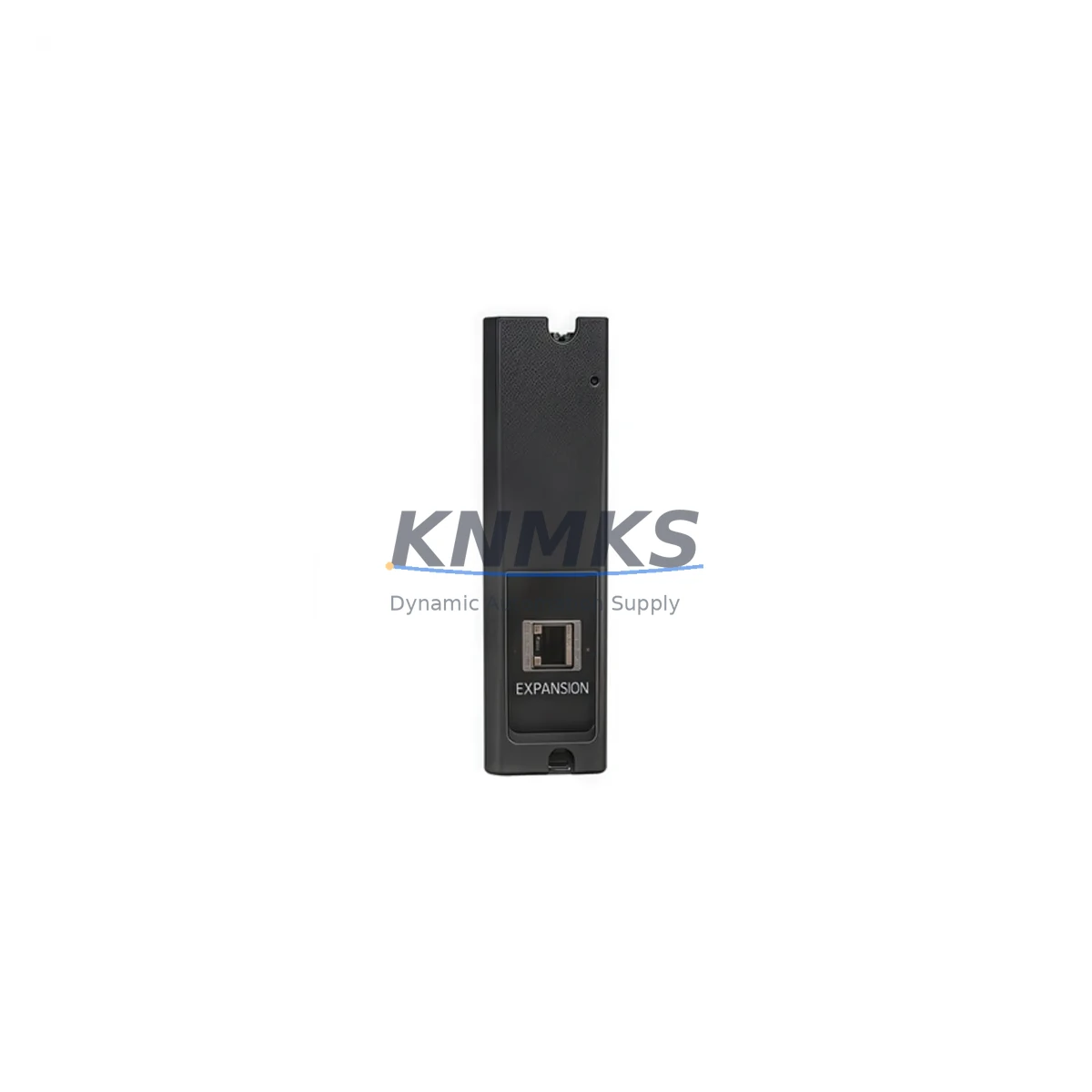
Overview
Honeywell 900C53-0021 Spare Part for HC900 Uptime
The Honeywell 900C53-0021 is a critical I/O Scanner Module within the HC900 Hybrid Controller platform, engineered to sustain continuous process control in demanding industrial environments. Designed for seamless integration into HC900 controller racks, this module manages real-time I/O data acquisition and communication between the controller and field devices. For maintenance engineers and spare parts procurement teams, having a verified, ready-to-deploy 900C53-0021 on the shelf is a cornerstone of any robust plant uptime strategy.
Whether you are responding to an unplanned shutdown, executing a scheduled annual overhaul, or building a strategic spare parts inventory for aging HC900 systems, the 900C53-0021 delivers the compatibility, reliability, and traceability that industrial maintenance demands. Each unit shipped by KNMKS undergoes pre-shipment functional verification, is backed by a support terms confirmed by quotation, and is sourced to meet OEM specifications — ensuring your replacement is drop-in ready with no firmware surprises or configuration drift.
Spare Maintenance Table
| Part Number | 900C53-0021 |
| Brand | Honeywell |
| Series | HC900 Hybrid Controller |
| Module Type | I/O Scanner Module |
| Function | Real-time I/O data scanning and communication between HC900 controller and I/O racks |
| Compatibility | HC900 Controller Rack; compatible with HC900 C30, C50, C70, C75 controller variants |
| Communication Interface | Proprietary HC900 I/O bus |
| Operating Voltage | Rack-powered via HC900 backplane (24 VDC bus) |
| Operating Temperature | 0°C to 60°C (32°F to 140°F) |
| Mounting | HC900 I/O rack slot, DIN-rail compatible chassis |
| Origin | USA (Honeywell OEM) |
| Condition | New / Refurbished-to-OEM-spec (specify at order) |
| Pre-Shipment Test | Functional verification performed before dispatch |
| Support terms | 12 Months |
| Lead Time | In-stock: ships within 2 business days |
| Application | Process control, hybrid DCS/PLC systems, refinery, chemical, power generation, HVAC automation |
Maintenance Planning for Continuous Operation
When a 900C53-0021 I/O Scanner Module fails or is flagged during a routine control cabinet inspection, the impact extends well beyond the module itself. A disciplined maintenance engineer will treat this replacement as an opportunity to audit the entire HC900 rack assembly. Begin by verifying the integrity of the HC900 backplane power supply — the 900P01-0001 or equivalent rack power module — since a degraded power rail is a common root cause of I/O scanner faults and can damage a replacement module if left unaddressed.
Next, inspect the HC900 controller module (such as the 900C52-0143 or 900C71-0143 depending on your installed variant) for firmware version compatibility with the replacement scanner. Mismatched firmware between the controller and I/O scanner can cause communication timeouts or prevent the rack from initializing correctly after swap. Confirm the installed firmware revision against Honeywell’s compatibility matrix before powering up.
Field wiring terminations at the I/O rack terminal blocks should be checked for corrosion, loose screws, and insulation degradation — particularly in high-humidity or chemically aggressive environments. Analog input modules such as the 900G32-0101 (16-channel analog input) and digital output modules like the 900B08-0101 sharing the same rack should be visually inspected and functionally tested as part of the same maintenance window. This avoids repeat shutdowns caused by adjacent module failures discovered only after the scanner is restored.
For facilities running HC900 systems integrated with Honeywell’s Experion PKS or a third-party SCADA, verify that the communication path from the HC900 controller through the Ethernet interface module (900ETH-0001 or similar) remains stable after the scanner replacement. A scanner swap can occasionally trigger a controller re-scan of the I/O map, which may cause brief signal interruptions visible at the HMI or historian. Coordinate with the control room operator before initiating the replacement to avoid false alarms or interlock trips.
Procurement engineers should note that the 900C53-0021 is a long-lifecycle component, but Honeywell’s product lifecycle policies mean that end-of-life notices can arrive with limited lead time. Maintaining a minimum of one spare unit per HC900 rack cluster — alongside critical companion modules — is a widely adopted strategy in petrochemical, power, and manufacturing facilities to eliminate single-point-of-failure exposure in the spare parts inventory.
Site Replacement Workflow
Step 1 — Isolate and document: Before removing the 900C53-0021, capture the current I/O map configuration from the HC900 Designer software. Export the project file and note the slot assignment of the scanner module within the rack. This documentation is essential if the replacement module requires re-configuration.
Step 2 — Power down the rack safely: Follow your site’s lockout/tagout (LOTO) procedure. The HC900 rack must be de-energized before removing the scanner module. Confirm that the backplane power LED is extinguished before proceeding.
Step 3 — Remove and inspect: Extract the faulty 900C53-0021 from its rack slot. Inspect the backplane connector pins for damage or contamination. Clean the slot with compressed air if debris is present.
Step 4 — Install the replacement: Seat the new 900C53-0021 firmly into the rack slot until the locking tabs engage. Verify that the module is fully seated — a partially inserted module is a common cause of post-replacement communication faults.
Step 5 — Power up and verify: Restore rack power and observe the module status LEDs. A solid green RUN LED indicates normal operation. Use HC900 Designer or the Experion PKS interface to confirm that all I/O channels are scanning correctly and that no fault codes are active.
Step 6 — Functional test: Perform a loop check on critical I/O channels before returning the system to automatic control. Document the replacement in your CMMS (Computerized Maintenance Management System) with the new module’s serial number and installation date to support future support requests and lifecycle tracking.
This workflow is applicable whether you are replacing a failed unit during an emergency shutdown or performing a proactive swap during a planned outage. The 900C53-0021’s plug-and-play compatibility with the HC900 rack architecture minimizes configuration time and supports rapid return-to-service — a key advantage when production downtime costs are high.
Spare Parts Support FAQ
Q1: Is the 900C53-0021 compatible with all HC900 controller variants?
The 900C53-0021 I/O Scanner Module is designed for use within the HC900 Hybrid Controller rack system and is compatible with HC900 C30, C50, C70, and C75 controller variants. Always verify the firmware version of your installed controller against Honeywell’s compatibility documentation before installation to ensure seamless communication between the scanner and controller modules.
Q2: How does KNMKS verify the 900C53-0021 before shipment?
Every 900C53-0021 unit undergoes a pre-shipment functional test to confirm module initialization, communication bus integrity, and LED status behavior. Units are inspected for physical damage, connector pin condition, and firmware integrity. A test report is available upon request. All units are covered by a support terms confirmed by quotation from the date of shipment.
Q3: What is the recommended spare parts strategy for HC900 systems?
For facilities with multiple HC900 racks, we recommend maintaining at least one 900C53-0021 scanner module per rack cluster as a critical spare. Complement this with spares for the rack power supply module, the controller module, and high-density I/O modules relevant to your process. This tiered inventory approach minimizes mean time to repair (MTTR) and protects against supply chain disruptions for legacy Honeywell components.
Q4: Can KNMKS support long-term supply of the 900C53-0021 for multi-year maintenance contracts?
Yes. KNMKS maintains stock of HC900 series modules including the 900C53-0021 and can support blanket purchase orders and long-term supply agreements for facilities with ongoing maintenance requirements. Contact our team to discuss volume pricing, reserved stock arrangements, and scheduled delivery programs tailored to your annual maintenance calendar.
© 2026 KNMKS. All rights reserved.
Original Source: https://knmks.com
Contact: admin@knmks.com | +86 18359268345
Product Identification
- Brand / Ecosystem
-
Honeywell
Honeywell - Model / Series
- 900C53-0021
- Product Family
- PLCs & Controllers
- Availability Status
- Available on request after model and quantity confirmation
- Inquiry Type
- B2B RFQ, replacement inquiry and project spare-part request
- Pre-Quote Check
- Exact SKU, brand, series, quantity, nameplate photos and destination country are checked before quotation
System Path
Where this product fits in the KNMKS automation structure.
Specification & Inquiry Focus
- Control platform
- PLC, PAC and modular controllers
- Common needs
- CPU, rack, power and I/O expansion
- Project support
- Replacement, cabinet build and maintenance
Buyer Confirmation
Information KNMKS checks before replying.
- Exact model
- 900C53-0021
- Brand / ecosystem
- Honeywell
- Product family
- PLCs & Controllers
- Application note
- Replacement, maintenance, project build or spare-part list
- Useful photos
- Nameplate, installed unit, cabinet layout or connector side
- Delivery details
- Quantity, destination country and target schedule
Document Support
Files and notes can be confirmed during quotation.
- Product photos or nameplate confirmation when available
- Packing and delivery notes before quotation confirmation
- Support scope and delivery terms confirmed per inquiry
- Export document coordination for qualified B2B requests
Inquiry Support
- Model cross-checking before quotation
- CPU, power, rack and expansion module matching
- Support for replacement and project inquiry
What to Send Us
- Brand and exact model number: Honeywell 900C53-0021
- Quantity and required delivery time
- Application, replacement requirement or nameplate photo
- Destination country and shipping preference
RFQ Preparation
This is a product inquiry page built for RFQ communication.
Fast Model Check
Send this model to KNMKS for confirmation.
Include quantity, destination country and photos if this is a maintenance replacement. The inquiry will be saved with a reference number after submission.
Brand & Compatibility Note
KNMKS displays automation product information for well-known industrial brand ecosystems and compatible replacement references. Brand names are used for product identification and compatibility reference only; final availability and commercial terms are confirmed per quotation.
 Manufacturing
 Machine Tools
 Packaging
 Energy & Power



 HMI & Displays
 Servo Systems
 Variable Frequency Drives
 Sensors