
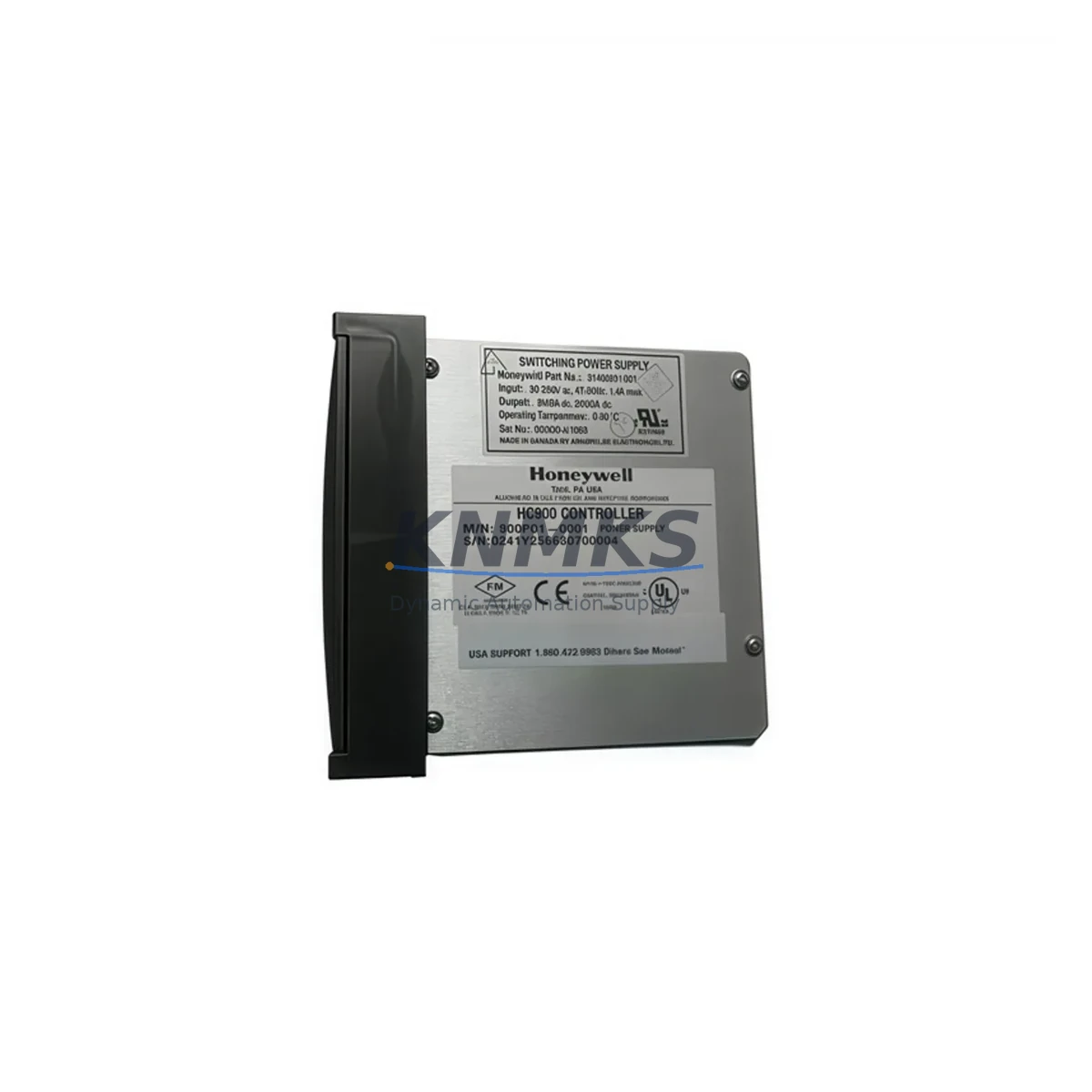
Overview
Honeywell 900C53-0001 Migration-Ready Scanner CPU: Legacy System Retrofit & Compatibility Upgrade
The Honeywell 900C53-0001 is a Scanner CPU module designed for the HC900 Hybrid Controller platform — one of the most widely deployed distributed control systems in continuous process industries including refining, chemical, power generation, and HVAC. As the HC900 platform ages and original Honeywell 900C53-0001 units reach end-of-service life, plant engineers and automation integrators face the critical challenge of sourcing verified replacement modules that maintain full backward compatibility with existing rack infrastructure, I/O wiring, and process logic without requiring a full system overhaul.
KNMKS maintains ready stock of the 900C53-0001 Scanner CPU, fully tested and verified prior to shipment. Each unit undergoes functional validation covering communication link integrity, backplane interface handshake, and firmware version confirmation before dispatch. Our support terms confirmed by quotation cover all hardware defects identified under normal operating conditions, giving procurement and maintenance teams the confidence to plan long-cycle replacements without emergency sourcing risk.
Migration Compatibility Table
| Parameter | Details |
|---|---|
| SKU / Part Number | 900C53-0001 |
| Platform | Honeywell HC900 Hybrid Controller Series |
| Module Function | Scanner CPU — manages I/O scanning, peer communication, and process data exchange |
| Backplane Interface | HC900 standard rack backplane; compatible with 4-slot, 8-slot, and 12-slot rack configurations |
| Communication Protocol | Ethernet (Modbus TCP / HC900 peer-to-peer); compatible with existing 900C52-0001 and 900C30-0001 controller topologies |
| Power Requirement | Supplied via rack backplane; verify HC900 Power Supply module (e.g. 900P01-0001) capacity before hot-swap replacement |
| Firmware Compatibility | Supports HC900 Designer firmware Rev 4.x and above; confirm revision match with existing controller CPU before installation |
| Installation Space | Single-slot module; direct drop-in to existing rack slot — no mechanical modification required |
| Terminal / Wiring Impact | No field wiring changes required; all I/O terminations remain on existing I/O modules |
| Replacement Recommendation | Direct replacement for failed or end-of-life 900C53-0001 units; verify module address assignment in HC900 Designer configuration file |
| Commissioning Focus | Module address confirmation, peer link re-establishment, I/O scan rate verification, HMI tag re-mapping if required |
| Support terms | 12 months from shipment date — covers hardware defects under normal operating conditions |
Retrofit Planning for Existing Automation Systems
Replacing the 900C53-0001 Scanner CPU within an operating HC900 system requires a structured pre-replacement audit to avoid unplanned downtime and configuration loss. Before the replacement module is installed, engineers should retrieve and archive the current HC900 Designer project file from the 900C52-0001 Controller CPU, confirming that the configuration backup reflects the live running state of the system. This step is non-negotiable: the Scanner CPU holds no independent program logic, but its module address, I/O scan assignments, and peer communication parameters are all defined within the controller configuration and must be correctly re-applied after the swap.
Power budget verification is the next critical checkpoint. The HC900 rack power supply — typically a 900P01-0001 or equivalent — must have sufficient headroom to support the replacement Scanner CPU alongside all installed I/O modules. In aging systems where additional I/O expansion modules such as the 900G32-0101 (Analog Input) or 900B08-0001 (Digital I/O) have been added over time, the original power budget calculation may no longer be accurate. A current draw audit across all populated rack slots should be completed before the replacement is scheduled.
For systems where the HC900 communicates upstream to a Supervisory Control and Data Acquisition layer or a Honeywell Experion PKS historian via Modbus TCP, the Ethernet communication link must be re-validated after the Scanner CPU replacement. IP address assignment, subnet configuration, and Modbus register mapping should be documented prior to the swap and verified against the SCADA or HMI tag database — particularly where Wonderware InTouch or HC900-native operator stations are in use. Any mismatch between the restored module configuration and the HMI tag structure can result in stale or missing process values on operator displays, which must be resolved before returning the loop to automatic control.
In multi-rack HC900 architectures where peer-to-peer communication links connect multiple Scanner CPUs across a process unit, the replacement module must be assigned the correct peer address and communication parameters to re-establish data exchange with adjacent racks. This is particularly relevant in large continuous process applications where the HC900 system spans multiple control cabinets, each housing its own rack assembly with dedicated Scanner CPU and I/O complement. The 900C53-0001 replacement should be staged and pre-configured offline using HC900 Designer before installation to minimize the live configuration window.
Where the retrofit scope extends beyond a single Scanner CPU replacement — for example, when a plant is simultaneously upgrading from an older HC900 firmware revision or migrating from legacy serial communication to Ethernet-based I/O — additional components such as the 900RCM-0001 Remote Communications Module or updated 900C30-0001 Controller CPU may be required to complete the migration path. KNMKS can advise on full bill-of-materials requirements for multi-component HC900 retrofit projects based on the existing system configuration.
Downtime Control During System Migration
Minimizing process interruption during a Scanner CPU replacement in an HC900 system depends on preparation quality more than execution speed. The single most effective downtime-reduction measure is completing a full offline configuration validation before the maintenance window opens. Using HC900 Designer, the replacement module should be inserted into the project configuration file, assigned the correct rack and slot address, and the updated configuration downloaded to a test bench unit if available — or at minimum, verified against the module’s factory default state before rack installation.
During the replacement window, the sequence should follow a defined procedure: archive the live configuration, power down the affected rack (or isolate the slot if hot-swap conditions are confirmed), remove the failed 900C53-0001, install the replacement unit, restore power, and initiate a controlled download of the verified configuration from the 900C52-0001 Controller CPU. The Scanner CPU will re-initialize its I/O scan assignments and peer communication links automatically upon receiving the configuration download, provided the module address and firmware revision are compatible.
Field I/O signals connected to modules in the affected rack — including analog inputs from transmitters, discrete outputs to solenoid valves, and thermocouple inputs from process measurement points — will be interrupted during the rack power cycle. Control loops dependent on these signals should be placed in manual mode at the DCS or SCADA level before the replacement begins, and process operators should be briefed on the expected duration of the interruption. For critical continuous processes, a pre-agreed fallback control strategy should be in place for the duration of the maintenance window.
Post-replacement commissioning should include a systematic I/O scan verification — confirming that each I/O module in the rack is recognized by the new Scanner CPU, that analog signal values are within expected engineering unit ranges, and that discrete I/O states match field device status. Peer communication links to adjacent Scanner CPUs should be confirmed active, and HMI displays should be checked for correct tag updates before loops are returned to automatic control. Total replacement time for a prepared team with a pre-configured module is typically 30 to 90 minutes, depending on rack accessibility and the number of peer links requiring re-validation.
Retrofit Support FAQ
Q1: Is the 900C53-0001 a direct drop-in replacement for an existing failed Scanner CPU in my HC900 rack?
Yes. The 900C53-0001 is a direct mechanical and electrical replacement for existing Scanner CPU modules in the HC900 platform. No field wiring changes are required. The module address and I/O scan configuration are restored via a configuration download from the Controller CPU using HC900 Designer. Confirm that the firmware revision of the replacement module is compatible with your existing controller firmware before installation.
Q2: What commissioning steps are required after installing the replacement 900C53-0001?
After physical installation, initiate a configuration download from the HC900 Controller CPU (900C52-0001 or equivalent) to the new Scanner CPU. Verify module address assignment, confirm I/O scan recognition for all modules in the rack, re-establish peer communication links if applicable, and validate HMI tag updates at the operator station. For Modbus TCP-connected SCADA systems, confirm register mapping integrity before returning loops to automatic control.
Q3: Does KNMKS test the 900C53-0001 before shipment, and what does the support terms cover?
Yes. Every 900C53-0001 unit shipped by KNMKS undergoes functional testing covering backplane communication, Ethernet link integrity, and firmware version verification. The support terms confirmed by quotation cover all hardware defects identified under normal operating conditions from the date of shipment. Units showing physical damage resulting from incorrect installation or overvoltage conditions are not covered under the standard support terms terms.
Q4: Can KNMKS supply multiple 900C53-0001 units for a planned fleet replacement or spare parts program?
Yes. KNMKS maintains inventory of the 900C53-0001 and can fulfill both single-unit emergency replacement orders and multi-unit planned procurement for spare parts programs. Lead times and quantity availability can be confirmed by contacting our sales team directly. Volume orders for plant-wide HC900 fleet maintenance programs are accommodated with priority allocation from available stock.
© 2026 KNMKS. All rights reserved.
Original Source: https://knmks.com
Contact: admin@knmks.com | +86 18359268345
Product Identification
- Brand / Ecosystem
-
Honeywell
Honeywell - Model / Series
- 900C53-0001
- Product Family
- PLCs & Controllers
- Availability Status
- Available on request after model and quantity confirmation
- Inquiry Type
- B2B RFQ, replacement inquiry and project spare-part request
- Pre-Quote Check
- Exact SKU, brand, series, quantity, nameplate photos and destination country are checked before quotation
System Path
Where this product fits in the KNMKS automation structure.
Specification & Inquiry Focus
- Control platform
- PLC, PAC and modular controllers
- Common needs
- CPU, rack, power and I/O expansion
- Project support
- Replacement, cabinet build and maintenance
Buyer Confirmation
Information KNMKS checks before replying.
- Exact model
- 900C53-0001
- Brand / ecosystem
- Honeywell
- Product family
- PLCs & Controllers
- Application note
- Replacement, maintenance, project build or spare-part list
- Useful photos
- Nameplate, installed unit, cabinet layout or connector side
- Delivery details
- Quantity, destination country and target schedule
Document Support
Files and notes can be confirmed during quotation.
- Product photos or nameplate confirmation when available
- Packing and delivery notes before quotation confirmation
- Support scope and delivery terms confirmed per inquiry
- Export document coordination for qualified B2B requests
Inquiry Support
- Model cross-checking before quotation
- CPU, power, rack and expansion module matching
- Support for replacement and project inquiry
What to Send Us
- Brand and exact model number: Honeywell 900C53-0001
- Quantity and required delivery time
- Application, replacement requirement or nameplate photo
- Destination country and shipping preference
RFQ Preparation
This is a product inquiry page built for RFQ communication.
Fast Model Check
Send this model to KNMKS for confirmation.
Include quantity, destination country and photos if this is a maintenance replacement. The inquiry will be saved with a reference number after submission.
Brand & Compatibility Note
KNMKS displays automation product information for well-known industrial brand ecosystems and compatible replacement references. Brand names are used for product identification and compatibility reference only; final availability and commercial terms are confirmed per quotation.
 Manufacturing
 Machine Tools
 Packaging
 Energy & Power



 HMI & Displays
 Servo Systems
 Variable Frequency Drives
 Sensors