
Overview
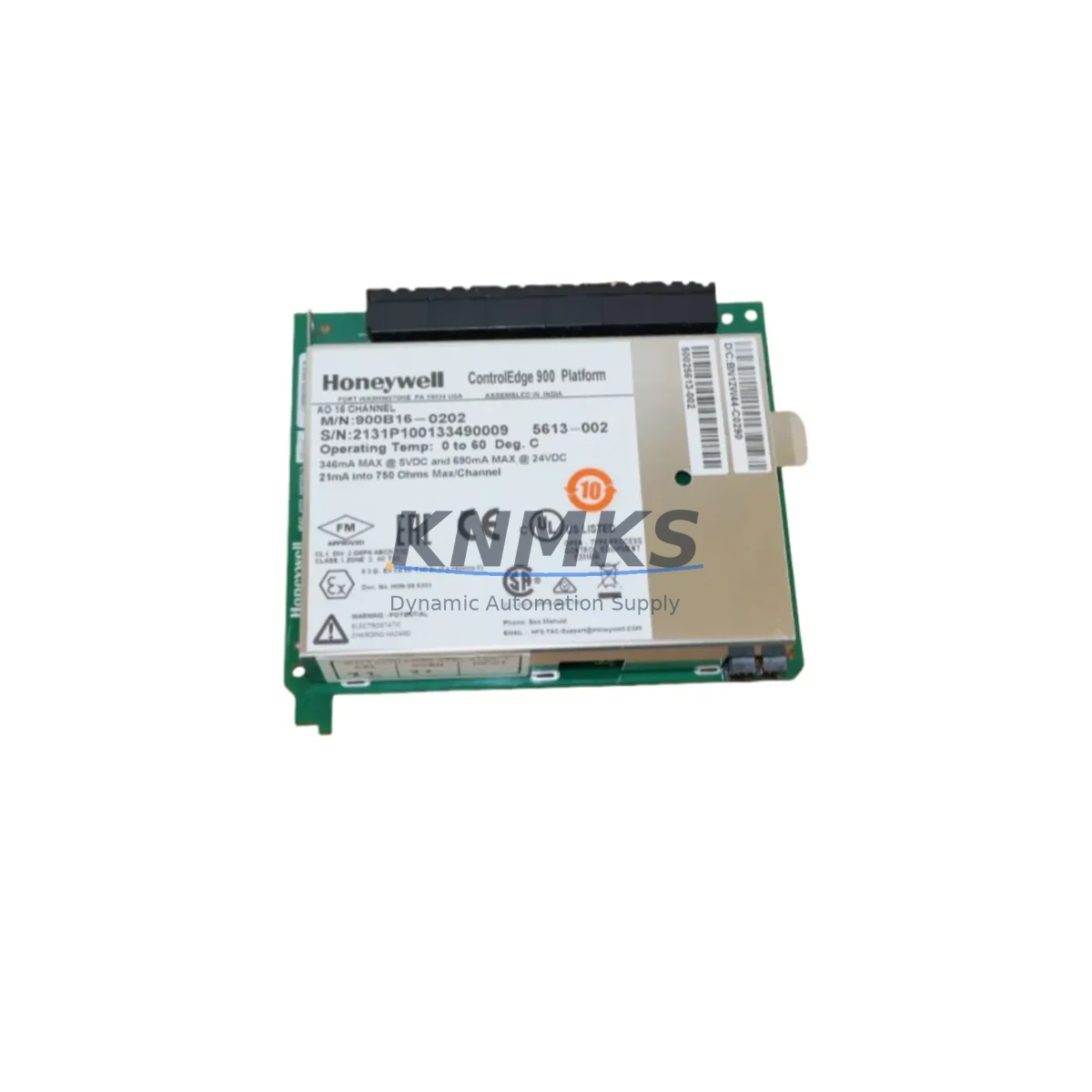
Honeywell 900B16-0202 Maintenance-Proven Spare Part for Factory Uptime
The Honeywell 900B16-0202 is a 16-channel 24 VDC Digital Input Module designed for the HC900 Hybrid Controller platform. In continuous-process and batch-manufacturing environments — refining, petrochemical, power generation, and specialty chemicals — this module serves as the primary field-signal interface between field devices and the HC900 controller rack. When a digital input channel fails or a module reaches end-of-service life, every minute of unplanned downtime translates directly into lost production and elevated safety risk. Stocking a verified original 900B16-0202 spare eliminates that exposure and keeps your maintenance team in control of the recovery timeline.
Maintenance engineers and reliability teams rely on the 900B16-0202 to monitor discrete field signals: motor run-status contacts, valve limit switches, pressure-switch outputs, and interlock relay feedback. Because the module sits at the boundary between field wiring and the HC900 process controller, its health directly affects loop integrity, alarm response, and safety interlock performance. A proactive spare-parts strategy — holding at least one verified module per critical rack — is the single most effective way to contain mean-time-to-repair (MTTR) for digital input faults.
Spare Maintenance Table
| SKU / Part Number | 900B16-0202 |
| Brand | Honeywell |
| Series | HC900 Hybrid Controller |
| Module Type | 16-Channel Digital Input Module |
| Input Voltage | 24 VDC (nominal) |
| Channel Count | 16 isolated digital input channels |
| Input Logic | Sink / Source compatible (field-selectable) |
| Backplane Interface | HC900 rack backplane, hot-swap capable |
| Compatibility | HC900 C30, C50, C70, C75 controller racks |
| Operating Temperature | 0 °C to 60 °C |
| Relative Humidity | 5% to 95% non-condensing |
| Isolation | Channel-to-backplane optical isolation |
| Mounting | HC900 I/O rack slot (any I/O slot) |
| Certifications | CE, UL (per HC900 system certification) |
| Product Condition | Original OEM, pre-shipment tested |
| Support terms | 12 months from shipment date |
| Lead Time | availability confirmed by RFQ — same-day or next-business-day dispatch |
| Global Shipping | DHL / FedEx / UPS express available |
Maintenance Planning for Continuous Operation
Replacing a 900B16-0202 in the field is rarely an isolated event. A digital input module fault often signals broader stress on the I/O subsystem, the field wiring harness, or the 24 VDC power distribution network feeding the rack. Before returning the system to service, a disciplined maintenance engineer will verify the health of every component that interacts with the failed module.
Start with the HC900 rack backplane itself. Backplane connector pins can develop micro-arcing damage when a module is repeatedly hot-swapped under load; inspect the slot contacts and confirm seating torque on adjacent modules. Next, check the HC900 Power Supply Module (such as the 900P01-0001 or 900P02-0001) — a degraded power supply that delivers marginal 24 VDC rail voltage is a common root cause of intermittent digital input faults that are misdiagnosed as module failures. Measure output voltage under full rack load before installing the replacement 900B16-0202.
Field wiring integrity is equally critical. Inspect the terminal blocks and field wiring marshalling panels connected to the 16 input channels. Loose terminations, corroded screw terminals, or undersized conductors introduce contact resistance that can cause false-open or false-close readings on individual channels. If the plant uses signal isolators or signal conditioners between field devices and the HC900 input channels, verify that each isolator’s output voltage is within the module’s specified input threshold range.
For plants running interlock or safety-related logic through the HC900, also inspect the interlock relay modules and relay output cards (such as the 900B08-0102 Relay Output Module) that receive commands based on the digital input states read by the 900B16-0202. A failed input module can mask relay coil faults that only become apparent once the input is restored. Similarly, review the HC900 Communication Module (900CS-0001 or equivalent) to confirm that the controller’s Modbus or Ethernet supervisory link is intact — a communication fault during a module swap can cause the DCS historian to log false process events.
Finally, if the plant uses a Honeywell HMI or operator station connected to the HC900, verify that all 16 input channel tags are correctly mapped and displaying live values after the replacement module is commissioned. Confirm that alarm setpoints and interlock logic have not been inadvertently cleared during the controller restart sequence.
Site Replacement Workflow
Step 1 — Isolate and document. Before removing the faulted 900B16-0202, capture a screenshot or printout of the HC900 configuration tool showing the current channel assignments, tag names, and I/O mapping for all 16 channels. This record is your rollback reference if the replacement module requires re-commissioning.
Step 2 — De-energize field circuits. Open the 24 VDC field power isolator feeding the module’s input commons. Verify zero voltage at the terminal block with a calibrated multimeter before disconnecting field wiring. Label each wire with its channel number before removal to prevent mis-termination during reinstallation.
Step 3 — Remove and inspect. Slide the faulted module out of the rack slot. Inspect the backplane connector for bent pins, carbon deposits, or moisture ingress. Clean the slot with dry compressed air if contamination is present.
Step 4 — Install the 900B16-0202 spare. Insert the replacement module firmly until the backplane connector is fully seated. The HC900 rack will automatically recognize the new module and load the stored I/O configuration from the controller database — no manual re-programming is required for a like-for-like replacement.
Step 5 — Restore field power and verify. Re-energize the 24 VDC field circuit. In the HC900 configuration tool or operator station, confirm that all 16 channels are reading correctly against known field device states. Cycle each connected field device (valve, motor starter, pressure switch) through its operating range and verify that the corresponding HC900 channel changes state as expected.
Step 6 — Update maintenance records. Log the replacement date, the removed module’s serial number, and the fault symptom in your CMMS. Schedule a follow-up inspection of the 24 VDC power supply and backplane within 30 days to confirm that the root cause has been addressed.
Spare Parts Support FAQ
Q1: Is the 900B16-0202 compatible with all HC900 rack sizes?
Yes. The 900B16-0202 is compatible with all HC900 I/O rack configurations — C30, C50, C70, and C75 — and can be installed in any available I/O slot. No firmware or hardware modification is required for a like-for-like replacement within the same HC900 system generation.
Q2: How is the module tested before shipment?
Each 900B16-0202 unit undergoes pre-shipment functional testing that verifies channel continuity, optical isolation integrity, and backplane communication handshake. A test report is available upon request. Units that do not pass all test criteria are not shipped.
Q3: What does the support terms confirmed by quotation cover?
The support terms confirmed by quotation cover manufacturing defects and functional failures under normal operating conditions from the date of shipment. It does not cover damage caused by incorrect installation, overvoltage events, or environmental conditions outside the module’s rated operating range. Support requests are processed with priority dispatch of a replacement unit.
Q4: Can you support long-term or blanket purchase orders for the 900B16-0202?
Yes. For customers with annual maintenance schedules or multi-site HC900 installations, we support long-term supply agreements and forward-stock arrangements. Contact our sales team to discuss volume pricing, reserved inventory allocation, and scheduled delivery programs that align with your planned outage calendar.
© 2026 KNMKS. All rights reserved.
Original Source: https://knmks.com
Contact: admin@knmks.com | +86 18359268345
Product Identification
- Brand / Ecosystem
-
Honeywell
Honeywell - Model / Series
- 900B16-0202
- Product Family
- PLCs & Controllers
- Availability Status
- Available on request after model and quantity confirmation
- Inquiry Type
- B2B RFQ, replacement inquiry and project spare-part request
- Pre-Quote Check
- Exact SKU, brand, series, quantity, nameplate photos and destination country are checked before quotation
System Path
Where this product fits in the KNMKS automation structure.
Specification & Inquiry Focus
- Control platform
- PLC, PAC and modular controllers
- Common needs
- CPU, rack, power and I/O expansion
- Project support
- Replacement, cabinet build and maintenance
Buyer Confirmation
Information KNMKS checks before replying.
- Exact model
- 900B16-0202
- Brand / ecosystem
- Honeywell
- Product family
- PLCs & Controllers
- Application note
- Replacement, maintenance, project build or spare-part list
- Useful photos
- Nameplate, installed unit, cabinet layout or connector side
- Delivery details
- Quantity, destination country and target schedule
Document Support
Files and notes can be confirmed during quotation.
- Product photos or nameplate confirmation when available
- Packing and delivery notes before quotation confirmation
- Support scope and delivery terms confirmed per inquiry
- Export document coordination for qualified B2B requests
Inquiry Support
- Model cross-checking before quotation
- CPU, power, rack and expansion module matching
- Support for replacement and project inquiry
What to Send Us
- Brand and exact model number: Honeywell 900B16-0202
- Quantity and required delivery time
- Application, replacement requirement or nameplate photo
- Destination country and shipping preference
RFQ Preparation
This is a product inquiry page built for RFQ communication.
Fast Model Check
Send this model to KNMKS for confirmation.
Include quantity, destination country and photos if this is a maintenance replacement. The inquiry will be saved with a reference number after submission.
Brand & Compatibility Note
KNMKS displays automation product information for well-known industrial brand ecosystems and compatible replacement references. Brand names are used for product identification and compatibility reference only; final availability and commercial terms are confirmed per quotation.
 Manufacturing
 Machine Tools
 Packaging
 Energy & Power



 HMI & Displays
 Servo Systems
 Variable Frequency Drives
 Sensors