
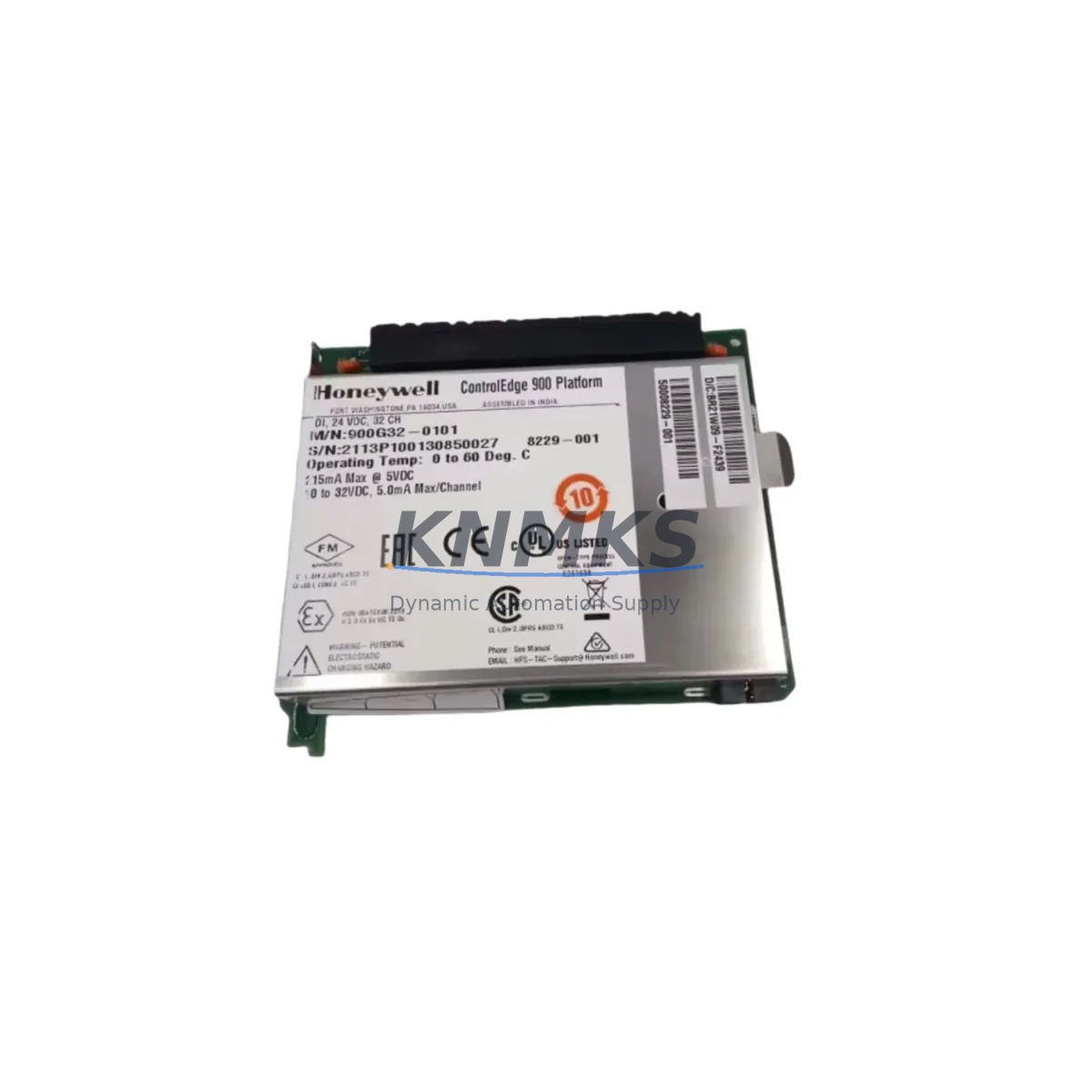
Overview
Honeywell 900A01-0202 Migration-Ready Analog Input for Legacy HC900 Control Systems
The Honeywell 900A01-0202 is an 8-channel analog input module engineered for the HC900 Hybrid Controller platform. As legacy process control systems approach end-of-life, this module serves as the primary migration path for facilities operating older HC900 configurations, discontinued Honeywell UDC controllers, or aging DCS nodes that require a reliable, drop-in analog signal acquisition solution. Whether your plant is executing a full control cabinet upgrade or a targeted I/O replacement to extend system life, the 900A01-0202 delivers the signal fidelity, wiring compatibility, and firmware alignment needed to minimize retrofit risk and protect existing program logic.
Industrial facilities running legacy HC900 racks frequently encounter the challenge of sourcing replacement analog input modules when original units fail or when expanding I/O capacity during a line modernization project. The 900A01-0202 accepts standard 4–20 mA, 0–10 V, thermocouple, and RTD signal types across its eight channels, preserving the original field wiring termination scheme and eliminating the need for signal conditioner rewiring or terminal block reconfiguration. This direct wiring compatibility is critical during planned shutdowns where downtime windows are measured in hours, not days.
Before installing the 900A01-0202 into an existing HC900 rack, engineers should verify the backplane slot assignment and confirm that the module address configured in the HC Designer programming environment matches the physical slot position. Mismatched module addressing is one of the most common causes of post-replacement communication faults. The HC900 controller firmware version should also be reviewed — modules installed in racks running firmware below revision 4.x may require a firmware update to the 900C71-0243-00 controller module before the analog input channels are recognized correctly by the control strategy.
For facilities migrating from older Honeywell HC900 analog input variants such as the 900A01-0101 or 900A01-0001, the 900A01-0202 provides an expanded channel resolution and improved noise rejection that supports tighter process control tolerances in temperature, pressure, and flow measurement loops. During the migration, it is advisable to export the existing HC Designer configuration file and perform a channel-by-channel mapping review to confirm that engineering unit scaling, alarm setpoints, and PID loop references remain intact after the module swap.
In control cabinet upgrade projects where the HC900 rack is being relocated or a new 900RCK08-0001 or 900RCK16-0001 rack chassis is being introduced, the 900A01-0202 can be pre-configured and bench-tested prior to installation. Pre-shipment functional testing at our facility confirms channel accuracy, signal range calibration, and backplane communication integrity before the module leaves our warehouse. This reduces on-site commissioning time and supports the goal of maintaining field control continuity throughout the cutover period.
Communication protocol migration is another area where the 900A01-0202 plays a supporting role. Facilities transitioning from legacy Modbus RTU field networks to Ethernet-based SCADA architectures often retain the HC900 as an intermediate controller while the HMI layer is upgraded. The analog input data collected by the 900A01-0202 continues to feed the HC900 controller’s internal data map, which can be accessed via the 900CS-0001 OPC server or through direct Modbus TCP polling from the new supervisory system. This allows the HMI migration — including screen redevelopment and tag remapping — to proceed in parallel without interrupting the analog measurement chain.
Installation space confirmation is essential when retrofitting the 900A01-0202 into an existing cabinet. The module occupies a single HC900 backplane slot and conforms to the standard HC900 module form factor, but engineers should verify that adjacent modules — particularly power supply modules such as the 900P01-0001 or 900P02-0001 — have adequate clearance for heat dissipation and that the cabinet’s total power budget accommodates the additional analog input load. Exceeding the rack power budget is a common oversight during incremental I/O expansion projects.
Migration Compatibility Table
| Parameter | Details |
|---|---|
| SKU / Part Number | 900A01-0202 |
| Platform Compatibility | Honeywell HC900 Hybrid Controller |
| Replaces / Upgrades From | 900A01-0101, 900A01-0001 (legacy analog input variants) |
| Channel Count | 8 Channels |
| Signal Types Supported | 4–20 mA, 0–10 V, Thermocouple (J/K/T/E/R/S/B), RTD (Pt100/Pt1000) |
| Backplane Interface | HC900 standard backplane slot (single-width) |
| Wiring Compatibility | Drop-in terminal block compatible with 900A01-0101 field wiring |
| Firmware Requirement | HC900 controller firmware ≥ Rev 4.x (900C71-0243-00 recommended) |
| Communication Protocol | HC900 internal backplane bus; Modbus TCP / OPC via controller |
| Installation Space | Single HC900 rack slot; compatible with 900RCK08 and 900RCK16 chassis |
| Power Consumption | Verify rack power budget with 900P01-0001 / 900P02-0001 supply modules |
| Pre-Shipment Testing | Channel accuracy, signal range, and backplane communication verified |
| Support terms | 12 Months from date of shipment |
| Availability | availability confirmed by RFQ — global dispatch within 1–3 business days |
Retrofit Planning for Existing Automation Systems
A successful HC900 analog input retrofit begins with a structured pre-engineering review. Start by auditing the existing rack configuration using HC Designer to export the current module layout, channel assignments, and I/O tag database. This baseline document becomes the reference for verifying that the 900A01-0202 replacement does not disrupt any downstream PID loop, alarm function block, or data historian tag that references the original analog input channels.
In multi-rack HC900 installations, the 900A01-0202 must be assigned the correct module address within the HC Designer project. The controller — typically a 900C71-0243-00 or 900C72-0243-00 redundant controller module — scans the backplane sequentially, and any address conflict between the new analog input module and an existing I/O module will generate a configuration mismatch fault that prevents the controller from entering run mode. Address verification should be completed during the offline configuration phase, before the physical module is installed in the rack.
For facilities that also operate Honeywell HC900 digital input modules (900G01-0001) or digital output modules (900B01-0001) in the same rack, the addition of the 900A01-0202 should be reviewed against the rack’s total I/O count and the controller’s scan time budget. High-density I/O configurations with multiple analog and digital modules can approach the controller’s maximum scan cycle, particularly in fast-loop applications such as compressor surge control or burner management.
When the retrofit involves a cabinet upgrade that introduces a new 900RCK08-0001 or 900RCK16-0001 rack chassis, the 900A01-0202 can be pre-mounted and wired to a terminal block assembly before the cabinet is energized. This bench-build approach allows the field wiring team to complete terminations and perform continuity checks independently of the controller programming team, compressing the overall project schedule. The 900P01-0001 power supply module should be sized and installed first to confirm that the rack bus voltage is stable before any I/O modules are powered.
HMI screen updates are often overlooked during analog input module replacements. If the facility operates a Honeywell Station or a third-party SCADA system that displays analog values sourced from the HC900 via the 900CS-0001 OPC server, the tag paths and engineering unit configurations should be validated after the 900A01-0202 is commissioned. Channel scaling mismatches between the new module’s configuration and the HMI display can result in incorrect process readings that are not immediately obvious during initial startup.
Downtime Control During System Migration
Minimizing unplanned downtime during an HC900 analog input module replacement requires a disciplined cutover sequence. The recommended approach is to perform the module swap during a scheduled maintenance window, with the process placed in manual control mode at the DCS or local panel level before the HC900 controller is taken offline. This preserves field control continuity — operators can maintain setpoints manually while the analog input module is replaced and the controller is restarted.
Before powering down the HC900 rack, upload the current controller configuration from the 900C71-0243-00 controller module to a laptop running HC Designer. This backup ensures that the program logic, function block parameters, and I/O tag assignments can be restored immediately if the controller memory is cleared during the power cycle. Store the backup file with a timestamp and rack serial number for traceability.
After installing the 900A01-0202 and restoring power to the rack, perform a channel-by-channel signal verification using a calibrated loop calibrator or signal simulator before returning the process to automatic control. Confirm that each channel’s live reading in HC Designer matches the expected engineering unit value for the connected field instrument. Pay particular attention to thermocouple and RTD channels, where cold junction compensation settings and lead resistance compensation may need to be re-entered if the module configuration was not fully preserved during the swap.
For critical process loops where even a brief interruption is unacceptable, consider a parallel installation strategy: install the 900A01-0202 in an adjacent rack slot while the original module remains in service, configure the new module’s channels in HC Designer without activating them, and perform a live cutover by switching the active channel references in the control strategy during a low-risk process period. This approach requires careful coordination between the programming engineer and the field technician but eliminates the need for a full process shutdown.
Retrofit Support FAQ
Q: Is the 900A01-0202 a direct drop-in replacement for the 900A01-0101?
A: Yes. The 900A01-0202 is backward compatible with the 900A01-0101 in terms of backplane slot interface and terminal block wiring. The field wiring does not need to be re-terminated. However, the channel configuration in HC Designer should be reviewed to confirm that signal type assignments and engineering unit scaling are correctly mapped to the new module’s channel parameters before returning to automatic control.
Q: What firmware version is required on the HC900 controller to support the 900A01-0202?
A: The HC900 controller module (900C71-0243-00 or 900C72-0243-00) should be running firmware revision 4.x or higher. If the controller is running an earlier firmware version, a firmware update is required before the 900A01-0202 will be recognized on the backplane. Contact our technical support team for firmware update guidance specific to your controller revision.
Q: Has the 900A01-0202 been tested before shipment?
A: Yes. Every 900A01-0202 unit shipped from our facility undergoes pre-shipment functional testing that includes channel accuracy verification across the full signal range, backplane communication integrity check, and visual inspection for physical damage. A test record is available upon request. All units are covered by a support terms confirmed by quotation from the date of shipment.
Q: What is the lead time and stock availability for the 900A01-0202?
A: The 900A01-0202 is maintained availability confirmed by RFQ at our warehouse for immediate dispatch. Standard lead time is 1–3 business days for global shipments. For urgent requirements or bulk orders, contact our sales team directly to confirm current inventory levels and expedited shipping options.
© 2026 KNMKS. All rights reserved.
Original Source: https://knmks.com
Contact: admin@knmks.com | +86 18359268345
Product Identification
- Brand / Ecosystem
-
Honeywell
Honeywell - Model / Series
- 900A01-0202
- Product Family
- PLCs & Controllers
- Availability Status
- Available on request after model and quantity confirmation
- Inquiry Type
- B2B RFQ, replacement inquiry and project spare-part request
- Pre-Quote Check
- Exact SKU, brand, series, quantity, nameplate photos and destination country are checked before quotation
System Path
Where this product fits in the KNMKS automation structure.
Specification & Inquiry Focus
- Control platform
- PLC, PAC and modular controllers
- Common needs
- CPU, rack, power and I/O expansion
- Project support
- Replacement, cabinet build and maintenance
Buyer Confirmation
Information KNMKS checks before replying.
- Exact model
- 900A01-0202
- Brand / ecosystem
- Honeywell
- Product family
- PLCs & Controllers
- Application note
- Replacement, maintenance, project build or spare-part list
- Useful photos
- Nameplate, installed unit, cabinet layout or connector side
- Delivery details
- Quantity, destination country and target schedule
Document Support
Files and notes can be confirmed during quotation.
- Product photos or nameplate confirmation when available
- Packing and delivery notes before quotation confirmation
- Support scope and delivery terms confirmed per inquiry
- Export document coordination for qualified B2B requests
Inquiry Support
- Model cross-checking before quotation
- CPU, power, rack and expansion module matching
- Support for replacement and project inquiry
What to Send Us
- Brand and exact model number: Honeywell 900A01-0202
- Quantity and required delivery time
- Application, replacement requirement or nameplate photo
- Destination country and shipping preference
RFQ Preparation
This is a product inquiry page built for RFQ communication.
Fast Model Check
Send this model to KNMKS for confirmation.
Include quantity, destination country and photos if this is a maintenance replacement. The inquiry will be saved with a reference number after submission.
Brand & Compatibility Note
KNMKS displays automation product information for well-known industrial brand ecosystems and compatible replacement references. Brand names are used for product identification and compatibility reference only; final availability and commercial terms are confirmed per quotation.
 Manufacturing
 Machine Tools
 Packaging
 Energy & Power



 HMI & Displays
 Servo Systems
 Variable Frequency Drives
 Sensors