
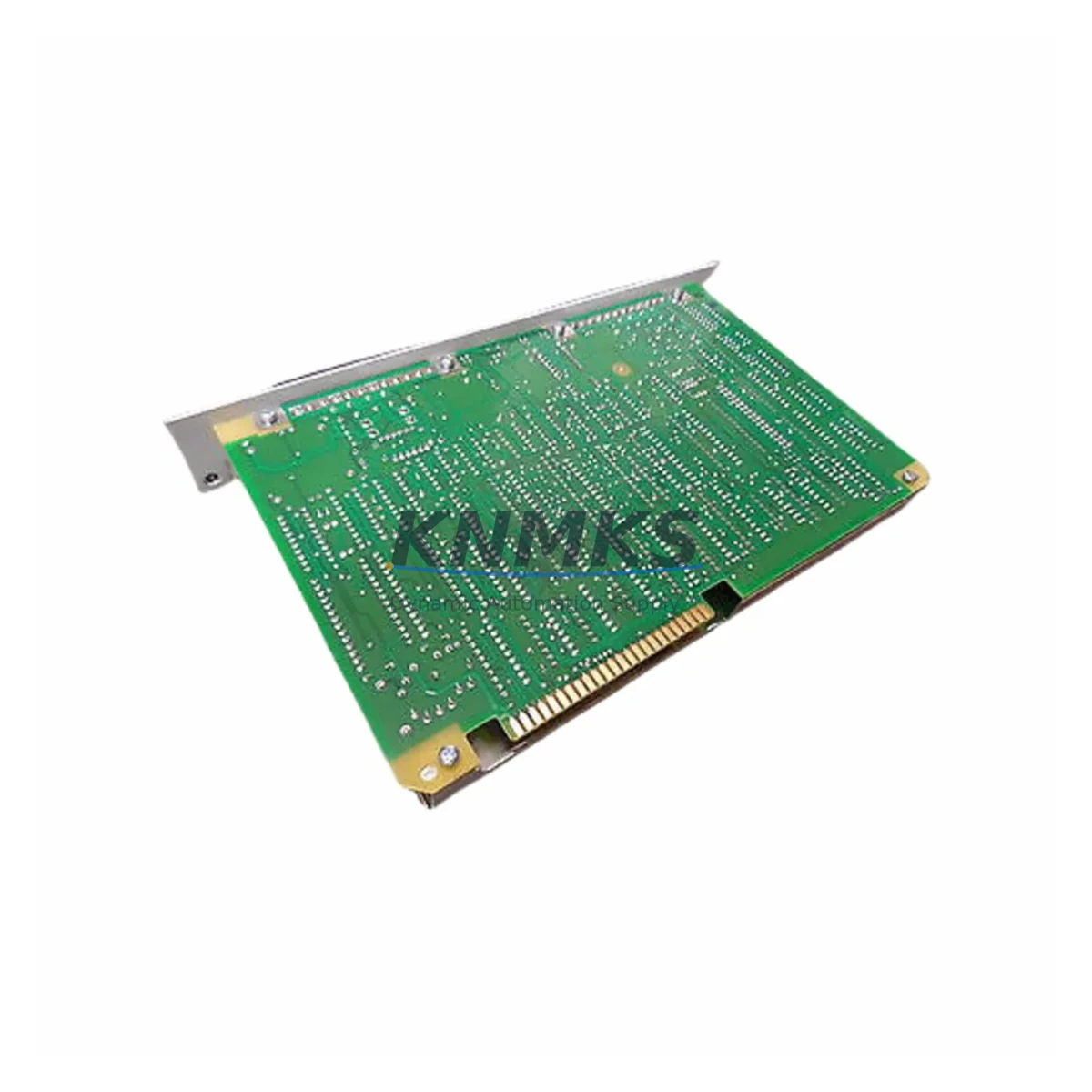
Overview
Honeywell 621-9938RC Maintenance-Proven Spare Part for Factory Uptime
The Honeywell 621-9938RC is a Serial I/O Module designed for the Honeywell 620 Series Programmable Logic Controller platform — one of the most widely deployed legacy automation architectures in continuous process industries, discrete manufacturing, and utility control systems. As original equipment reaches end-of-support status, maintaining a verified stock of the 621-9938RC is a critical element of any plant’s uptime strategy. This module supports RS-232/RS-422/RS-485 serial communication protocols and serves as the primary interface between the 620 Series CPU backplane and field devices including operator terminals, barcode readers, weigh scales, and third-party instrumentation.
Each 621-9938RC unit supplied by KNMKS is sourced from verified industrial channels, subjected to pre-shipment functional testing, and dispatched with a support terms confirmed by quotation. Multi-region stock availability ensures rapid response for both emergency replacements and scheduled annual maintenance windows.
Spare Maintenance Table
| Parameter | Specification |
|---|---|
| Part Number | 621-9938RC |
| Brand | Honeywell |
| Series | 620 Series PLC |
| Module Type | Serial I/O Module |
| Communication Protocols | RS-232 / RS-422 / RS-485 |
| Backplane Compatibility | Honeywell 620 Series Chassis / Backplane |
| Operating Voltage | 5 VDC (backplane-supplied) |
| Operating Temperature | 0°C to 60°C (32°F to 140°F) |
| Mounting | 620 Series modular rack slot |
| Origin | China (CN) |
| Condition | Original / Refurbished-to-spec (pre-tested) |
| Application Environment | Industrial control panels, process automation, discrete manufacturing |
| Support terms | 12 Months |
| Pre-Shipment Testing | Yes — functional verification prior to dispatch |
| Dispatch | Multi-region stock, global delivery details confirmed by RFQ |
Maintenance Planning for Continuous Operation
When a 621-9938RC Serial I/O Module is flagged during a control cabinet inspection or fails during a fault isolation routine, the replacement scope should extend beyond the module itself. Maintenance engineers and procurement teams should treat this event as a trigger for a broader cabinet health review.
Begin by verifying the integrity of the 620 Series power supply module (such as the 621-6550 or equivalent), since serial communication faults are frequently caused by voltage instability on the backplane rather than module failure. Inspect the backplane connector and rack chassis for oxidation, bent pins, or mechanical stress — a degraded backplane slot can cause intermittent serial errors that mimic module failure.
Check the CPU module (e.g., 621-9937 or 621-9940 series) for firmware version compatibility with the replacement 621-9938RC, particularly if the plant has undergone partial upgrades. Serial I/O modules in the 620 Series are sensitive to CPU firmware revisions that affect baud rate negotiation and protocol framing.
Inspect all field wiring terminations at the serial port — RS-485 multi-drop networks in particular are prone to impedance mismatches when terminal blocks or cable shields are degraded. Replace any suspect terminal blocks or DIN rail connectors during the same maintenance window to avoid repeat callouts.
If the 621-9938RC is used to interface with an operator interface terminal (OIT) or legacy HMI panel, verify that the HMI communication driver settings (baud rate, parity, stop bits) match the replacement module’s default configuration. Mismatched settings are a common cause of post-replacement communication loss.
For plants running signal isolators between the 620 Series serial port and field instruments, inspect the isolator’s power supply and signal integrity. Units such as DIN-rail-mounted RS-485 repeaters or galvanic isolators should be tested for loop resistance and isolation voltage before the system is returned to service.
Finally, review the fuse and circuit protection on the 24 VDC field power rail feeding any externally powered serial devices. A blown fuse on the field side can cause the 621-9938RC to report communication errors without generating a module fault LED, leading to misdiagnosis.
Site Replacement Workflow
Step 1 — Isolation: Place the 620 Series PLC in a safe state per site lockout/tagout (LOTO) procedures. Document the current serial port configuration parameters from the programming terminal or HMI before removing the 621-9938RC.
Step 2 — Module Removal: Power down the rack slot or the full chassis as required by site safety procedures. Remove the 621-9938RC by releasing the module locking tab and sliding it out of the backplane slot. Inspect the backplane connector for damage before inserting the replacement.
Step 3 — Replacement Insertion: Insert the new 621-9938RC into the same slot position. Confirm the module seating is secure and the locking tab is engaged. Restore power to the rack.
Step 4 — Configuration Verification: Using the 620 Series programming software, verify that the serial port parameters (baud rate, protocol, address) are correctly loaded from the existing program. For RS-485 multi-drop networks, confirm the module’s node address does not conflict with other devices on the bus.
Step 5 — Functional Test: Initiate a communication test from the CPU or HMI. Confirm that all connected field devices respond correctly. Log the replacement event in the plant maintenance management system (CMMS) with the module serial number and test results.
This workflow minimizes downtime, preserves system compatibility, and ensures the replacement is documented for future audit and support terms reference.
Spare Parts Support FAQ
Q1: Is the 621-9938RC still available as a new original part, or only as refurbished?
KNMKS maintains stock of both original and refurbished-to-specification units. All refurbished units undergo full functional testing and are supplied with a support terms confirmed by quotation equivalent to new stock. Availability is confirmed at the time of inquiry.
Q2: How do I verify compatibility between the 621-9938RC and my existing 620 Series CPU firmware?
Compatibility is determined by the CPU module revision and the firmware version loaded on the 620 Series rack. KNMKS technical support can assist with compatibility verification based on your CPU part number and firmware revision. Provide your CPU model and software version when placing an inquiry.
Q3: What is the lead time for emergency dispatch, and do you support long-term supply agreements?
KNMKS maintains multi-region stock to support same-day or next-business-day dispatch for emergency orders. For plants with recurring maintenance schedules, long-term supply agreements are available to guarantee stock reservation and fixed pricing over a 12–24 month horizon.
Q4: What documentation is provided with each 621-9938RC shipment?
Each unit is shipped with a pre-shipment test report, a support terms confirmed by quotation certificate, and a packing declaration. Upon request, KNMKS can provide a certificate of conformance and traceability documentation for quality management system (QMS) compliance.
© 2026 KNMKS. All rights reserved.
Original Source: https://knmks.com
Contact: admin@knmks.com | +86 18359268345
Product Identification
- Brand / Ecosystem
-
Honeywell
Honeywell - Model / Series
- 621-9938rc
- Product Family
- PLCs & Controllers
- Availability Status
- Available on request after model and quantity confirmation
- Inquiry Type
- B2B RFQ, replacement inquiry and project spare-part request
- Pre-Quote Check
- Exact SKU, brand, series, quantity, nameplate photos and destination country are checked before quotation
System Path
Where this product fits in the KNMKS automation structure.
Specification & Inquiry Focus
- Control platform
- PLC, PAC and modular controllers
- Common needs
- CPU, rack, power and I/O expansion
- Project support
- Replacement, cabinet build and maintenance
Buyer Confirmation
Information KNMKS checks before replying.
- Exact model
- 621-9938rc
- Brand / ecosystem
- Honeywell
- Product family
- PLCs & Controllers
- Application note
- Replacement, maintenance, project build or spare-part list
- Useful photos
- Nameplate, installed unit, cabinet layout or connector side
- Delivery details
- Quantity, destination country and target schedule
Document Support
Files and notes can be confirmed during quotation.
- Product photos or nameplate confirmation when available
- Packing and delivery notes before quotation confirmation
- Support scope and delivery terms confirmed per inquiry
- Export document coordination for qualified B2B requests
Inquiry Support
- Model cross-checking before quotation
- CPU, power, rack and expansion module matching
- Support for replacement and project inquiry
What to Send Us
- Brand and exact model number: Honeywell 621-9938rc
- Quantity and required delivery time
- Application, replacement requirement or nameplate photo
- Destination country and shipping preference
RFQ Preparation
This is a product inquiry page built for RFQ communication.
Fast Model Check
Send this model to KNMKS for confirmation.
Include quantity, destination country and photos if this is a maintenance replacement. The inquiry will be saved with a reference number after submission.
Brand & Compatibility Note
KNMKS displays automation product information for well-known industrial brand ecosystems and compatible replacement references. Brand names are used for product identification and compatibility reference only; final availability and commercial terms are confirmed per quotation.
 Manufacturing
 Machine Tools
 Packaging
 Energy & Power



 HMI & Displays
 Servo Systems
 Variable Frequency Drives
 Sensors