
Overview
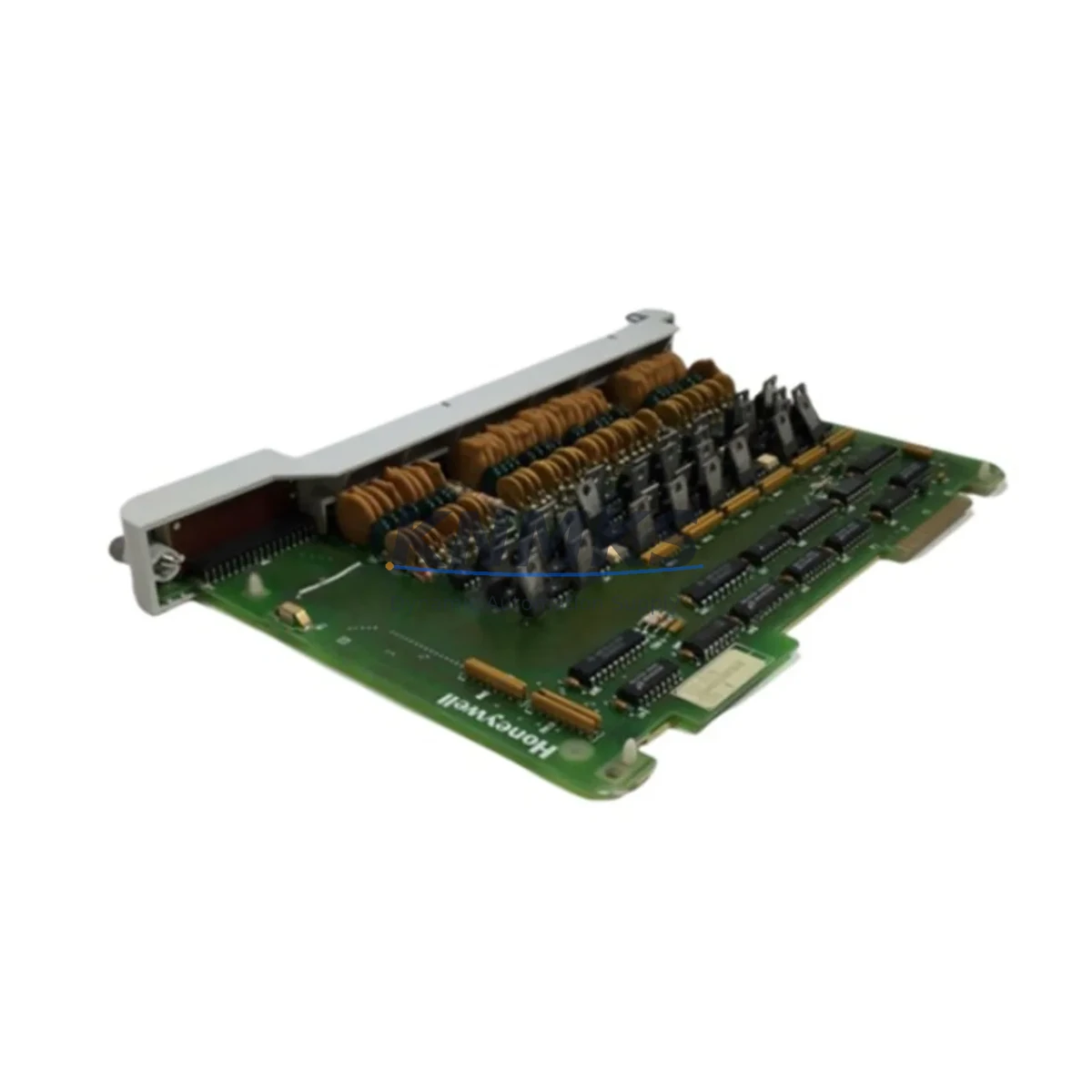
Honeywell 621-2200RC Migration-Ready Discrete Output for Legacy Control Systems
The Honeywell 621-2200RC is a discrete output module engineered for the 620 Series programmable logic controller platform — one of Honeywell’s most widely deployed legacy control architectures in process manufacturing, utilities, and heavy industry. As the 620 Series approaches end-of-life and spare parts become increasingly scarce, the 621-2200RC remains a critical component for facilities that must sustain production continuity while planning a phased migration to modern control platforms such as the Honeywell HC900 or ControlEdge series.
This module provides reliable discrete (digital) output capability within the 620 Series rack, interfacing directly with field devices including solenoid valves, motor starters, relay coils, and indicator lamps. Its form factor, backplane pinout, and addressing scheme are fully compatible with the original 620 Series chassis, making it a verified drop-in replacement for failed or end-of-life output modules without requiring changes to the existing ladder logic program or HMI screen configurations.
Migration Compatibility Table
| Parameter | Detail |
|---|---|
| Module Type | Discrete Output Module |
| Platform Compatibility | Honeywell 620 Series PLC |
| Backplane Interface | 620 Series standard backplane connector — no adapter required |
| Output Channels | 16-point discrete output (AC/DC configurable per wiring) |
| Terminal Wiring | Compatible with existing field wiring; verify terminal block torque spec before reconnection |
| Module Addressing | Slot-based addressing — retains original program address map |
| Program Compatibility | No ladder logic modification required for direct replacement |
| HMI Screen Impact | None — tag addresses unchanged; verify HMI comms link after power-up |
| Communication Protocol | Proprietary 620 Series backplane bus; not Modbus/Profibus native |
| Replacement Recommendation | Direct drop-in for failed 621-2200RC; verify firmware revision if mixing module generations |
| Installation Space | Single slot, standard 620 Series rack (4-slot, 8-slot, or 16-slot chassis) |
| Commissioning Note | Force outputs OFF before insertion; confirm field device status before enabling outputs |
| Support terms | support terms confirmed by quotation — covers manufacturing defects and functional failure under normal operating conditions |
Retrofit Planning for Existing Automation Systems
A successful retrofit of the 621-2200RC into an aging 620 Series control cabinet begins well before the module arrives on site. Engineers should first audit the existing 620 Series rack and chassis to confirm available slot positions and backplane integrity. In many installations, the rack shares space with the 621-0020 Power Supply Module, which must be assessed for remaining capacity — adding or replacing output modules without verifying power budget is a common cause of nuisance trips and module brownouts.
Field wiring connected to the 621-2200RC typically terminates on a dedicated terminal strip or marshalling panel. Before removal of the failed module, technicians should photograph or document all terminal assignments, cross-referencing against the original I/O schedule. Where wiring labels have degraded, a continuity check against the loop drawings is essential. If the control cabinet also houses a 621-1100 Discrete Input Module or 621-3100 Analog Input Module, these should be inspected simultaneously — a failing output module is often a symptom of broader power quality or environmental issues affecting adjacent modules.
For facilities running a hybrid architecture — where the 620 Series PLC communicates upstream to a DCS or SCADA via a 620 Series Communication Interface Module — the migration plan must account for the communication link. Replacing the output module does not disrupt the serial or network communication path, but the SCADA historian should be monitored for tag dropouts during the hot-swap window. If the site is simultaneously upgrading the communication layer to Modbus TCP or EtherNet/IP as part of a broader modernization, a protocol gateway or a replacement controller such as the Honeywell HC900 Hybrid Controller may be introduced in parallel, allowing the 621-2200RC to continue serving the legacy field devices while the new control layer is validated.
Where I/O expansion is required as part of the retrofit — for example, adding new motor control points or integrating a variable frequency drive — the 620 Series rack may be extended using additional I/O modules in vacant slots. If the rack is fully populated, a secondary rack with its own power supply and backplane extension cable may be required. In either case, the module address map must be updated in the PLC program, and all new I/O points must be tested against the HMI tag database before the system is returned to automatic control.
Signal isolation is another consideration in older installations. Where field devices operate at voltages or current levels that differ from the module’s rated output, signal isolators or interposing relays may already be present in the wiring path. These should be tested and replaced if their contact life is in question, as a failed interposing relay will present as a module fault during commissioning.
Downtime Control During System Migration
Minimizing unplanned downtime during a 621-2200RC replacement requires a structured pre-outage preparation protocol. The replacement module should be bench-tested and confirmed functional before the maintenance window begins. Where possible, the outage should be scheduled during a planned production break, with all affected field devices placed in a safe state — motors de-energized, valves in fail-safe position, and interlocks confirmed active.
The existing PLC program should be uploaded and archived to a programming terminal before any hardware is disturbed. This protects the original logic in the event that a power interruption or module fault causes a program loss in the CPU — a risk that is elevated in older 620 Series processors with battery-backed RAM. The archived program also serves as the baseline for post-replacement verification, allowing the commissioning engineer to confirm that all output coil assignments, timer presets, and counter values are intact after the module swap.
During the physical swap, the rack should remain powered where the system design permits hot-swap operation. If the 620 Series chassis does not support live insertion for the output module type, a controlled shutdown sequence should be followed: disable outputs, save CPU state, remove power, swap module, restore power, verify CPU restart, and re-enable outputs in a controlled sequence. The entire process, when pre-planned, can typically be completed within a 30–60 minute maintenance window, preserving production continuity on adjacent lines and minimizing the impact on overall equipment effectiveness.
Post-replacement, all 16 output channels should be individually exercised from the programming terminal or HMI in manual mode before returning the system to automatic control. Any channel that fails to respond should be investigated at the field terminal level before assuming module fault — loose terminal screws and corroded contacts account for a significant proportion of apparent module failures in legacy installations.
Retrofit Support FAQ
Q1: Is the 621-2200RC a direct replacement for all 620 Series discrete output modules?
The 621-2200RC is the standard 16-point discrete output module for the 620 Series platform. It is a direct replacement for units of the same part number. If your existing module carries a different suffix or revision code, confirm the output channel count, voltage rating, and backplane connector type before installation. In most cases, cross-revision compatibility is maintained, but firmware version alignment should be verified with the CPU module revision currently installed in the rack.
Q2: What commissioning steps are required after installing the replacement module?
After physical installation, power up the rack and confirm the CPU recognizes the module in its assigned slot — the 620 Series CPU will typically indicate a module fault if the slot configuration does not match the hardware. Clear any fault codes, then exercise each output channel individually from the programming terminal. Verify field device response at the terminal strip level. Confirm HMI tag values update correctly and that the SCADA historian is logging output states as expected. Document the commissioning results and update the maintenance record.
Q3: How is the module tested before shipment, and what does the support terms confirmed by quotation cover?
Each 621-2200RC unit supplied by KNMKS undergoes functional output testing prior to dispatch, confirming channel switching, output voltage levels, and backplane communication integrity. The support terms confirmed by quotation cover manufacturing defects and functional failure under normal operating conditions. It does not cover damage resulting from incorrect installation, overvoltage events, or physical mishandling. Support requests are supported by our technical team at admin@knmks.com.
Q4: What is the typical lead time, and do you maintain stock for urgent replacement orders?
KNMKS maintains inventory of the 621-2200RC to support urgent replacement requirements. Standard orders are processed and dispatched within 1–3 business days. For critical production situations requiring same-day dispatch, contact our sales team directly at +86 18359268345 to confirm real-time stock availability and expedited shipping options. We support global shipping with export documentation for international customers.
© 2026 KNMKS. All rights reserved.
Original Source: https://knmks.com
Contact: admin@knmks.com | +86 18359268345
Product Identification
- Brand / Ecosystem
-
Honeywell
Honeywell - Model / Series
- 621-2200RC
- Product Family
- PLCs & Controllers
- Availability Status
- Available on request after model and quantity confirmation
- Inquiry Type
- B2B RFQ, replacement inquiry and project spare-part request
- Pre-Quote Check
- Exact SKU, brand, series, quantity, nameplate photos and destination country are checked before quotation
System Path
Where this product fits in the KNMKS automation structure.
Specification & Inquiry Focus
- Control platform
- PLC, PAC and modular controllers
- Common needs
- CPU, rack, power and I/O expansion
- Project support
- Replacement, cabinet build and maintenance
Buyer Confirmation
Information KNMKS checks before replying.
- Exact model
- 621-2200RC
- Brand / ecosystem
- Honeywell
- Product family
- PLCs & Controllers
- Application note
- Replacement, maintenance, project build or spare-part list
- Useful photos
- Nameplate, installed unit, cabinet layout or connector side
- Delivery details
- Quantity, destination country and target schedule
Document Support
Files and notes can be confirmed during quotation.
- Product photos or nameplate confirmation when available
- Packing and delivery notes before quotation confirmation
- Support scope and delivery terms confirmed per inquiry
- Export document coordination for qualified B2B requests
Inquiry Support
- Model cross-checking before quotation
- CPU, power, rack and expansion module matching
- Support for replacement and project inquiry
What to Send Us
- Brand and exact model number: Honeywell 621-2200RC
- Quantity and required delivery time
- Application, replacement requirement or nameplate photo
- Destination country and shipping preference
RFQ Preparation
This is a product inquiry page built for RFQ communication.
Fast Model Check
Send this model to KNMKS for confirmation.
Include quantity, destination country and photos if this is a maintenance replacement. The inquiry will be saved with a reference number after submission.
Brand & Compatibility Note
KNMKS displays automation product information for well-known industrial brand ecosystems and compatible replacement references. Brand names are used for product identification and compatibility reference only; final availability and commercial terms are confirmed per quotation.
 Manufacturing
 Machine Tools
 Packaging
 Energy & Power



 HMI & Displays
 Servo Systems
 Variable Frequency Drives
 Sensors