
Overview
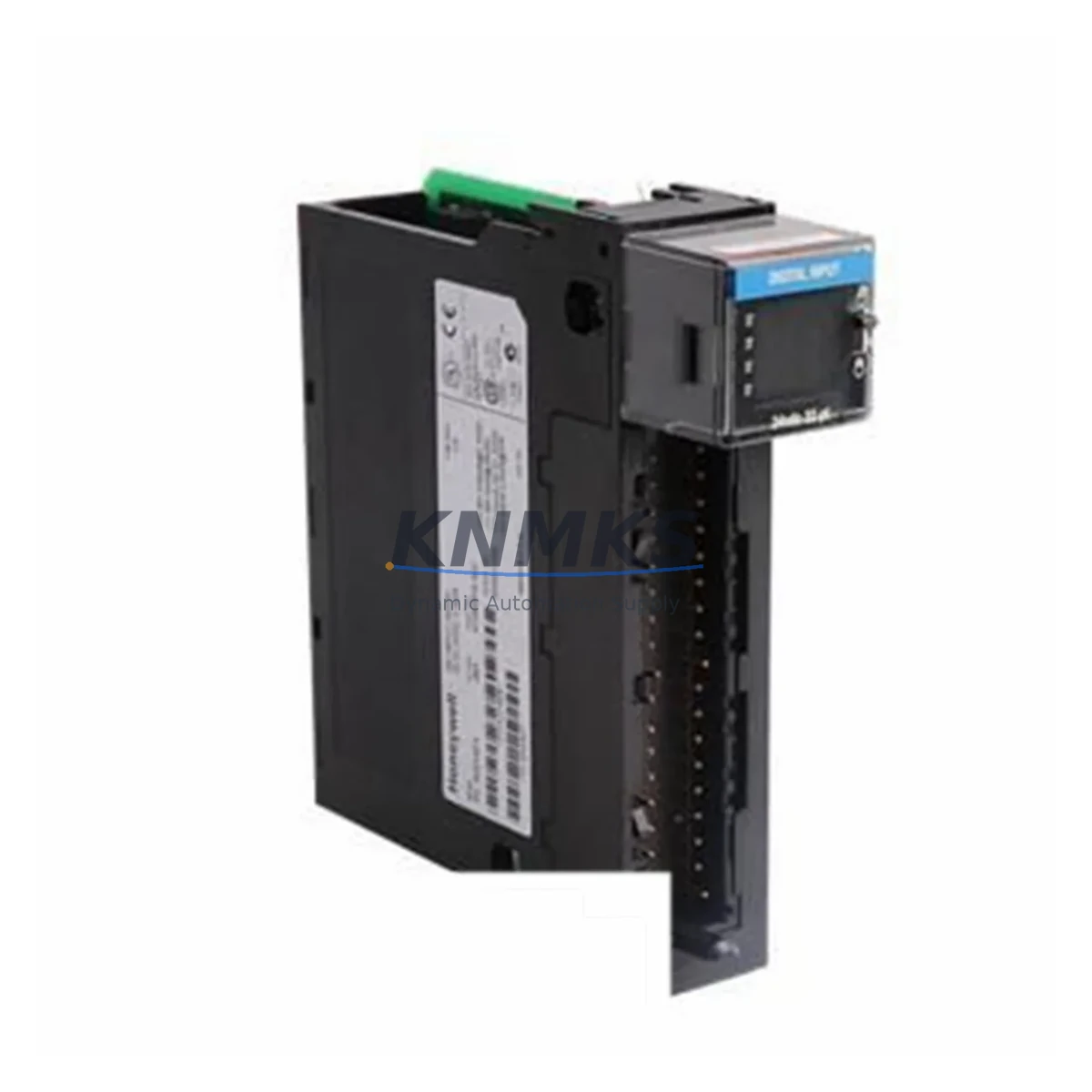
Honeywell 620-0076 Migration-Ready Loop Processor: Legacy System Retrofit & Compatibility Upgrade
The Honeywell 620-0076 is a loop processor module designed for the Honeywell 620 Series programmable controller rack platform — a control architecture widely deployed across petrochemical, power generation, pulp and paper, and discrete manufacturing facilities throughout the 1980s and 1990s. As the 620 Series has reached end-of-support status, engineering teams managing aging DCS and PLC infrastructure are increasingly required to source verified replacement modules to sustain production continuity, extend asset life, and defer full platform migration costs.
The 620-0076 occupies a dedicated slot in the 620 Series backplane and executes loop control algorithms — PID, cascade, ratio, and feedforward — that interface directly with analog I/O modules and the system’s supervisory layer. In retrofit scenarios, the module’s role is critical: it must accept the same rack addressing, respond to the same program scan cycle, and maintain signal integrity across the existing terminal wiring without requiring rewiring of field instruments or reconfiguration of the HMI display pages tied to loop tags.
Our stock of the 620-0076 is sourced from verified supply channels, subjected to pre-shipment functional testing, and shipped with a support terms confirmed by quotation. Multi-region inventory is maintained to support both emergency replacement orders and scheduled outage windows with fast global dispatch.
Migration Compatibility Table
| Parameter | Specification / Retrofit Guidance |
|---|---|
| Compatible Rack | Honeywell 620 Series backplane; confirm slot assignment matches original module address |
| Module Address | Set via DIP switch or jumper on module; must match original 620-0076 address to avoid program re-mapping |
| Power Requirement | Supplied via 620 Series rack backplane; verify rack power supply (e.g., 620-0016 or equivalent) capacity before insertion |
| Terminal Wiring | Field wiring connects to associated analog I/O modules (e.g., 620-0041 analog input, 620-0042 analog output); no direct field terminals on loop processor |
| Communication Interface | Backplane bus communication; no standalone serial or Ethernet port — supervisory link handled by 620 Series communication module |
| Program Compatibility | Retains original loop configuration if module address and firmware revision are matched; verify ladder logic or function block references in programming software |
| HMI Integration | Loop tags and faceplate displays remain valid if tag database is preserved; no HMI screen rebuild required for like-for-like replacement |
| Firmware Version | Confirm firmware revision matches existing installed modules to avoid scan-cycle mismatch; contact KNMKS for revision-specific stock |
| Installation Space | Single-slot 620 Series module; confirm available slot in rack before ordering |
| Replacement Scope | Direct replacement for failed or end-of-life 620-0076; no hardware modification required for like-for-like swap |
| Pre-Shipment Testing | Each unit functionally tested prior to dispatch |
| Support terms | support terms confirmed by quotation — covers manufacturing defects and functional failure under normal operating conditions |
Retrofit Planning for Existing Automation Systems
A successful 620-0076 replacement begins well before the module arrives on site. Engineering teams should audit the full rack assembly to identify which slots are occupied by companion modules — typically a mix of analog input modules such as the 620-0041, analog output modules such as the 620-0042, and discrete I/O modules that share the same backplane scan. The rack power supply module must be verified to have sufficient headroom to support the replacement loop processor without triggering an undervoltage condition during startup.
If the control system communicates upstream to a supervisory SCADA or DCS layer, the communication module installed in the 620 Series rack — often a dedicated serial or proprietary bus interface card — must remain undisturbed during the swap. Disconnecting or reseating the communication module during a live replacement risks dropping the supervisory link and triggering process alarms. The recommended practice is to place the loop in manual mode at the HMI operator station before removing the failed module, ensuring the field control output holds its last value while the replacement is installed.
For sites running Honeywell’s legacy programming environment, the loop configuration database — including PID tuning parameters, setpoint limits, alarm thresholds, and engineering unit scaling — should be backed up to an offline file before any hardware change. If the replacement 620-0076 is loaded with a blank or default configuration, the loop will not execute correctly until the original parameters are restored. In some installations, a programming cable and a laptop running the 620 Series configuration software are required on-site to verify the module’s configuration after insertion.
Where the retrofit scope extends beyond a single module replacement — for example, when multiple loop processor slots have failed or when the rack backplane itself shows signs of corrosion or connector wear — it may be appropriate to evaluate a phased migration toward a modern platform such as the Honeywell ControlEdge PLC or a third-party equivalent, while maintaining the 620 Series rack in service for non-critical loops during the transition period.
Downtime Control During System Migration
Minimizing unplanned downtime during a 620-0076 replacement requires a structured pre-outage checklist. Before the maintenance window opens, confirm that a tested replacement module is on hand, that the loop configuration backup is current, and that the HMI operator has been briefed to switch affected loops to manual control. The actual module swap — removing the failed 620-0076 and inserting the replacement — typically takes under fifteen minutes for a trained technician familiar with the 620 Series rack locking mechanism.
After insertion, the priority is to verify that the module powers up correctly (status LED behavior per the 620 Series hardware manual), that the backplane communication link is re-established, and that the loop configuration is intact. If the configuration must be reloaded, the programming software connection should be established before the loop is returned to automatic mode. Returning a loop to automatic control with incorrect tuning parameters or an unverified setpoint can cause a process upset that extends the effective downtime well beyond the hardware swap itself.
For facilities with redundant control architectures, the 620-0076 replacement can often be performed without a full process shutdown by transferring control to the redundant path before the swap. Where redundancy is not available, coordinating the replacement with a scheduled production break or a planned maintenance outage is strongly recommended to protect process continuity and personnel safety.
KNMKS maintains multi-region stock of the 620-0076 to support both emergency same-day dispatch and pre-ordered outage kits. All units are pre-tested and shipped with documentation to support on-site commissioning and quality records.
Retrofit Support FAQ
Q1: Is the 620-0076 a direct drop-in replacement for a failed unit in my existing 620 Series rack?
Yes — provided the replacement module carries the same firmware revision and is configured with the same module address as the original. No backplane modification or wiring change is required for a like-for-like swap. KNMKS can advise on firmware revision matching based on your installed base details.
Q2: What commissioning steps are required after installing the replacement 620-0076?
At minimum: verify module power-up status via LED indicators, confirm backplane communication is re-established, restore the loop configuration from backup if the module was shipped with a default configuration, verify PID parameters and alarm limits, and return the loop to automatic mode only after a stable manual-mode test. A programming cable connection is recommended for configuration verification.
Q3: Can the 620-0076 be used in a rack that also contains newer Honeywell modules or third-party I/O cards?
The 620 Series backplane uses a proprietary bus architecture. Mixing non-620-Series modules in the same rack is not supported. If your migration plan involves introducing modern I/O or communication modules, a rack-level platform assessment is required before proceeding.
Q4: What does the support terms confirmed by quotation cover, and what is the lead time for in-stock units?
The support terms confirmed by quotation cover manufacturing defects and functional failure under normal operating conditions from the date of shipment. In-stock units are dispatched within 1–3 business days depending on destination region. Emergency dispatch options are available — contact KNMKS sales for expedited shipping arrangements.
© 2026 KNMKS. All rights reserved.
Original Source: https://knmks.com
Contact: admin@knmks.com | +86 18359268345
Product Identification
- Brand / Ecosystem
-
Honeywell
Honeywell - Model / Series
- 620-0076
- Product Family
- PLCs & Controllers
- Availability Status
- Available on request after model and quantity confirmation
- Inquiry Type
- B2B RFQ, replacement inquiry and project spare-part request
- Pre-Quote Check
- Exact SKU, brand, series, quantity, nameplate photos and destination country are checked before quotation
System Path
Where this product fits in the KNMKS automation structure.
Specification & Inquiry Focus
- Control platform
- PLC, PAC and modular controllers
- Common needs
- CPU, rack, power and I/O expansion
- Project support
- Replacement, cabinet build and maintenance
Buyer Confirmation
Information KNMKS checks before replying.
- Exact model
- 620-0076
- Brand / ecosystem
- Honeywell
- Product family
- PLCs & Controllers
- Application note
- Replacement, maintenance, project build or spare-part list
- Useful photos
- Nameplate, installed unit, cabinet layout or connector side
- Delivery details
- Quantity, destination country and target schedule
Document Support
Files and notes can be confirmed during quotation.
- Product photos or nameplate confirmation when available
- Packing and delivery notes before quotation confirmation
- Support scope and delivery terms confirmed per inquiry
- Export document coordination for qualified B2B requests
Inquiry Support
- Model cross-checking before quotation
- CPU, power, rack and expansion module matching
- Support for replacement and project inquiry
What to Send Us
- Brand and exact model number: Honeywell 620-0076
- Quantity and required delivery time
- Application, replacement requirement or nameplate photo
- Destination country and shipping preference
RFQ Preparation
This is a product inquiry page built for RFQ communication.
Fast Model Check
Send this model to KNMKS for confirmation.
Include quantity, destination country and photos if this is a maintenance replacement. The inquiry will be saved with a reference number after submission.
Brand & Compatibility Note
KNMKS displays automation product information for well-known industrial brand ecosystems and compatible replacement references. Brand names are used for product identification and compatibility reference only; final availability and commercial terms are confirmed per quotation.
 Manufacturing
 Machine Tools
 Packaging
 Energy & Power



 HMI & Displays
 Servo Systems
 Variable Frequency Drives
 Sensors