
Overview
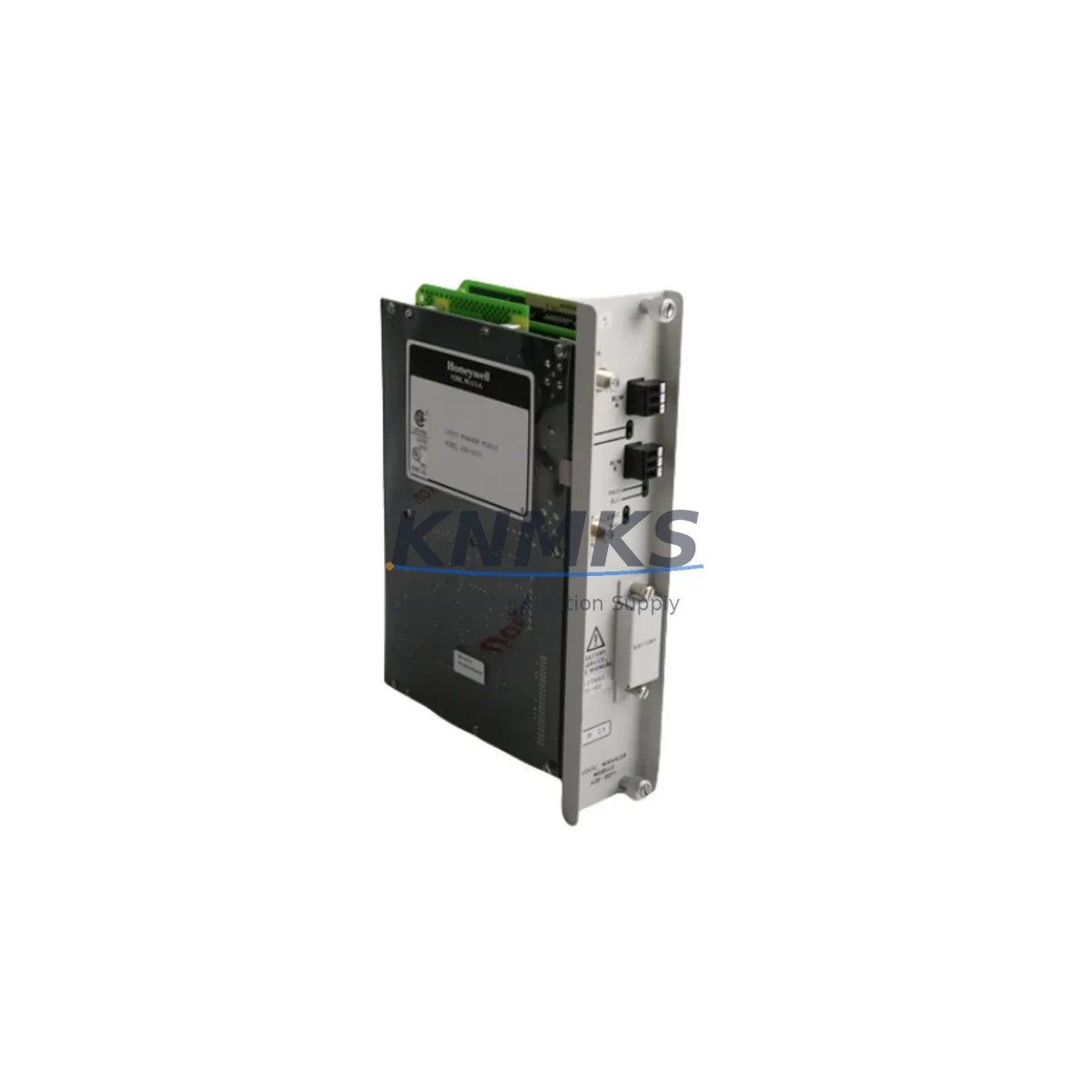
Honeywell 620-0071 Maintenance-Proven Spare for Factory Uptime
The Honeywell 620-0071 is a critical spare part within the 620 Series Logic Manager platform — a proven distributed control and logic system widely deployed across continuous process industries including petrochemical, power generation, pulp and paper, and heavy manufacturing. Maintaining an on-hand stock of the 620-0071 is a foundational element of any serious spare parts strategy for facilities running 620 Series control cabinets.
For maintenance engineers managing aging automation infrastructure, the 620-0071 represents a direct-fit replacement that eliminates the need for costly system redesign or emergency procurement delays. Its compatibility with the 620 Series backplane and I/O architecture means that field replacement can be completed within a single maintenance window, restoring production continuity with minimal disruption. Procurement engineers sourcing long-cycle spare parts for multi-year maintenance agreements will find the 620-0071 a reliable, stockable component with a stable supply chain and verified original provenance.
Every unit shipped from KNMKS undergoes pre-shipment functional testing and is backed by a support terms confirmed by quotation, providing documented assurance for both site maintenance teams and procurement records.
Spare Maintenance Table
| SKU / Part Number | 620-0071 |
| Brand | Honeywell |
| Series | 620 Series Logic Manager |
| Product Type | PLC Module |
| Compatible Platform | Honeywell 620 Series Logic Manager Control System |
| Backplane Compatibility | 620 Series modular backplane rack |
| Typical Application | Process control, logic sequencing, discrete I/O management in industrial control cabinets |
| Operating Environment | Industrial panel / control cabinet; standard IEC 61131 environmental ratings apply |
| Country of Origin | United States |
| Condition | Original, unused or refurbished-to-spec; pre-shipment tested |
| Support terms | 12 months from date of shipment |
| Lead Time | Ships from stock; global delivery available |
| Maintenance Recommendation | Inspect seating, connector pins, and backplane slot integrity at each annual shutdown; replace if diagnostic fault codes persist after reseating |
Maintenance Planning for Continuous Operation
When scheduling a replacement of the 620-0071 during planned or emergency maintenance, a thorough inspection of the surrounding control cabinet components is essential to prevent repeat failures and ensure full system restoration. Maintenance engineers should treat the 620-0071 replacement as an opportunity to audit the broader 620 Series control loop.
Begin with the 620 Series power supply module — verify output voltage stability and check for capacitor aging or thermal discoloration. A degraded power supply is a common root cause of intermittent module faults and should be replaced proactively if the unit has exceeded its recommended service interval. Alongside the power supply, inspect the 620 Series backplane for bent connector pins, corrosion, or mechanical damage at the module slot where the 620-0071 is seated.
For systems with active I/O loops, verify the condition of 620 Series digital and analog I/O modules connected to the same rack. Signal drift or erratic I/O behavior may indicate a shared power rail issue rather than an isolated module fault. If the control cabinet includes signal isolators or signal conditioners on analog input channels, these should be tested for output accuracy — degraded isolation can introduce ground loops that stress logic modules.
Check all terminal blocks and field wiring connections within the cabinet. Loose or oxidized terminations are a leading cause of intermittent faults in legacy 620 Series installations. Inspect fuse holders and protection fuses on the 24VDC and field power circuits — replace any fuse showing signs of thermal stress even if it has not blown.
If the installation includes a Honeywell HMI or operator panel communicating with the 620 Series controller, verify communication link integrity after module replacement. Similarly, if a communications module (serial, Modbus, or proprietary network) is installed in the same rack, confirm that the module re-establishes its network connection cleanly following a power cycle. For facilities running parallel redundant configurations, confirm that the standby controller path is fully operational before returning the primary to service.
Documenting the replacement event — including the removed module’s serial number, fault history, and test results — supports long-term spare parts lifecycle management and informs future procurement quantities for multi-site maintenance agreements.
Site Replacement Workflow
Step 1 — Preparation: Obtain the 620-0071 replacement unit and verify the part number label against the installed module. Confirm firmware or hardware revision compatibility with your 620 Series system documentation. Notify the control room of the planned maintenance window.
Step 2 — Safe Isolation: Follow site lockout/tagout (LOTO) procedures. De-energize the affected rack or cabinet section per the 620 Series installation manual. Do not hot-swap unless the system documentation explicitly supports it for this module type.
Step 3 — Module Removal: Release the module locking mechanism, extract the 620-0071 carefully, and inspect the backplane connector for damage before inserting the replacement unit.
Step 4 — Installation and Seating: Insert the new 620-0071 firmly into the backplane slot until the locking tab engages. Verify correct slot position against the rack configuration drawing.
Step 5 — Power-Up and Diagnostics: Re-energize the rack and observe the module status indicators. Access the 620 Series programming terminal or HMI to confirm the module is recognized and reporting no fault codes. Run a functional I/O check on all channels associated with the replaced module.
Step 6 — Documentation: Record the replacement in the site maintenance log. Update the spare parts inventory to trigger reorder if stock falls below the minimum holding quantity. Retain the removed module for failure analysis or return-to-vendor evaluation.
This workflow minimizes unplanned downtime, maintains system compatibility, and supports the audit trail required for ISO 55001 asset management and process safety management (PSM) programs.
Spare Parts Support FAQ
Q1: What is the support terms coverage for the Honeywell 620-0071 supplied by KNMKS?
All 620-0071 units shipped by KNMKS are covered by a support terms confirmed by quotation from the date of shipment. Each unit undergoes pre-shipment functional testing. In the event of a support terms claim, KNMKS provides replacement or repair support with documented test records available upon request.
Q2: How do I verify compatibility between the 620-0071 and my existing 620 Series rack configuration?
Compatibility is determined by the rack model, backplane revision, and system firmware version. Provide your existing rack part number and system configuration details to KNMKS at the time of inquiry. Our technical team will cross-reference against known compatible configurations and advise on any hardware revision considerations before shipment.
Q3: Can KNMKS support long-term supply agreements for the 620-0071 and related 620 Series components?
Yes. KNMKS supports multi-year spare parts supply agreements for the 620 Series platform, including the 620-0071 and associated power, I/O, and communications modules. Long-term agreements include reserved stock allocation, priority lead times, and consistent pricing — suitable for facilities managing planned maintenance cycles of 12 to 36 months.
Q4: What should I do if the replacement 620-0071 shows a fault code immediately after installation?
First, verify correct slot placement and backplane connector seating. Check the power supply output voltage at the rack. Review the 620 Series diagnostic log for fault code details — common causes include backplane pin damage, incorrect slot assignment, or a power rail issue unrelated to the module itself. If the fault persists after these checks, contact KNMKS with the fault code and system configuration for technical support under the support terms terms.
—
© 2026 KNMKS. All rights reserved.
Original Source: https://knmks.com
Contact: admin@knmks.com | +86 18359268345
Product Identification
- Brand / Ecosystem
-
Honeywell
Honeywell - Model / Series
- 620-0071
- Product Family
- PLCs & Controllers
- Availability Status
- Available on request after model and quantity confirmation
- Inquiry Type
- B2B RFQ, replacement inquiry and project spare-part request
- Pre-Quote Check
- Exact SKU, brand, series, quantity, nameplate photos and destination country are checked before quotation
System Path
Where this product fits in the KNMKS automation structure.
Specification & Inquiry Focus
- Control platform
- PLC, PAC and modular controllers
- Common needs
- CPU, rack, power and I/O expansion
- Project support
- Replacement, cabinet build and maintenance
Buyer Confirmation
Information KNMKS checks before replying.
- Exact model
- 620-0071
- Brand / ecosystem
- Honeywell
- Product family
- PLCs & Controllers
- Application note
- Replacement, maintenance, project build or spare-part list
- Useful photos
- Nameplate, installed unit, cabinet layout or connector side
- Delivery details
- Quantity, destination country and target schedule
Document Support
Files and notes can be confirmed during quotation.
- Product photos or nameplate confirmation when available
- Packing and delivery notes before quotation confirmation
- Support scope and delivery terms confirmed per inquiry
- Export document coordination for qualified B2B requests
Inquiry Support
- Model cross-checking before quotation
- CPU, power, rack and expansion module matching
- Support for replacement and project inquiry
What to Send Us
- Brand and exact model number: Honeywell 620-0071
- Quantity and required delivery time
- Application, replacement requirement or nameplate photo
- Destination country and shipping preference
RFQ Preparation
This is a product inquiry page built for RFQ communication.
Fast Model Check
Send this model to KNMKS for confirmation.
Include quantity, destination country and photos if this is a maintenance replacement. The inquiry will be saved with a reference number after submission.
Brand & Compatibility Note
KNMKS displays automation product information for well-known industrial brand ecosystems and compatible replacement references. Brand names are used for product identification and compatibility reference only; final availability and commercial terms are confirmed per quotation.
 Manufacturing
 Machine Tools
 Packaging
 Energy & Power



 HMI & Displays
 Servo Systems
 Variable Frequency Drives
 Sensors