
Overview
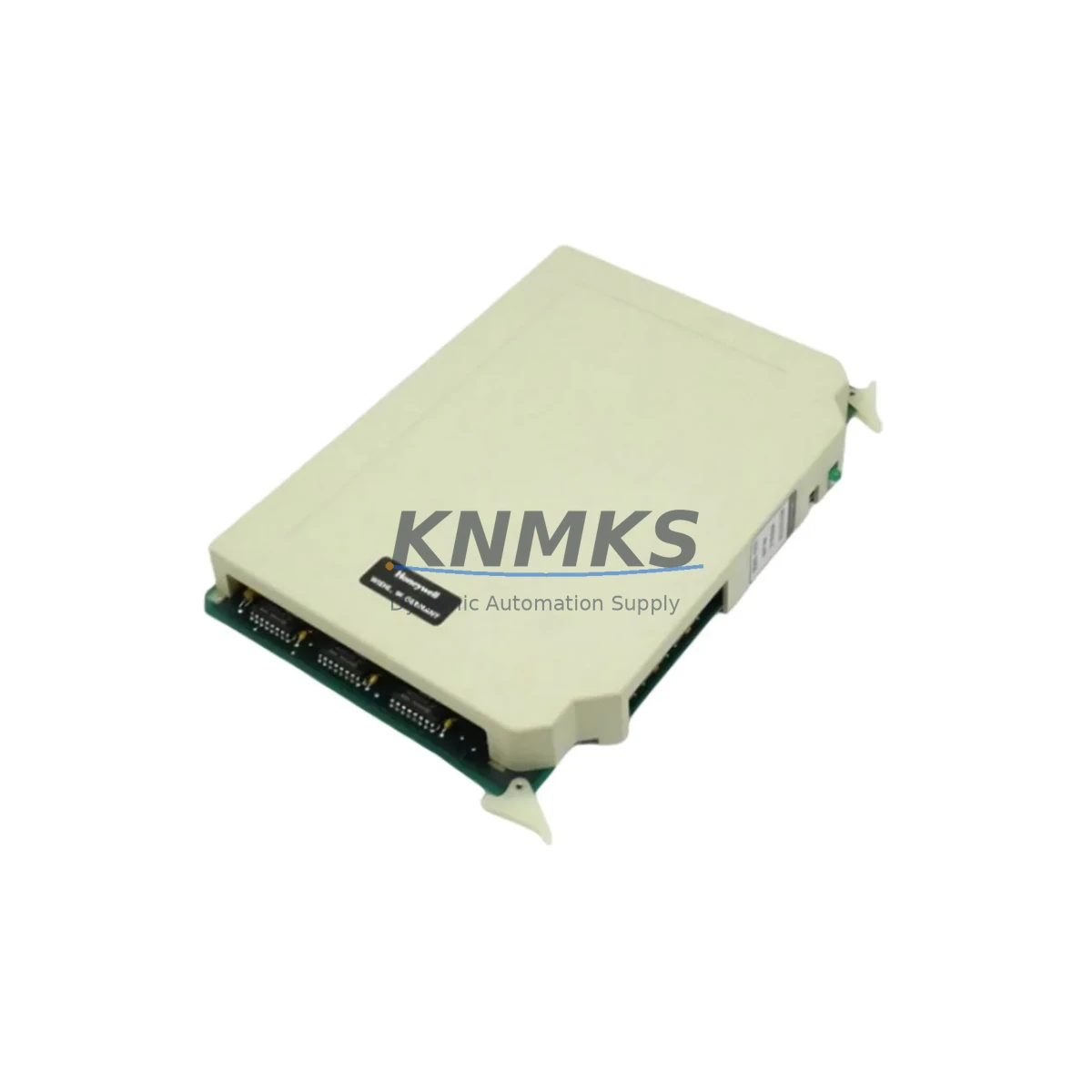
Honeywell 620-0056 Migration-Ready Register Module: Legacy System Retrofit & Compatibility Upgrade
The Honeywell 620-0056 is a register module designed for the Honeywell 620 Series programmable controller platform — one of the most widely deployed legacy PLC architectures in process manufacturing, utilities, and discrete automation. As original equipment reaches end-of-life and spare parts become increasingly scarce, the 620-0056 serves as a critical component for engineers managing system continuity, planned retrofits, and unplanned breakdowns in aging control infrastructure.
This module supports register-based data storage and manipulation within the 620 Series backplane architecture. It is compatible with the standard 620 Series rack and interfaces directly with the 620-0016 CPU module and associated I/O subsystems. When replacing a failed or degraded register module, engineers must verify the backplane slot assignment, confirm module address settings via DIP switch or jumper configuration, and ensure the replacement unit matches the firmware revision expected by the resident control program. Mismatched firmware versions between the CPU and register module can cause initialization faults or data integrity errors during startup — a critical checkpoint before returning the system to live operation.
For sites running mixed-generation 620 Series hardware, the 620-0056 integrates alongside discrete I/O modules such as the 620-0024 digital input module and 620-0036 digital output module without requiring rack reconfiguration. Power budget verification is recommended when adding or replacing modules in a populated rack — the 620 Series power supply module must have sufficient headroom to support the full slot complement, particularly in high-density configurations where analog I/O modules and communication modules share the same backplane.
Migration Compatibility Table
| Parameter | Details |
|---|---|
| SKU / Part Number | 620-0056 |
| Compatible Platform | Honeywell 620 Series PLC |
| Module Type | Register Module |
| Backplane Interface | 620 Series standard backplane slot |
| Installation Requirement | Slot address configuration via DIP switch; rack power-off recommended during installation |
| Communication Compatibility | Compatible with 620 Series CPU bus; verify firmware revision alignment with 620-0016 CPU |
| Replacement Recommendation | Direct drop-in replacement for failed or end-of-life 620-0056 units; no rack modification required |
| Commissioning Checkpoint | Verify module address, confirm program register map, execute cold-start sequence, validate data integrity via HMI or programming terminal |
| Support terms | support terms confirmed by quotation — all units pre-tested before shipment |
Retrofit Planning for Existing Automation Systems
Replacing the 620-0056 in an operational facility requires a structured approach to minimize risk and protect existing program logic. Before removing the failed module, engineers should document the current register map — including all data table addresses referenced by the control program — and capture a full program backup using the Honeywell 620 Series programming terminal or compatible software. This backup is essential for restoring logic after the replacement module is seated and addressed.
In retrofit scenarios where the entire 620 Series rack is being migrated to a modern platform, the 620-0056 register data structure must be mapped to the equivalent data registers in the target controller. For migrations to Honeywell’s HC900 hybrid controller or third-party platforms, a register-by-register cross-reference is required to preserve process variable storage, setpoint retention, and batch counter integrity. The 620 Series communication module — typically installed in a dedicated backplane slot — must also be evaluated: if the site relies on Modbus RTU or proprietary Honeywell data highway protocol for SCADA integration, the migration plan must include a communication protocol bridge or a replacement gateway module capable of translating legacy traffic to modern Ethernet-based protocols such as Modbus TCP or EtherNet/IP.
HMI screens connected to the 620 Series system via serial link will require tag remapping if the register addresses change during migration. Operators should plan for a parallel-run period where both the legacy 620 Series system and the new controller operate simultaneously, allowing HMI validation and alarm setpoint verification before the final cutover. Signal isolators may be required at analog I/O termination points where the new platform’s input impedance differs from the 620 Series specification, particularly on 4–20 mA loops connected to legacy transmitters.
Physical installation space is another key consideration. The 620 Series rack occupies a defined panel footprint, and replacement modules must fit within the existing enclosure without requiring new DIN rail mounting or cable tray modifications. Where space is constrained, slim-profile terminal blocks and pre-wired connector assemblies can reduce installation time and minimize the risk of wiring errors during the changeover window.
Downtime Control During System Migration
Controlling downtime during a 620-0056 replacement or full 620 Series migration begins with pre-staging. All replacement hardware — including the register module, any associated I/O modules, and the programming cable — should be on-site and verified before the maintenance window opens. Pre-shipment testing of the 620-0056 ensures the unit powers up correctly and responds to the CPU bus before it enters the control cabinet, eliminating the risk of receiving a defective part during a live outage.
For planned replacements, a cold-swap procedure is standard: de-energize the rack, remove the failed module, seat the replacement 620-0056, confirm DIP switch addressing matches the original configuration, restore power, and execute the program cold-start sequence. The entire procedure can typically be completed within a single shift when all materials are pre-staged and the program backup is available. For unplanned failures, having a stocked spare on-site — or access to a supplier with confirmed inventory and fast dispatch — is the most effective downtime mitigation strategy.
Where a hot-swap or bumpless transfer is required, engineers should consult the 620 Series hardware manual for slot isolation procedures. Not all 620 Series configurations support live module replacement, and attempting an unplanned hot-swap without verifying rack support can result in CPU faults or data corruption. In these cases, a controlled shutdown with a documented restart sequence is the safer path, particularly in process environments where an uncontrolled restart could trigger safety interlocks or process upsets.
All 620-0056 units supplied by KNMKS are pre-tested prior to shipment and covered by a support terms confirmed by quotation, reducing the risk of commissioning delays caused by hardware defects. Inventory is maintained to support both planned maintenance schedules and emergency breakdown requirements.
Retrofit Support FAQ
Q: Is the 620-0056 a direct replacement for the original Honeywell register module in the 620 Series rack?
A: Yes. The 620-0056 is a direct drop-in replacement for the original Honeywell 620 Series register module. No rack modification or wiring change is required. Confirm DIP switch addressing matches the original slot configuration before powering up.
Q: What commissioning steps are required after installing the 620-0056?
A: After seating the module and confirming address settings, restore rack power and execute a cold-start sequence from the programming terminal. Verify that all register addresses referenced in the control program are accessible and that data values initialize correctly. Validate process variable display on the HMI before returning the system to automatic mode.
Q: How do I confirm wiring compatibility when replacing the 620-0056?
A: The 620-0056 connects via the 620 Series backplane — there is no field wiring directly to the register module. Wiring compatibility checks apply to the I/O modules in adjacent slots. Confirm that the backplane connector on the replacement unit is undamaged and that the rack slot is clean before insertion.
Q: Does KNMKS provide inventory support and support terms coverage for the 620-0056?
A: Yes. KNMKS maintains stock of the 620-0056 to support both scheduled maintenance and emergency breakdown requirements. All units are pre-tested before shipment and covered by a support terms confirmed by quotation. Contact admin@knmks.com or +86 18359268345 for availability and lead time confirmation.
© 2026 KNMKS. All rights reserved.
Original Source: https://knmks.com
Contact: admin@knmks.com | +86 18359268345
Product Identification
- Brand / Ecosystem
-
Honeywell
Honeywell - Model / Series
- 620-0056
- Product Family
- PLCs & Controllers
- Availability Status
- Available on request after model and quantity confirmation
- Inquiry Type
- B2B RFQ, replacement inquiry and project spare-part request
- Pre-Quote Check
- Exact SKU, brand, series, quantity, nameplate photos and destination country are checked before quotation
System Path
Where this product fits in the KNMKS automation structure.
Specification & Inquiry Focus
- Control platform
- PLC, PAC and modular controllers
- Common needs
- CPU, rack, power and I/O expansion
- Project support
- Replacement, cabinet build and maintenance
Buyer Confirmation
Information KNMKS checks before replying.
- Exact model
- 620-0056
- Brand / ecosystem
- Honeywell
- Product family
- PLCs & Controllers
- Application note
- Replacement, maintenance, project build or spare-part list
- Useful photos
- Nameplate, installed unit, cabinet layout or connector side
- Delivery details
- Quantity, destination country and target schedule
Document Support
Files and notes can be confirmed during quotation.
- Product photos or nameplate confirmation when available
- Packing and delivery notes before quotation confirmation
- Support scope and delivery terms confirmed per inquiry
- Export document coordination for qualified B2B requests
Inquiry Support
- Model cross-checking before quotation
- CPU, power, rack and expansion module matching
- Support for replacement and project inquiry
What to Send Us
- Brand and exact model number: Honeywell 620-0056
- Quantity and required delivery time
- Application, replacement requirement or nameplate photo
- Destination country and shipping preference
RFQ Preparation
This is a product inquiry page built for RFQ communication.
Fast Model Check
Send this model to KNMKS for confirmation.
Include quantity, destination country and photos if this is a maintenance replacement. The inquiry will be saved with a reference number after submission.
Brand & Compatibility Note
KNMKS displays automation product information for well-known industrial brand ecosystems and compatible replacement references. Brand names are used for product identification and compatibility reference only; final availability and commercial terms are confirmed per quotation.
 Manufacturing
 Machine Tools
 Packaging
 Energy & Power



 HMI & Displays
 Servo Systems
 Variable Frequency Drives
 Sensors