
Overview
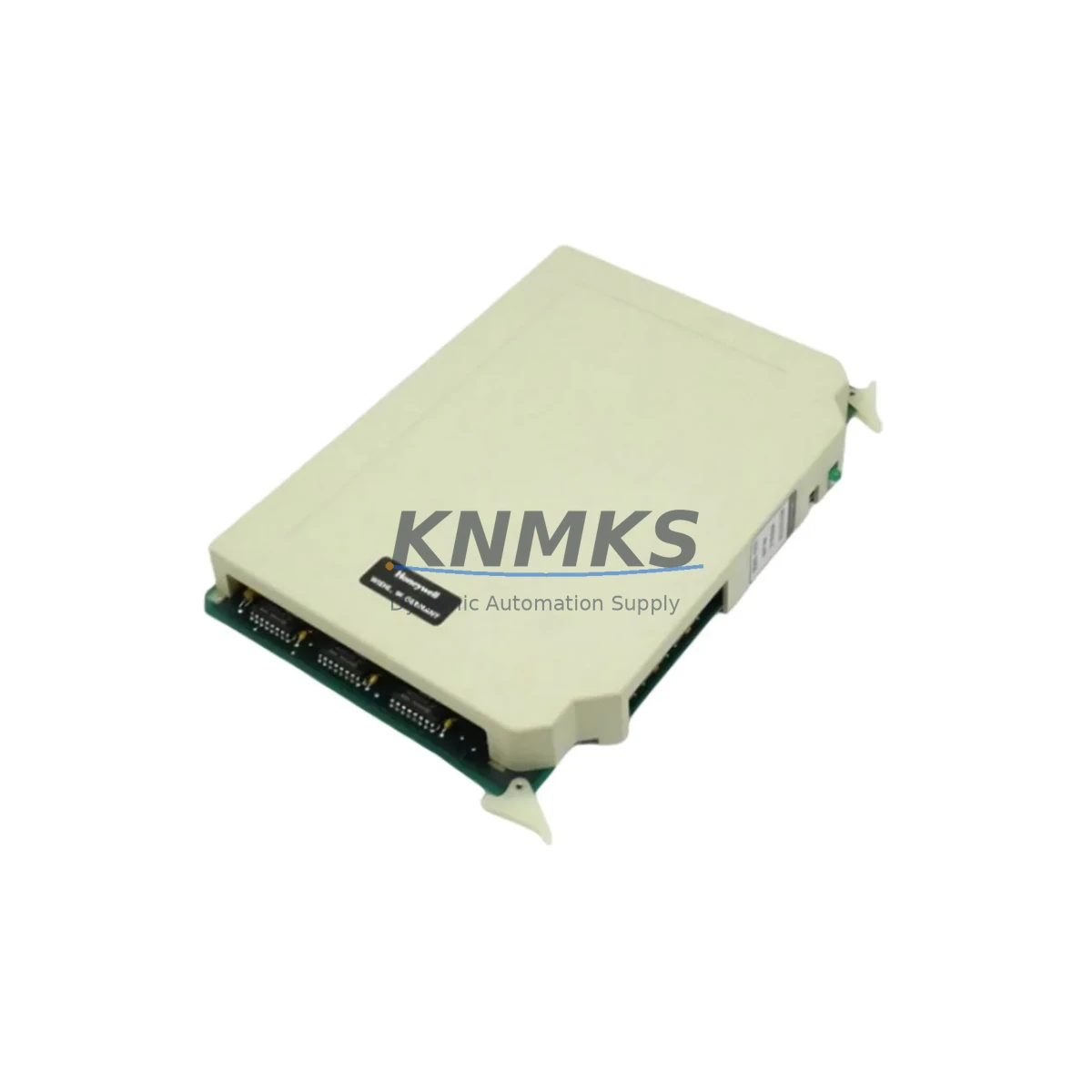
Honeywell 620-0054 VR 1 Maintenance-Proven Spare Part for Factory Uptime
The Honeywell 620-0054 VR 1 is a voltage regulator module engineered for the Honeywell 620 Series programmable logic controller platform — one of the most widely deployed legacy control architectures in continuous process industries, including petrochemical, pulp and paper, power generation, and heavy manufacturing. As plant assets age beyond their original design life, maintaining a verified stock of original spare parts such as the 620-0054 VR 1 becomes a critical pillar of any proactive maintenance strategy. This module regulates internal backplane voltage to ensure stable logic execution, reliable I/O scanning, and uninterrupted communication across the 620 Series rack system.
At KNMKS, every 620-0054 VR 1 unit is sourced as an original Honeywell component, subjected to pre-shipment functional testing under simulated load conditions, and dispatched with a support terms confirmed by quotation covering manufacturing defects and operational failure. Our inventory is maintained specifically to support maintenance engineers and procurement teams who cannot afford extended lead times when a control system goes down.
Spare Maintenance Table
| Parameter | Specification / Detail |
|---|---|
| Part Number | 620-0054 VR 1 |
| Brand | Honeywell |
| Series | 620 Series PLC |
| Module Type | Voltage Regulator Module |
| Function | Backplane DC voltage regulation for 620 Series rack |
| Compatible Racks | Honeywell 620 Series modular rack systems |
| Input Voltage Range | Nominal 24 VDC (refer to OEM documentation for tolerance) |
| Output Regulation | Stabilized logic-level DC for CPU, I/O, and communication modules |
| Installation | Direct slot insertion into 620 Series backplane — no tools required |
| Operating Temperature | 0°C to 60°C (standard industrial panel environment) |
| Origin | United States (Original Honeywell manufacture) |
| Condition | Original spare — pre-shipment tested |
| Support terms | 12 months from date of dispatch |
| Dispatch | Fast dispatch; DHL / FedEx international available |
| Long-Term Supply | Stocking agreements available for 12–36 month supply plans |
Maintenance Planning for Continuous Operation
When a 620-0054 VR 1 voltage regulator module is flagged during a routine control cabinet inspection or fails during a production shift, the replacement procedure should be treated as a system-level event rather than a single-component swap. Maintenance engineers familiar with the Honeywell 620 Series architecture understand that voltage instability at the backplane level can cascade into erratic CPU behavior, I/O scan errors, and communication faults across the entire rack.
Before or alongside replacing the 620-0054 VR 1, the following components and subsystems should be inspected and verified:
Power Supply Module (620-0036 or equivalent 620 Series PSU): Confirm that the upstream power supply is delivering clean, in-tolerance DC voltage. A degraded PSU is frequently the root cause of repeated voltage regulator failures. Replacing the VR module without addressing PSU health will result in premature re-failure.
Backplane and Rack Assembly: Inspect the 620 Series backplane for oxidized connector pins, mechanical damage, or signs of heat stress. A compromised backplane can impose irregular loads on the voltage regulator and reduce its service life.
CPU Module (620-0016 or 620-0017 series): After restoring regulated voltage, verify that the CPU module resumes normal scan cycle execution. If the CPU experienced a hard fault during the voltage event, a cold restart or memory reload from the programming terminal may be required.
Digital I/O Modules: Voltage transients can latch I/O modules into fault states. Cycle power to each I/O slot and confirm that field device status is correctly reflected in the I/O status registers before returning the system to automatic control.
Communication and Network Interface Modules: If the 620 Series rack is integrated into a DCS or SCADA network via a 620 Series data highway or serial communication module, verify that the communication link re-establishes cleanly after the VR replacement. Loss of communication acknowledgment from the host system is a common post-maintenance finding that delays return-to-service.
Fuses and Protection Devices: Check all panel-level fuses and circuit breakers associated with the 620 Series cabinet. A voltage regulation failure is sometimes preceded by a fuse event that went undetected during earlier inspections.
Procurement engineers supporting multi-site operations should consider maintaining a minimum of two 620-0054 VR 1 units per site as part of a critical spare parts buffer. Given the age of the 620 Series platform and the declining availability of original components on the open market, a 12–36 month stocking agreement with a verified supplier significantly reduces procurement risk and protects against unplanned downtime caused by extended sourcing lead times.
Site Replacement Workflow
Step 1 — Isolate and de-energize: Follow site lockout/tagout (LOTO) procedures. Remove AC power from the 620 Series cabinet and allow the backplane capacitors to discharge fully before handling any modules.
Step 2 — Document current configuration: Before extraction, photograph or record the slot position of the 620-0054 VR 1 and note any LED status indicators visible on adjacent modules. This baseline supports post-replacement verification.
Step 3 — Extract the failed module: Release the module retention latch and withdraw the 620-0054 VR 1 from the backplane slot. Inspect the connector fingers for damage or contamination.
Step 4 — Insert the replacement unit: Align the replacement 620-0054 VR 1 with the backplane guide rails and seat firmly until the retention latch engages. Do not force the module — misalignment can damage backplane connector pins.
Step 5 — Restore power and verify: Re-energize the cabinet in sequence. Confirm that the voltage regulator status LED (if equipped) indicates normal operation. Monitor the CPU module for normal scan cycle resumption and verify I/O status across all active slots.
Step 6 — Return to service: Confirm with the control room or DCS operator that all process variables are reading correctly and that no latched alarms remain active. Document the replacement in the site maintenance management system (CMMS) with the new module serial number and support terms expiry date.
This workflow is applicable whether the 620-0054 VR 1 is being replaced as an emergency corrective action or as part of a scheduled annual overhaul. The same procedure supports system life extension programs where aging 620 Series hardware is being maintained in service alongside newer control infrastructure.
Spare Parts Support FAQ
Q1: Is the 620-0054 VR 1 supplied as an original Honeywell component or a third-party replacement?
All 620-0054 VR 1 units supplied by KNMKS are original Honeywell spare parts. We do not supply third-party replicas or rebranded substitutes. Each unit is individually tested prior to dispatch to confirm functional integrity under representative operating conditions.
Q2: What support terms coverage applies to the 620-0054 VR 1, and what does it include?
KNMKS provides a support terms confirmed by quotation from the date of dispatch. The support terms covers manufacturing defects and operational failure under normal industrial operating conditions. Units that fail within the confirmed support period are replaced or refunded subject to inspection. The support terms does not cover damage resulting from incorrect installation, overvoltage events, or physical mishandling.
Q3: Can KNMKS support a long-term stocking agreement for the 620-0054 VR 1 across multiple plant sites?
Yes. KNMKS offers 12–36 month supply agreements for critical spare parts including the 620-0054 VR 1. These agreements are structured to support multi-site maintenance programs, providing price certainty, guaranteed availability, and priority dispatch. Contact our sales team to discuss volume requirements and delivery scheduling.
Q4: How do I verify compatibility before ordering if my 620 Series rack has been modified or upgraded?
Compatibility verification should be based on the original Honeywell 620 Series rack part number and the backplane revision level. If your cabinet has been subject to a hardware upgrade or a third-party retrofit, please provide the rack assembly number and any available engineering change documentation when contacting KNMKS. Our technical team will confirm compatibility before order confirmation to eliminate the risk of receiving an incompatible unit.
© 2026 KNMKS. All rights reserved.
Original Source: https://knmks.com
Contact: admin@knmks.com | +86 18359268345
Product Identification
- Brand / Ecosystem
-
Honeywell
Honeywell - Model / Series
- 620-0054 VR 1
- Product Family
- PLCs & Controllers
- Availability Status
- Available on request after model and quantity confirmation
- Inquiry Type
- B2B RFQ, replacement inquiry and project spare-part request
- Pre-Quote Check
- Exact SKU, brand, series, quantity, nameplate photos and destination country are checked before quotation
System Path
Where this product fits in the KNMKS automation structure.
Specification & Inquiry Focus
- Control platform
- PLC, PAC and modular controllers
- Common needs
- CPU, rack, power and I/O expansion
- Project support
- Replacement, cabinet build and maintenance
Buyer Confirmation
Information KNMKS checks before replying.
- Exact model
- 620-0054 VR 1
- Brand / ecosystem
- Honeywell
- Product family
- PLCs & Controllers
- Application note
- Replacement, maintenance, project build or spare-part list
- Useful photos
- Nameplate, installed unit, cabinet layout or connector side
- Delivery details
- Quantity, destination country and target schedule
Document Support
Files and notes can be confirmed during quotation.
- Product photos or nameplate confirmation when available
- Packing and delivery notes before quotation confirmation
- Support scope and delivery terms confirmed per inquiry
- Export document coordination for qualified B2B requests
Inquiry Support
- Model cross-checking before quotation
- CPU, power, rack and expansion module matching
- Support for replacement and project inquiry
What to Send Us
- Brand and exact model number: Honeywell 620-0054 VR 1
- Quantity and required delivery time
- Application, replacement requirement or nameplate photo
- Destination country and shipping preference
RFQ Preparation
This is a product inquiry page built for RFQ communication.
Fast Model Check
Send this model to KNMKS for confirmation.
Include quantity, destination country and photos if this is a maintenance replacement. The inquiry will be saved with a reference number after submission.
Brand & Compatibility Note
KNMKS displays automation product information for well-known industrial brand ecosystems and compatible replacement references. Brand names are used for product identification and compatibility reference only; final availability and commercial terms are confirmed per quotation.
 Manufacturing
 Machine Tools
 Packaging
 Energy & Power



 HMI & Displays
 Servo Systems
 Variable Frequency Drives
 Sensors