
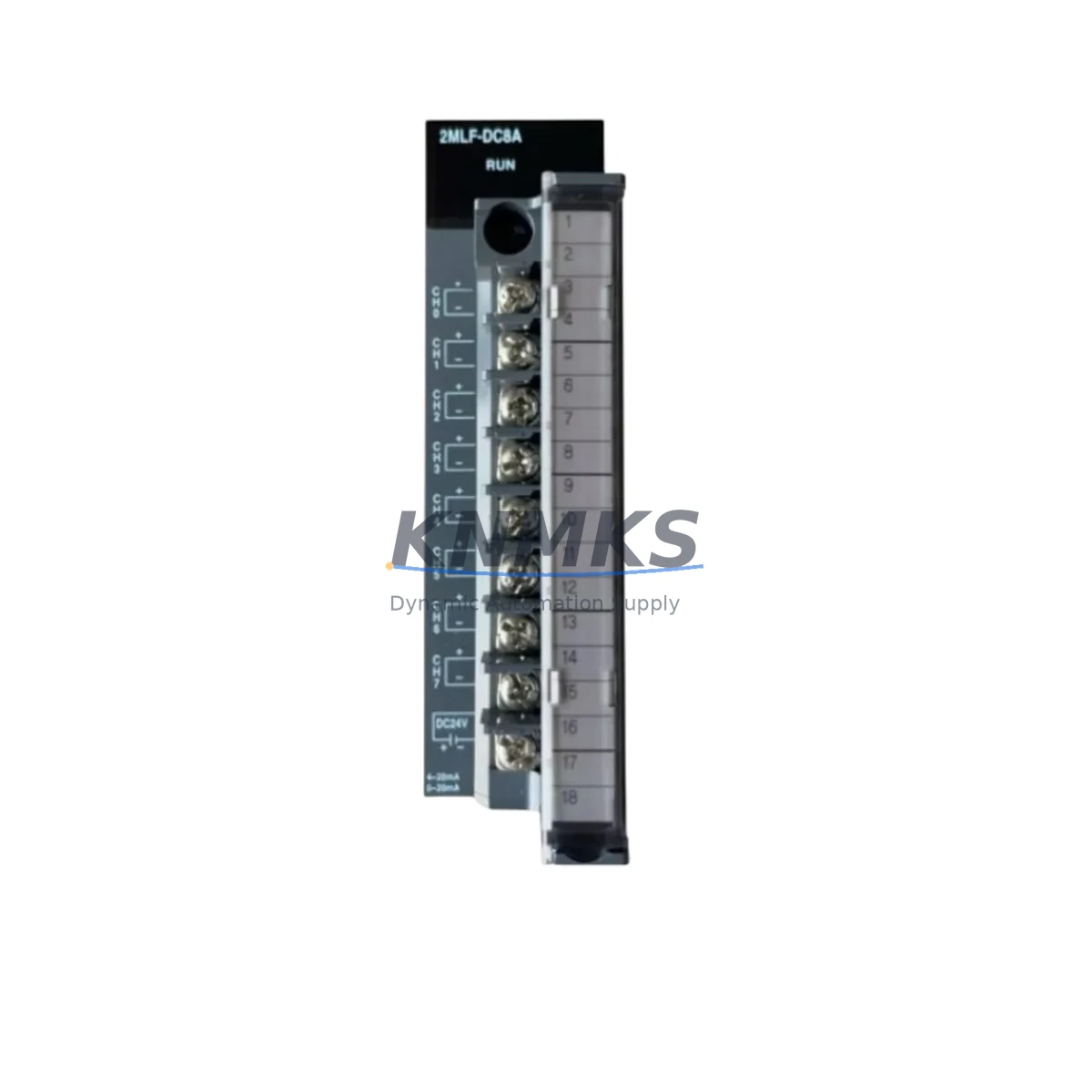
Overview
Honeywell 2MLF-DC8A Migration-Ready DC Output Module: Legacy System Retrofit and Compatible Upgrade
The Honeywell 2MLF-DC8A is an 8-channel DC digital output module designed for the HC900 Hybrid Controller platform. As aging distributed control systems approach end-of-support milestones, the 2MLF-DC8A has become a critical spare part and retrofit component for facilities operating legacy HC900 racks across petrochemical, power generation, water treatment, and mining applications. Whether you are replacing a failed module, expanding an existing I/O rack, or executing a phased control system modernization, the 2MLF-DC8A provides a validated, drop-in compatible solution that minimizes engineering risk and reduces unplanned downtime.
Each unit supplied by KNMKS is sourced from verified inventory channels, subjected to pre-shipment functional testing, and backed by a support terms confirmed by quotation. Global shipping is available to support multi-site refurbishment programs and emergency spare parts requirements.
Migration Compatibility Table
| Parameter | Specification / Retrofit Guidance |
|---|---|
| Module Model | Honeywell 2MLF-DC8A |
| Output Channels | 8-channel DC digital output |
| Compatible Platform | Honeywell HC900 Hybrid Controller |
| Rack / Backplane Interface | HC900 I/O rack backplane; confirm slot addressing before installation |
| Terminal Wiring | Field wiring via HC900-compatible terminal block; verify existing wiring gauge and polarity before swap |
| Power Supply Compatibility | Powered via HC900 rack bus; confirm rack power supply (e.g., 2MLP-PSUA or equivalent) capacity before adding modules |
| Communication Protocol | Internal HC900 backplane bus; no separate fieldbus configuration required |
| Module Address Configuration | Slot-based addressing; update HC900 Designer configuration file to reflect new module slot assignment |
| Firmware Compatibility | Compatible with HC900 controller firmware; verify controller revision supports 2MLF-DC8A module type |
| HMI / SCADA Impact | Verify HC900 Designer tag assignments and HMI faceplates reference correct I/O addresses after module replacement |
| Installation Space | Standard HC900 I/O rack slot; confirm available slot count in existing rack before ordering |
| Replacement Scenario | Direct replacement for failed or end-of-life 2MLF-DC8A units; no hardware modification required |
| Pre-Shipment Testing | Functional output verification completed before dispatch |
| Support terms | support terms confirmed by quotation included |
Retrofit Planning for Existing Automation Systems
Successful integration of the 2MLF-DC8A into an existing HC900 control system requires a structured retrofit assessment. Before removing the legacy module, engineers should document the current HC900 Designer project file, capture all tag-to-slot mappings, and confirm that the replacement module’s firmware type is recognized by the installed controller revision. The HC900 controller — whether a C30, C50, C70, or C75 variant — must be checked for available I/O rack capacity and backplane slot availability.
Power budget verification is a frequently overlooked step. The HC900 rack power supply, such as the 2MLP-PSUA power supply module, has a defined maximum load capacity. Adding or replacing digital output modules changes the total current draw on the rack bus. Before installation, calculate the aggregate power consumption of all installed modules — including analog input modules such as the 2MLF-AI8A, digital input modules such as the 2MLF-DI8A, and any communication interface modules — to confirm the power supply is not operating near its rated limit.
Terminal wiring adaptation is another critical checkpoint. The 2MLF-DC8A uses the HC900 standard field termination approach. If the existing installation uses a remote termination panel or marshalling cabinet, verify that the field cable labeling matches the new module’s channel assignments. In older installations, wiring documentation may not reflect field modifications made during commissioning, making a physical point-to-point verification essential before energizing the replacement module.
For facilities running HC900 systems integrated with Modbus TCP, OPC DA, or Ethernet-based SCADA platforms, the module replacement itself does not affect the communication link — the HC900 controller manages all protocol translation internally. However, if the retrofit is part of a broader migration from HC900 to a newer platform such as the Honeywell Experion PKS or a third-party DCS, the 2MLF-DC8A can serve as a bridge component, maintaining field I/O continuity while the control layer is upgraded in stages. In such scenarios, the HC900 programming cable (2MC-CABLE or equivalent) and HC900 Designer software are required to update the controller configuration and validate the new I/O map before cutover.
Where the retrofit involves expanding the I/O count beyond the existing rack capacity, additional HC900 I/O expansion racks and the associated rack interconnect cables must be factored into the project scope. Slot addressing for the 2MLF-DC8A in an expansion rack follows the same HC900 Designer configuration procedure as the primary rack, but the rack number offset must be correctly assigned to avoid address conflicts with existing modules.
Downtime Control During System Migration
Minimizing production interruption during a digital output module replacement on an active HC900 system requires careful pre-outage preparation. The recommended approach is to complete all configuration changes in HC900 Designer offline, simulate the updated I/O map, and prepare a validated download package before the maintenance window begins. This eliminates the need for on-site programming during the outage and reduces the risk of configuration errors under time pressure.
Where the process allows, a hot-standby or partial-load strategy can be employed: isolating the affected output channels from the field devices they control, confirming safe state for all connected actuators, and then performing the module swap with the rack powered down. After reinstallation, a controlled power-up sequence should be followed — energizing the rack, confirming module recognition in HC900 Designer, downloading the updated configuration, and verifying each output channel against the field device before returning the loop to automatic control.
For critical loops where continuous control is required, coordinate with the process team to place affected controllers in manual mode at the DCS or SCADA level before isolating the HC900 output module. This preserves operator visibility and allows manual override of field devices during the swap window. Once the 2MLF-DC8A is confirmed operational and all output channels are verified, the loops can be returned to automatic mode in a controlled sequence, starting with the lowest-risk loops first.
KNMKS maintains stock of the 2MLF-DC8A to support emergency replacement scenarios. Units are dispatched with pre-shipment test records, and expedited shipping options are available to minimize the gap between module failure and restoration of full system functionality.
Retrofit Support FAQ
Q: Is the 2MLF-DC8A a direct replacement for an existing failed module in my HC900 rack?
A: Yes. The 2MLF-DC8A is a direct slot-compatible replacement for existing units of the same model in HC900 I/O racks. No hardware modification is required. You will need to confirm the module is recognized by your controller firmware version using HC900 Designer after installation.
Q: What wiring checks are required before installing the replacement module?
A: Verify field wiring polarity, conductor gauge, and terminal block seating before powering the new module. Cross-reference your as-built wiring drawings against the HC900 terminal assignment for the 2MLF-DC8A. In older installations, confirm that field modifications are reflected in current documentation before energizing.
Q: Does replacing the 2MLF-DC8A affect my HC900 SCADA or HMI configuration?
A: A like-for-like module replacement in the same rack slot does not require changes to the HC900 Designer configuration or SCADA tag database. If the module is installed in a different slot or rack position, update the I/O address assignments in HC900 Designer and verify all affected HMI faceplates and SCADA points before returning to service.
Q: What support terms and testing documentation is provided with each unit?
A: Every 2MLF-DC8A supplied by KNMKS is covered by a support terms confirmed by quotation from the date of shipment. Pre-shipment functional testing is performed on each unit, and test records are available upon request. Inventory is maintained to support both planned procurement and emergency spare parts requirements, with global shipping available for multi-site deployments.
© 2026 KNMKS. All rights reserved.
Original Source: https://knmks.com
Contact: admin@knmks.com | +86 18359268345
Product Identification
- Brand / Ecosystem
-
HONEYWELL
Honeywell - Model / Series
- 2MLF-DC8A
- Product Family
- PLCs & Controllers
- Availability Status
- Available on request after model and quantity confirmation
- Inquiry Type
- B2B RFQ, replacement inquiry and project spare-part request
- Pre-Quote Check
- Exact SKU, brand, series, quantity, nameplate photos and destination country are checked before quotation
System Path
Where this product fits in the KNMKS automation structure.
Specification & Inquiry Focus
- Control platform
- PLC, PAC and modular controllers
- Common needs
- CPU, rack, power and I/O expansion
- Project support
- Replacement, cabinet build and maintenance
Buyer Confirmation
Information KNMKS checks before replying.
- Exact model
- 2MLF-DC8A
- Brand / ecosystem
- HONEYWELL
- Product family
- PLCs & Controllers
- Application note
- Replacement, maintenance, project build or spare-part list
- Useful photos
- Nameplate, installed unit, cabinet layout or connector side
- Delivery details
- Quantity, destination country and target schedule
Document Support
Files and notes can be confirmed during quotation.
- Product photos or nameplate confirmation when available
- Packing and delivery notes before quotation confirmation
- Support scope and delivery terms confirmed per inquiry
- Export document coordination for qualified B2B requests
Inquiry Support
- Model cross-checking before quotation
- CPU, power, rack and expansion module matching
- Support for replacement and project inquiry
What to Send Us
- Brand and exact model number: HONEYWELL 2MLF-DC8A
- Quantity and required delivery time
- Application, replacement requirement or nameplate photo
- Destination country and shipping preference
RFQ Preparation
This is a product inquiry page built for RFQ communication.
Fast Model Check
Send this model to KNMKS for confirmation.
Include quantity, destination country and photos if this is a maintenance replacement. The inquiry will be saved with a reference number after submission.
Brand & Compatibility Note
KNMKS displays automation product information for well-known industrial brand ecosystems and compatible replacement references. Brand names are used for product identification and compatibility reference only; final availability and commercial terms are confirmed per quotation.
 Manufacturing
 Machine Tools
 Packaging
 Energy & Power



 HMI & Displays
 Servo Systems
 Variable Frequency Drives
 Sensors