
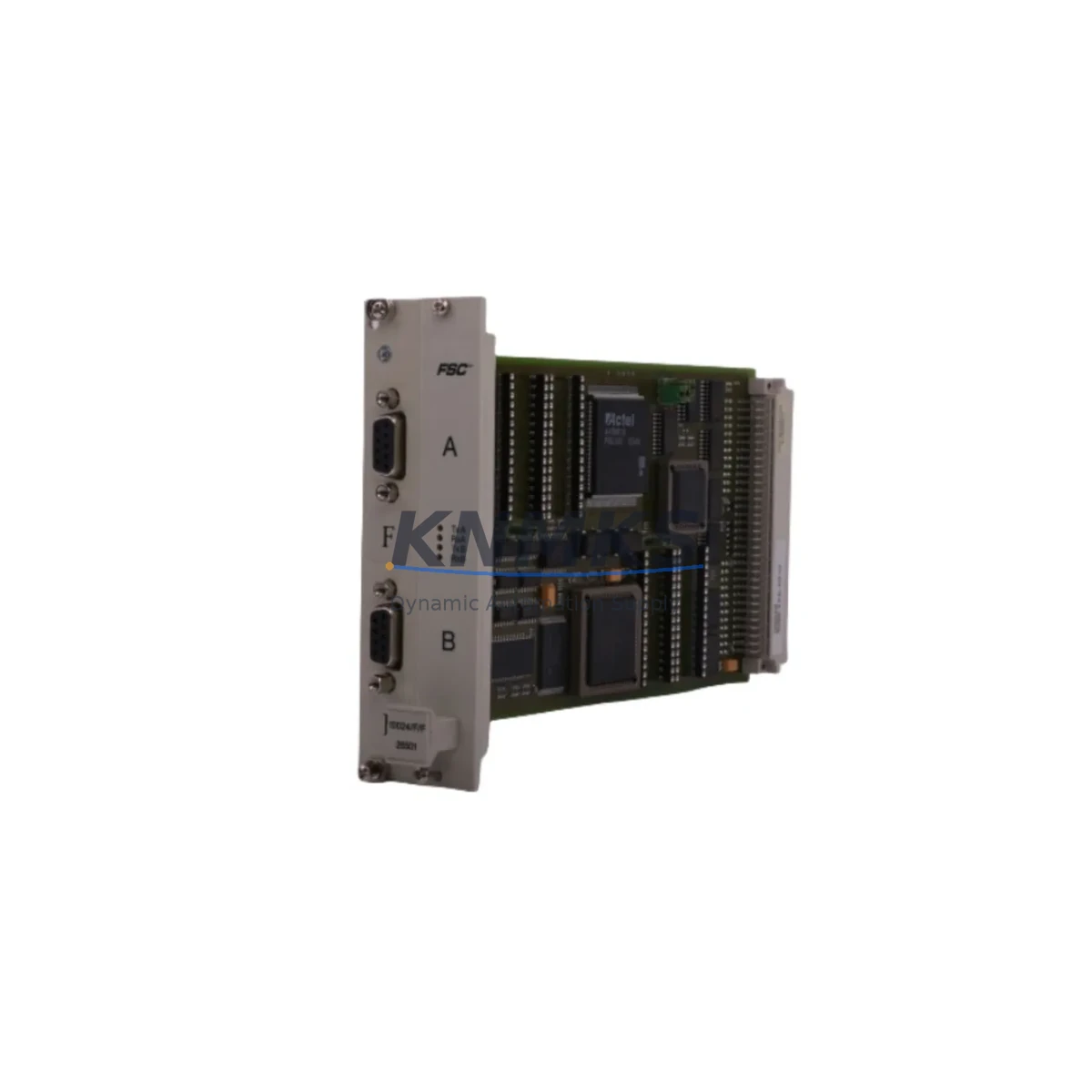
Overview
Honeywell 10311/2/1 Migration-Ready Safety Shutdown Module for Legacy Control Systems
The Honeywell 10311/2/1 is a SIL-rated Safety Shutdown Module from the Honeywell Fail Safe Series, purpose-built for safety-critical process control environments including oil & gas, chemical processing, power generation, and offshore platforms. As legacy Fail Safe controllers reach end-of-life and OEM support is discontinued, the 10311/2/1 remains one of the most sought-after spare parts for engineers managing brownfield safety systems that cannot be immediately replaced with modern SIS platforms.
This module is stocked, pre-shipment tested, and backed by a support terms confirmed by quotation — making it a reliable drop-in solution for facilities that need to extend the operational life of their existing Honeywell Fail Safe safety instrumented systems without committing to a full platform migration.
Migration Compatibility Table
| Parameter | Details |
|---|---|
| SKU / Part Number | 10311/2/1 |
| Brand / Series | Honeywell / Fail Safe Series |
| Module Function | Safety Shutdown Module (SIL-rated) |
| Replaces / Compatible With | Honeywell Fail Safe legacy safety shutdown modules; direct form-factor replacement |
| Installation Type | Rack/backplane-mounted; confirm slot addressing and backplane revision before installation |
| Wiring Compatibility | Terminal block wiring compatible with existing Fail Safe field wiring; verify I/O signal levels |
| Communication Protocol | Proprietary Honeywell Fail Safe internal bus; confirm firmware revision compatibility |
| Power Requirements | Supplied via backplane; verify rack PSU capacity before hot-swap or cold replacement |
| Firmware Compatibility | Confirm target firmware version with existing Fail Safe controller revision |
| Retrofit Recommendation | Direct replacement; no re-engineering required for like-for-like swap in same rack position |
| Commissioning Notes | Verify module address, I/O mapping, and safety logic download after installation |
| Support terms | support terms confirmed by quotation — all units pre-tested before shipment |
Retrofit Planning for Existing Automation Systems
When planning a retrofit or spare-part replacement involving the Honeywell 10311/2/1, engineers must account for the full scope of the safety system architecture. The 10311/2/1 operates within a Honeywell Fail Safe rack environment, meaning the surrounding hardware — including the Fail Safe power supply module, the Fail Safe communication interface, and the Fail Safe I/O modules — must all be verified for compatibility before the replacement module is installed.
In many brownfield installations, the 10311/2/1 sits alongside Honeywell Fail Safe digital input modules and Honeywell Fail Safe digital output modules that handle field device signals from emergency shutdown valves, pressure transmitters, and flame detectors. Before swapping the shutdown module, engineers should document the existing terminal wiring layout, confirm that the backplane slot address matches the original configuration, and verify that the safety logic controller — often a Honeywell FSC (Fail Safe Controller) or equivalent — retains the correct program version and I/O mapping for the replacement module.
For sites also managing DCS integration, the communication link between the Fail Safe system and the upstream Honeywell Experion PKS or legacy TDC 3000 historian must be verified to remain intact after the module swap. If the site is running a phased migration toward a modern SIS platform, the 10311/2/1 can serve as a bridge component, maintaining safety loop integrity while the broader migration plan is executed in stages — minimizing capital expenditure and avoiding full-system shutdowns.
Where HMI screens are involved, operators should confirm that the safety status displays and alarm annunciator panels referencing this module’s I/O points remain correctly mapped after the replacement. Any changes to module slot addressing will require corresponding updates in the HMI configuration and the safety logic application.
Downtime Control During System Migration
Replacing a safety shutdown module in a live or recently de-energized safety system demands a structured approach to minimize process downtime and protect the integrity of the existing safety logic. For the Honeywell 10311/2/1, the recommended practice is to perform the replacement during a planned maintenance window with the safety system in a known safe state — all field devices de-energized, bypass procedures documented, and the safety logic controller placed in maintenance mode.
Before removal of the original module, engineers should capture a full backup of the safety application program, including I/O configuration, module addressing, and any cause-and-effect matrix associated with the shutdown logic. This backup ensures that if the replacement module requires a fresh program download, the original logic can be restored without relying on paper documentation alone.
During installation, the 10311/2/1 should be inserted into the correct backplane slot with the rack powered down where possible. After seating the module, power should be restored incrementally — first verifying that the module is recognized by the Fail Safe controller, then confirming that all I/O channels report correctly before re-enabling field device power. A loop check on each safety input and output associated with this module should be completed before returning the system to operational status.
For facilities managing multiple safety loops simultaneously, a phased replacement strategy — replacing one module at a time while maintaining redundancy on adjacent loops — is strongly recommended. This approach keeps the overall safety system functional throughout the maintenance period and reduces the risk of a full safety system trip during the replacement process.
All units supplied are pre-tested prior to shipment, reducing the risk of commissioning failures caused by infant-mortality defects. The support terms confirmed by quotation cover the replacement module against manufacturing defects, providing additional assurance for facilities operating under strict safety management systems.
Retrofit Support FAQ
Q1: Is the Honeywell 10311/2/1 a direct replacement for the original Fail Safe shutdown module in my existing rack?
A: Yes, the 10311/2/1 is designed as a form-fit-function replacement for the corresponding Honeywell Fail Safe Series safety shutdown module. It installs into the same backplane slot and uses the same terminal wiring as the original. However, engineers should verify the backplane revision and firmware version of the Fail Safe controller to confirm full compatibility before installation.
Q2: What commissioning steps are required after installing the 10311/2/1?
A: After physical installation, confirm that the Fail Safe controller recognizes the new module at the correct slot address. Download or verify the safety application program, check all I/O channel mappings, and perform a full loop check on each field device connected to this module. Update HMI displays and alarm configurations if any addressing changes were made during the swap.
Q3: Can I install this module while the rest of the safety system remains operational?
A: Hot-swap capability depends on the specific Fail Safe rack configuration and the safety logic controller revision. In most cases, a planned shutdown of the affected safety loop is recommended to ensure safe installation. Consult your site safety management procedures and the Honeywell Fail Safe system documentation before attempting any live-rack module replacement.
Q4: What support terms and testing assurance is provided with this module?
A: Every Honeywell 10311/2/1 unit is pre-tested before shipment to verify functional integrity. A support terms confirmed by quotation is included, covering manufacturing defects. In-stock units are available for immediate dispatch, supporting urgent maintenance and emergency spare-part requirements at facilities worldwide.
© 2026 KNMKS. All rights reserved.
Original Source: https://knmks.com
Contact: admin@knmks.com | +86 18359268345
Product Identification
- Brand / Ecosystem
-
Honeywell
Honeywell - Model / Series
- 10311/2/1
- Product Family
- PLCs & Controllers
- Availability Status
- Available on request after model and quantity confirmation
- Inquiry Type
- B2B RFQ, replacement inquiry and project spare-part request
- Pre-Quote Check
- Exact SKU, brand, series, quantity, nameplate photos and destination country are checked before quotation
System Path
Where this product fits in the KNMKS automation structure.
Specification & Inquiry Focus
- Control platform
- PLC, PAC and modular controllers
- Common needs
- CPU, rack, power and I/O expansion
- Project support
- Replacement, cabinet build and maintenance
Buyer Confirmation
Information KNMKS checks before replying.
- Exact model
- 10311/2/1
- Brand / ecosystem
- Honeywell
- Product family
- PLCs & Controllers
- Application note
- Replacement, maintenance, project build or spare-part list
- Useful photos
- Nameplate, installed unit, cabinet layout or connector side
- Delivery details
- Quantity, destination country and target schedule
Document Support
Files and notes can be confirmed during quotation.
- Product photos or nameplate confirmation when available
- Packing and delivery notes before quotation confirmation
- Support scope and delivery terms confirmed per inquiry
- Export document coordination for qualified B2B requests
Inquiry Support
- Model cross-checking before quotation
- CPU, power, rack and expansion module matching
- Support for replacement and project inquiry
What to Send Us
- Brand and exact model number: Honeywell 10311/2/1
- Quantity and required delivery time
- Application, replacement requirement or nameplate photo
- Destination country and shipping preference
RFQ Preparation
This is a product inquiry page built for RFQ communication.
Fast Model Check
Send this model to KNMKS for confirmation.
Include quantity, destination country and photos if this is a maintenance replacement. The inquiry will be saved with a reference number after submission.
Brand & Compatibility Note
KNMKS displays automation product information for well-known industrial brand ecosystems and compatible replacement references. Brand names are used for product identification and compatibility reference only; final availability and commercial terms are confirmed per quotation.
 Manufacturing
 Machine Tools
 Packaging
 Energy & Power



 HMI & Displays
 Servo Systems
 Variable Frequency Drives
 Sensors