
Overview
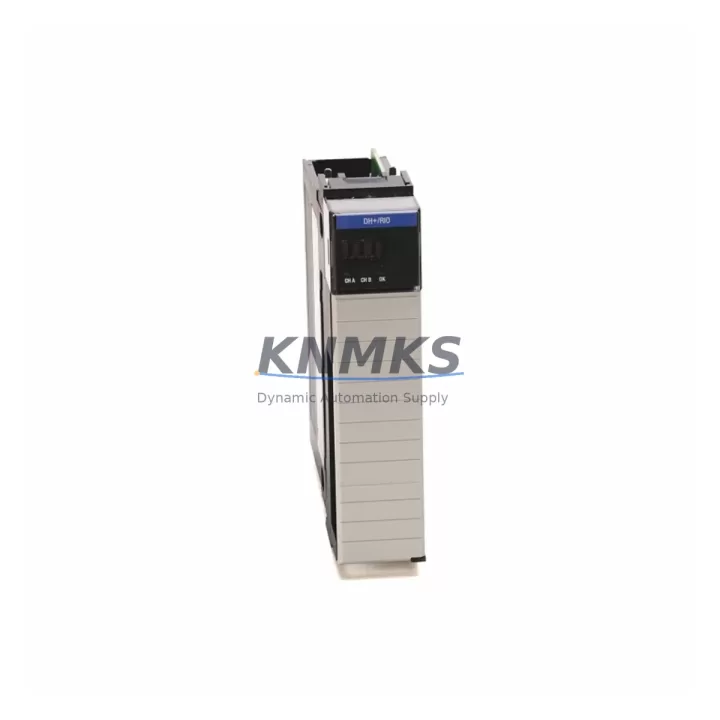
Allen-Bradley 1756-DHRIO/E Migration-Ready DH+/RIO Bridge for Legacy Control Systems
The Allen-Bradley 1756-DHRIO/E is a ControlLogix-platform DH+/Remote I/O (RIO) communication bridge module designed to maintain connectivity between modern Logix-based controllers and legacy Data Highway Plus (DH+) networks or Remote I/O racks. As industrial facilities accelerate migration away from PLC-5, SLC 500, and MicroLogix platforms, the 1756-DHRIO/E serves as a critical transition component — enabling engineers to preserve existing field wiring, remote I/O racks, and HMI communication links while upgrading the primary controller to a ControlLogix chassis.
For maintenance teams managing aging automation infrastructure, sourcing a verified, tested 1756-DHRIO/E with documented firmware compatibility is often the difference between a controlled cutover and an unplanned production stoppage. This module ships pre-tested, with configuration verified against known firmware revisions, and is backed by a support terms confirmed by quotation covering both hardware integrity and communication performance.
In retrofit projects where the original PLC-5/40 or PLC-5/80 controller is being replaced by a 1756-L7x or 1756-L8x ControlLogix processor, the 1756-DHRIO/E is typically installed in the same 1756 chassis alongside the new CPU. Engineers must confirm available chassis slots, backplane current draw budget, and module addressing before installation. The module occupies one slot in the 1756 chassis and communicates via the ControlLogix backplane — compatibility with 1756-A7, 1756-A10, 1756-A13, and 1756-A17 chassis has been validated across common retrofit configurations.
Power supply sizing is a frequent oversight during DH+ migration projects. The 1756-DHRIO/E draws from the chassis backplane, so the existing 1756-PA72 or 1756-PB72 power supply must have sufficient residual capacity after accounting for all installed modules. In high-density chassis configurations that also include 1756-EN2T Ethernet/IP communication modules, 1756-IB16 or 1756-OB16 digital I/O modules, and the primary processor, a power audit is mandatory before adding the DHRIO bridge.
Terminal wiring for DH+ connections uses the module’s built-in Phoenix-style connector. Polarity and shield grounding must match the original PLC-5 DH+ port wiring to avoid communication errors. RIO scanner configuration — including rack number, starting quarter, and I/O size — must be re-entered in RSLogix 5000 or Studio 5000 to mirror the original PLC-5 I/O configuration. Failure to replicate rack addressing will cause I/O faults on first scan after cutover.
HMI compatibility is another key validation point. PanelView terminals communicating over DH+ — including legacy PanelView 550, PanelView 900, and PanelView 1000 units — will continue to operate through the 1756-DHRIO/E bridge without screen redesign, provided the DH+ node address and message routing are correctly configured in the new Logix program. This preserves operator interface continuity and eliminates the need for immediate HMI replacement, significantly reducing project scope and risk.
For facilities running MSG (message) instructions between PLC-5 nodes and the new ControlLogix system, the 1756-DHRIO/E supports both DH+ pass-through and direct node communication. Routing tables in the Logix controller must be configured to map DH+ node addresses to the correct communication path. This is particularly important in multi-drop DH+ networks where several legacy PLCs remain active during a phased migration.
Firmware version alignment between the 1756-DHRIO/E and the ControlLogix processor is essential. Modules running older firmware may not support all MSG instruction types available in newer Studio 5000 project revisions. Firmware upgrade via ControlFLASH is supported, and the current shipping firmware revision is documented in the test report included with each unit.
All units are subject to pre-shipment functional testing including DH+ communication link verification, RIO scanner initialization, and backplane communication confirmation. Stock is maintained to support both emergency replacement and planned retrofit schedules. Lead times for verified, tested units are significantly shorter than new production orders for this discontinued module series.
Migration Compatibility Table
| Parameter | Specification / Retrofit Note |
|---|---|
| Module SKU | 1756-DHRIO/E |
| Platform | ControlLogix (1756 chassis) |
| Communication Ports | DH+ (Channel A & B), Remote I/O Scanner |
| Replaces / Bridges From | PLC-5 DH+ ports, SLC 500 DH+ adapters, MicroLogix DH+ links |
| Compatible Chassis | 1756-A7, 1756-A10, 1756-A13, 1756-A17 |
| Power Consumption | Verify residual capacity on 1756-PA72 / 1756-PB72 before installation |
| Wiring Interface | Phoenix-style terminal block; match original DH+ polarity and shield grounding |
| HMI Compatibility | PanelView 550 / 900 / 1000 via DH+ node address — no screen redesign required |
| Firmware Upgrade | Supported via ControlFLASH; revision documented in included test report |
| Installation Space | 1 slot, 1756 ControlLogix chassis |
| Pre-Shipment Testing | DH+ link, RIO scanner init, backplane communication verified |
| Support terms | support terms confirmed by quotation — hardware integrity and communication performance |
Retrofit Planning for Existing Automation Systems
A successful 1756-DHRIO/E retrofit begins with a complete audit of the existing DH+ network topology. Engineers should document all node addresses, baud rate settings (57.6K, 115.2K, or 230.4K), and the number of active DH+ drops before ordering replacement hardware. In systems where the DH+ network also carries MSG traffic between a PLC-5/30 and a remote SLC 5/04, the new ControlLogix program must replicate all MSG instruction paths using the 1756-DHRIO/E as the communication bridge.
Chassis planning must account for all modules in the new 1756 rack. A typical migration chassis includes the 1756-L74 or 1756-L75 processor, the 1756-DHRIO/E for legacy network bridging, a 1756-EN2T for Ethernet/IP connectivity to SCADA or MES systems, and a combination of 1756-IB16 and 1756-OB16 digital I/O modules for local hardwired signals. In some configurations, a 1756-IF8 analog input module is also required to replace legacy PLC-5 analog cards. Each module’s backplane current draw must be summed and compared against the selected power supply’s rated output.
For Remote I/O applications, the 1756-DHRIO/E operates as an RIO scanner, replacing the PLC-5’s built-in RIO port. Remote I/O racks — including legacy 1771 I/O racks with 1771-ASB adapters — remain fully operational without hardware changes to the field side. The rack number, starting quarter, and I/O size configured in the original PLC-5 program must be exactly replicated in the Studio 5000 Generic Profile for the 1756-DHRIO/E scanner configuration.
Signal isolation requirements should also be reviewed during retrofit planning. In environments with high electrical noise — common in motor control centers or near variable frequency drives — a signal isolator on the DH+ trunk may be required to maintain communication integrity. This is particularly relevant when extending DH+ segments beyond the original cable run length.
Downtime Control During System Migration
Minimizing production downtime during a DH+ to ControlLogix migration requires a structured cutover plan. The recommended approach is to complete all Studio 5000 programming, I/O configuration, and MSG routing offline, using the existing PLC-5 program as the reference. A full simulation of the new program — including DH+ communication paths through the 1756-DHRIO/E — should be completed before the scheduled maintenance window.
During the cutover window, the sequence is: power down the existing PLC-5 chassis, remove the processor and any DH+ interface cards, install the new 1756 ControlLogix chassis with the pre-configured 1756-DHRIO/E, reconnect DH+ trunk wiring to the module’s terminal block, and download the validated Studio 5000 program. First-scan I/O verification should confirm that all RIO rack addresses are responding before releasing control to the new system.
Original ladder logic from the PLC-5 program should be preserved in documentation form and archived before cutover. In phased migrations where some PLC-5 nodes remain active, the 1756-DHRIO/E’s pass-through capability allows the new ControlLogix system to communicate with legacy nodes without disrupting their operation. This supports a staged decommissioning approach that reduces risk and allows production to continue during the transition period.
Post-cutover, HMI screens on connected PanelView terminals should be verified for correct data display and alarm functionality. DH+ communication statistics — available through RSLinx Classic or Studio 5000 diagnostics — should be monitored for the first 24–48 hours of operation to confirm stable link performance before closing the retrofit project.
Retrofit Support FAQ
Q: Is the 1756-DHRIO/E a direct drop-in replacement for the PLC-5’s built-in DH+ port?
A: The 1756-DHRIO/E provides equivalent DH+ and RIO communication functionality within the ControlLogix platform. It is not a physical drop-in (it installs in a 1756 chassis slot rather than replacing a PLC-5 card), but it replicates all DH+ node and RIO scanner functions. Wiring connects directly to the module’s terminal block using the same DH+ trunk cable.
Q: What firmware version is shipped, and can it be upgraded in the field?
A: Each unit ships with the firmware revision documented in the included pre-shipment test report. Field firmware upgrades are supported via ControlFLASH utility. It is recommended to verify firmware compatibility with your Studio 5000 project revision before installation.
Q: Does the module support both DH+ and Remote I/O simultaneously?
A: Yes. The 1756-DHRIO/E provides two independent channels — Channel A and Channel B — each configurable as either a DH+ node or an RIO scanner. This allows simultaneous DH+ network communication and RIO rack scanning from a single module slot.
Q: What support terms and testing documentation is included?
A: All units are covered by a support terms confirmed by quotation from the date of shipment. A pre-shipment test report confirming DH+ link verification, RIO scanner initialization, and backplane communication is included with each unit. For procurement and quality records, test documentation is available in PDF format upon request.
© 2026 KNMKS. All rights reserved.
Original Source: https://knmks.com
Contact: admin@knmks.com | +86 18359268345
Product Identification
- Brand / Ecosystem
-
Allen-Bradley
Allen-Bradley - Model / Series
-
1756-DHRIO/E
ControlLogix Series - Product Family
- PLCs & Controllers
- Availability Status
- Available on request after model and quantity confirmation
- Inquiry Type
- B2B RFQ, replacement inquiry and project spare-part request
- Pre-Quote Check
- Exact SKU, brand, series, quantity, nameplate photos and destination country are checked before quotation
System Path
Where this product fits in the KNMKS automation structure.
Specification & Inquiry Focus
- Control platform
- PLC, PAC and modular controllers
- Common needs
- CPU, rack, power and I/O expansion
- Project support
- Replacement, cabinet build and maintenance
Buyer Confirmation
Information KNMKS checks before replying.
- Exact model
- 1756-DHRIO/E
- Brand / ecosystem
- Allen-Bradley
- Product family
- PLCs & Controllers
- Application note
- Replacement, maintenance, project build or spare-part list
- Useful photos
- Nameplate, installed unit, cabinet layout or connector side
- Delivery details
- Quantity, destination country and target schedule
Document Support
Files and notes can be confirmed during quotation.
- Product photos or nameplate confirmation when available
- Packing and delivery notes before quotation confirmation
- Support scope and delivery terms confirmed per inquiry
- Export document coordination for qualified B2B requests
Inquiry Support
- Model cross-checking before quotation
- CPU, power, rack and expansion module matching
- Support for replacement and project inquiry
What to Send Us
- Brand and exact model number: Allen-Bradley 1756-DHRIO/E
- Quantity and required delivery time
- Application, replacement requirement or nameplate photo
- Destination country and shipping preference
RFQ Preparation
This is a product inquiry page built for RFQ communication.
Fast Model Check
Send this model to KNMKS for confirmation.
Include quantity, destination country and photos if this is a maintenance replacement. The inquiry will be saved with a reference number after submission.
Brand & Compatibility Note
KNMKS displays automation product information for well-known industrial brand ecosystems and compatible replacement references. Brand names are used for product identification and compatibility reference only; final availability and commercial terms are confirmed per quotation.
 Manufacturing
 Machine Tools
 Packaging
 Energy & Power



 HMI & Displays
 Servo Systems
 Variable Frequency Drives
 Sensors