
Overview
Allen-Bradley 1756-CN2RXT Migration-Ready ControlNet Bridge for Legacy Control Systems
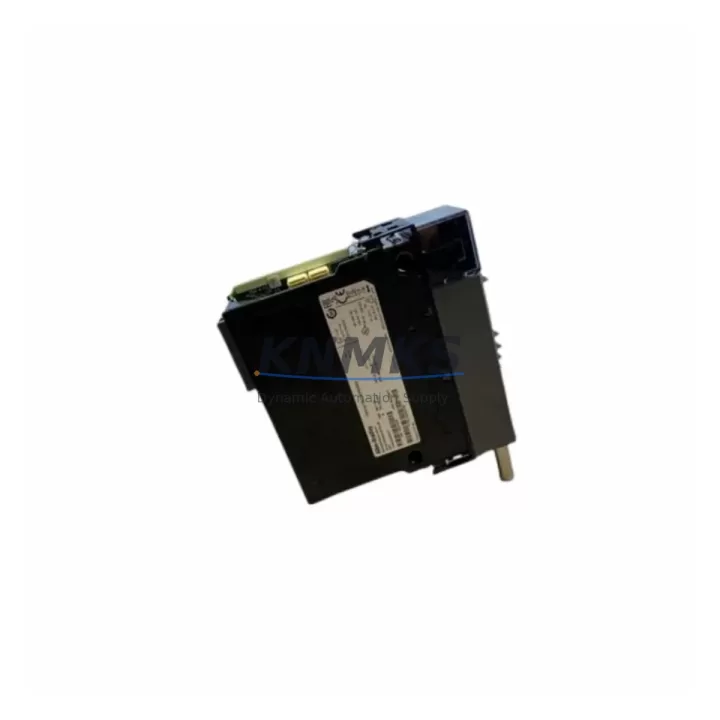
The Allen-Bradley 1756-CN2RXT is a ControlNet redundant communication bridge module designed for the 1756 ControlLogix XT chassis platform. As legacy ControlNet-based control architectures approach end-of-life, the 1756-CN2RXT serves as a critical migration-ready replacement component — enabling engineers to extend system service life, restore redundant communication paths, and maintain production continuity without committing to a full platform overhaul. Whether you are replacing a failed unit in an existing ControlLogix XT rack or executing a phased retrofit of an aging DCS or PLC network, this module provides the compatibility, form factor, and protocol support required for a controlled, low-risk transition.
The 1756-CN2RXT supports dual ControlNet ports with coaxial BNC connectors, providing redundant media access for high-availability applications. It is rated for extended temperature operation, making it suitable for harsh industrial environments including foundries, offshore platforms, and outdoor enclosures where standard ControlLogix modules cannot be deployed. The module occupies a single slot in the 1756 XT backplane and communicates with the ControlLogix controller via the chassis backplane, requiring no additional wiring between the bridge and the CPU.
Migration Compatibility Table
| Parameter | 1756-CN2RXT | Retrofit Notes |
|---|---|---|
| Form Factor | 1756 XT Single-Slot Module | Verify XT chassis slot availability before installation |
| Communication Protocol | ControlNet (Redundant) | Compatible with existing ControlNet coax trunk and tap infrastructure |
| Connector Type | Dual BNC (Coaxial) | Confirm existing cable termination and tap spacing meets ControlNet spec |
| Backplane Interface | 1756 XT Backplane | Not compatible with standard 1756 (non-XT) chassis |
| Temperature Rating | Extended (-25°C to +70°C) | Suitable for harsh-environment enclosures; verify enclosure thermal rating |
| Module Address | Configurable via RSNetWorx for ControlNet | Match node address to legacy configuration to avoid network disruption |
| Firmware Compatibility | Requires compatible ControlLogix XT firmware | Verify controller firmware revision before hot-swap or replacement |
| Replacement Path | Direct replacement for 1756-CN2RXT (same catalog number) | No program changes required if node address and firmware match |
| Support terms | support terms confirmed by quotation | Covered from date of shipment; includes functional test certification |
Retrofit Planning for Existing Automation Systems
Successful integration of the 1756-CN2RXT into a legacy control system requires careful pre-installation planning across several interdependent subsystems. Before removing the failed or end-of-life module, engineers should document the existing ControlNet node address assigned to the bridge using RSNetWorx for ControlNet. Reusing the same node address on the replacement module eliminates the need to modify scheduled connection parameters in the controller project, significantly reducing commissioning time and the risk of unintended I/O disruption.
Power budget verification is essential when adding or replacing modules in the 1756 XT chassis. The 1756-PA75R or 1756-PB75R XT power supply modules must have sufficient remaining capacity to support the 1756-CN2RXT’s backplane current draw. Review the chassis power budget worksheet and confirm that the total load across all installed modules does not exceed the supply rating. If the existing power supply is already near capacity — a common scenario in fully populated legacy racks — a power supply upgrade or chassis expansion using an additional 1756 XT rack may be required before the bridge module can be safely installed.
For systems that include remote I/O racks connected via ControlNet, the 1756-CN2RXT must be configured to maintain all existing scheduled and unscheduled connections. Any 1756-IB16 digital input modules, 1756-OB16 digital output modules, or 1756-IF8 analog input modules in remote racks that communicate over the ControlNet segment must retain their connection parameters. Use RSLogix 5000 or Studio 5000 Logix Designer to verify that all I/O tree entries remain intact after the module swap and that no connections are in a faulted state following power-up.
If the retrofit scope includes migrating from an older ControlNet-only architecture toward an EtherNet/IP backbone, the 1756-CN2RXT can serve as a bridge during the transition period, maintaining legacy ControlNet segments while EtherNet/IP infrastructure is installed in parallel. In this scenario, a 1756-EN2TR EtherNet/IP dual-port module may be added to the same chassis to support the new network segment, allowing both protocols to coexist during the cutover window. HMI screens connected via FactoryTalk View SE should be reviewed to confirm that tag paths referencing the ControlNet bridge module remain valid after any address or slot changes.
Programming cable access via a 1756-USB or 1784-U2DHP USB-to-DH+ adapter may be required for firmware updates or controller configuration changes during the retrofit. Ensure that the programming workstation has the correct version of RSLogix 5000 or Studio 5000 installed and that the controller firmware revision is compatible with the replacement module before beginning any online edits.
Downtime Control During System Migration
Minimizing unplanned downtime during a ControlNet bridge replacement requires a structured approach to pre-staging, verification, and cutover sequencing. Before the maintenance window begins, the replacement 1756-CN2RXT should be pre-configured offline with the correct node address and verified against the existing network schedule using RSNetWorx for ControlNet. A full backup of the controller project — including all I/O configuration, ladder logic, function block diagrams, and HMI tag databases — should be completed and stored on a secure offline medium prior to any hardware changes.
During the replacement window, the controller should be placed in Program mode to suspend scheduled I/O updates before the module is removed. This prevents false output states from being driven to field devices during the swap. After the new 1756-CN2RXT is seated in the chassis and powered, the ControlNet network schedule should be downloaded from RSNetWorx and the controller returned to Run mode. Monitor the I/O tree in Studio 5000 for any faulted connections and verify that all remote racks and devices have re-established communication before resuming production.
For high-availability systems with redundant controller pairs, the 1756-CN2RXT replacement can often be performed on the secondary controller chassis while the primary remains in control, eliminating production impact entirely. After the secondary chassis is restored and synchronized, a controlled switchover can be executed to verify that the replacement module operates correctly under live production conditions. This approach is strongly recommended for continuous-process applications where even brief interruptions carry significant cost or safety implications.
Retrofit Support FAQ
Q: Is the 1756-CN2RXT a direct drop-in replacement for a failed unit of the same catalog number?
A: Yes. The 1756-CN2RXT is a direct catalog-for-catalog replacement. Provided the node address is configured to match the original and the controller firmware is compatible, no program modifications are required. The module will re-establish all scheduled ControlNet connections automatically upon power-up.
Q: What pre-shipment testing is performed on the 1756-CN2RXT?
A: Every unit undergoes functional verification testing prior to shipment, including backplane communication checks, dual-port ControlNet interface validation, and firmware revision confirmation. A test report is available upon request. All units are covered by a support terms confirmed by quotation from the date of shipment.
Q: How do I verify firmware compatibility before installing the replacement module?
A: Check the existing controller firmware revision in RSLogix 5000 or Studio 5000 under Controller Properties. Cross-reference the minimum required firmware for the 1756-CN2RXT in the Rockwell Automation Product Compatibility and Download Center (PCDC). If a firmware update is required, perform it before installing the replacement module to avoid compatibility faults.
Q: What is the typical lead time and stock availability?
A: We maintain ready stock of the 1756-CN2RXT to support urgent replacement and retrofit projects. Standard orders ship within 1–3 business days. For large-quantity or project-based procurement, contact our sales team for availability confirmation and volume pricing.
© 2026 KNMKS. All rights reserved.
Original Source: https://knmks.com
Contact: admin@knmks.com | +86 18359268345
Product Identification
- Brand / Ecosystem
-
Allen-Bradley
Allen-Bradley - Model / Series
-
1756-CN2RXT
ControlLogix Series - Product Family
- PLCs & Controllers
- Availability Status
- Available on request after model and quantity confirmation
- Inquiry Type
- B2B RFQ, replacement inquiry and project spare-part request
- Pre-Quote Check
- Exact SKU, brand, series, quantity, nameplate photos and destination country are checked before quotation
System Path
Where this product fits in the KNMKS automation structure.
Specification & Inquiry Focus
- Control platform
- PLC, PAC and modular controllers
- Common needs
- CPU, rack, power and I/O expansion
- Project support
- Replacement, cabinet build and maintenance
Buyer Confirmation
Information KNMKS checks before replying.
- Exact model
- 1756-CN2RXT
- Brand / ecosystem
- Allen-Bradley
- Product family
- PLCs & Controllers
- Application note
- Replacement, maintenance, project build or spare-part list
- Useful photos
- Nameplate, installed unit, cabinet layout or connector side
- Delivery details
- Quantity, destination country and target schedule
Document Support
Files and notes can be confirmed during quotation.
- Product photos or nameplate confirmation when available
- Packing and delivery notes before quotation confirmation
- Support scope and delivery terms confirmed per inquiry
- Export document coordination for qualified B2B requests
Inquiry Support
- Model cross-checking before quotation
- CPU, power, rack and expansion module matching
- Support for replacement and project inquiry
What to Send Us
- Brand and exact model number: Allen-Bradley 1756-CN2RXT
- Quantity and required delivery time
- Application, replacement requirement or nameplate photo
- Destination country and shipping preference
RFQ Preparation
This is a product inquiry page built for RFQ communication.
Fast Model Check
Send this model to KNMKS for confirmation.
Include quantity, destination country and photos if this is a maintenance replacement. The inquiry will be saved with a reference number after submission.
Brand & Compatibility Note
KNMKS displays automation product information for well-known industrial brand ecosystems and compatible replacement references. Brand names are used for product identification and compatibility reference only; final availability and commercial terms are confirmed per quotation.
 Manufacturing
 Machine Tools
 Packaging
 Energy & Power



 HMI & Displays
 Servo Systems
 Variable Frequency Drives
 Sensors