
Overview
ABB FPBA-01-M Migration-Ready PROFIBUS-DP Adapter: Legacy System Migration and Compatible Upgrade
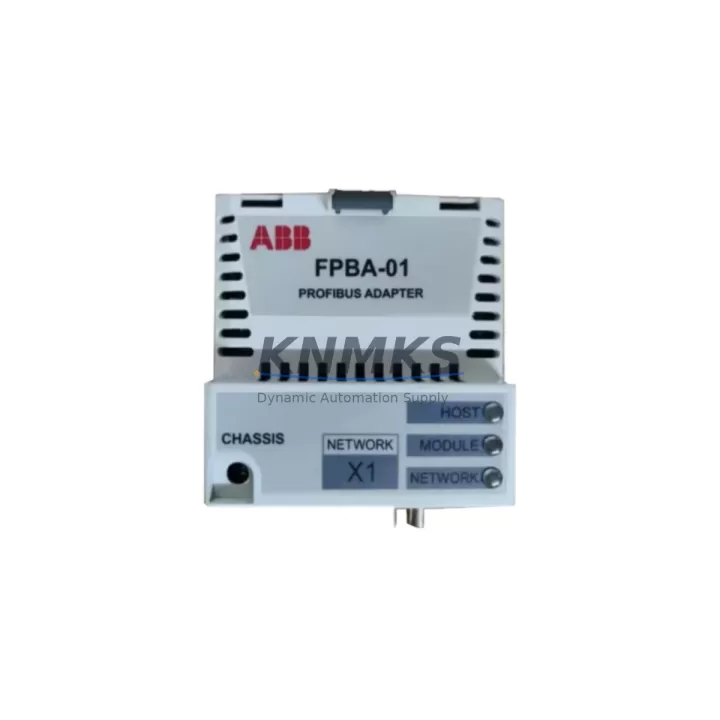
The ABB FPBA-01-M is a PROFIBUS-DP fieldbus adapter module designed for integration with ABB ACS series variable frequency drives, most notably the ACS800 and ACS550 platforms. As legacy control architectures reach end-of-life and spare part availability tightens, the FPBA-01-M has become a critical component in retrofit and modernization projects across process industries, material handling, and discrete manufacturing. Whether you are replacing a failed communication adapter, upgrading a drive cabinet to support a new SCADA layer, or migrating from a proprietary fieldbus to a standardized PROFIBUS-DP network, the FPBA-01-M provides a verified, drop-in compatible solution that minimizes engineering risk and reduces planned downtime.
This module slots directly into the option slot of compatible ABB drives, establishing a PROFIBUS-DP slave connection that allows the host PLC or DCS to issue speed references, control word commands, and read back actual values and fault codes in real time. The adapter supports standard PROFIBUS-DP V0 and V1 protocol layers, making it compatible with Siemens S7-300, S7-400, S7-1500, and third-party PROFIBUS masters without requiring custom GSD file modifications in most retrofit scenarios. Before installation, engineers should confirm the drive firmware version supports the FPBA-01-M option slot assignment, as certain early ACS800 firmware revisions require an update to recognize the module address correctly.
Migration Compatibility Table
| Parameter | Detail |
|---|---|
| Compatible Drive Series | ABB ACS800, ACS550, ACS355, ACS580 (slot-dependent) |
| Protocol | PROFIBUS-DP V0 / V1 |
| Installation Interface | Drive option slot (slot 1 or slot 2 depending on drive model) |
| Node Address Setting | DIP switch on module; range 1–125 |
| Baud Rate Support | 9.6 kbps – 12 Mbps (auto-detect) |
| GSD File | ABB-provided GSD required for PLC hardware configuration |
| Replacement for | FPBA-01 (earlier revision), discontinued fieldbus option cards |
| Retrofit Recommendation | Verify drive parameter group 51 (fieldbus adapter) settings post-installation |
| Commissioning Focus | Control word mapping, actual value scaling, watchdog timeout configuration |
| Support terms | support terms confirmed by quotation — functional and communication performance guaranteed |
Retrofit Planning for Existing Automation Systems
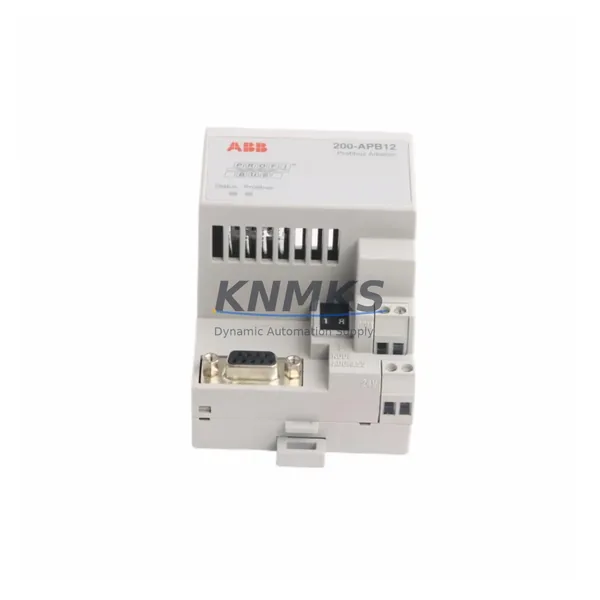
A successful FPBA-01-M retrofit begins well before the module arrives on site. Engineers working on ACS800 cabinet upgrades typically need to audit the existing option slot occupancy — in multi-drive cabinets, slot 1 may already be occupied by an RAIO-01 analog I/O extension module or an RDIO-01 digital I/O module, which means the FPBA-01-M must be assigned to slot 2 and the drive parameter group updated accordingly. In systems where the ACS800 is paired with an NPBA-12 PROFIBUS adapter from an earlier generation, the FPBA-01-M serves as a direct functional replacement, but the GSD file loaded into the Siemens STEP 7 or TIA Portal hardware configuration must be updated to reflect the new module’s I/O data structure.
Power supply integrity is another pre-retrofit checkpoint. The FPBA-01-M draws its operating power from the drive’s internal option slot bus; no external 24 VDC supply is required. However, in older ACS800 units where the internal SMPS has degraded, option slot voltage may fall below the module’s operating threshold, causing intermittent communication faults. A quick measurement of the option slot supply rail before module installation can prevent misdiagnosis of a communication fault as a module defect.
Terminal wiring for the PROFIBUS-DP bus connection uses a standard 9-pin D-sub connector. In retrofit scenarios where the existing cable was terminated for an older adapter with a different pinout, technicians should verify that the shield connection, A-line, and B-line assignments match the FPBA-01-M’s connector standard. Bus termination resistors at the physical ends of the PROFIBUS segment must remain active; adding the FPBA-01-M as a mid-segment node without adjusting termination can introduce reflections that degrade communication reliability across all nodes on the segment, including unrelated devices such as Siemens ET 200S distributed I/O stations or ABB AC500 remote I/O modules.
For projects involving HMI migration alongside the drive upgrade, the PROFIBUS-DP node address assigned to the FPBA-01-M must match the address configured in the PLC’s hardware table and any HMI tag database that references drive status words. If the legacy system used a different node address for the previous adapter, the HMI screens, alarm logic, and trend historian tags may all reference the old address. Updating the DIP switch setting on the FPBA-01-M and synchronizing the PLC configuration and HMI tag database in a single coordinated change window is strongly recommended to avoid partial communication failures during the cutover.
Downtime Control During System Migration
Minimizing unplanned downtime during a PROFIBUS-DP adapter replacement requires a structured pre-commissioning approach. Before removing the legacy adapter, engineers should export the full drive parameter set using ABB DriveWindow or the drive’s keypad backup function. This parameter backup preserves motor data, speed references, acceleration ramps, and the fieldbus control word mapping — all of which must be verified after the FPBA-01-M is installed and the drive is powered back up.
The FPBA-01-M supports a cold-swap installation procedure: the drive must be powered down completely, including the DC bus discharge, before the option module is inserted or removed. Attempting a hot-swap risks damage to the module’s edge connector and may corrupt the drive’s option slot configuration registers. Once the module is seated and the drive is powered up, the PROFIBUS-DP master should be placed in stop mode before initiating the first communication cycle, allowing the drive to complete its option slot initialization sequence — typically 5 to 15 seconds depending on firmware version — before the master begins polling.
For production lines where even a brief communication interruption triggers a safety interlock or process alarm, a parallel commissioning approach is advisable: configure the FPBA-01-M on a test drive of the same model offline, validate the full control word and actual value exchange with the PLC in a bench test environment, and document the exact parameter group 51 settings before scheduling the live cutover. This approach compresses the on-site commissioning window to under 30 minutes in most cases, protecting original program logic and maintaining field control continuity throughout the migration.
Retrofit Support FAQ
Q1: Is the FPBA-01-M a direct replacement for the FPBA-01 and NPBA-12?
The FPBA-01-M is the current production revision of the FPBA-01 and is functionally compatible as a drop-in replacement in ACS800 and ACS550 option slots. The NPBA-12 is an older PROFIBUS adapter from a different product generation; while the FPBA-01-M provides equivalent PROFIBUS-DP functionality, the GSD file and drive parameter group 51 settings must be reconfigured to match the FPBA-01-M’s data structure. Direct substitution without parameter update will result in a communication fault.
Q2: What commissioning steps are required after installing the FPBA-01-M?
After physical installation, set the node address DIP switches to match the address configured in the PLC hardware table. Power up the drive and navigate to parameter group 51 to confirm the drive has recognized the FPBA-01-M in the assigned slot. Verify the control word source is set to fieldbus (parameter 10.01 on ACS800). Perform a test run in local control mode before switching to fieldbus control to confirm motor parameters are intact. Finally, validate the PROFIBUS-DP communication cycle from the PLC side using diagnostic tools in STEP 7 or TIA Portal.
Q3: Can the FPBA-01-M be used in a PROFIBUS-DP network with mixed baud rates or legacy segment equipment?
The FPBA-01-M supports auto-baud-rate detection across the full PROFIBUS-DP range (9.6 kbps to 12 Mbps). In mixed-generation networks where older devices limit the segment baud rate, the FPBA-01-M will synchronize to the master-configured rate without manual adjustment. Bus termination and cable quality remain the primary factors affecting communication stability in legacy segment environments.
Q4: What does the support terms confirmed by quotation cover, and is pre-shipment testing performed?
Every FPBA-01-M unit is functionally tested prior to shipment, including option slot connector integrity and PROFIBUS-DP communication initialization verification. The support terms confirmed by quotation cover manufacturing defects and functional failures under normal operating conditions. Units are shipped with anti-static packaging and include a test report on request. For urgent retrofit projects, expedited shipping is available — contact our sales team to confirm lead time and stock availability before placing your order.
© 2026 KNMKS. All rights reserved.
Original Source: https://knmks.com
Contact: admin@knmks.com | +86 18359268345
Product Identification
- Brand / Ecosystem
-
ABB
ABB - Model / Series
-
FPBA-01-M
S800 Series - Product Family
- Communication Modules
- Availability Status
- Available on request after model and quantity confirmation
- Inquiry Type
- B2B RFQ, replacement inquiry and project spare-part request
- Pre-Quote Check
- Exact SKU, brand, series, quantity, nameplate photos and destination country are checked before quotation
System Path
Where this product fits in the KNMKS automation structure.
Specification & Inquiry Focus
- Network range
- Ethernet, fieldbus and gateway modules
- Common needs
- Protocol, port and controller family
- Project support
- Machine networking and data integration
Buyer Confirmation
Information KNMKS checks before replying.
- Exact model
- FPBA-01-M
- Brand / ecosystem
- ABB
- Product family
- Communication Modules
- Application note
- Replacement, maintenance, project build or spare-part list
- Useful photos
- Nameplate, installed unit, cabinet layout or connector side
- Delivery details
- Quantity, destination country and target schedule
Document Support
Files and notes can be confirmed during quotation.
- Product photos or nameplate confirmation when available
- Packing and delivery notes before quotation confirmation
- Support scope and delivery terms confirmed per inquiry
- Export document coordination for qualified B2B requests
Inquiry Support
- Industrial Ethernet and fieldbus module inquiry
- Protocol compatibility review
- Integration project inquiry support
What to Send Us
- Brand and exact model number: ABB FPBA-01-M
- Quantity and required delivery time
- Application, replacement requirement or nameplate photo
- Destination country and shipping preference
RFQ Preparation
This is a product inquiry page built for RFQ communication.
Fast Model Check
Send this model to KNMKS for confirmation.
Include quantity, destination country and photos if this is a maintenance replacement. The inquiry will be saved with a reference number after submission.
Brand & Compatibility Note
KNMKS displays automation product information for well-known industrial brand ecosystems and compatible replacement references. Brand names are used for product identification and compatibility reference only; final availability and commercial terms are confirmed per quotation.
 Manufacturing
 Machine Tools
 Packaging
 Energy & Power
 PLCs & Controllers
 HMI & Displays
 Servo Systems
 Variable Frequency Drives