
Overview
Siemens SC86-4CM0 Maintenance-Proven Spare for Factory Uptime
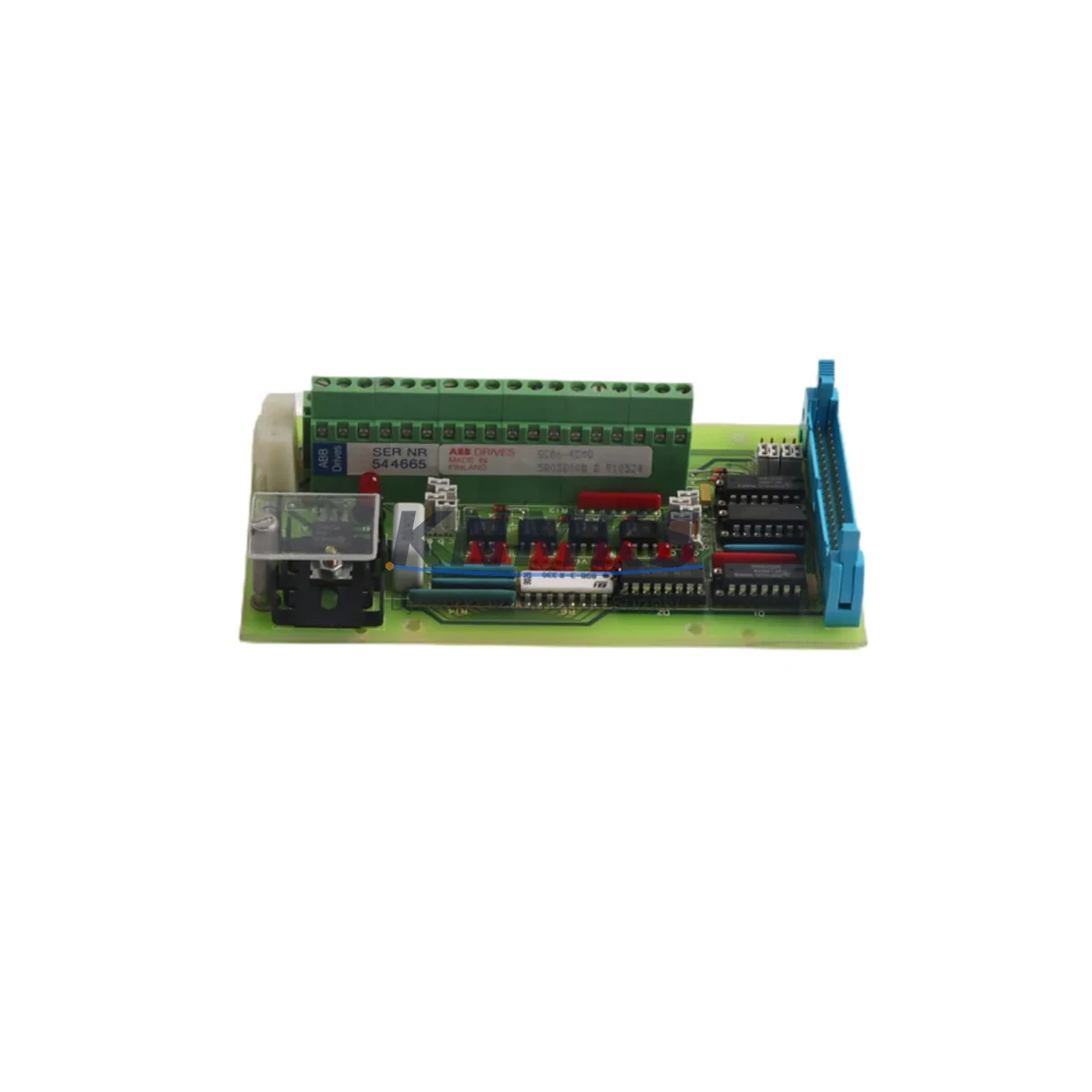
The Siemens SC86-4CM0 is an original DCS terminal card from the SC86 series, engineered for continuous-duty industrial environments where unplanned downtime carries significant operational and financial cost. Designed for current loop signal interfacing within distributed control system architectures, the SC86-4CM0 serves as a critical I/O boundary component between field instrumentation and the DCS backplane. Maintenance engineers and spare parts procurement teams in process industries — including chemical, petrochemical, power generation, and heavy manufacturing — rely on verified original SC86-4CM0 units to restore control loops quickly and maintain system integrity without configuration risk.
Sourced directly from authorized supply channels and tested before dispatch, each SC86-4CM0 unit shipped by KNMKS is verified for electrical performance and physical condition. Our support terms confirmed by quotation cover manufacturing defects and ensures your maintenance team has recourse if a fault is traced to the component itself. We maintain standing inventory of SC86 series cards to support both emergency call-off orders and planned annual overhaul procurement schedules.
For procurement engineers managing MRO budgets and spare parts registers, the SC86-4CM0 represents a low-risk, high-availability line item. Its compatibility with the SC86 DCS platform means no firmware re-flashing, no re-engineering of I/O mapping, and no extended commissioning time — the card slots in, the loop is restored, and production resumes. Long-term supply continuity is supported through our global sourcing network, making KNMKS a reliable single-source partner for SC86 series components across the product lifecycle.
Spare Maintenance Table
| Part Number | SC86-4CM0 |
| Brand | Siemens |
| Series | SC86 |
| Product Type | DCS Terminal Card |
| Signal Interface | Current Loop (4–20 mA) |
| Mounting | DCS Backplane / Rack-mount |
| Country of Origin | Germany |
| Operating Temperature | 0°C to +60°C (typical DCS card spec) |
| Compatibility | SC86 series DCS platforms; verify backplane slot type before installation |
| Condition | Original, factory-grade; tested before dispatch |
| Support terms | 12 Months |
| Lead Time | In-stock; same-day or next-business-day dispatch available |
| Application | Process control, loop monitoring, field instrument interfacing |
| Maintenance Recommendation | Inspect terminal connections and loop continuity during scheduled outages; replace if signal drift or intermittent faults are detected |
Maintenance Planning for Continuous Operation
When a current loop terminal card such as the SC86-4CM0 is flagged for replacement during a fault investigation or scheduled inspection, experienced maintenance engineers treat the event as a trigger for a broader control cabinet audit. The SC86-4CM0 interfaces directly with field transmitters via 4–20 mA loops, and any degradation in the card’s signal conditioning circuitry can manifest as erratic PV readings, false alarms, or loss of control authority over regulated processes.
During the same maintenance window, engineers should verify the condition of the SC86 series power supply module feeding the card rack — voltage ripple or under-voltage conditions accelerate terminal card aging. The SC86 backplane connector pins and card-edge contacts should be inspected for oxidation or mechanical wear, particularly in high-humidity or high-vibration environments. If the plant runs a mixed I/O architecture, the adjacent SC86 digital I/O cards and analog output cards in the same rack should be checked for similar signal anomalies.
Field wiring terminations at the SC86 terminal block assemblies are a common source of intermittent loop faults that are incorrectly attributed to the terminal card itself — always perform a loop resistance check and insulation test before condemning the SC86-4CM0. Where signal isolation is required between field instruments and the DCS, confirm that any signal isolators or loop-powered barriers in the circuit are within calibration and not contributing to loop loading errors.
For plants operating legacy SC86 systems beyond the original design life, maintaining a minimum stock of two SC86-4CM0 cards per control cabinet is a widely adopted practice among reliability engineers. Pairing this with a documented spare parts register that includes the SC86 power supply, communication modules, and HMI interface cards ensures that any single-point failure in the control system can be resolved within one shift, without waiting for emergency procurement.
Site Replacement Workflow
Step 1 — Fault Confirmation: Before removing the SC86-4CM0, confirm the fault is isolated to the card and not to field wiring, the transmitter, or the backplane slot. Use the DCS diagnostic display or a handheld loop calibrator to verify signal loss at the card input terminals.
Step 2 — Safe Isolation: Follow your site’s lockout/tagout procedure. De-energize the loop at the field junction box and confirm zero energy state at the terminal card before extraction.
Step 3 — Card Extraction: Release the card retention latch and withdraw the SC86-4CM0 from the backplane slot. Inspect the card-edge connector and backplane socket for contamination or damage before inserting the replacement unit.
Step 4 — Replacement Installation: Insert the new SC86-4CM0 firmly into the correct backplane slot. The SC86 series uses keyed connectors to prevent incorrect card insertion — do not force the card if resistance is felt. Restore loop power and verify the DCS recognizes the card without configuration errors.
Step 5 — Loop Verification: Apply a known 4 mA and 20 mA test signal from the field side and confirm the DCS reads 0% and 100% respectively. Document the replacement in the maintenance management system and update the spare parts register.
This workflow is compatible with hot-standby and redundant SC86 configurations — consult your system documentation for switchover procedures before working on active redundant cards.
Spare Parts Support FAQ
Q1: Is the SC86-4CM0 supplied as a new original or refurbished unit?
All SC86-4CM0 units supplied by KNMKS are original, factory-grade components sourced through authorized channels. Each unit is electrically tested before dispatch. We do not supply refurbished or remanufactured cards unless explicitly requested and agreed in writing.
Q2: What is covered under the support terms confirmed by quotation?
The support terms confirmed by quotation cover manufacturing defects and electrical failures under normal operating conditions. It does not cover damage resulting from incorrect installation, overvoltage events, or physical mishandling. Support requests are processed with return of the defective unit for inspection.
Q3: Can the SC86-4CM0 replace older SC86 current loop cards with different suffix codes?
Compatibility between SC86 suffix variants depends on the backplane slot type, firmware revision of the DCS controller, and I/O configuration in the engineering station. We recommend confirming the exact replacement compatibility with your system documentation or contacting our technical team before ordering if you are substituting a different suffix variant.
Q4: How do you support long-term supply for discontinued or end-of-life SC86 components?
KNMKS maintains a global sourcing network specifically for legacy DCS and PLC spare parts. For SC86 series components, we can support scheduled annual procurement, blanket orders, and emergency call-off arrangements. Contact our sales team to discuss a long-term supply agreement tailored to your plant’s maintenance cycle.
© 2026 KNMKS. All rights reserved.
Original Source: https://knmks.com
Contact: admin@knmks.com | +86 18359268345
Product Identification
- Brand / Ecosystem
-
Siemens
Siemens - Model / Series
- SC86-4CM0
- Product Family
- HMI & Displays
- Availability Status
- Available on request after model and quantity confirmation
- Inquiry Type
- B2B RFQ, replacement inquiry and project spare-part request
- Pre-Quote Check
- Exact SKU, brand, series, quantity, nameplate photos and destination country are checked before quotation
System Path
Where this product fits in the KNMKS automation structure.
Specification & Inquiry Focus
- Display range
- Operator panels and touch screens
- Common needs
- Screen size, interface and version matching
- Project support
- Retrofit, spare unit and panel replacement
Buyer Confirmation
Information KNMKS checks before replying.
- Exact model
- SC86-4CM0
- Brand / ecosystem
- Siemens
- Product family
- HMI & Displays
- Application note
- Replacement, maintenance, project build or spare-part list
- Useful photos
- Nameplate, installed unit, cabinet layout or connector side
- Delivery details
- Quantity, destination country and target schedule
Document Support
Files and notes can be confirmed during quotation.
- Product photos or nameplate confirmation when available
- Packing and delivery notes before quotation confirmation
- Support scope and delivery terms confirmed per inquiry
- Export document coordination for qualified B2B requests
Inquiry Support
- Panel size and interface confirmation
- Replacement unit inquiry for discontinued HMIs
- Protective packaging for display shipment
What to Send Us
- Brand and exact model number: Siemens SC86-4CM0
- Quantity and required delivery time
- Application, replacement requirement or nameplate photo
- Destination country and shipping preference
RFQ Preparation
This is a product inquiry page built for RFQ communication.
Fast Model Check
Send this model to KNMKS for confirmation.
Include quantity, destination country and photos if this is a maintenance replacement. The inquiry will be saved with a reference number after submission.
Brand & Compatibility Note
KNMKS displays automation product information for well-known industrial brand ecosystems and compatible replacement references. Brand names are used for product identification and compatibility reference only; final availability and commercial terms are confirmed per quotation.
 Manufacturing
 Machine Tools
 Packaging
 Energy & Power


 PLCs & Controllers
 Servo Systems
 Variable Frequency Drives
 Sensors