
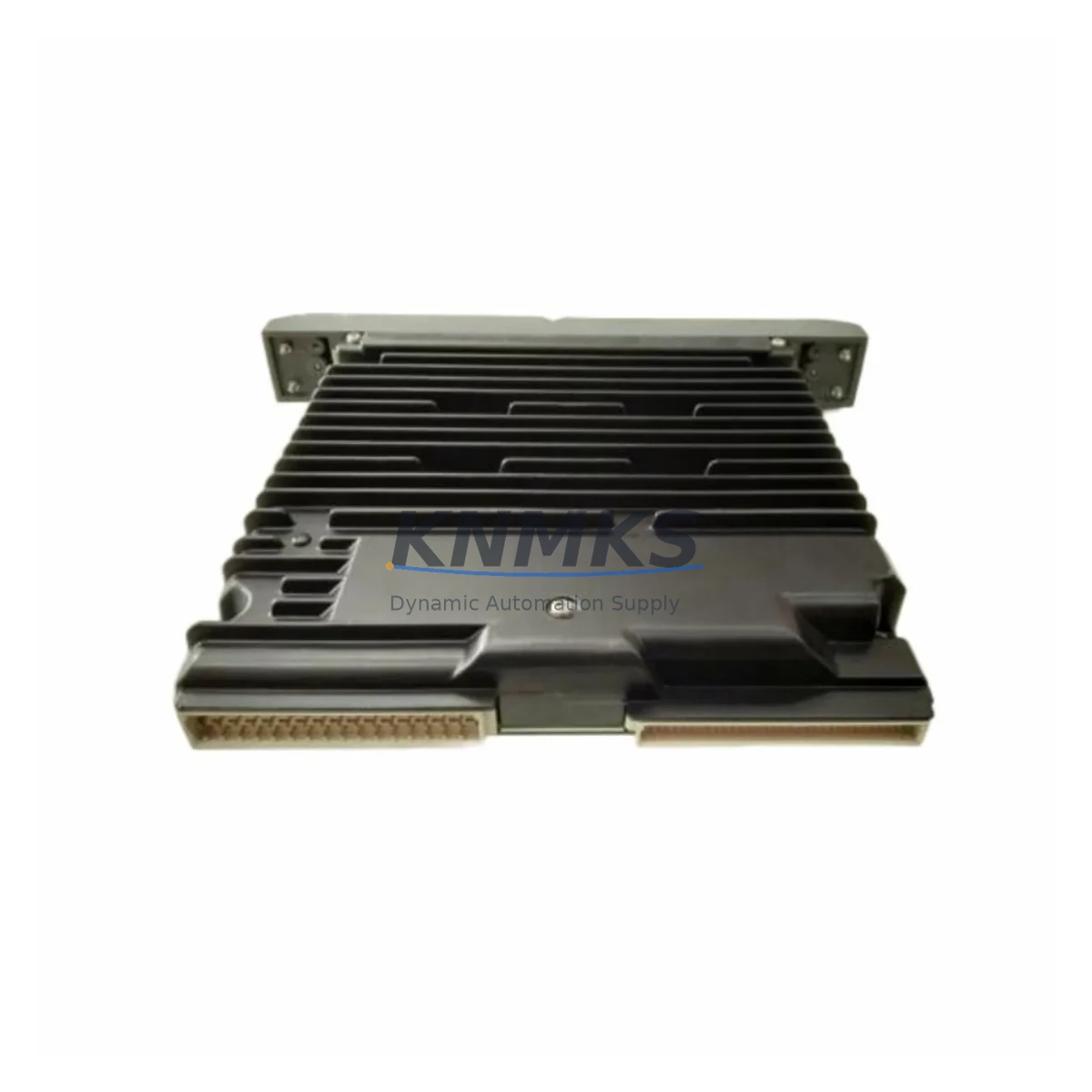
Overview
Siemens QLSAMBAN Migration-Ready Safety Module for Legacy Control Systems
The Siemens QLSAMBAN is a safety-rated module designed for integration within the QUADLOG Safety Instrumented System (SIS) platform, certified to IEC 61508 SIL2/SIL3 requirements. As legacy QUADLOG-based control architectures approach end-of-life and original spare parts become increasingly scarce, the QLSAMBAN serves as a verified migration-ready replacement for facilities managing safety-critical processes in oil & gas, chemical, power generation, and heavy manufacturing environments.
For engineers and procurement teams executing a safety system retrofit or spare parts lifecycle extension, the QLSAMBAN addresses one of the most operationally sensitive replacement scenarios: swapping a safety module in a live or recently decommissioned SIS without compromising the validated safety logic, proof-test records, or SIL certification status of the overall system. This module is supplied from verified inventory, function-tested prior to shipment, and backed by a support terms confirmed by quotation covering manufacturing defects and operational failures under normal service conditions.
Migration Compatibility Table
| Parameter | Detail |
|---|---|
| SKU / Part Number | QLSAMBAN |
| Brand / OEM | Siemens |
| Platform | QUADLOG Safety Instrumented System |
| Safety Integrity Level | SIL2 / SIL3 (IEC 61508) |
| Module Function | Safety Application Module (SAM) — logic execution and safety function management |
| Backplane Interface | QUADLOG proprietary backplane bus; verify slot assignment and chassis generation before installation |
| Terminal / Wiring | Connector-based; confirm field wiring termination scheme matches existing I/O module layout |
| Power Supply Compatibility | Sourced from QUADLOG chassis power rail; verify PSU capacity when adding or replacing modules |
| Communication Protocol | Internal QUADLOG safety bus; external links via dedicated communication modules (e.g., Modbus, PROFIBUS) |
| Firmware Compatibility | Confirm firmware revision alignment with existing QUADLOG system software version before commissioning |
| Installation Space | Standard QUADLOG module slot; verify chassis rack generation and available slot count |
| Replacement Recommendation | Direct replacement for QLSAMBAN in same chassis generation; cross-generation migration requires engineering review |
| Commissioning Focus | Module address configuration, safety logic download, proof-test execution, and SIL validation sign-off |
| Support terms | 12 months from shipment date |
| Country of Origin | Germany |
| Stock Status | availability confirmed by RFQ — available for immediate shipment |
Retrofit Planning for Existing Automation Systems
A successful QLSAMBAN retrofit begins well before the module arrives on-site. The first step is a thorough audit of the existing QUADLOG chassis configuration: document every occupied slot, confirm the chassis generation (early QUADLOG racks differ from later revisions in backplane pinout and power distribution), and verify that the replacement QLSAMBAN firmware revision is compatible with the installed QUADLOG system software. Mismatched firmware is one of the most common causes of extended commissioning delays in safety system retrofits.
Power budget verification is equally critical. The QUADLOG chassis power supply module — often a redundant pair such as the QLPSMAN or equivalent PSU variant — must have sufficient headroom to support the QLSAMBAN alongside all co-installed I/O modules, communication modules, and any newly added expansion hardware. If the retrofit scope includes adding QUADLOG digital input modules (e.g., QLDIBAN or similar DI variants) or analog input modules for additional field sensor loops, the power rail loading must be recalculated before energizing the chassis.
Terminal wiring and field I/O mapping require careful cross-referencing. The QLSAMBAN interfaces with field devices through dedicated QUADLOG I/O modules mounted in the same or adjacent chassis. During replacement, engineers should verify that the existing field wiring termination — including signal commons, shield grounding, and intrinsic safety barriers where applicable — remains undisturbed. Any changes to the I/O module addressing or channel assignment must be reflected in the safety application program before the new module is brought online.
For facilities also upgrading their operator interface, the transition from legacy QUADLOG HMI screens to a modern SCADA or DCS display layer requires mapping all safety status tags, alarm points, and interlock outputs to the new visualization system. This is particularly relevant when the retrofit is part of a broader migration from a standalone SIS to an integrated safety and process control architecture using platforms such as Siemens SIMATIC S7-400H or a modern Safety CPU.
Communication protocol migration is another common retrofit requirement. Legacy QUADLOG systems often relied on proprietary serial links or early-generation Modbus RTU connections to the DCS or PLC host. If the modernization plan includes migrating to PROFIBUS DP or Industrial Ethernet (PROFINET), a QUADLOG communication module supporting the target protocol must be installed and configured alongside the QLSAMBAN replacement. Programming cable access — typically via a dedicated QUADLOG engineering port — is required for safety logic download and online diagnostics during commissioning.
Finally, installation space confirmation is a practical but frequently overlooked step. Verify that the physical rack has an available slot of the correct type, that module extraction and insertion can be performed safely within the control cabinet layout, and that adequate clearance exists for cable management after the new module is seated.
Downtime Control During System Migration
Minimizing unplanned downtime during a QUADLOG safety module replacement requires a structured pre-outage preparation protocol. Before the maintenance window opens, the existing safety application program should be exported and archived from the QUADLOG engineering workstation. This backup preserves the validated safety logic, including all function block configurations, interlock setpoints, proof-test schedules, and cause-and-effect matrix entries, ensuring that the program can be restored exactly as certified if any issue arises during the module swap.
Where the process permits a hot-standby or partial bypass arrangement, coordinate with the process safety engineer to implement a temporary inhibit or bypass on the affected safety function in accordance with the site’s Management of Change (MOC) procedure. This allows the physical module replacement to proceed without triggering a full process shutdown, provided the bypassed function is monitored by an independent means during the maintenance window.
After the QLSAMBAN is seated and the chassis is re-energized, the commissioning sequence should follow the QUADLOG system startup procedure: confirm module self-diagnostics pass, download the archived safety program, verify all I/O channel assignments, and execute a partial proof test on the replaced safety function before releasing the bypass. Document the replacement event in the safety management system, update the spare parts register, and schedule the next proof-test interval in accordance with the SIL verification report.
For facilities with limited in-house QUADLOG expertise, pre-shipment function testing of the QLSAMBAN — conducted against a reference chassis configuration — provides an additional layer of confidence before the module enters the field. All units supplied by KNMKS are tested prior to dispatch and shipped with basic test records available on request.
Retrofit Support FAQ
Q1: Is the QLSAMBAN a direct drop-in replacement for the original Siemens part?
The QLSAMBAN is supplied as an OEM-equivalent replacement for the original Siemens QUADLOG Safety Application Module. For same-generation chassis installations, it is a direct slot-for-slot replacement. Cross-generation or cross-platform migrations (e.g., migrating from QUADLOG to SIMATIC Safety) require an engineering review of the safety application program and I/O mapping before the replacement is commissioned.
Q2: What commissioning steps are required after installing the QLSAMBAN?
After physical installation, the standard commissioning sequence includes: module address verification, safety program download from the QUADLOG engineering workstation, I/O channel assignment confirmation, communication link verification (if applicable), and a partial or full proof test of the replaced safety function. All steps should be documented in the site’s safety management system and signed off by the responsible safety engineer.
Q3: How is the QLSAMBAN tested before shipment?
All QLSAMBAN units supplied by KNMKS undergo function testing prior to dispatch. Testing confirms module power-up, self-diagnostic pass, and basic communication with the QUADLOG backplane. Test records are available on request. Units are shipped in anti-static packaging with physical inspection documentation.
Q4: What support terms and after-sales support is provided?
The QLSAMBAN is covered by a support terms confirmed by quotation from the shipment date, covering manufacturing defects and operational failures under normal service conditions. KNMKS maintains stock of QUADLOG-compatible modules and related components to support ongoing spare parts requirements. For technical inquiries, commissioning support, or bulk procurement, contact the KNMKS technical sales team directly.
© 2026 KNMKS. All rights reserved.
Original Source: https://knmks.com
Contact: admin@knmks.com | +86 18359268345
Product Identification
- Brand / Ecosystem
-
Siemens
Siemens - Model / Series
-
QLSAMBAN
Legacy Series - Product Family
- PLCs & Controllers
- Availability Status
- Available on request after model and quantity confirmation
- Inquiry Type
- B2B RFQ, replacement inquiry and project spare-part request
- Pre-Quote Check
- Exact SKU, brand, series, quantity, nameplate photos and destination country are checked before quotation
System Path
Where this product fits in the KNMKS automation structure.
Specification & Inquiry Focus
- Control platform
- PLC, PAC and modular controllers
- Common needs
- CPU, rack, power and I/O expansion
- Project support
- Replacement, cabinet build and maintenance
Buyer Confirmation
Information KNMKS checks before replying.
- Exact model
- QLSAMBAN
- Brand / ecosystem
- Siemens
- Product family
- PLCs & Controllers
- Application note
- Replacement, maintenance, project build or spare-part list
- Useful photos
- Nameplate, installed unit, cabinet layout or connector side
- Delivery details
- Quantity, destination country and target schedule
Document Support
Files and notes can be confirmed during quotation.
- Product photos or nameplate confirmation when available
- Packing and delivery notes before quotation confirmation
- Support scope and delivery terms confirmed per inquiry
- Export document coordination for qualified B2B requests
Inquiry Support
- Model cross-checking before quotation
- CPU, power, rack and expansion module matching
- Support for replacement and project inquiry
What to Send Us
- Brand and exact model number: Siemens QLSAMBAN
- Quantity and required delivery time
- Application, replacement requirement or nameplate photo
- Destination country and shipping preference
RFQ Preparation
This is a product inquiry page built for RFQ communication.
Fast Model Check
Send this model to KNMKS for confirmation.
Include quantity, destination country and photos if this is a maintenance replacement. The inquiry will be saved with a reference number after submission.
Brand & Compatibility Note
KNMKS displays automation product information for well-known industrial brand ecosystems and compatible replacement references. Brand names are used for product identification and compatibility reference only; final availability and commercial terms are confirmed per quotation.
 Manufacturing
 Machine Tools
 Packaging
 Energy & Power



 HMI & Displays
 Servo Systems
 Variable Frequency Drives
 Sensors