
Overview
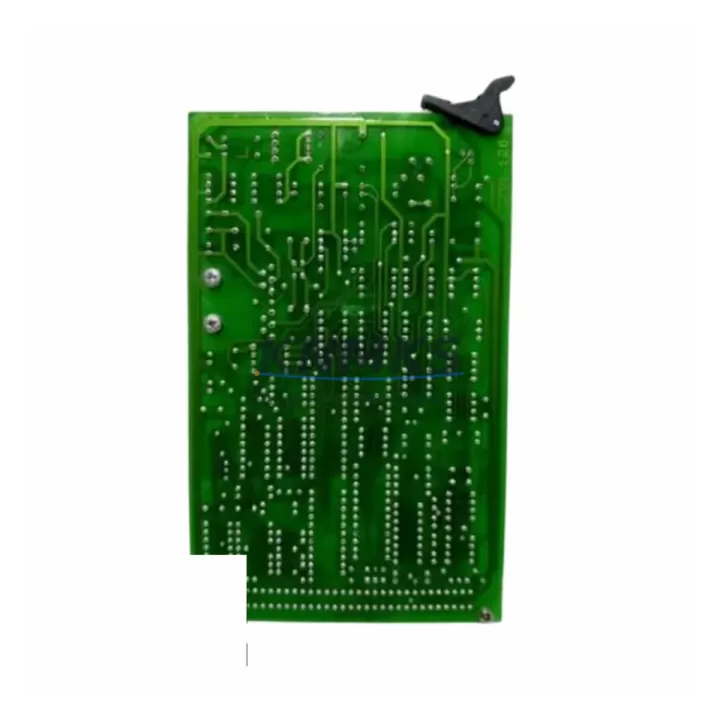
ABB CMA126 Migration-Ready Interface Card for Legacy Systems: Retrofit and Upgrade for Aging Control Architectures
The ABB CMA126 is a migration-ready interface card engineered for engineers and maintenance teams undertaking legacy control system modernization. Designed for the ABB INSUM Series motor control and protection platform, the CMA126 serves as a direct replacement for discontinued interface modules in aging control cabinets, enabling seamless communication bridging between legacy field devices and modern supervisory systems. Whether you are executing a phased retrofit of an existing automation line or performing an emergency replacement of a failed interface card, the CMA126 delivers the compatibility, reliability, and documentation support that industrial environments demand.
In legacy INSUM installations, the CMA126 occupies a critical role as the communication interface between motor protection relays and the control network. When the original card reaches end-of-life or becomes unavailable through OEM channels, sourcing a verified replacement with confirmed firmware compatibility is essential to avoid extended downtime. The CMA126 available through KNMKS is sourced from authorized supply chains, individually tested prior to shipment, and backed by a support terms confirmed by quotation covering both hardware defects and functional performance under normal operating conditions.
Before installing the CMA126 as a replacement in an existing INSUM rack, engineers should verify several critical parameters. Power supply capacity at the backplane must be confirmed — the CMA126 draws from the rack’s internal bus, and an aging ABB INSUM Power Supply Module may require inspection or parallel reinforcement if multiple slots are populated. Terminal wiring assignments on the communication connector must be cross-referenced against the original card’s wiring diagram, as pin-out variations between hardware revisions can cause communication faults if not corrected before power-up. The backplane interface slot must be physically compatible with the CMA126’s edge connector format, and the module address configured via DIP switch or software must match the address previously assigned to the replaced card to avoid conflicts with the INSUM system’s node table.
Program compatibility is another key consideration. The PLC or DCS controller communicating with the INSUM network — often an ABB AC500 PLC or a legacy S800 I/O node — must retain its existing function block configuration without modification if the CMA126 is a like-for-like replacement. If the retrofit involves a protocol migration, such as transitioning from a proprietary INSUM fieldbus to Modbus RTU or PROFIBUS DP, the CMA126’s communication parameters must be reconfigured accordingly, and the HMI screen data mappings updated to reflect the new register addresses. Operators should plan for a controlled HMI update window to prevent alarm flooding during the transition period.
Installation space confirmation is straightforward for standard INSUM rack configurations, but in compact control cabinets where the rack is mounted alongside ABB SACE circuit breakers, ABB UMC100 motor controllers, or third-party signal isolators, physical clearance for card extraction and reinsertion must be verified before scheduling the maintenance window. Firmware version compatibility between the CMA126 and the INSUM master station should be confirmed using the ABB INSUM Engineering Tool, and any required firmware update should be staged and tested on a bench unit before field deployment.
For sites running parallel I/O expansion through ABB S800 I/O modules or communicating via an ABB CI854 PROFIBUS interface, the CMA126 replacement can typically be completed without modifying the broader I/O architecture, provided the communication link parameters remain unchanged. Sites using ABB Freelance DCS as the supervisory layer should verify that the Freelance engineering database reflects the correct module type and slot assignment before restarting the control loop.
Migration Compatibility Table
| Parameter | Details |
|---|---|
| SKU | CMA126 |
| Brand / Series | ABB / INSUM |
| Module Function | Communication Interface Card for Motor Protection & Control |
| Backplane Interface | INSUM Rack Slot (standard edge connector) |
| Communication Protocol | INSUM Fieldbus; configurable for Modbus RTU / PROFIBUS DP |
| Power Source | Rack internal bus (verify power supply headroom before installation) |
| Terminal Wiring | Cross-reference original wiring diagram; confirm pin-out revision |
| Module Address | Must match replaced card’s node address (DIP switch or software) |
| Firmware Compatibility | Verify with ABB INSUM Engineering Tool before field deployment |
| HMI Update Required | Only if protocol migration changes register mapping |
| Installation Space | Standard INSUM rack slot; confirm clearance in compact cabinets |
| Replacement Scope | Direct drop-in for discontinued CMA126 OEM units |
| Pre-shipment Testing | Yes — functional test performed on each unit |
| Support terms | 12 Months — hardware defects and functional performance |
| Origin | Germany |
| Global Shipping | Available — contact admin@knmks.com for lead time |
Retrofit Planning for Existing Automation Systems
A successful CMA126 retrofit begins with a structured audit of the existing INSUM installation. Start by documenting the current rack layout, including the slot positions of all installed modules such as the INSUM Power Supply Module, any populated CMA-series communication cards, and adjacent protection relay interface modules. If the control cabinet also houses an ABB UMC100 Universal Motor Controller or ABB SACE Emax circuit breakers with communication adapters, their wiring and communication addresses must be recorded before any card is removed to prevent accidental address conflicts during recommissioning.
For sites where the INSUM network connects to an ABB AC500 PLC via a serial communication module, the PLC program’s communication function blocks should be exported and archived before the retrofit begins. This ensures that if the replacement CMA126 requires any parameter adjustment, the original logic can be restored without relying on memory or undocumented field modifications. Similarly, if an ABB CI854 PROFIBUS DP interface module is present in the control architecture, its GSD file and configured slave address list should be backed up as part of the pre-retrofit documentation package.
Signal isolators installed between the INSUM rack and field wiring — particularly where 4–20 mA analog signals or dry contact inputs are routed through the cabinet — should be inspected for compatibility with the replacement card’s input impedance specifications. In some legacy installations, third-party signal conditioning modules were added to compensate for impedance mismatches in the original design; these should be retained unless the new CMA126 revision resolves the underlying issue. Programming cables used for initial configuration or firmware updates should be confirmed compatible with the CMA126’s service port before the maintenance window begins, avoiding last-minute delays caused by adapter incompatibility.
Downtime Control During System Migration
Minimizing downtime during a CMA126 replacement requires a disciplined pre-outage preparation process. All configuration parameters from the existing card — including node address, baud rate, communication timeout settings, and any custom alarm thresholds — should be extracted and documented using the ABB INSUM Engineering Tool before the outage window opens. Where possible, a bench test of the replacement CMA126 using a portable INSUM test rack or a spare rack unit should be completed to verify that the card initializes correctly and communicates with a test master before it is transported to the field.
During the outage, the sequence of operations should follow a defined procedure: isolate the affected INSUM rack segment, remove the failed or end-of-life card, insert the replacement CMA126, restore power, and verify communication link establishment before releasing the process back to automatic control. If the site operates a redundant control architecture, the switchover to the backup controller should be executed before the card swap to maintain process continuity. HMI operators should be briefed on the expected alarm sequence during the transition to avoid unnecessary manual interventions that could complicate the recommissioning sequence.
Post-installation verification should include a full communication link test between the CMA126 and the INSUM master station, confirmation that all motor protection relay data is being received correctly, and a review of the HMI trend displays to confirm that analog values are within expected ranges. Any discrepancies in signal scaling or alarm setpoints should be corrected before the maintenance window is closed. Documenting the completed retrofit — including the replacement card’s serial number, firmware version, and final configuration parameters — creates a traceable record that supports future maintenance planning and spare parts lifecycle management.
Retrofit Support FAQ
Q1: Is the CMA126 a direct drop-in replacement for the original ABB INSUM interface card?
Yes. The CMA126 is designed as a direct replacement for the original ABB INSUM CMA126 interface card. It uses the same backplane connector, occupies the same rack slot, and supports the same communication protocol configuration. No mechanical modifications to the rack or cabinet are required. Confirm the hardware revision of your existing installation against the CMA126 datasheet to verify pin-out compatibility before installation.
Q2: What commissioning steps are required after installing the replacement CMA126?
After physical installation, restore power to the rack and use the ABB INSUM Engineering Tool to verify that the CMA126 is recognized at the correct node address. Confirm communication link status with the master station, check that all connected motor protection relays are reporting correctly, and review HMI data displays for correct value mapping. If a protocol migration was performed, update register mappings in the HMI and PLC program as required before returning the system to automatic operation.
Q3: How do I verify wiring compatibility before installing the CMA126?
Compare the terminal wiring diagram of your existing card against the CMA126 installation manual. Pay particular attention to the communication connector pin-out, power input terminals, and any shield grounding connections. If the original card was a different hardware revision, minor wiring adjustments may be required. KNMKS can provide technical documentation support — contact admin@knmks.com with your existing card’s part number and revision for guidance.
Q4: What does the support terms confirmed by quotation cover, and what is the stock availability?
The support terms confirmed by quotation cover hardware defects and functional performance failures under normal operating conditions from the date of shipment. It does not cover damage resulting from incorrect installation, overvoltage, or environmental conditions outside the module’s rated specifications. KNMKS maintains stock of the CMA126 for immediate dispatch. Contact admin@knmks.com or call +86 18359268345 for current inventory status and lead time confirmation before placing your order.
© 2026 KNMKS. All rights reserved.
Original Source: https://knmks.com
Contact: admin@knmks.com | +86 18359268345
Product Identification
- Brand / Ecosystem
-
ABB
ABB - Model / Series
-
CMA126
Legacy Series - Product Family
- PLCs & Controllers
- Availability Status
- Available on request after model and quantity confirmation
- Inquiry Type
- B2B RFQ, replacement inquiry and project spare-part request
- Pre-Quote Check
- Exact SKU, brand, series, quantity, nameplate photos and destination country are checked before quotation
System Path
Where this product fits in the KNMKS automation structure.
Specification & Inquiry Focus
- Control platform
- PLC, PAC and modular controllers
- Common needs
- CPU, rack, power and I/O expansion
- Project support
- Replacement, cabinet build and maintenance
Buyer Confirmation
Information KNMKS checks before replying.
- Exact model
- CMA126
- Brand / ecosystem
- ABB
- Product family
- PLCs & Controllers
- Application note
- Replacement, maintenance, project build or spare-part list
- Useful photos
- Nameplate, installed unit, cabinet layout or connector side
- Delivery details
- Quantity, destination country and target schedule
Document Support
Files and notes can be confirmed during quotation.
- Product photos or nameplate confirmation when available
- Packing and delivery notes before quotation confirmation
- Support scope and delivery terms confirmed per inquiry
- Export document coordination for qualified B2B requests
Inquiry Support
- Model cross-checking before quotation
- CPU, power, rack and expansion module matching
- Support for replacement and project inquiry
What to Send Us
- Brand and exact model number: ABB CMA126
- Quantity and required delivery time
- Application, replacement requirement or nameplate photo
- Destination country and shipping preference
RFQ Preparation
This is a product inquiry page built for RFQ communication.
Fast Model Check
Send this model to KNMKS for confirmation.
Include quantity, destination country and photos if this is a maintenance replacement. The inquiry will be saved with a reference number after submission.
Brand & Compatibility Note
KNMKS displays automation product information for well-known industrial brand ecosystems and compatible replacement references. Brand names are used for product identification and compatibility reference only; final availability and commercial terms are confirmed per quotation.
 Manufacturing
 Machine Tools
 Packaging
 Energy & Power


 HMI & Displays
 Servo Systems
 Variable Frequency Drives
 Sensors