
Overview
Siemens 6GK7542-5FX00-0XE0 Migration-Ready PROFIBUS CP for Legacy Control Systems
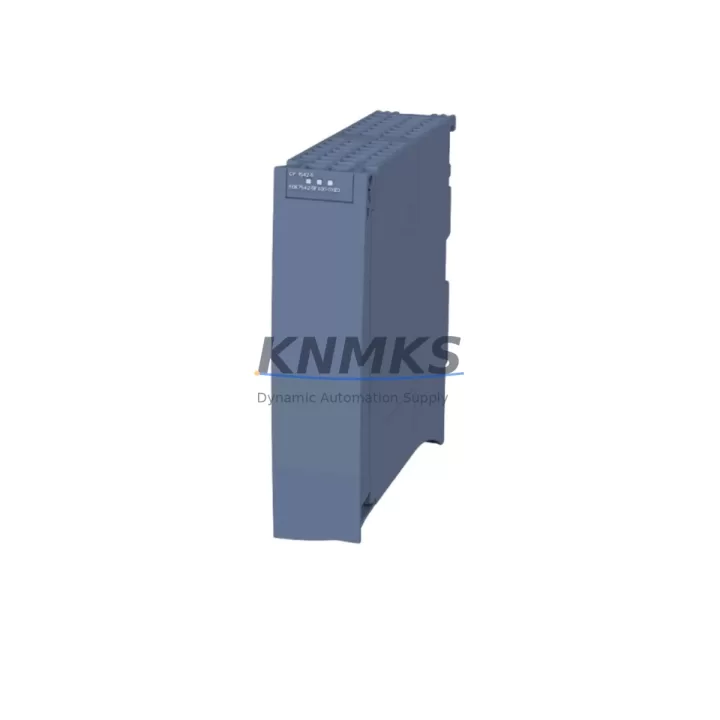
The Siemens 6GK7542-5FX00-0XE0 (CP 5422) is a PROFIBUS DP/FMS communication processor designed for the Siemens S7-400 rack platform. As legacy CP 5412 A2 and CP 5431 FMS/DP modules reach end-of-life and spare parts become increasingly scarce, the 6GK7542-5FX00-0XE0 serves as the validated migration-ready replacement for aging distributed control architectures in petrochemical plants, power generation facilities, water treatment stations, and heavy industrial environments. KNMKS maintains verified stock of this module with full pre-shipment functional testing and a support terms confirmed by quotation on every unit shipped.
When planning a retrofit from a CP 5412 or CP 5431 to the 6GK7542-5FX00-0XE0, engineers must confirm several critical compatibility parameters before committing to a cutover. The CP 5422 occupies a standard S7-400 slot and communicates via the S7-400 backplane bus, so the existing UR1 or UR2 rack must have a free slot of the correct width. Terminal wiring on the PROFIBUS DB9 connector is pin-compatible with the legacy CP 5412 A2, but the FMS configuration objects stored in the CP 5431 must be re-engineered in STEP 7 NetPro or TIA Portal before the new module can assume the same network role. Module address assignment in the hardware configuration (HW Config) must be updated to reflect the new module’s slot position, and any GSD files for connected PROFIBUS DP slaves should be re-validated against the CP 5422 master class 1 capabilities.
Power budget verification is essential during the planning phase. The S7-400 PS 407 or PS 405 power supply module must provide sufficient current on the 5 V backplane rail to support the CP 5422 alongside existing CPU 414, CPU 416, or CPU 417 modules and any FM 355 or FM 458 function modules already installed. If the existing power supply is operating near its rated capacity, a parallel PS 407 10A module may be required before the communication processor swap is executed.
Migration Compatibility Table
| Parameter | Legacy Module | 6GK7542-5FX00-0XE0 (CP 5422) | Migration Note |
|---|---|---|---|
| Replaced Models | CP 5412 A2, CP 5431 FMS/DP | CP 5422 | Direct slot replacement in S7-400 UR1/UR2 rack |
| Rack Interface | S7-400 backplane bus | S7-400 backplane bus | No rack modification required |
| PROFIBUS Interface | DB9 female (RS-485) | DB9 female (RS-485) | Existing cable and termination resistors reusable |
| Protocol Support | PROFIBUS DP / FMS | PROFIBUS DP / FMS | FMS configuration must be re-created in NetPro |
| Configuration Tool | STEP 7 v5.x / COM PROFIBUS | STEP 7 v5.5+ / TIA Portal | GSD files for DP slaves must be re-imported |
| Firmware Version | Varies by legacy revision | Check order date revision | Confirm firmware with SIMATIC Manager before cutover |
| Power Consumption (5V) | ~1.2 A (CP 5412 A2) | ~1.0 A | Verify PS 407 / PS 405 headroom |
| Installation Space | 1 slot (S7-400 standard) | 1 slot (S7-400 standard) | No additional space required |
| HMI Compatibility | WinCC / OP panels via PROFIBUS | WinCC / OP panels via PROFIBUS | HMI connection tags must be re-linked post-swap |
| Support terms | N/A (EOL) | 12 Months | Covered from date of shipment by KNMKS |
Retrofit Planning for Existing Automation Systems
A successful retrofit of the 6GK7542-5FX00-0XE0 into an existing S7-400 control system requires a structured approach that accounts for every component in the communication chain. Before the physical swap, the engineering team should export the current STEP 7 project and archive the HW Config, NetPro network topology, and all SFC/SFB communication block parameters. The PROFIBUS DP master system configuration — including slave addresses, I/O byte assignments, and watchdog times — must be documented in full, as these parameters will need to be re-entered or imported after the new CP 5422 is seated in the rack.
In distributed I/O architectures, the CP 5422 typically manages communication with ET 200M remote I/O stations connected via PROFIBUS DP. Each ET 200M head station (IM 153-2 or IM 153-4) and its associated SM 321 digital input, SM 322 digital output, SM 331 analog input, and SM 332 analog output modules must be re-scanned and validated in the updated hardware configuration. If the legacy system used a CP 5431 in FMS mode to communicate with third-party drives or intelligent field devices, the FMS relationship list and variable definitions must be rebuilt using the CP 5422’s FMS configuration interface in NetPro.
For systems that include a Siemens IM 460 / IM 461 expansion interface connecting multiple S7-400 racks, the CP 5422 slot assignment must not conflict with the IM module’s address space. Similarly, if a CP 443-1 Ethernet module is installed in the same rack for SCADA or MES connectivity, the two communication processors must be assigned non-overlapping MPI/PROFIBUS addresses to prevent bus conflicts. Programming cables such as the PC Adapter USB A2 or CP 5711 are required for online diagnostics and firmware verification during commissioning.
Downtime Control During System Migration
Minimizing unplanned downtime is the primary concern when replacing a communication processor in a live production environment. The recommended approach is to perform the 6GK7542-5FX00-0XE0 swap during a scheduled maintenance window with a pre-tested, pre-configured replacement module ready to install. KNMKS ships each unit with pre-shipment functional testing completed, reducing the risk of receiving a non-functional module on the day of cutover.
Before powering down the S7-400 rack, the control engineer should place the CPU in STOP mode and confirm that all process outputs are in a safe state. The existing CP module should be removed only after the rack power supply is de-energized. Upon installing the 6GK7542-5FX00-0XE0, the updated STEP 7 project with the new HW Config should be downloaded to the CPU before the rack is powered up. This sequence ensures that the CPU recognizes the new CP module at startup and does not generate a hardware fault that could prevent the system from entering RUN mode.
After the initial power-up, the PROFIBUS DP bus should be monitored using the SIMATIC Manager diagnostic buffer and the CP 5422’s integrated diagnostic functions to confirm that all slave stations have re-established communication. HMI screens connected via PROFIBUS — including OP 270, TP 277, or WinCC flexible panels — should be verified for correct tag communication before the process is restarted. If any slave station fails to come online, the GSD file assignment and slave address settings should be checked first, as these are the most common sources of post-swap communication errors. The entire cutover process, from rack power-down to confirmed RUN mode with all slaves online, typically requires 2 to 4 hours for a well-prepared team with a pre-configured replacement module.
Retrofit Support FAQ
Q: Is the 6GK7542-5FX00-0XE0 a direct drop-in replacement for the CP 5412 A2?
A: Yes, the CP 5422 occupies the same S7-400 slot width and uses the same DB9 PROFIBUS connector, making it a physical drop-in replacement. However, the STEP 7 hardware configuration must be updated to reflect the new module type, and the PROFIBUS network configuration must be re-downloaded to the CPU before the system is restarted.
Q: Does KNMKS test the 6GK7542-5FX00-0XE0 before shipment?
A: Yes. Every unit undergoes pre-shipment functional testing to verify PROFIBUS communication capability, backplane interface integrity, and firmware version. A support terms confirmed by quotation is included from the date of shipment, covering manufacturing defects and functional failures under normal operating conditions.
Q: What firmware version is installed on the shipped unit?
A: Firmware versions vary by production batch. KNMKS will confirm the firmware revision on the specific unit prior to shipment upon request. Firmware updates can be applied using STEP 7 v5.5 or higher with the appropriate service pack installed.
Q: Can KNMKS supply additional components needed for the retrofit, such as PROFIBUS connectors or termination resistors?
A: KNMKS specializes in Siemens S7-400 platform components and can advise on compatible accessories. Contact admin@knmks.com with your full bill of materials for availability confirmation and lead time.
© 2026 KNMKS. All rights reserved.
Original Source: https://knmks.com
Contact: admin@knmks.com | +86 18359268345
Product Identification
- Brand / Ecosystem
-
Siemens
Siemens - Model / Series
-
6GK7542-5FX00-0XE0
SIMATIC Series - Product Family
- PLCs & Controllers
- Availability Status
- Available on request after model and quantity confirmation
- Inquiry Type
- B2B RFQ, replacement inquiry and project spare-part request
- Pre-Quote Check
- Exact SKU, brand, series, quantity, nameplate photos and destination country are checked before quotation
System Path
Where this product fits in the KNMKS automation structure.
Specification & Inquiry Focus
- Control platform
- PLC, PAC and modular controllers
- Common needs
- CPU, rack, power and I/O expansion
- Project support
- Replacement, cabinet build and maintenance
Buyer Confirmation
Information KNMKS checks before replying.
- Exact model
- 6GK7542-5FX00-0XE0
- Brand / ecosystem
- Siemens
- Product family
- PLCs & Controllers
- Application note
- Replacement, maintenance, project build or spare-part list
- Useful photos
- Nameplate, installed unit, cabinet layout or connector side
- Delivery details
- Quantity, destination country and target schedule
Document Support
Files and notes can be confirmed during quotation.
- Product photos or nameplate confirmation when available
- Packing and delivery notes before quotation confirmation
- Support scope and delivery terms confirmed per inquiry
- Export document coordination for qualified B2B requests
Inquiry Support
- Model cross-checking before quotation
- CPU, power, rack and expansion module matching
- Support for replacement and project inquiry
What to Send Us
- Brand and exact model number: Siemens 6GK7542-5FX00-0XE0
- Quantity and required delivery time
- Application, replacement requirement or nameplate photo
- Destination country and shipping preference
RFQ Preparation
This is a product inquiry page built for RFQ communication.
Fast Model Check
Send this model to KNMKS for confirmation.
Include quantity, destination country and photos if this is a maintenance replacement. The inquiry will be saved with a reference number after submission.
Brand & Compatibility Note
KNMKS displays automation product information for well-known industrial brand ecosystems and compatible replacement references. Brand names are used for product identification and compatibility reference only; final availability and commercial terms are confirmed per quotation.
 Manufacturing
 Machine Tools
 Packaging
 Energy & Power



 HMI & Displays
 Servo Systems
 Variable Frequency Drives
 Sensors