
Overview
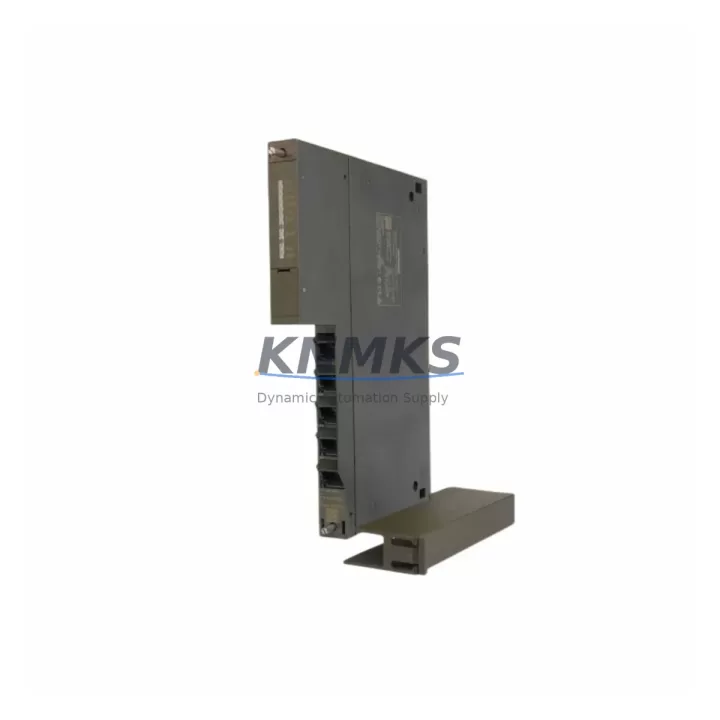
Siemens 6GK7443-1GX30-0XE0 CP 443-1 Spare Part: Maintenance-Proven for Factory Uptime
The Siemens 6GK7443-1GX30-0XE0 is the CP 443-1 Advanced Ethernet Communications Processor designed for the SIMATIC S7-400 programmable logic controller platform. As a critical network interface module, it enables high-speed Industrial Ethernet communication between the S7-400 CPU and plant-level SCADA, DCS, or MES systems. Maintaining a verified spare of this module is a cornerstone of any serious industrial maintenance strategy — unplanned downtime caused by a failed communications processor can halt an entire production line within minutes.
At KNMKS, every 6GK7443-1GX30-0XE0 unit is sourced from original Siemens supply channels, individually tested prior to shipment, and backed by a support terms confirmed by quotation. Whether you are managing a scheduled annual overhaul, responding to an emergency fault, or building a strategic spare parts inventory for aging S7-400 infrastructure, this module ships ready for immediate installation.
Spare Maintenance Table
| Parameter | Specification |
|---|---|
| Part Number | 6GK7443-1GX30-0XE0 |
| Product Family | CP 443-1 Advanced |
| Compatible Platform | SIMATIC S7-400 (all CPU variants) |
| Communication Standard | Industrial Ethernet (IEEE 802.3), PROFINET IO Controller |
| Interface | 2 × RJ45 (10/100 Mbit/s), integrated 2-port switch |
| Protocols Supported | TCP/IP, ISO-on-TCP, UDP, PROFINET IO, S7 Communication, FETCH/WRITE |
| Max. Connections | 64 configurable connections |
| Power Supply | Via S7-400 backplane bus (no external supply required) |
| Operating Temperature | 0 °C to +60 °C |
| Mounting | S7-400 rack slot (any slot except CPU slot) |
| Configuration Tool | STEP 7 V5.x / TIA Portal (with HSP) |
| Origin | Germany |
| Support terms | 12 Months — Tested Before Shipment |
| Condition | Original Spare / Refurbished-to-OEM-Spec (confirmed at order) |
Maintenance Planning for Continuous Operation
When a 6GK7443-1GX30-0XE0 fails or is flagged during a control cabinet inspection, the communications loss it causes is rarely isolated. Maintenance engineers should treat this replacement as an opportunity to audit the surrounding electrical environment to prevent repeat failures and reduce the risk of secondary faults.
Power and Backplane Integrity: Before inserting the replacement CP 443-1, verify the S7-400 rack’s PS 407 or PS 405 power supply module output voltage under load. A degraded power supply delivering marginal voltage is a common root cause of premature communications processor failure. Inspect the backplane bus connector for oxidation or mechanical damage — a faulty backplane can corrupt the new module within hours of installation.
Network Infrastructure: Inspect the Industrial Ethernet switch or managed switch feeding the CP 443-1’s RJ45 ports. Faulty patch cables, degraded SFP transceivers, or misconfigured VLANs on the plant network can cause the replacement module to report communication errors immediately after installation. If the plant uses a SCALANCE X series managed switch in the same cabinet, verify its firmware and port configuration before commissioning the new CP.
I/O and Signal Modules: A communications processor failure that triggers a CPU STOP state may mask underlying faults in SM 421 digital input modules or SM 422 digital output modules. During the maintenance window, run a full I/O diagnostic from the STEP 7 hardware configuration to confirm all signal modules are responding correctly before returning the system to production.
Relay and Terminal Wiring: Inspect the terminal blocks and relay outputs associated with the control loop managed by this S7-400 station. Loose terminal connections or degraded relay contacts in the same cabinet can introduce ground loops or signal noise that stresses the communications module over time. Tighten all terminal screws and test relay coil resistance where accessible.
Fuse and Protection Components: Check the 24 VDC fuse protection on the cabinet’s distribution rail. A blown or weakened fuse on the auxiliary supply circuit can cause intermittent resets of the CP module, which are often misdiagnosed as firmware or network issues. Replace any fuse that shows signs of heat discoloration or measures above its rated resistance.
HMI and SCADA Connectivity: After replacing the CP 443-1, verify that the SIMATIC HMI panel (TP or MP series) or SCADA server re-establishes its S7 connection without requiring a manual IP reconfiguration. If the plant uses a PC station with SOFTNET for OPC communication, confirm the connection table in STEP 7 still matches the new module’s MAC address assignment.
Stocking a secondary spare of the 6GK7443-1GX30-0XE0 alongside a spare PS 407 power supply and a set of pre-terminated Ethernet patch cables is the minimum recommended inventory posture for any facility running S7-400 as a primary control platform. For sites with extended lead-time risk or remote locations, a complete spare rack assembly is advisable.
Site Replacement Workflow
Step 1 — Pre-Replacement Backup: Using STEP 7 or TIA Portal, upload the current hardware configuration and program from the S7-400 CPU to a PC. Confirm the CP 443-1’s IP address, subnet mask, and connection table are documented before powering down.
Step 2 — Safe Isolation: Switch the CPU to STOP mode. Power down the S7-400 rack using the PS module’s ON/OFF switch. Do not remove the CP module under live backplane power — this risks backplane bus damage and potential CPU fault.
Step 3 — Module Swap: Remove the faulty 6GK7443-1GX30-0XE0 by releasing the front panel locking screws and sliding the module out of its rack slot. Insert the replacement unit, ensuring the backplane connector seats fully. Tighten locking screws to the specified torque.
Step 4 — Configuration Download: Power the rack back on. Using STEP 7, download the hardware configuration to the CPU — this automatically programs the new CP 443-1 with the correct IP parameters and connection definitions. No manual IP assignment via the module’s front panel is required when using STEP 7 configuration download.
Step 5 — Commissioning Verification: Switch the CPU to RUN mode. Verify all PROFINET IO devices and Ethernet connections report online status in the STEP 7 diagnostics view. Confirm the HMI and SCADA system re-establish communication. Log the replacement date, module serial number, and test results in the site maintenance record.
This workflow is compatible with all S7-400 CPU variants (CPU 412, 414, 416, 417) and supports direct replacement of earlier CP 443-1 revisions without hardware configuration changes in most installations.
Spare Parts Support FAQ
Q1: Is the 6GK7443-1GX30-0XE0 compatible with all S7-400 CPU versions?
Yes. The CP 443-1 Advanced is compatible with all SIMATIC S7-400 CPU variants including the CPU 412-2, 414-3, 416-3, and 417-4. It occupies any standard rack slot and is configured via STEP 7 V5.5 SP4 or higher, or TIA Portal with the appropriate hardware support package (HSP). No hardware modification is required for slot reassignment.
Q2: How is the module tested before shipment?
Every 6GK7443-1GX30-0XE0 unit dispatched by KNMKS undergoes functional power-on testing and Ethernet port verification. Units are inspected for backplane connector integrity, front panel locking mechanism condition, and firmware version. A test report is available upon request. The support terms confirmed by quotation cover functional failure under normal operating conditions from the date of shipment.
Q3: Can this module replace an older CP 443-1 EX20 or IT variant?
The 6GK7443-1GX30-0XE0 (CP 443-1 Advanced, GX30 revision) is the current-generation replacement for earlier CP 443-1 variants including the EX20 and IT series. In most cases, the hardware configuration in STEP 7 must be updated to reflect the new order number, but the physical slot, wiring, and network parameters remain unchanged. KNMKS technical support can advise on specific migration scenarios prior to purchase.
Q4: What is your long-term supply commitment for this part number?
KNMKS maintains stock of the 6GK7443-1GX30-0XE0 as part of our S7-400 legacy support program. For facilities planning multi-year maintenance contracts or large-volume procurement, we offer reserved inventory agreements and priority allocation. Contact our sales team to discuss annual blanket orders, consignment stock arrangements, or multi-site supply programs.
© 2026 KNMKS. All rights reserved.
Original Source: https://knmks.com
Contact: admin@knmks.com | +86 18359268345
Product Identification
- Brand / Ecosystem
-
Siemens
Siemens - Model / Series
-
6GK7443-1GX30-0XE0
SIMATIC Series - Product Family
- PLCs & Controllers
- Availability Status
- Available on request after model and quantity confirmation
- Inquiry Type
- B2B RFQ, replacement inquiry and project spare-part request
- Pre-Quote Check
- Exact SKU, brand, series, quantity, nameplate photos and destination country are checked before quotation
System Path
Where this product fits in the KNMKS automation structure.
Specification & Inquiry Focus
- Control platform
- PLC, PAC and modular controllers
- Common needs
- CPU, rack, power and I/O expansion
- Project support
- Replacement, cabinet build and maintenance
Buyer Confirmation
Information KNMKS checks before replying.
- Exact model
- 6GK7443-1GX30-0XE0
- Brand / ecosystem
- Siemens
- Product family
- PLCs & Controllers
- Application note
- Replacement, maintenance, project build or spare-part list
- Useful photos
- Nameplate, installed unit, cabinet layout or connector side
- Delivery details
- Quantity, destination country and target schedule
Document Support
Files and notes can be confirmed during quotation.
- Product photos or nameplate confirmation when available
- Packing and delivery notes before quotation confirmation
- Support scope and delivery terms confirmed per inquiry
- Export document coordination for qualified B2B requests
Inquiry Support
- Model cross-checking before quotation
- CPU, power, rack and expansion module matching
- Support for replacement and project inquiry
What to Send Us
- Brand and exact model number: Siemens 6GK7443-1GX30-0XE0
- Quantity and required delivery time
- Application, replacement requirement or nameplate photo
- Destination country and shipping preference
RFQ Preparation
This is a product inquiry page built for RFQ communication.
Fast Model Check
Send this model to KNMKS for confirmation.
Include quantity, destination country and photos if this is a maintenance replacement. The inquiry will be saved with a reference number after submission.
Brand & Compatibility Note
KNMKS displays automation product information for well-known industrial brand ecosystems and compatible replacement references. Brand names are used for product identification and compatibility reference only; final availability and commercial terms are confirmed per quotation.
 Manufacturing
 Machine Tools
 Packaging
 Energy & Power



 HMI & Displays
 Servo Systems
 Variable Frequency Drives
 Sensors