
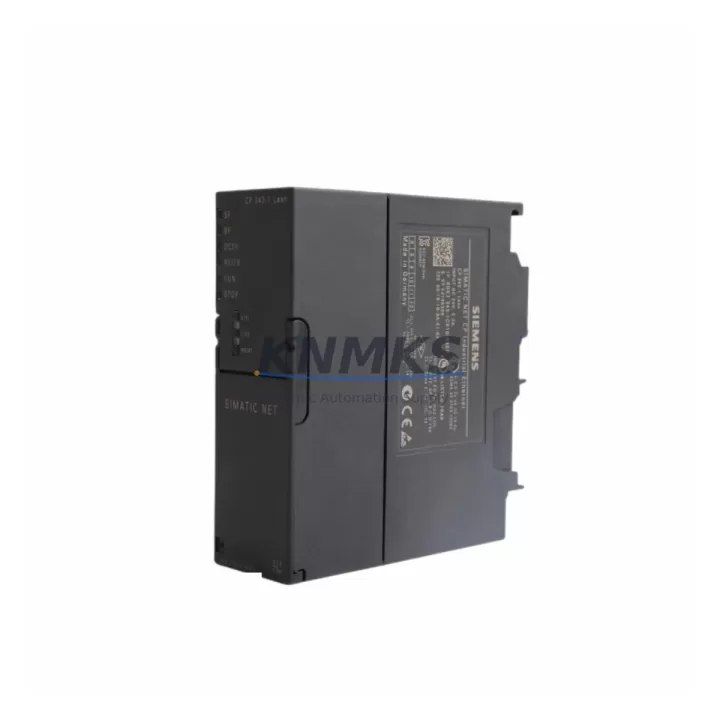
Overview
Siemens 6GK7343-1CX10-0XE0 Migration-Ready Ethernet Module for Legacy S7-300 Control Systems
The Siemens 6GK7343-1CX10-0XE0 is a CP343-1 series Ethernet communication processor designed for the SIMATIC S7-300 programmable logic controller platform. As industrial facilities accelerate the migration of aging control infrastructure, this module serves as a critical bridge between legacy S7-300 backplanes and modern Ethernet-based supervisory and SCADA networks. Whether you are replacing a failed CP343-1 unit, upgrading from an earlier CP343 variant, or integrating an existing S7-300 rack into a PROFINET-capable plant network, the 6GK7343-1CX10-0XE0 provides a verified, drop-in compatible solution with minimal engineering overhead.
This module supports TCP/IP, ISO-on-TCP, and UDP communication protocols, enabling seamless data exchange with SIMATIC WinCC HMI stations, STEP 7 programming workstations, and third-party SCADA systems. Its RJ45 interface connects directly to standard 100 Mbit/s industrial Ethernet switches, eliminating the need for protocol converters or media adapters that older CP modules required. For plants still operating on legacy token-ring or coaxial Industrial Ethernet backbones, the 6GK7343-1CX10-0XE0 represents a decisive step toward a fully switched, standards-compliant network topology.
Migration Compatibility Table
| Parameter | Details |
|---|---|
| Compatible Rack | SIMATIC S7-300 standard rail (UR1, UR2, UR2-H, CR2, CR3) |
| Slot Position | Any communication module slot (slot 4 onward); no dedicated slot required |
| Interface | 1 × RJ45, 10/100 Mbit/s auto-sensing Industrial Ethernet |
| Protocols Supported | TCP/IP, ISO-on-TCP (RFC 1006), UDP, SNMP, DHCP, NTP |
| Replaces / Upgrades From | 6GK7343-1EX30-0XE0 (CP343-1 EX30), 6GK7343-1GX30-0XE0 (CP343-1 Advanced), earlier CP343-1 variants |
| STEP 7 Compatibility | STEP 7 V5.5 SP4 and above; TIA Portal V13 SP1 and above (via legacy mode) |
| Power Consumption | Max. 2.0 W from S7-300 backplane bus (5 VDC) |
| Installation Dimensions | Standard S7-300 single-width module; 40 mm width on DIN rail |
| Operating Temperature | 0 °C to +60 °C |
| Firmware Update | Via STEP 7 HW Config or SIMATIC Automation Tool; verify version before commissioning |
| Commissioning Note | IP address assignment via STEP 7 HW Config or DHCP; MAC address label on module front |
| Support terms | support terms confirmed by quotation — functional test report available on request |
Retrofit Planning for Existing Automation Systems
A successful retrofit of the 6GK7343-1CX10-0XE0 into an operating S7-300 system begins with a thorough audit of the existing rack configuration. Engineers should document the current slot assignments of all installed modules — including the CPU (such as a CPU 315-2 DP or CPU 317-2 PN/DP), digital and analog I/O modules, and any existing communication processors — before removing the legacy CP unit. This prevents address conflicts and ensures that the STEP 7 hardware configuration can be updated accurately without triggering unintended program faults.
Power budget verification is essential. The S7-300 backplane bus supplies 5 VDC at a limited current capacity that varies by rack type. When adding or replacing a CP module alongside existing SM321 digital input or SM331 analog input modules, the total current draw must remain within the rack’s rated limit. The 6GK7343-1CX10-0XE0 draws a maximum of 2.0 W, which is typically well within budget, but this must be confirmed against the actual rack load calculation in STEP 7 HW Config.
Terminal wiring for the Ethernet connection is straightforward: a standard Cat5e or Cat6 patch cable connects the module’s RJ45 port to the plant’s industrial Ethernet switch. If the existing network uses an unmanaged switch, consider upgrading to a managed SCALANCE X208 or equivalent industrial switch to enable VLAN segmentation and port diagnostics — both of which simplify future troubleshooting and reduce the risk of broadcast storms affecting PLC scan times.
For systems where the S7-300 CPU communicates with a SIMATIC Panel PC or a TP700 Comfort HMI over MPI or PROFIBUS, migrating the HMI connection to Ethernet via the 6GK7343-1CX10-0XE0 requires updating the HMI project’s communication driver from MPI/PROFIBUS to TCP/IP. This change must be coordinated with the HMI screen project to avoid tag address mismatches. In parallel, any CP5611 or CP5512 PROFIBUS programming adapters used for online monitoring can be retired once the Ethernet path is established, simplifying the engineering workstation setup.
Where the retrofit involves expanding I/O capacity alongside the communication upgrade, engineers frequently add ET 200M distributed I/O stations connected via PROFIBUS DP to the CPU’s integrated DP interface, keeping the new Ethernet CP dedicated to supervisory and SCADA traffic. This separation of control and supervisory networks is a best practice that reduces latency on time-critical I/O cycles while improving network security posture.
Downtime Control During System Migration
Minimizing unplanned downtime is the primary concern for any control system retrofit. For the 6GK7343-1CX10-0XE0 replacement, the recommended approach is to pre-configure the new module offline using STEP 7 HW Config before the scheduled maintenance window. Assign the IP address, subnet mask, and default gateway in the hardware configuration, compile the project, and store the configuration on a programming device ready for download. This preparation reduces the online commissioning time to a single CPU stop-download-restart cycle, typically achievable within 15 to 30 minutes.
Before powering down the rack, back up the complete STEP 7 project — including all program blocks (OB, FB, FC, DB), the hardware configuration, and any force tables or variable tables — to at least two independent storage locations. If the existing CP module is still partially functional, use the STEP 7 online diagnostics to capture the current network statistics and connection table, which serve as a baseline for post-commissioning verification.
During the physical swap, observe standard ESD precautions and ensure the rack power supply is fully de-energized before removing the legacy module. The 6GK7343-1CX10-0XE0 slides into the same slot on the S7-300 rail without mechanical modification. After reinserting the CPU and powering up, download the updated hardware configuration, verify the CP’s diagnostic LEDs (LINK, RX/TX, SF), and confirm that all configured TCP connections are established before returning the system to automatic mode. A structured commissioning checklist — covering IP reachability, SCADA tag polling, HMI connection status, and a timed I/O response test — ensures that no communication path is overlooked before handover.
Retrofit Support FAQ
Q1: Is the 6GK7343-1CX10-0XE0 a direct replacement for the 6GK7343-1EX30-0XE0?
Yes. Both modules occupy the same S7-300 slot, use the same RJ45 Ethernet interface, and are configured through STEP 7 HW Config. The CX10 variant supports the same TCP/IP and ISO-on-TCP protocols. After swapping the module, update the hardware configuration in STEP 7 to reflect the new order number, recompile, and download. No changes to the user program (OBs, FBs, FCs) are required in most standard applications.
Q2: What firmware version should I verify before installation?
Check the firmware version label on the module’s front panel and compare it against the minimum version required by your STEP 7 release. For STEP 7 V5.5 SP4 and above, firmware V2.x is generally compatible. If the module ships with an earlier firmware, update it using the SIMATIC Automation Tool or the firmware update function in STEP 7 before connecting it to the live network. Always perform the firmware update with the module installed in a test rack, not in the production system.
Q3: How do I verify the module passed functional testing before shipment?
All 6GK7343-1CX10-0XE0 units supplied by KNMKS undergo a pre-shipment functional test that includes power-on self-test verification, Ethernet link establishment, and loopback communication checks. A test report is available on request. Each unit is covered by a support terms confirmed by quotation from the date of invoice. In the event of a support terms claim, KNMKS provides advance replacement to minimize production downtime.
Q4: Can I use this module if my plant network does not yet support PROFINET?
Yes. The 6GK7343-1CX10-0XE0 operates as a standard Industrial Ethernet CP and does not require a PROFINET controller or IO device infrastructure. It communicates using TCP/IP and ISO-on-TCP, which are compatible with any standard Ethernet switch and with SCADA, MES, and historian systems that use S7 communication or open TCP socket connections. PROFINET IO functionality is available on higher-tier CP variants if needed for future expansion.
© 2026 KNMKS. All rights reserved.
Original Source: https://knmks.com
Contact: admin@knmks.com | +86 18359268345
Product Identification
- Brand / Ecosystem
-
Siemens
Siemens - Model / Series
-
6GK7343-1CX10-0XE0
SIMATIC Series - Product Family
- PLCs & Controllers
- Availability Status
- Available on request after model and quantity confirmation
- Inquiry Type
- B2B RFQ, replacement inquiry and project spare-part request
- Pre-Quote Check
- Exact SKU, brand, series, quantity, nameplate photos and destination country are checked before quotation
System Path
Where this product fits in the KNMKS automation structure.
Specification & Inquiry Focus
- Control platform
- PLC, PAC and modular controllers
- Common needs
- CPU, rack, power and I/O expansion
- Project support
- Replacement, cabinet build and maintenance
Buyer Confirmation
Information KNMKS checks before replying.
- Exact model
- 6GK7343-1CX10-0XE0
- Brand / ecosystem
- Siemens
- Product family
- PLCs & Controllers
- Application note
- Replacement, maintenance, project build or spare-part list
- Useful photos
- Nameplate, installed unit, cabinet layout or connector side
- Delivery details
- Quantity, destination country and target schedule
Document Support
Files and notes can be confirmed during quotation.
- Product photos or nameplate confirmation when available
- Packing and delivery notes before quotation confirmation
- Support scope and delivery terms confirmed per inquiry
- Export document coordination for qualified B2B requests
Inquiry Support
- Model cross-checking before quotation
- CPU, power, rack and expansion module matching
- Support for replacement and project inquiry
What to Send Us
- Brand and exact model number: Siemens 6GK7343-1CX10-0XE0
- Quantity and required delivery time
- Application, replacement requirement or nameplate photo
- Destination country and shipping preference
RFQ Preparation
This is a product inquiry page built for RFQ communication.
Fast Model Check
Send this model to KNMKS for confirmation.
Include quantity, destination country and photos if this is a maintenance replacement. The inquiry will be saved with a reference number after submission.
Brand & Compatibility Note
KNMKS displays automation product information for well-known industrial brand ecosystems and compatible replacement references. Brand names are used for product identification and compatibility reference only; final availability and commercial terms are confirmed per quotation.
 Manufacturing
 Machine Tools
 Packaging
 Energy & Power



 HMI & Displays
 Servo Systems
 Variable Frequency Drives
 Sensors