
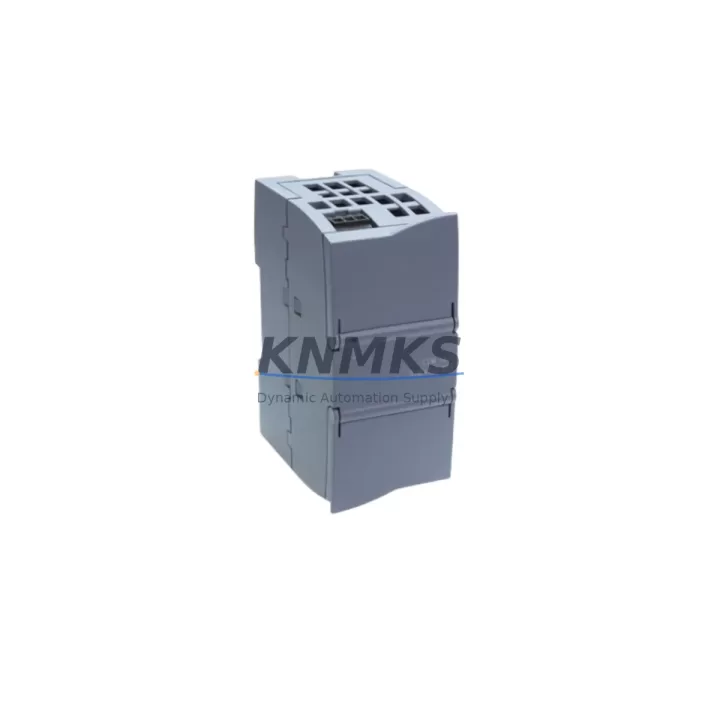
Overview
Siemens 6GK7277-1AA10-0AA0 Maintenance-Proven Spare Part for Factory Uptime
The Siemens 6GK7277-1AA10-0AA0 is the SCALANCE XC206-2 managed industrial Ethernet switch, a core network infrastructure component widely deployed in SIMATIC-based automation environments. Designed for DIN-rail mounting in control cabinets, this switch delivers reliable Layer 2 switching across six 10/100 Mbps RJ45 ports and two combo ports (RJ45/SFP), supporting PROFINET, PROFIBUS-over-Ethernet bridging, and standard TCP/IP communication. For maintenance engineers managing aging automation networks, keeping a verified spare of the 6GK7277-1AA10-0AA0 on the shelf is a direct investment in production continuity.
In factory environments running SIMATIC S7-300, S7-400, or S7-1500 controllers, the SCALANCE XC206-2 typically sits at the field level, aggregating I/O drops, HMI panels, and distributed peripherals onto a single managed Ethernet backbone. A switch failure at this layer can isolate entire production cells, triggering unplanned downtime that cascades across upstream and downstream processes. Procurement engineers sourcing this spare should confirm the firmware version compatibility with the existing SCALANCE network topology and verify that the replacement unit supports the same VLAN, QoS, and PROFINET device name configuration as the unit being replaced.
When replacing the 6GK7277-1AA10-0AA0 on-site, maintenance teams should also inspect the 24 VDC power supply feeding the switch — typically a SITOP PSU100S or equivalent — to confirm stable input voltage within the 20.4–28.8 VDC operating range. A degraded power supply is a common secondary cause of switch failure and should be tested before the replacement unit is commissioned. The 24 VDC terminal block connections should be checked for corrosion, loose ferrules, and correct polarity before powering the new switch.
Network continuity during replacement depends on pre-exporting the switch configuration via SINEMA Remote Connect or the SCALANCE web interface. The device configuration — including IP address, subnet mask, PROFINET device name, port settings, and VLAN assignments — must be documented and restored to the replacement unit before reconnecting field devices. Failure to restore the PROFINET device name will prevent the S7 controller from recognizing the switch and may trigger a CPU STOP condition. For systems using SIMATIC NET CP 343-1 or CP 443-1 communication processors, the network topology should be verified in STEP 7 or TIA Portal after switch replacement to confirm that all communication paths are re-established.
In control cabinets where the SCALANCE XC206-2 is installed alongside SIMATIC ET 200SP or ET 200M distributed I/O, the fiber SFP ports (if populated) should be inspected for contamination and the SFP transceivers tested for signal integrity. Dirty or damaged SFP modules are a frequent cause of intermittent link failures that are misdiagnosed as switch hardware faults. Keeping a spare SFP transceiver alongside the 6GK7277-1AA10-0AA0 is recommended for sites with fiber backbone segments.
For annual maintenance planning, the 6GK7277-1AA10-0AA0 should be included in the control cabinet inspection checklist alongside the SITOP power supply, SIMATIC S7 CPU module, CP communication processor, and any installed PROFIBUS DP/PA segment couplers. Thermal imaging of the cabinet during operation can identify hotspots around the switch that indicate inadequate ventilation or excessive ambient temperature — both of which accelerate component aging in managed switches. The operating temperature range of the SCALANCE XC206-2 is -40°C to +70°C, but sustained operation near the upper limit will reduce mean time between failures.
Every 6GK7277-1AA10-0AA0 unit supplied by KNMKS is sourced from verified supply channels, pre-shipment tested for port functionality, LED status indication, and power-on self-test completion, and covered by a support terms confirmed by quotation from the date of delivery. Long-term supply agreements are available for maintenance teams requiring guaranteed stock availability across multi-site operations.
Spare Maintenance Table
| Parameter | Specification |
|---|---|
| Part Number | 6GK7277-1AA10-0AA0 |
| Product Family | SCALANCE XC200 |
| Switch Type | Managed Layer 2 Industrial Ethernet Switch |
| RJ45 Ports | 6 × 10/100 Mbps |
| Combo Ports | 2 × RJ45/SFP (100 Mbps) |
| Supply Voltage | 24 VDC (20.4–28.8 VDC) |
| Mounting | DIN Rail (35 mm) |
| Operating Temperature | -40°C to +70°C |
| Protection Class | IP30 |
| Protocol Support | PROFINET, SNMP, HTTP, HTTPS, LLDP, RSTP |
| Compatibility | SIMATIC S7-300/400/1500, ET 200SP/M, TIA Portal, STEP 7 |
| Replaces | 6GK7277-1AA00-0AA0 (prior revision), SCALANCE X206-1 in equivalent topologies |
| Country of Origin | Germany |
| Support terms | 12 Months from delivery date |
| Pre-Shipment Test | Power-on, port link, LED status verification |
Maintenance Planning for Continuous Operation
Effective spare parts planning for the 6GK7277-1AA10-0AA0 requires a system-level view of the control cabinet and network topology. The switch does not operate in isolation — it is the communication hub connecting the SIMATIC S7 CPU, distributed I/O racks, operator panels, and field instruments. A structured maintenance plan should account for the interdependencies between the switch and the following components.
The SITOP PSU100S 24 VDC power supply is the most common power source for SCALANCE XC200 switches in SIMATIC cabinets. Its output voltage and ripple should be verified during any switch replacement procedure. A power supply operating at the edge of its load capacity may cause intermittent switch resets that are difficult to diagnose without a power quality meter.
The SIMATIC CP 343-1 or CP 443-1 communication processor manages the Ethernet interface on S7-300/400 CPUs and is directly affected by switch topology changes. After replacing the 6GK7277-1AA10-0AA0, the CP module’s connection table should be verified in STEP 7 to confirm that all configured connections are re-established without manual intervention.
In systems using SIMATIC ET 200SP IM 155-6 PN interface modules, the PROFINET device name assignment is stored in the interface module and must match the configuration in the TIA Portal project. If the replacement switch is assigned a different IP address or VLAN configuration, the ET 200SP may fail to establish a PROFINET AR (Application Relationship) with the S7 CPU, resulting in I/O communication faults.
For cabinets with fiber backbone connections, SFP transceiver modules (e.g., 6GK5991-2AA00-8AA0 for multimode fiber) should be inspected and cleaned during the switch replacement. Contaminated fiber connectors are a leading cause of intermittent link errors in industrial Ethernet networks and are often overlooked during routine maintenance.
The SCALANCE X-200 IRT variants used in isochronous real-time PROFINET applications require additional configuration steps during replacement, including re-synchronization of the IRT topology in TIA Portal. Maintenance engineers should confirm whether the installed switch is a standard RT or IRT variant before ordering a replacement to avoid configuration incompatibilities.
Terminal blocks and cable management components — including Phoenix Contact or Weidmüller DIN-rail terminal strips used for 24 VDC distribution within the cabinet — should be inspected for thermal discoloration, loose connections, and insulation damage during any planned switch replacement. These passive components are frequently overlooked in spare parts planning but are a common source of intermittent power faults that affect switch reliability.
Site Replacement Workflow
Step 1 — Pre-Replacement Documentation: Export the switch configuration via the SCALANCE web interface (HTTP/HTTPS) or SINEMA Remote Connect. Record the IP address, subnet mask, default gateway, PROFINET device name, VLAN configuration, port settings, and any configured RSTP parameters. Photograph the physical port wiring before disconnecting any cables.
Step 2 — Power Isolation: Isolate the 24 VDC supply to the switch at the cabinet terminal block. Verify zero voltage with a calibrated multimeter before disconnecting the power terminals. Do not rely on the switch’s power LED as confirmation of isolation.
Step 3 — Cable Labeling and Disconnection: Label all Ethernet cables with port numbers before disconnecting. Use the previously photographed wiring layout as a reference. Retain the SFP transceivers from the failed unit if they are in serviceable condition — they can be reused in the replacement switch.
Step 4 — DIN Rail Removal and Installation: Release the DIN rail locking tab on the bottom of the switch housing and slide the unit off the rail. Install the replacement 6GK7277-1AA10-0AA0 on the same DIN rail position. Reconnect the 24 VDC power terminals and verify polarity before applying power.
Step 5 — Configuration Restore: Apply power to the replacement switch and access the web interface using the factory default IP address (192.168.1.1). Restore the exported configuration file. Verify that the PROFINET device name is correctly assigned — this is the most critical step for PROFINET-based systems.
Step 6 — Functional Verification: Reconnect all Ethernet cables in the documented port sequence. Verify link status LEDs for all connected ports. Check the S7 CPU diagnostic buffer in STEP 7 or TIA Portal for any communication faults. Confirm that all ET 200SP and other PROFINET devices have re-established their AR connections. Perform a controlled production restart and monitor for 15–30 minutes before returning the system to full production.
Spare Parts Support FAQ
Q: Is the 6GK7277-1AA10-0AA0 a direct drop-in replacement for the 6GK7277-1AA00-0AA0?
A: The 6GK7277-1AA10-0AA0 (revision AA10) is the current production version of the SCALANCE XC206-2 and is functionally compatible with the earlier AA00 revision. The hardware interface, port configuration, and DIN rail mounting are identical. Configuration files exported from the AA00 revision can be imported into the AA10 unit. Verify firmware version compatibility if the network uses advanced features such as PROFINET IRT or specific RSTP configurations.
Q: How do I verify compatibility with my existing SIMATIC network before installation?
A: Confirm the switch’s role in the network topology using the LLDP neighbor table or SINEMA Network Manager. Verify that the replacement unit supports the same firmware feature set as the installed unit. For PROFINET systems, check the GSDML file version used in the TIA Portal project — if the GSDML version is newer than the firmware on the replacement switch, update the firmware before installation.
Q: What pre-shipment testing is performed on each unit?
A: Each 6GK7277-1AA10-0AA0 supplied by KNMKS undergoes power-on self-test verification, all-port link-up testing using a network test fixture, LED status confirmation, and visual inspection for physical damage. A test report is available upon request. Units are shipped in anti-static packaging with protective port covers installed.
Q: What support terms and long-term supply terms are available?
A: All units carry a support terms confirmed by quotation from the date of delivery, covering manufacturing defects and functional failures under normal operating conditions. KNMKS maintains stock of the 6GK7277-1AA10-0AA0 for long-term supply agreements, supporting multi-site maintenance programs with guaranteed availability. Contact admin@knmks.com for volume pricing and supply agreement terms.
© 2026 KNMKS. All rights reserved.
Original Source: https://knmks.com
Contact: admin@knmks.com | +86 18359268345
Product Identification
- Brand / Ecosystem
-
Siemens
Siemens - Model / Series
-
6GK7277-1AA10-0AA0
SIMATIC Series - Product Family
- PLCs & Controllers
- Availability Status
- Available on request after model and quantity confirmation
- Inquiry Type
- B2B RFQ, replacement inquiry and project spare-part request
- Pre-Quote Check
- Exact SKU, brand, series, quantity, nameplate photos and destination country are checked before quotation
System Path
Where this product fits in the KNMKS automation structure.
Specification & Inquiry Focus
- Control platform
- PLC, PAC and modular controllers
- Common needs
- CPU, rack, power and I/O expansion
- Project support
- Replacement, cabinet build and maintenance
Buyer Confirmation
Information KNMKS checks before replying.
- Exact model
- 6GK7277-1AA10-0AA0
- Brand / ecosystem
- Siemens
- Product family
- PLCs & Controllers
- Application note
- Replacement, maintenance, project build or spare-part list
- Useful photos
- Nameplate, installed unit, cabinet layout or connector side
- Delivery details
- Quantity, destination country and target schedule
Document Support
Files and notes can be confirmed during quotation.
- Product photos or nameplate confirmation when available
- Packing and delivery notes before quotation confirmation
- Support scope and delivery terms confirmed per inquiry
- Export document coordination for qualified B2B requests
Inquiry Support
- Model cross-checking before quotation
- CPU, power, rack and expansion module matching
- Support for replacement and project inquiry
What to Send Us
- Brand and exact model number: Siemens 6GK7277-1AA10-0AA0
- Quantity and required delivery time
- Application, replacement requirement or nameplate photo
- Destination country and shipping preference
RFQ Preparation
This is a product inquiry page built for RFQ communication.
Fast Model Check
Send this model to KNMKS for confirmation.
Include quantity, destination country and photos if this is a maintenance replacement. The inquiry will be saved with a reference number after submission.
Brand & Compatibility Note
KNMKS displays automation product information for well-known industrial brand ecosystems and compatible replacement references. Brand names are used for product identification and compatibility reference only; final availability and commercial terms are confirmed per quotation.
 Manufacturing
 Machine Tools
 Packaging
 Energy & Power



 HMI & Displays
 Servo Systems
 Variable Frequency Drives
 Sensors